
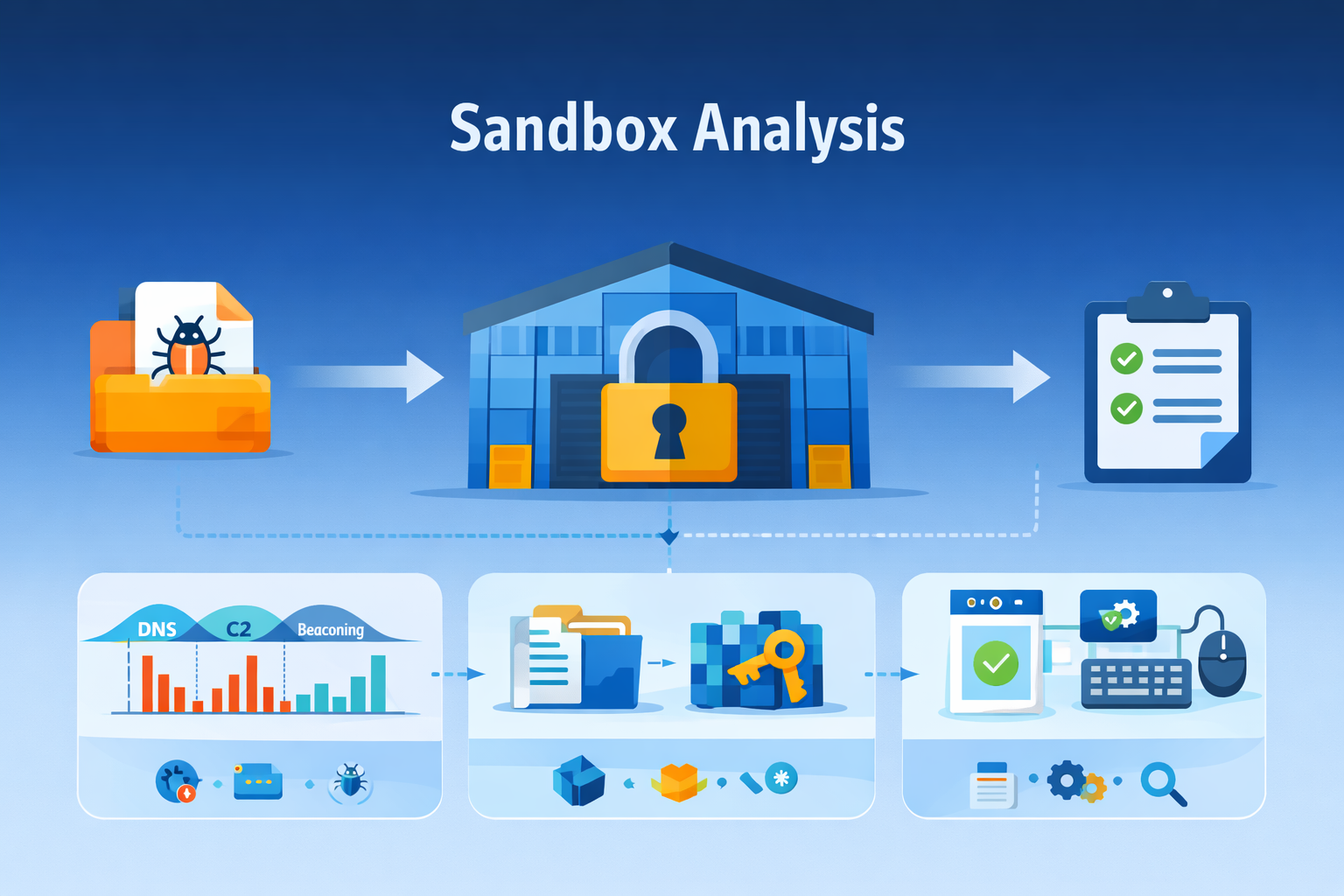
A sandbox reveals a malicious program’s real intent by letting it run in a locked, controlled environment, where it can’t harm your system.
Instead of guessing from code alone, you watch how it behaves when it thinks no one’s looking, whether it reaches out to command-and-control servers, tampers with registry keys, drops new payloads, or starts encrypting files.
That behavior gives you clear evidence of its tactics, tools, and purpose. Used well, a sandbox turns guesswork into observation and patterns into early warning. Keep reading to see which behaviors matter most and how to build your own safe watchtower.
Key Takeaways
- Network calls are the biggest tell, exposing attempts to communicate with outside controllers.
- File and registry changes show how malware digs in to survive a reboot.
- Beating evasion tactics requires a sandbox that feels convincingly real to the malware.
The Contained Crime Scene
The old warehouse by the river had been empty for years. Kids said it was haunted, but the truth was simpler.
Nothing living went in there, and nothing dangerous came out. It was a perfect container. That’s what a malware sandbox is, a digital version of that warehouse.
You take the suspicious thing, the file that arrived in a phishing email or the download from a shady site, and you put it inside. Then you lock the door and watch through the window. You’re not there to stop it, not yet. You’re there to learn.
You learn by giving it a stage. A sandbox is a controlled virtual machine, a fake computer that looks and acts real. It has an operating system, maybe Windows 10, some dummy files on the desktop, a simulated network connection. You drop the malware in and hit execute.
The analysis begins not with a question of what it is, but what it does. This is dynamic analysis. It’s the opposite of static analysis, which is like studying a bomb’s blueprint. Dynamic analysis is lighting the fuse in a bunker and noting everything that happens next. The whole process feels clinical, detached.
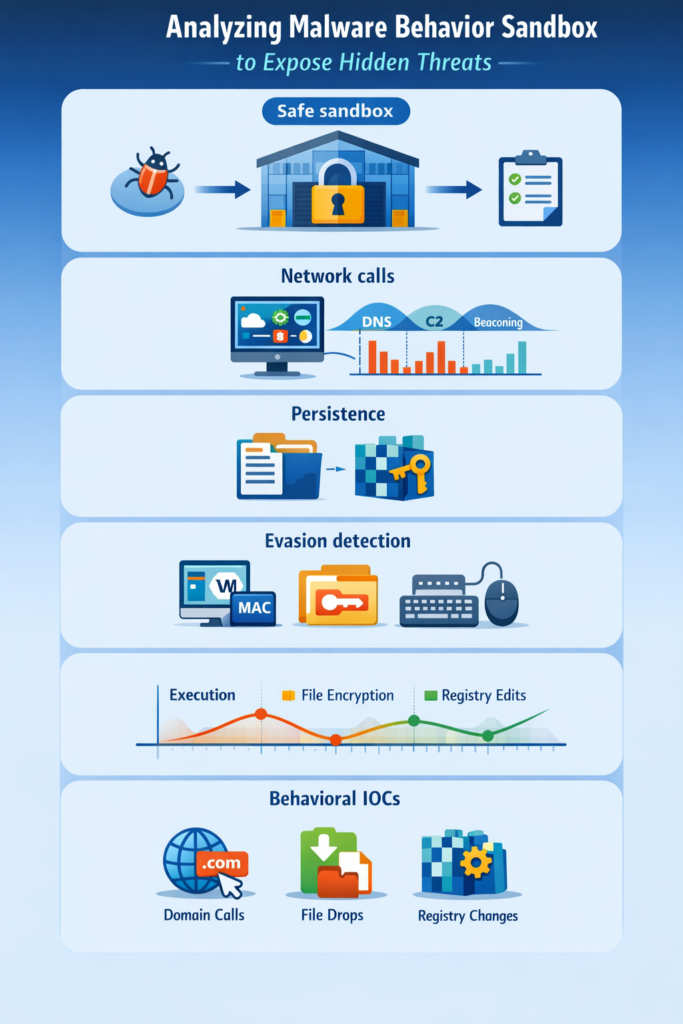
- The sample is submitted, often automatically from an email gateway or endpoint alert.
- It’s placed in an isolated environment, a bubble cut off from your real network and machines.
- Sensors and monitors record every single action it takes from the moment it wakes up.
- After a set period, everything is wiped clean, and a report is generated from the logs.
- This runtime observation contrasts with static malware analysis methods, providing a fuller picture of malware lifecycle and behavior that static scans alone might miss.
That report is the story of the malware’s brief, contained life. It’s the evidence you take to the judge.
What You’re Actually Looking For: The Core Behaviors
You can’t watch everything at once, not effectively. The key is knowing where to look. Experienced analysts focus on a handful of system areas where malicious intent almost always leaves a footprint. Think of it as profiling. You’re looking for the habits of a criminal.
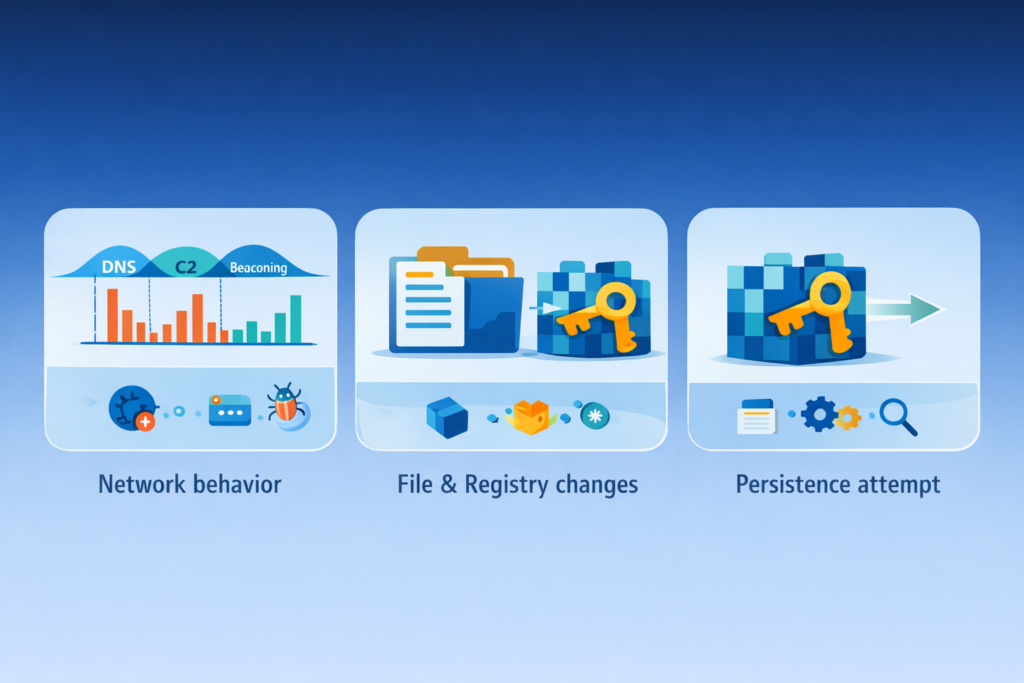
First, and most critical, is the network. Malware is rarely an island. It’s a soldier that needs orders, or a thief that needs a getaway car. Its network activity is its most damning testimony.
It will try to talk. Almost immediately, you might see DNS queries. These are requests to translate a domain name, like evil-c2-server[.]com, into an IP address.
More sophisticated malware uses Domain Generation Algorithms (DGAs), creating thousands of random domain names to find its controller.
The sandbox logs each one. Then come the HTTP or HTTPS requests. This is the malware calling home, maybe sending stolen data out or downloading a second, more dangerous payload.
Understanding these external communications is key in sandboxing for malware analysis, where observing network behavior reveals command-and-control attempts and data exfiltration.
Sometimes it’s a simple ping to a known bad IP address, a beacon to say “I’m here and infected.” Common Network Indicators:
- Calls to domains with recent registration dates.
- Connections to IP addresses in high-risk geographic regions.
- Use of non-standard ports for common protocols.
- Patterns of small, periodic packets (beaconing).
While the network chatter happens, the malware is also busy locally. It’s looking for a place to live, a way to stay. This means touching the file system and the Windows registry.
You’ll see it create new files. Often, it drops its main payload into a temporary folder or deep within AppData, a favorite hiding spot for modern threats. It might create executable files with innocent-sounding names, trying to blend in.
Then it works on persistence. It wants to survive a reboot. So it edits the registry. It adds keys to places like HKEY_CURRENT_USER\Software\Microsoft\Windows\CurrentVersion\Run.
This tells the system, “When you start up, run this program too.” It’s planting a flag. For ransomware, the behavior is a frenzy.
You’ll see a massive spike in file input/output operations as it encrypts every dummy file in the sandbox, renaming them with strange extensions. The logs will show the sequence, a map of the attack.
| Behavior Category | Example Activity | Insight Gained from Malware Behavior Analysis |
| Network Behavior Analysis | DNS lookups, C2 communication, beaconing traffic | Reveals external control, data exfiltration attempts, and command-and-control behavior. |
| Persistence Mechanisms | Registry edits, startup entries, scheduled tasks | Shows how malware survives reboot and maintains long-term access. |
| Privilege & System Changes | Privilege escalation, process injection | Indicates attempts to expand control inside the system. |
| Payload & File Actions | Dropped files, ransomware encryption, payload staging | Exposes malicious payload behavior and malware lifecycle strategy. |
The Cat and Mouse Game: Beating Anti-Sandbox Tricks
Here’s where the observation gets tricky. Modern malware isn’t stupid. It’s been designed by smart, adversarial minds.
It knows about warehouses by the river. It has ways of checking if it’s in a real victim’s machine or a scientist’s lab. If it suspects a sandbox, it will shut down. It goes dormant, or it crashes itself, or it shows only harmless behaviors. You’re left watching a sleeping dog, thinking it’s harmless.
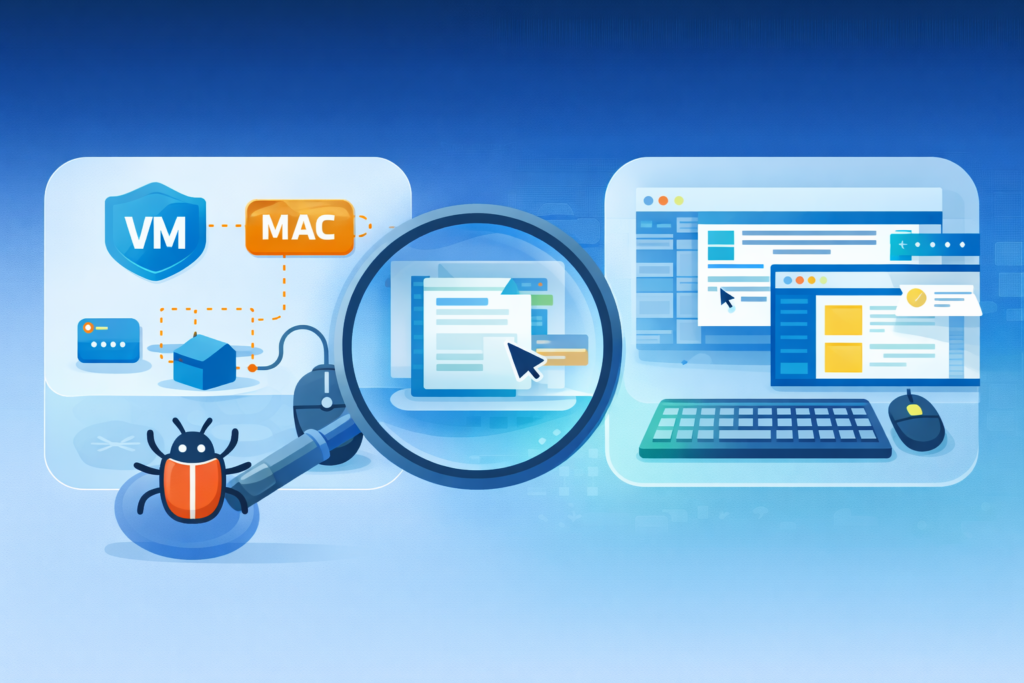
The malware fingerprints its environment. It looks for the digital equivalent of warehouse echoes. It checks for low processor core counts, a sign of a constrained virtual machine. It looks for specific device drivers associated with VMware or VirtualBox.
It might check the MAC address of the network adapter, certain prefixes belong to virtualization software. It even looks for a lack of human activity. No mouse movements for five minutes, no recent document history, probably a sandbox.
So you have to build a better warehouse. You have to make it feel lived-in. Advanced sandboxes employ user emulation.
They have scripts that simulate mouse clicks, keystrokes, and even web browsing. They randomize the computer name, the user account name, and the installed software list.
Extending runtime and using agent-based sensors are part of dynamic malware analysis techniques, helping to outsmart evasion and capture the full scope of malicious activity.
One technique is to use agent-based monitoring. Instead of just watching from the outside, you place a small sensor inside the sandbox environment.
This sensor hooks into system calls at a deep level, seeing what the malware tries to do even if it quickly retreats. It’s like having a microphone in the room, not just a camera at the door. The goal is to convince the malware it’s home free, so it performs its full routine.
From Observation to Action: Making the Data Work
Credits: CareerFoundry
Watching the malware is only half the job. The other half is using what you saw. A sandbox report is a raw feed of truth, but it needs translation. This is where it plugs into the Security Operations Center (SOC). The behavioral profile becomes actionable intelligence.
The report lists Indicators of Compromise (IOCs). These aren’t just static hashes, which a malware author can change with a tiny edit. These are behavioral IOCs. The registry key it created. The domain it called. The named pipe it used for inter-process communication [1].
These are harder for the attacker to alter without breaking their own tool. An analyst can take these IOCs and feed them directly into the SIEM.
Now, the entire corporate network is looking for any machine that tries to contact evil-c2-server[.]com. Firewall rules can be updated in minutes to block traffic to the malicious IP address that was logged.
This is the power of hybrid analysis. You combine the static clues, the file hash, the embedded strings, with the dynamic story from the sandbox.
A polymorphic virus might change its code signature every time it spreads, like putting on a new disguise.
But if it always drops a file in C:\Temp\ and then calls the same C2 server, you can catch every variant by those actions.
You’re no longer just blocking a face, you’re blocking a modus operandi. Threat hunters use these behavioral profiles to dig deeper. They can write custom YARA rules that don’t just scan for code patterns, but for sequences of events.
“Find any process that creates a file in AppData and then modifies the Run registry key within 10 seconds.” They can search back through historical logs, looking for these patterns that slipped by the first time. The sandbox didn’t just analyze one file, it gave you the pattern to find a whole family of threats.
Turning Insight into a Shield

Analyzing malware behavior in a sandbox is, at its heart, a practice in controlled consequence. You are allowing something bad to happen for the greater good of understanding it.
That report, dense with timestamps and API calls, is more than data. It’s a narrative. It tells you the threat’s origin, its methods, and its goal. It turns an unknown binary blob into a known adversary with identifiable habits.
The real work begins when the analysis ends. It’s the moment you take that narrative and weave it into your defenses. You update the blocklists.
You craft the new detection rules. You warn your team about the latest phishing lure. The sandbox is the microscope, but you are the immune system.
It identifies the pathogen, and you build the antibody. Start by isolating your next suspicious file. Watch it. Learn from it. Then use that knowledge to build a wall that specific threat will never climb. That’s how you move from being a spectator to being a defender [2].
FAQ
How does analyzing malware behavior in a sandbox improve security?
Analyzing malware behavior in a sandbox lets you safely observe real malicious code behavior before it reaches your network.
Security teams study malware execution analysis, runtime malware analysis, and malware behavior monitoring to identify malware behavioral patterns.
This process helps detect ransomware behavior analysis, lateral movement detection, and data exfiltration behavior early, giving you time to respond with meaningful protection.
How is malware behavior analysis different from static code scanning?
Static code scanning reviews the file without running it. Malware behavior analysis focuses on dynamic malware analysis inside a secure malware sandbox.
This approach exposes malware lifecycle analysis details, persistence mechanism analysis, and malware behavior signatures during real execution. Because behavior based malware detection watches live actions, analysts can detect malicious payload behavior that static tools may overlook.
Can sandbox threat analysis help identify zero-day malware attacks?
Yes. Sandbox threat analysis and advanced threat sandboxing help identify zero day behavior detection by logging sandboxed malware behavior during execution.
Analysts review threat behavior profiling, behavior anomaly detection, and malware pattern recognition to understand new tactics. This process supports trojan behavior analysis, spyware behavior analysis, and exploit behavior analysis even when no prior malware signatures exist.
What behaviors do analysts look for during malware execution analysis?
During malware execution analysis, analysts review network behavior analysis, C2 communication analysis, and beaconing behavior analysis to identify external control attempts.
Locally, they monitor privilege escalation behavior, malicious script analysis, macro malware behavior, and persistence mechanism changes.
Malware forensic analysis also tracks malware telemetry analysis and sandbox observables analysis to support behavioral IOC extraction and threat hunting behavior.
Can some malware evade sandbox threat detection or hide activity?
Yes. Some malware uses anti sandbox techniques and malware evasion detection strategies to hide activity. These include fileless malware behavior, memory resident malware, and kernel level malware analysis, which reduce visibility.
To counter this risk, analysts rely on malware reverse engineering, sandbox activity logging, IDS behavior correlation, and SIEM behavior analytics to detect malicious behavior indicators more reliably.
Let the Sandbox Tell the Real Story
Analyzing malware in a sandbox turns uncertainty into clarity. By letting threats reveal their true behavior in a safe, isolated environment, you gain the insight needed to detect, block, and prevent real-world attacks.
Network calls, persistence attempts, and evasion tricks all become evidence you can act on. Every report strengthens your defenses, transforming unknown files into known adversaries.
Watch carefully, learn constantly, and turn observation into protection, because informed visibility is one of cybersecurity’s greatest advantages. Ready to turn behavior into defense? Join automated behavioral analysis here.
References
- https://www.giac.org/paper/grem/2593/ioc-indicators-compromise-malware-forensics/125039
- https://dspace.cvut.cz/server/api/core/bitstreams/1c69a81d-ca6e-4b2d-88ba-535f4c9a14bb/content
