
Automated malware analysis reports take the heavy lifting off your plate by detonating suspicious files in a sandbox, tracking their behavior, and turning that chaos into a clear, structured summary.
Instead of manually tracing every registry edit or network call, you get a timeline of what happened, indicators you can act on, and context that ties it back to real threats.
That shift turns alerts from noise into leads, and it turns your team from firefighters into planners. If you want to see how these reports actually work and why they matter so much now, keep reading.
Key Takeaways
- Automated reports provide immediate, consistent insights from static and dynamic analysis, eliminating manual triage bottlenecks.
- They generate actionable Indicators of Compromise (IOCs) that can be fed directly into your SIEM and firewalls for real-time blocking.
- The scalability allows a single analyst to assess thousands of samples, freeing the team to focus on strategic threat hunting and response.
The Anatomy of an Automated Malware Report
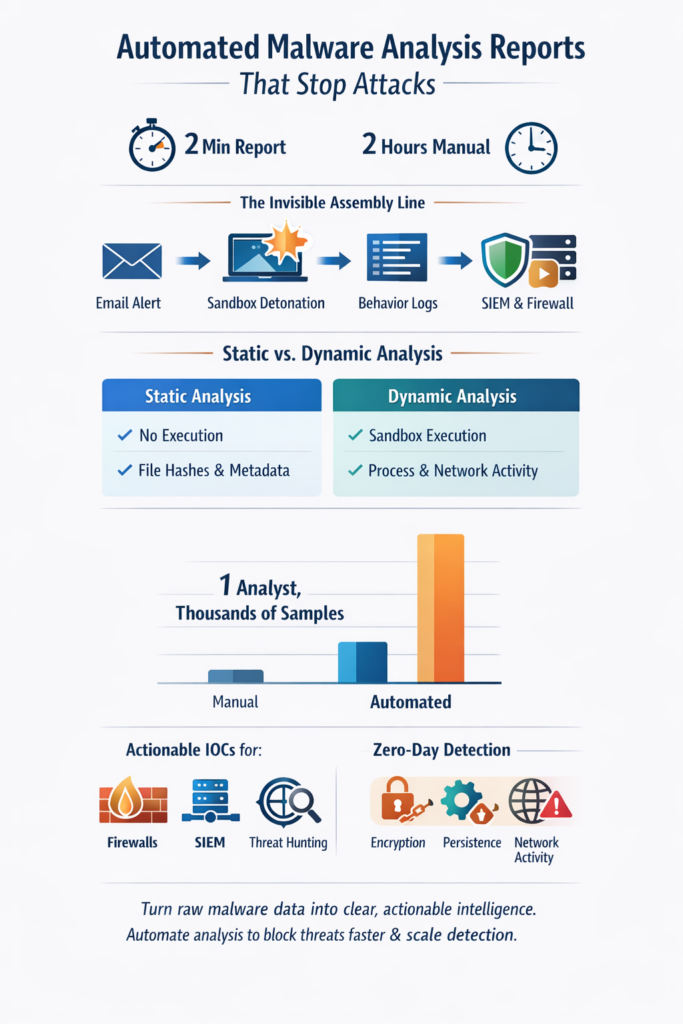
The analyst’s desk is usually quiet. Just the low hum of servers, the glow of a few monitors, and maybe a forgotten mug sitting near the edge.
Then an alert lands with a small sound, a single ping that means one thing: another file needs attention. Maybe it’s harmless. Maybe it’s malware. Not long ago, that alert kicked off a long, careful grind:
- Digging through code line by line.
- Pulling system logs from different tools.
- Piecing together behavior from scattered traces [1].
Slow work, but necessary, and it leaned heavily on patience. Now, the room sounds a bit different. An automated system wakes up, pulls in the file, and starts working in the background. No one has to touch the keyboard right away.
Processes spin, a sandbox runs, logs fill up on their own. Out of all that motion, a report starts forming, organized sections, behavioral summaries, indicators of compromise, all laid out without human hands shaping every line.
What used to feel like wading through chaos becomes something more structured. The analyst still sits at the same desk, still makes the final call, still decides what to block or escalate.
But that first heavy pass, the gathering, the correlating, the formatting, that now belongs to the machine. And in a job defined by urgency and noise, that quiet kind of efficiency changes everything.
What’s Inside the Machine-Readable Dossier
Credits: Inkbox
An automated malware analysis report isn’t a narrative. It’s a dossier, a cold, factual account of a file’s intentions. It breaks down into two fundamental lenses, each offering a different view of the threat.
Static analysis is the first look. The file hasn’t been run yet. The system is just examining its DNA, its potential.
It pulls out the file hashes, the SHA-256 fingerprint that’s as unique as a serial number. It reads the metadata, the PE headers that tell you what kind of executable it pretends to be.
Then it scrapes the strings, the raw text embedded in the code. That’s where you find the clues, the hardcoded IP addresses for a command and control server, the weird URLs that don’t lead anywhere good.
- File Hashes (MD5, SHA-1, SHA-256)
- Portable Executable (PE) header information
- Embedded strings revealing URLs, IPs, or API calls
If static analysis is the autopsy, dynamic analysis is the stakeout. This is where the file is let loose in a sandbox environment, a virtual machine that looks and acts like a real computer but is completely isolated.
The system watches everything. It logs every process the malware spawns, every registry key it modifies to ensure it runs again after a reboot.
It monitors the filesystem for any dropped payloads, any documents it tries to encrypt. Crucially, it captures all network traffic, listening for the call back home to the attacker’s server. This part of the report tells you not just what the file is, but what it does.
| Aspect | Static Malware Analysis | Dynamic Malware Analysis |
| Execution Required | No | Yes |
| Environment | File reviewed without running | Runs inside a secure sandbox |
| Key Outputs | File hashes, metadata, strings, signatures | Behavior logs, process tree, registry edits, network calls |
| Primary Purpose | Identify potential intent | Observe real-world actions |
| Typical Use Case | Early risk scoring | Confirm malicious activity |
The Invisible Assembly Line
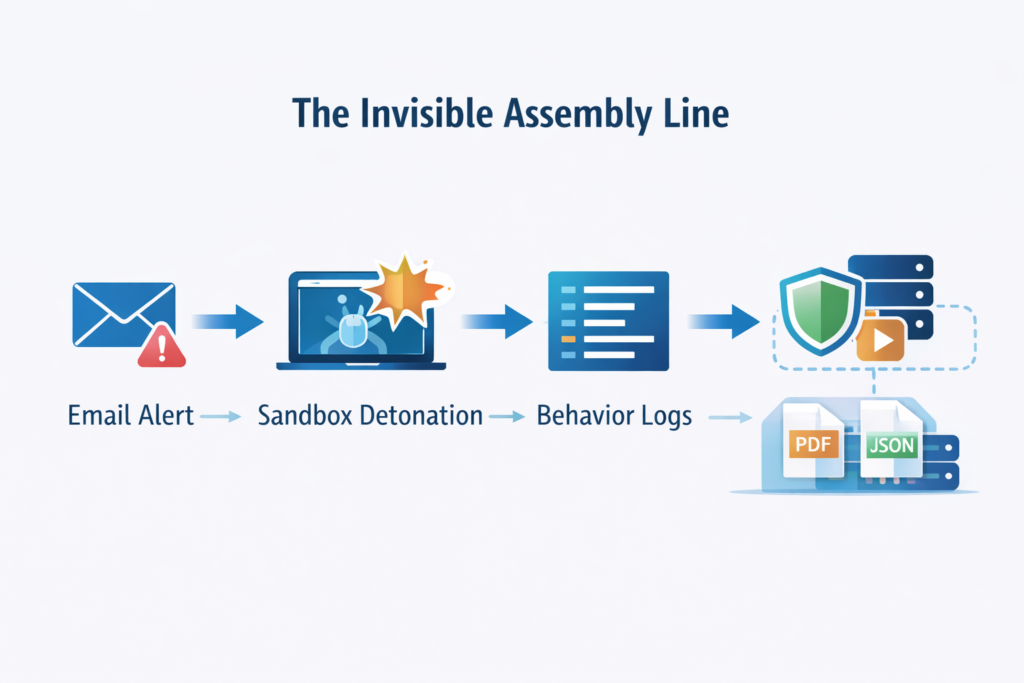
The strange part is how ordinary it looks. No sparks, no drama, just a quiet pipeline moving one suspicious file from step to step.
But behind that calm surface, it behaves a lot like a factory line for malware analysis, each station doing its work without asking for attention. It usually starts with a trigger:
- An email gateway flags an attachment.
- An endpoint detection alert fires on a user’s laptop.
- A SOC tool forwards a file that “feels” off.
That file is handed to the automation system, almost like dropping a package onto a conveyor belt. A sandbox spins up, a fresh virtual machine built in seconds, wiped of history and tuned to watch everything. The file runs inside this controlled space. While it executes, a monitoring agent shadows it, tracking:
- System calls,
- File operations,
- Registry edits,
- Network requests,
- Attempts to talk to the OS in ways honest software usually doesn’t.
What comes out first isn’t a neat story. It’s raw behavioral data. A flood of events that, by itself, feels almost unreadable. That’s where the automation platform starts earning its keep. It takes the noise and reshapes it:
- Lines up the process tree so you can see parent and child processes clearly.
- Ties network traffic to the exact process that made the request.
- Compares registry changes to known persistence tricks and misuse patterns.
- Enriches the sample with outside context (VirusTotal scores, threat intel feeds, reputation data).
Then it does something very human-friendly and very machine-friendly at the same time. It packages the findings into:
- A PDF report a human analyst can skim and annotate.
- A JSON file another system can ingest to push blocks, update rules, or open tickets automatically.
From first submission to finished report, the whole journey might last two minutes. The same level of detail, if done by hand, would swallow two hours of an analyst’s day. The work hasn’t disappeared, it’s just been moved onto an invisible assembly line that never gets tired.
This seamless orchestration of dynamic malware analysis techniques streamlines the entire process without sacrificing depth or accuracy.
Why This Changes the Game for Defenders
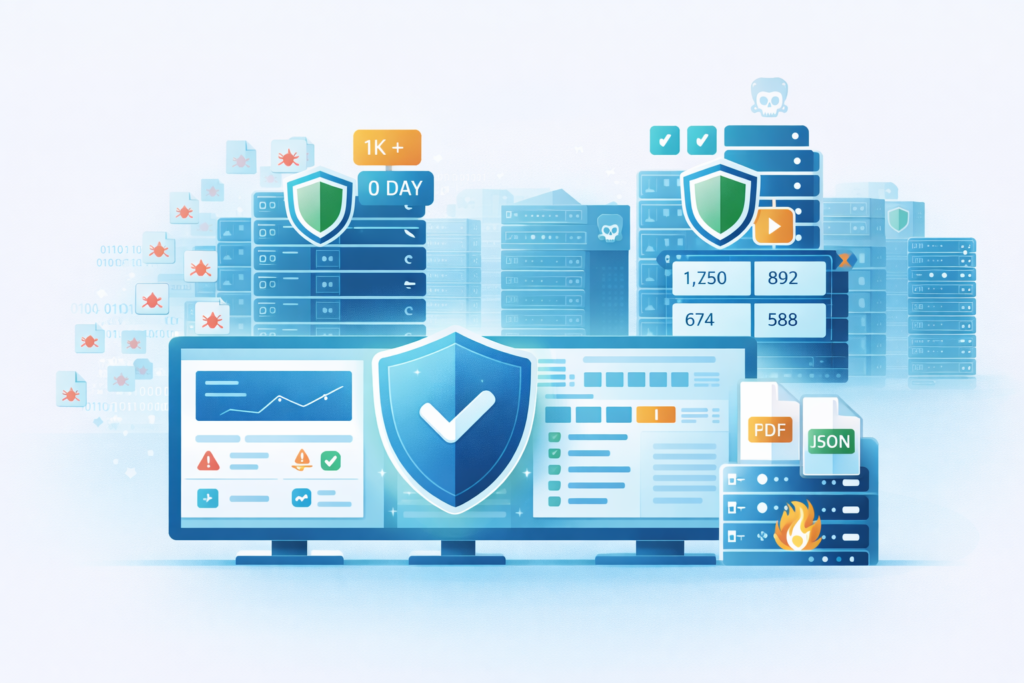
What really shifts here isn’t just how fast the report shows up, it’s what defenders are suddenly able to take on without burning out. Start with scale. A typical SOC might see:
- Hundreds of alerts in a single day,
- Dozens of suspicious files,
- A queue that never quite reaches zero.
A human team can only dig deeply into a small slice of that. The rest becomes shallow triage, or quiet frustration. An automated system doesn’t have that limit. It can:
- Analyze every submitted file in parallel,
- Run the same depth of behavioral checks each time,
- Turn what used to be a backlog into a steady, processed stream.
Speed matters, but this is really about capacity, how much real analysis you can afford to do per alert. Then there’s the comfort of consistency. Every automated report follows the same map:
- Network indicators grouped in a familiar section,
- Behavioral summary placed up front,
- File system and registry activity structured in repeatable ways.
For the analyst, that means less hunting around and less guesswork. The brain doesn’t waste effort trying to remember “where did this tool put the DNS data?” That saved energy adds up. It cuts down on fatigue, reduces the chance of missing a small but important signal, and makes handoffs between team members cleaner.
The most powerful shift, though, is in how unknown threats are handled. Old-school, signature-based tools care a lot about names and fingerprints.
Zero-day malware walks right past that. Behavioral analysis plays a different game. It watches what the file does, not what it’s called. So if a file:
- Starts encrypting large numbers of documents,
- Modifies backups or shadow copies,
- Reaches out to a Tor hidden service or shady C2 infrastructure,
the automated report can mark that pattern as high-risk even if no one has seen that exact sample before. The family name might be missing, the hash might not exist in any database yet, but the story of its actions is enough.
That’s what lets defenders flip the script. Instead of waiting for signatures to catch up, they can act on behavior in near real time, flag it as malicious, and:
- Push new detection rules,
- Update blocklists,
- Strengthen playbooks for the next encounter.
The tools don’t replace the analyst’s judgment, they clear the fog around it, so the human can spend more time on the edge cases, the advanced hunts, and the threats that still prefer to hide between the lines.
Making the Intelligence Actionable
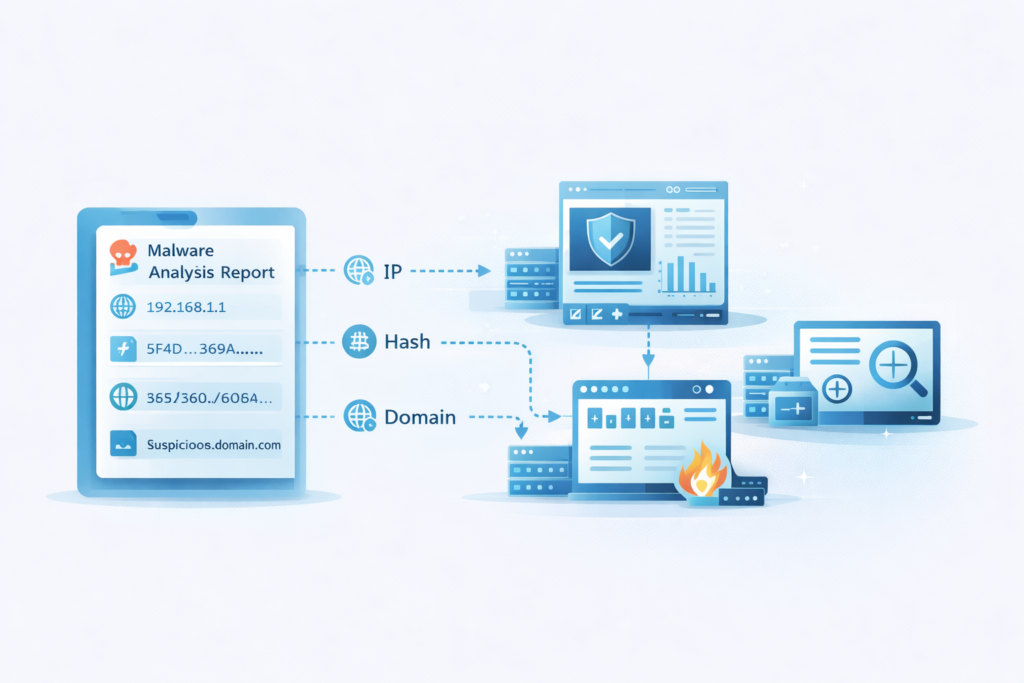
A report in a drawer is useless. The real power of automation is how the report feeds the rest of your security machinery.
This is where the operational payoff happens. The JSON output from an automated analysis isn’t meant for human eyes. It’s a data packet. It can be piped directly into your Security Information and Event Management (SIEM) system.
Imagine, a file is found to be malicious, and within seconds, an alert is created in the SIEM with all the relevant IOCs tagged and ready.
Better yet, those IOCs can be pushed out automatically. The malicious IP address can be blocked at the firewall. The suspicious domain can be added to your web filter. The file hash can be distributed to all endpoints to prevent execution anywhere else in your network.
This creates a closed loop. The report also fuels threat hunting. An analyst might see a malware sample that calls back to a specific domain.
They can then take that domain from the report and search their entire network logs. They’re looking for any other machine that has contacted that domain, potentially uncovering a broader, hidden infection. The automated report provides the first thread, and the analyst starts pulling.
Furthermore, the data enriches incident response playbooks. If the report classifies the sample as ransomware, it can trigger a specific automated playbook.
That playbook might isolate the affected host, snapshot the encrypted files for later recovery attempts, and alert the incident response team with the malware’s specific encryption extension already documented.
The report stops being just information and starts driving action through a static malware analysis methods comparison that reinforces detection accuracy before response.
From Overwhelm to Operational Clarity
The old rhythm was defined by reaction. An alert, a scramble, a slow manual dissection. The new rhythm, enabled by automated malware analysis reports, is different. It’s calmer, more deliberate.
The machine handles the initial burst of work, the dirty job of interacting with the malicious code. It presents the facts in a clean, structured way [2].
This allows the human analyst to do what humans do best. They can interpret the patterns across multiple reports. They can see the campaign behind a thousand individual samples.
They can focus on the high-level strategy of defense, on hunting for the threats that slipped through, and on improving the overall security posture.
The report is the translation layer between the chaotic world of malware and the orderly process of defense. It turns noise into signal. And in cybersecurity, the team that acts on the best signal the fastest, wins. Start by automating your first analysis today, and feel the rhythm change.
FAQ
How do automated malware analysis reports support daily security operations?
Automated malware analysis reports help security teams by combining malware telemetry reports, automated malware detection logs, and malware indicator reporting into one summary.
Analysts can quickly review automated IOC reports, malicious behavior summary reports, and malware detection summary reports instead of searching tools.
This improves investigation speed, supports accurate decisions, and keeps every malware incident reported consistently across the environment.
What is the difference between static and dynamic malware reporting?
Static malware report automation reviews a file without running it by using malware signature analysis reports and automated binary analysis reports.
Dynamic malware analysis reports examine behavior inside sandbox malware analysis reports and automated file detonation reports.
Security teams verify findings with malware verification reports, exploit detection reports, and automated IOC enrichment reports to understand behavior more accurately before responding.
Can automated malware reporting integrate with existing security dashboards and tools?
Automated malware reporting can integrate with existing tools by supplying automated threat detection reports, SIEM malware correlation reports, and automated security analytics reports.
These feed into malware detection dashboard reports, automated threat overview reports, and automated cyber threat reports that analysts monitor. This reduces duplicated effort, improves visibility across systems, and supports consistent incident response malware reports for security events.
How do automated malware reports improve response to ransomware or zero-day attacks?
Automated ransomware reports and zero day malware reporting help security teams react faster to new threats.
Behavioral malware reporting highlights encryption attempts, persistence changes, and suspicious network activity.
Analysts can use automated malware risk reports, threat scoring reports, and automated compromise assessment reports to prioritize dangerous events quickly. This supports malware mitigation reporting and automated breach detection before impact occurs.
What long-term insights come from malware analysis automation and reporting?
Malware analysis automation produces automated malware trend reports, malware campaign analysis reports, and machine learning threat reports that reveal long-term patterns.
Security teams use insights to build threat hunting analysis reports, malware behavior analytics reports, and automated threat validation reports.
Combined with automated forensics reports and automated threat posture reports, this strengthens policies and helps reduce risk across the organization.
How Automated Malware Analysis Reports Turn Detection Into Defense
Automated malware analysis reports don’t replace human expertise, they amplify it. By converting raw execution data into clear, structured intelligence and pushing IOCs straight into defensive controls, they shrink response time from hours to minutes.
That speed and consistency free analysts to hunt, investigate, and strengthen defenses instead of drowning in manual triage.
The result is a calmer, more decisive security operation where every alert receives a look, and emerging threats are contained before they spread. Ready to modernize your threat analysis workflow? Join the future of network threat detection here.
References
- https://id.scribd.com/document/825670179/Step-by-Step-Malware-Analysis
- https://softwareanalyst.substack.com/p/sacr-ai-soc-market-landscape-for
