
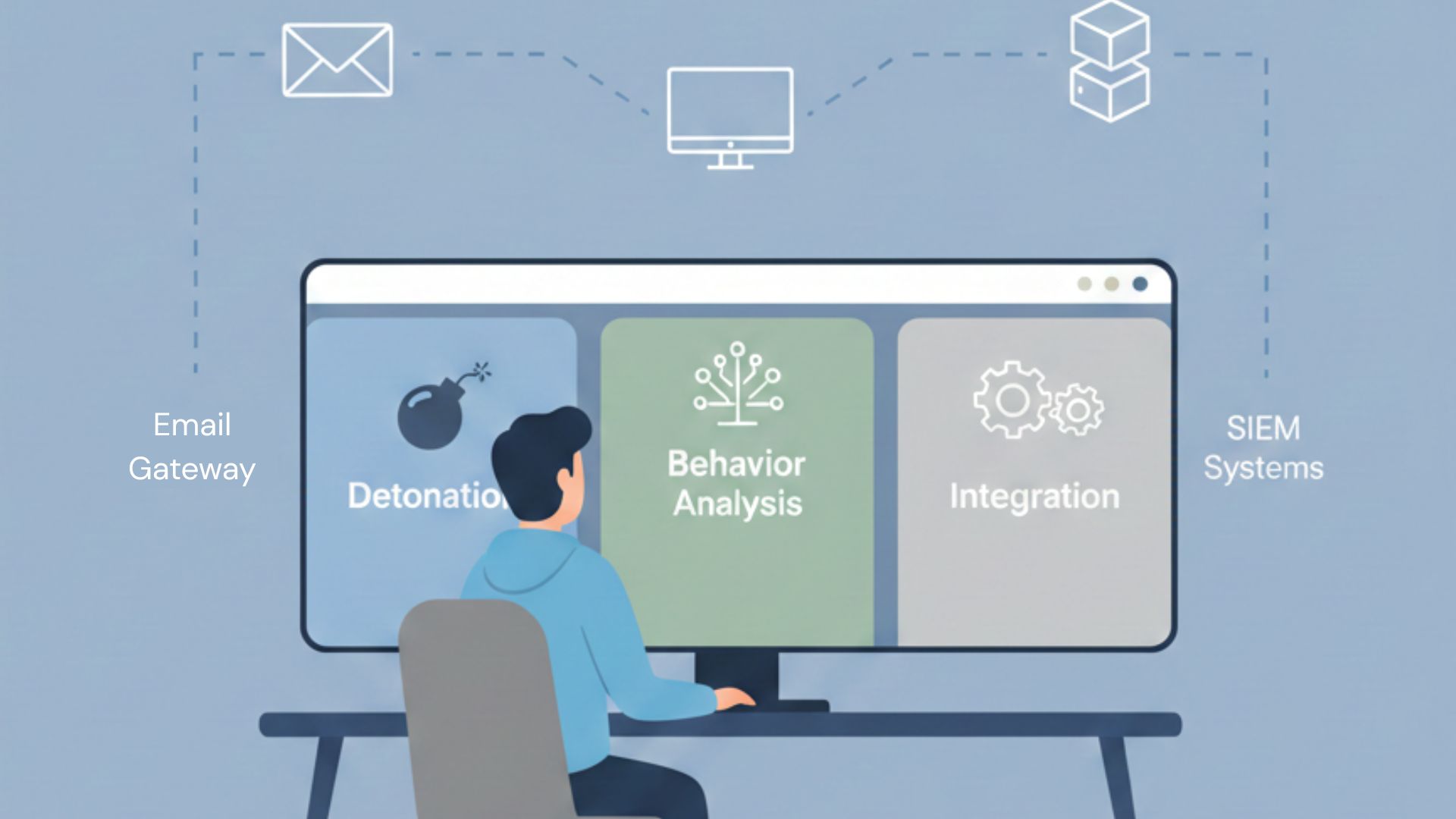
A malware sandbox is an isolated virtual environment used to execute suspicious files and observe their behavior safely. It matters because modern threats conceal intent until runtime, making static checks unreliable. By detonating a file in a controlled setting, you see real actions such as credential theft, lateral movement, persistence, or data destruction without exposing your network.
That visibility replaces assumptions with evidence and speeds decisions. Instead of sifting through noisy alerts, analysts get a clear sequence of actions tied to risk and impact. The right sandbox converts raw activity into intelligence that informs response, hunting, and prevention. Keep reading.
Key Takeaways
- Deployment is foundational. Your choice between cloud speed and on-premise control dictates everything from setup time to data privacy.
- Evasion resistance is non-negotiable. A good sandbox must fool sophisticated malware that’s looking for virtual environments to hide in.
- Integration creates force multiplication. The best analysis is useless if its findings can’t automatically feed your firewalls and endpoint tools.
Understanding the Core: What a Sandbox Actually Does
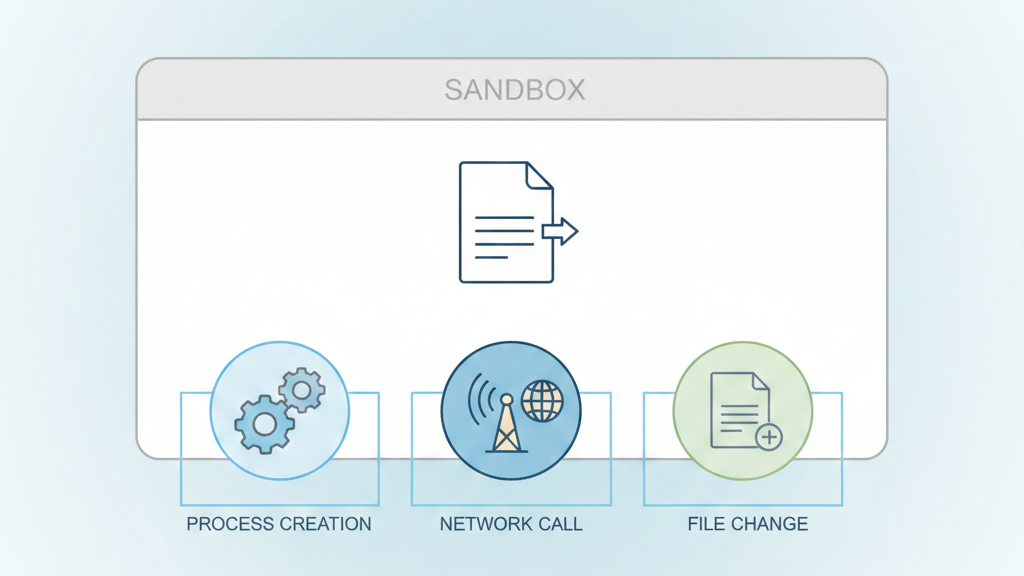
You can think of it as a digital lab with padded walls. We run suspicious programs inside, letting them scream and try to break things while we watch every move. This is dynamic analysis. Instead of just studying a bomb’s blueprint, we get to see the blast pattern safely.
A solid understanding of sandboxing for malware analysis is what turns malware execution from a risky guess into a controlled, repeatable investigation.
“is a virtual environment where malware can be safely executed and analyzed without causing harm to the host system.” – Sandbox [1]
The real value is the isolation. In our work, we’ve seen ransomware encrypt dummy files for hours. Spyware tries to snap pictures of a fake desktop.
What happens inside?
- It executes code in a virtualized, safe environment.
- Records every artifact: network traffic, file changes, memory processes.
- Spits out a forensic report detailing the malware’s tactics.
This process turns an unknown file into a known entity. You go from having a mystery to having a map of its behavior. For our team, handling everything from user-reported attachments to automated crawls, it’s the essential step between finding a threat and actually understanding it.
The First Big Choice: Cloud Agility vs. On-Premise Control
This choice shapes everything that comes after. Some cloud-based, interactive sandboxes prioritize speed and real-time visibility. You open a browser, upload a file, and get results. No hardware to buy, no software to maintain. The provider handles updates and scaling. For teams needing to start fast without a huge upfront cost, it’s a natural fit.
Then you have on-premises, like Cuckoo Sandbox. It lives in your data center. You control the hardware, the network, the OS images, everything. This is non-negotiable for some of our clients in finance or healthcare, where sensitive data can’t leave the building. Total control, but you also shoulder all the maintenance.
| Factor | Cloud Sandbox | On-Premise Sandbox |
| Deployment Speed | Immediate, browser-based access | Requires hardware, setup, and tuning |
| Maintenance | Vendor-managed updates and scaling | Fully owned by internal teams |
| Data Control | Data processed off-site | Data remains inside your network |
| Scalability | Elastic, on-demand capacity | Limited by local infrastructure |
| Compliance Fit | Best for general SOC workloads | Required for regulated environments |
| Ideal Use Case | Fast triage, incident response | Research labs, sensitive data analysis |
From our own experience, we started with the cloud for that immediacy. During an incident, waiting for on-prem VMs to spin up felt endless. The cloud gave us answers fast. But we’ve also seen the other side.
For certain clients, an on-prem sandbox wasn’t just better; it was the only option, locked down tight within their secure network. There’s no single right answer, just what fits your data and how you work.
What Makes a Sandbox Actually Work? Key Evaluation Criteria
It’s not just where it runs, but how well. These tools aren’t all the same.
First, evasion resistance. Modern malware looks for signs it’s in a sandbox, a virtual machine, an idle desktop. If it finds them, it shuts down and acts harmless. A good sandbox has to trick it, presenting a totally real-looking environment. Miss this, and you only catch lazy threats.
This is where the limitations of sandbox environments become obvious: malware that detects virtual hardware or artificial user behavior simply shuts down and waits you out.
“malware may detect the analysis environment and alter its behavior to avoid detection.” – National Institute of Standards and Technology (NIST) [2]
Then, analysis depth. Does it handle memory forensics for fileless attacks? Does its report just list actions, or map them to frameworks like MITRE ATT&CK? That mapping turns a log into an intelligence briefing.
We focus on a few key areas:
- Depth: Supports multiple OS and detailed forensics.
- Interactivity: Lets an analyst manually click through, like a real user.
- Automation: A robust API to feed results into SIEM and SOAR tools.
We learned the API’s value the hard way. A beautiful report is useless if it doesn’t connect to your other systems. The real win is when the sandbox extracts a malicious domain and blocks it at the firewall in under a minute. That’s the shift from detection to prevention.
Where Network Threat Detection Fits In
Credit: Virus Bulletin
You can’t analyze modern malware without watching the network. The sandbox’s virtual machine is one part, but the traffic it generates tells the real story. We focus heavily here. The callbacks to command servers, the data theft attempts, the secondary downloads, it all happens over the wire.
A strong sandbox has full packet capture. It doesn’t just note a connection; it records the entire conversation. This allows for deep inspection later. You see the protocols, the encryption attempts, the actual data sent. Integrating this network view is our first step in building a complete threat picture. File behavior shows the what, but network traffic often reveals the why and for whom.
This visibility is a cornerstone of our Network Threat Detection approach. It connects an isolated sandbox event to potential live threats on your actual network. By analyzing the traffic, you extract Indicators of Compromise (IoCs) that are more reliable for hunting than a file hash.
- IPs and domains to block.
- Malicious URLs used for staging.
- Protocol signatures of malicious chatter.
These are the breadcrumbs. They can lead you to an active infection or help you prevent one outright.
Leading Solutions and Their Real-World Fit
SERP lists give you names. Which tool fits your terrain? Our team’s work in threat models shows the choice matters.
Interactive sandboxes is a live surveillance feed. You see the VM desktop in real-time and can click, type, navigate. For malware that needs a user to click “Next,” this cuts triage from minutes to seconds. We watch the infection chain unfold as it happens.
Other platforms focus on deep, forensic-grade reporting suited for advanced investigations. Its cross-platform reports are exhaustive, with behavioral graphs that hold up in APT analysis. When we need to document a complex attack for a client, that depth is essential.
Open-source, self-hosted sandbox frameworks offer full customization at the cost of operational overhead.
- It’s free and endlessly customizable.
- The trade-off? You’re the support team. Setup is complex, and keeping it current is a constant project.
Finally, some sandboxes are tightly integrated into broader security ecosystems. These aren’t just tools; they’re part of an ecosystem. If your network is built on that infrastructure, the analysis flows right into your existing alerts. We use them when intelligence needs to act automatically, not just sit in a report.
Making It Work: Integrating the Sandbox Into Your Flow
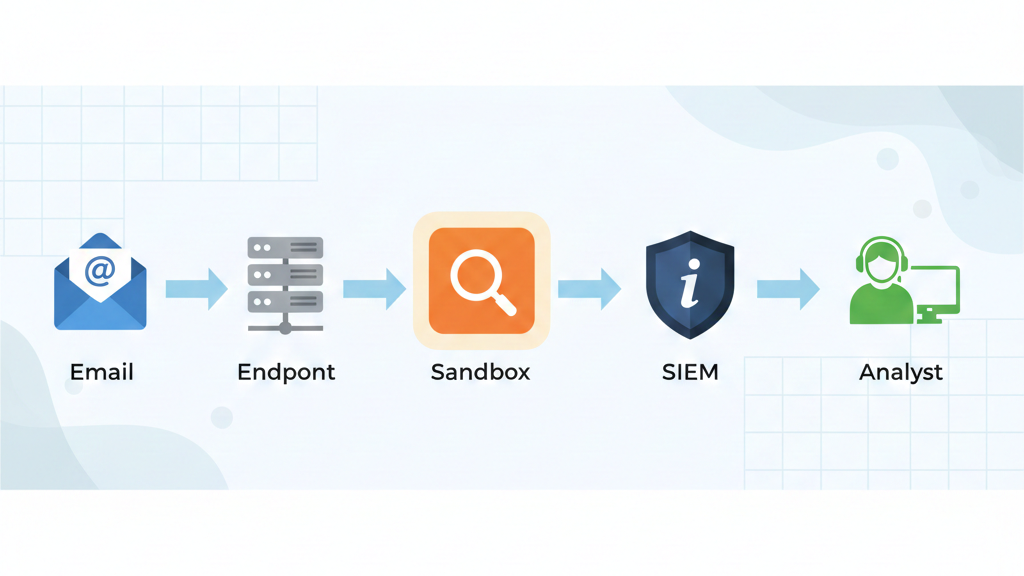
Buying the tool is just the start. The real value comes from stitching it into your daily operations. We’ve learned that making analysis seamless, not a separate chore, is the goal.
First, define your submission pipeline. What triggers a file to go to the sandbox? An email flag, an endpoint alert, a manual submission? Automate this using the API. In our own setup, we routed alerts directly from our monitoring tools. No analyst should be manually uploading files during a crisis.
Next, standardize the review. Don’t just check the “malicious” score. Dig into the behavioral summary. Look for the hallmarks: outbound network calls, attempts to disable security software, hidden processes. These TTPs tell a richer story than any single verdict.
The real win comes from integrating sandbox alerts into your SIEM, where extracted domains and IPs automatically trigger correlations, historical searches, and immediate response actions across the environment.
Finally, operationalize the findings. This is the step most teams miss. The report should automatically push IoCs to your other controls. That malicious IP goes to the firewall blocklist. The new signature gets added to endpoint protection. In our work, this loop, analyzing one threat to block the next, is what transforms a sandbox from a curiosity into a core part of your defense.
FAQ
What is a malware sandbox, and why does it matter when choosing a malware sandbox solution?
A malware sandbox runs malware detonation inside a controlled virtualized environment. It uses dynamic malware analysis, static malware analysis, and behavioral analysis to observe file actions, process monitoring, and network traffic capture.
This helps threat detection teams extract IoCs, understand malware scoring, and identify zero-day detection signals. A sandbox reduces guesswork and supports faster, more accurate incident response decisions.
How do static malware analysis and dynamic malware analysis differ in a malware sandbox?
Static malware analysis inspects files without executing them. Dynamic malware analysis runs the malware to observe real behavior. A strong malware sandbox combines both methods with memory forensics, hypervisor monitoring, and YARA integration.
This approach exposes packed malware, payload extraction paths, MITRE ATT&CK mapping, and sandbox evasion techniques that static methods alone cannot reliably detect.
Should I choose a cloud sandbox or an on-premise sandbox for threat detection?
A cloud sandbox prioritizes scalability, fast analysis, and simple API integration. An on-premise sandbox offers stronger data control, customization, and self-hosted sandbox deployment.
Both options can support automated sandbox workflows, interactive sandbox use, and evasion resistance tuning. The right choice depends on data sensitivity, response speed needs, and how the sandbox supports SOC triage and incident response operations.
What is an interactive sandbox, and how does it help malware analysis?
An interactive sandbox allows analysts to interact with malware during dynamic execution. Analysts can trigger behaviors, monitor processes, and observe live network traffic capture. This improves phishing sandbox testing, web link analysis, email attachment scan accuracy, and script analysis. Interactive analysis provides clearer behavioral indicators during ransomware analysis and complex APT analysis scenarios.
How should sandbox pricing and features affect choosing a malware sandbox solution?
Sandbox pricing models include free sandbox tiers, subscription sandbox plans, and commercial sandbox licensing. Cost should align with features such as SIEM compatibility, SOAR platform integration, threat intelligence sharing, and forensic reporting depth.
A solution should also support multi-OS analysis, including Windows sandbox, Linux malware, Android analysis, macOS threats, and iOS sandbox, to remain effective as threats evolve.
Your Practical Path Forward
Choosing a malware sandbox isn’t about finding the “best” tool on paper, it’s about finding what fits your team and threats. Start by assessing your needs: deep customization for research, or speed and integration for a SOC.
Test a known sample across a few trials and compare the reports, not just the verdicts. Look for clarity, scale, budget fit, and compliance. The right sandbox acts as a force multiplier. See how the right fit comes together
References
- https://www.vmray.com/glossary/malware-sandbox/
- https://csrc.nist.gov/publications/detail/sp/800-83/rev-1/final
