
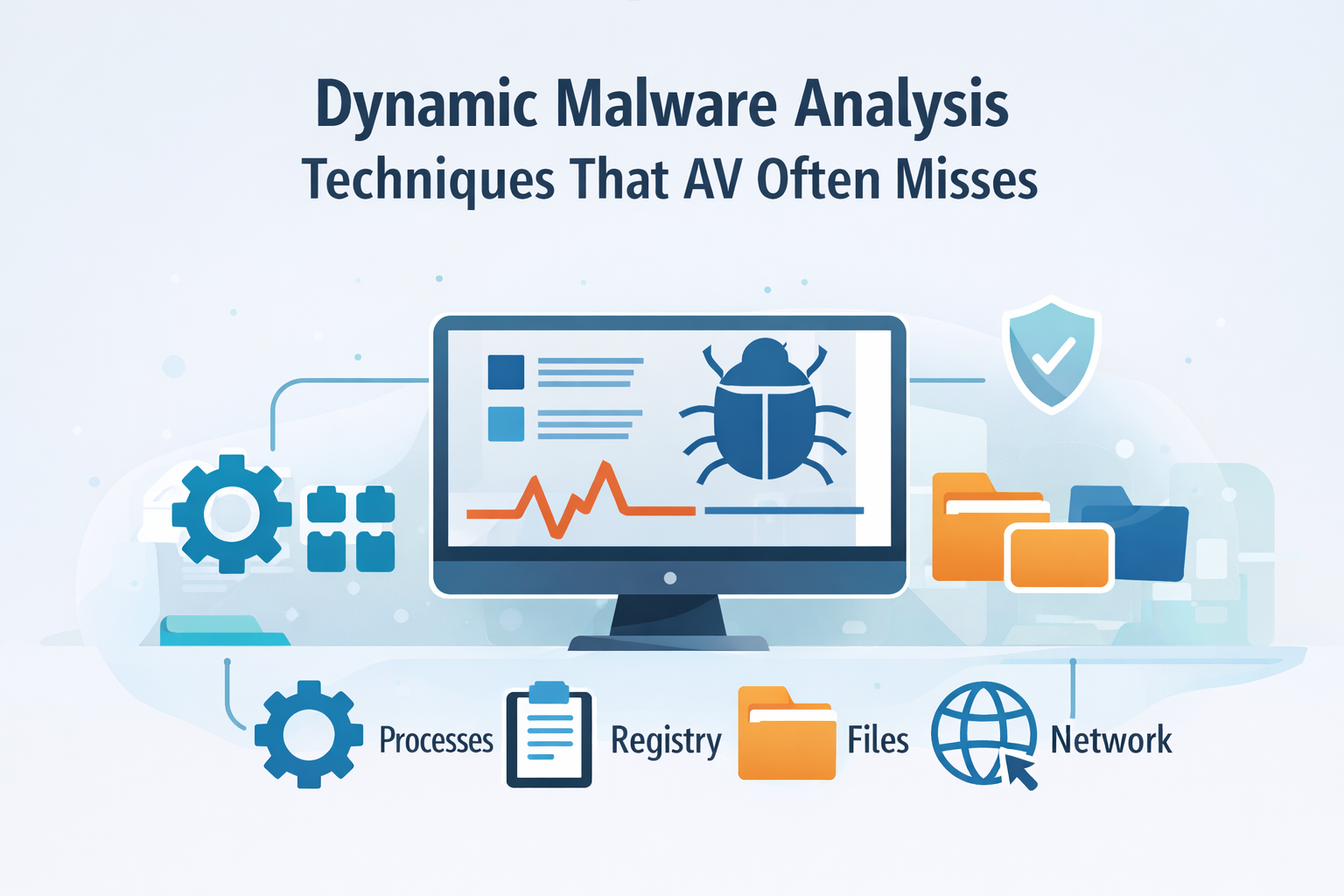
Dynamic malware analysis means running malicious code in a safe, controlled environment so you can watch how it really behaves.
Instead of just staring at static code or signatures, you track what the malware touches: registry keys, processes, network traffic, persistence methods, and any files it encrypts or drops along the way. You see its decision-making, not just its packaging.
That view lets you distinguish noisy samples from serious threats, tune your defenses, and respond with evidence instead of guesswork. If you want to build that level of visibility and confidence, keep reading and learn how to do it step by step.
Key Takeaways
- Dynamic analysis catches malware by its actions, not just its code, revealing hidden behaviors and network calls.
- Modern malware actively tries to detect and evade sandboxes, requiring clever countermeasures from the analyst.
- A practical lab combining automated sandboxes, network simulation, and memory forensics is essential for effective analysis.
The Core Workflow: From Sample to Story
The process isn’t haphazard. It follows a rhythm, a methodical dance between the analyst and the malware. It starts with a collection. Maybe it’s from a honeypot, a deliberately vulnerable system left out to attract threats.
Maybe it’s pulled from a user’s quarantined email. The sample is then moved, carefully, to an isolated lab environment. This is non-negotiable.
The internet connection here is fake, a staged performance designed to trick the malware into revealing its plans. Then comes detonation. You execute the file. And you watch. Tools light up, capturing a flood of data.
- Process creation and termination
- File system reads, writes, and deletions
- Windows Registry modifications for persistence
- Network socket connections and DNS requests are carefully monitored through advanced sandboxing techniques that simulate real environments but contain threats safely.
This data forms a narrative. A .exe runs, spawns a child process, drops a DLL into the AppData folder, adds a Run key to the registry, and then attempts a connection to an IP address on port 443.
That’s a story. It’s the story of a malware family establishing a foothold and phoning home. Dynamic analysis writes that story in real time.
Essential Techniques for Behavioral Insight

Automated sandbox detonation is the first line of defense for many security operations centers. A tool like Cuckoo Sandbox can take in hundreds of samples, run them in clean virtual machine snapshots, and spit out JSON reports.
It’s efficient. It gives you a baseline. You’ll see screenshots of what happened, a list of files touched, and network traffic captured. But it’s just the surface.
To go deeper, you need system-level behavioral monitoring. This is where you track the specific API calls the malware makes.
Windows is built on APIs, functions like CreateProcess, WriteFile, RegSetValue. Malware uses these same building blocks.
By monitoring these calls with a tool like Process Monitor (Procmon), or hooking via API Monitor, you see the raw sequence of events.
You might see it call VirtualAlloc to request memory, then WriteProcessMemory to inject code into another process. That’s a key sign of an injection attack, a favorite of information stealers.
Then there’s dynamic binary instrumentation. This is surgery. Using a framework like Frida, you inject your own code into the running malware process. You can intercept functions as they’re called, change their arguments, or see their return values.
This process is enhanced by enriching flow data with contextual information, allowing analysts to see the full scope of interactions during runtime, which is crucial for spotting complex threats.
Imagine malware that decrypts a payload only at runtime. Static analysis sees encrypted gibberish. Dynamic analysis with instrumentation can catch the decryption routine in the act and dump the plaintext payload to your disk. It’s a powerful way to bypass obfuscation.
| Technique | What It Does | Threat Behaviors Revealed |
| Dynamic malware analysis | Runs malware in a controlled environment to observe real behavior | Process creation, registry changes, file activity |
| Behavioral malware analysis | Focuses on how malware behaves instead of how it looks | Suspicious process behavior and persistence |
| Dynamic code analysis | Monitors code execution at runtime | API calls and system interactions |
| Dynamic binary instrumentation | Injects hooks into running code to capture runtime activity | Decryption routines and in-memory payloads |
| Memory forensics malware analysis | Analyzes memory state after execution | In-memory injections and hidden payloads |
The Adversary Fights Back: Evasion and Counter-Evasion
Malware authors know about sandboxes. They’re not stupid. So they build in checks. This is where the analysis becomes a game of cat and mouse.
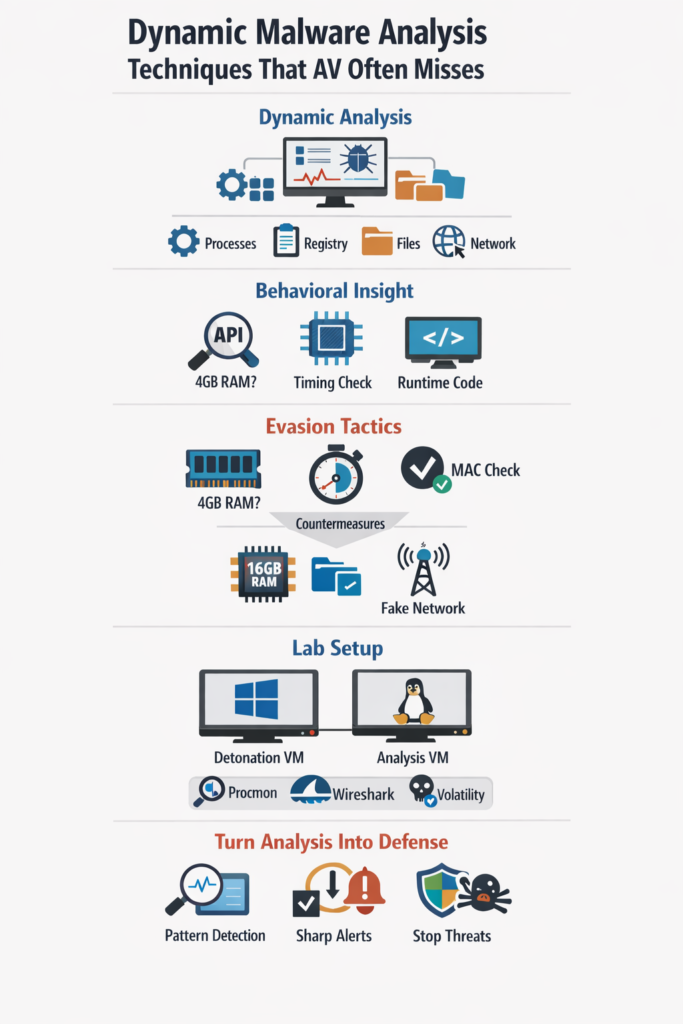
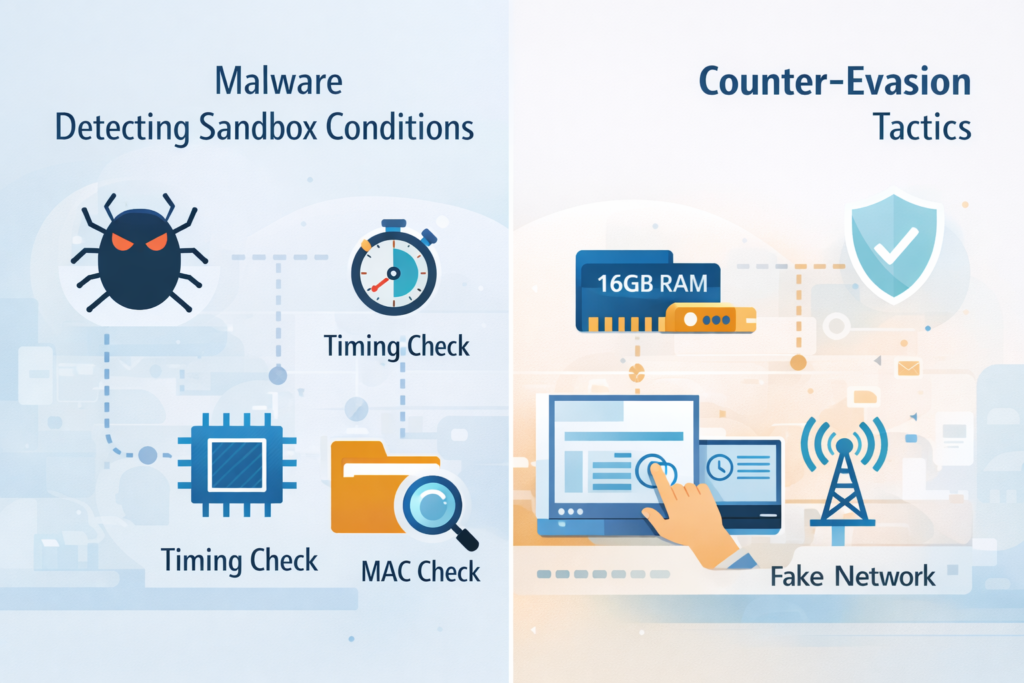
The malware might check the system’s RAM size. A typical VM might have 4 GB allocated, while a real user’s machine has 16 GB. If it sees 4 GB, it goes dormant. It might look for specific process names like vboxservice.exe (VirtualBox) or vmwaretray.exe (VMware) [1].
It might check the MAC address of the network card; vendors like VMware and VirtualBox have specific prefixes.
It can get more subtle. Some malware uses timing checks. It might execute a loop ten million times and measure how long it takes.
Running on real hardware, it takes one second. Running in a heavily monitored, instrumented sandbox, the extra overhead might make it take two seconds.
The malware detects the delay and shuts down. Others wait for a mouse click or for a document to be opened, things an automated sandbox doesn’t do.
So what do you do? You adapt. You customize your sandbox. You give it 16 GB of RAM. You change the MAC address to mimic a Dell or HP NIC.
You use tools that accelerate or manipulate the system timer. For user interaction, you can write scripts that simulate mouse movements or keystrokes. Network simulation is also critical. Tools like FakeNet-NG listen on all ports and respond plausibly.
If the malware tries to connect to its command-and-control server, FakeNet answers, often causing the malware to proceed to its next stage, revealing more of its behavior.
Building Your Practical Analysis Lab
Credits: Anuj Soni
You don’t need a fortune to start. A moderately powerful PC with plenty of RAM is the foundation. Install a hypervisor like VirtualBox or VMware Workstation.
This is your containment field. Inside, you’ll have two primary virtual machines. Your first VM is your “detonation” box, usually a Windows 10 or 11 instance. This is your sacrificial lamb. You’ll install monitoring agents here (like those for Cuckoo) and take a clean snapshot before every run.
Your second VM should be a Linux analysis machine running REMnux as the OS, a free, curated toolkit for malware analysis. REMnux has everything. It has network monitors, binary analysis tools, and most importantly, your Cuckoo sandbox manager if you go that route.
You keep this machine on a separate, host-only network segment that includes your Windows detonation VM. This way, the malware can “talk,” but only to your analysis tools. Your essential toolkit will grow, but start with these:
- Process Hacker/System Informer: A superior Task Manager that shows deep process details, handles, and memory regions.
- Procmon (Process Monitor): The definitive tool for real-time file system, registry, and process activity.
- Wireshark with FakeNet-NG: For capturing and simulating network traffic, enabling visualizing network communication patterns that reveal how malware attempts to spread or phone home.
- Volatility: For memory forensics, to find what hides after the process ends.
You run the sample. You collect the logs, the PCAP files, the memory dumps. The data can be overwhelming.
This is where the real analysis begins, sifting through the noise to find the signal—the one registry key that grants persistence, the one domain that serves as the C2, the one mutated file that holds the next stage of the attack.
Turning Analysis Into Defense
Dynamic malware analysis feels a lot like finally turning the lights on in a dark room. That unknown file stops being a quiet, mysterious blob on disk and starts acting like what it really is: a moving, noisy threat with habits, quirks, and routines.
You watch it breathe. You see it probe for sandboxes, you see when and how it unpacks, you catch the exact moment it reaches out to command-and-control. Every action reveals intent. And that intent is what lets you fight back with purpose instead of guesswork [2].
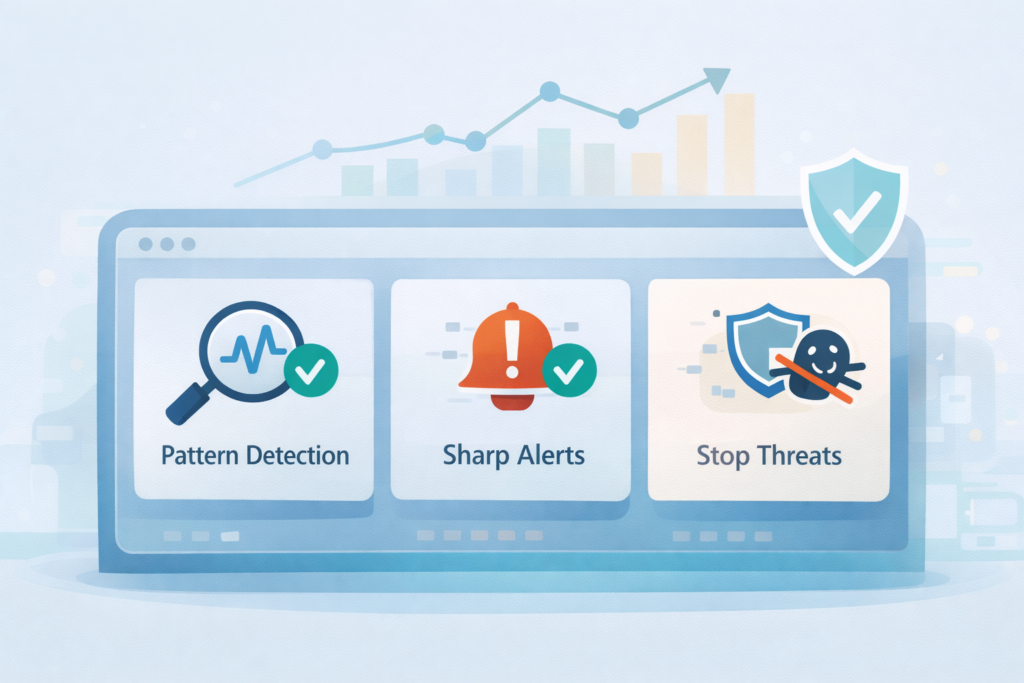
From that behavior, defense grows. Those observations turn into sharper detection rules, not just “match this hash,” but “catch this pattern of process creation and registry changes.” You can block specific network traffic before data walks out the door.
You start to understand not only what the malware does, but why it does it that way. That’s where you stop reacting and start predicting. You’re not only reading the adversary’s playbook, you’re annotating it and handing those notes to your SIEM, your EDR, and your firewall.
The field never sits still. Malware authors keep shifting tactics, but the one thing they can’t escape is behavior. Even the stealthy families, the ones that brag about leaving “no footprint,” still have to do something to cause harm. That’s the one rule they can’t break. You see it in patterns like:
- Fileless malware that lives only in memory, hijacking trusted processes instead of dropping EXEs to disk.
- PowerShell loaders that pull payloads in quiet stages, blending into admin scripts.
- Ransomware crews leaning on legitimate IT tools (PsExec, WMI, RDP) to move laterally and deploy encryption at scale.
They all still act. They allocate memory, spawn processes, touch the registry, beacon over the wire. Those are tracks.
Maybe faint, maybe short-lived, but still tracks. With the right setup, you can watch every step, capture it, replay it, and design your defenses around what you actually see instead of what the marketing sheet says.
Start small, but start. You don’t need a huge lab to begin, and you don’t need a full-blown sandbox farm with clustered hypervisors. You can build useful skill with one machine and one known-bad sample:
- Set up a single virtual machine (Windows is usually the best starting point).
- Isolate it from your main network (NAT or host-only networking, and no shared folders to production).
- Grab a known malicious sample from a trusted research repository.
- Fire up Procmon and a process viewer, then run the sample and just watch.
You’ll see a story unfold in front of you: processes spawning, files being dropped and deleted, registry keys set and unset, services touched, maybe network calls going out.
At first it looks like noise. Over time, you start to hear the melody inside the noise. That’s where pattern recognition kicks in. You’ll learn:
- What “normal” Windows background chatter looks like.
- What stands out as odd: repeated failed connections to strange domains, unusual persistence keys, suspicious command-line arguments.
- How common malware families reuse the same tricks across variants.
This is a skill that can’t really be rushed by reading alone. It’s built in the doing, in quiet, focused observation, run after run, sample after sample.
You’re watching malicious code try to hide inside a cage that you designed, and you’re patiently mapping every move it makes. Over time, those observations harden into practical defenses: tuned rules, better alerts, and instincts that are a lot harder to fool.
FAQ
What is dynamic malware analysis and why is it still important?
Dynamic malware analysis means running suspicious files inside a controlled malware execution environment to observe real behavior.
Analysts use malware execution monitoring, malware runtime tracing, and malware behavior profiling to study malicious payload execution as it happens.
This real-time view supports behavioral threat detection and malware anomaly detection, helping identify threats that constantly change and cannot be detected through signatures alone.
How does behavioral malware analysis detect threats that traditional antivirus may miss?
Behavioral malware analysis focuses on what malware actually does inside the system. Analysts review API call monitoring, system call tracing, malware registry monitoring, and malware network behavior to build malware behavioral signatures.
These insights help detect polymorphic malware behavior, metamorphic malware analysis patterns, and suspicious process behavior. This method supports heuristic malware detection and malware behavior analytics to identify threats that do not match known samples.
Can sandbox malware analysis safely reveal evasive malware behavior without exposing my network?
Sandbox malware analysis runs samples inside isolated malware sandboxing techniques that simulate real-world system activity. Analysts may use automated malware detonation or a dedicated malware detonation chamber to observe malware behavior.
This approach allows the study of evasive malware behavior, sandbox evasion detection, anti-sandbox techniques, and anti-debugging detection. All activity remains contained inside a malware behavior sandbox or dynamic malware testbed, preventing risk to production systems.
What information should be collected during runtime malware analysis to gain meaningful insight?
During runtime malware analysis, analysts collect detailed information on malware persistence detection, DLL injection analysis, malware unpacking detection, and process injection detection.
They also capture memory forensics malware artifacts, malware telemetry analysis, malware traffic analysis, and C2 traffic analysis.
These data sources support malware forensic investigation, malware dynamic profiling, and malware rootkit analysis, helping identify privilege escalation behavior and long-term persistence techniques used by advanced threats.
Is dynamic malware analysis effective against ransomware and fileless malware attacks?
Dynamic malware analysis is highly effective against modern threats such as ransomware behavioral analysis, trojan behavioral detection, malware dropper detection, and exploit kit behavior analysis.
It also supports fileless malware detection, in-memory malware analysis, macro malware behavioral analysis, and PowerShell malware analysis.
Analysts rely on malware API tracing tools, dynamic binary instrumentation, and malware code emulation across endpoint malware analysis and cloud-based malware sandbox environments to uncover hidden behavior.
Why Dynamic Malware Analysis Techniques Still Matter
Dynamic malware analysis techniques give you visibility that signatures alone can’t provide. By watching behavior in a controlled environment, you expose hidden activity, understand intent, and turn raw observations into practical detection and response.
Whether you run a full sandbox stack or a single test VM, every analysis builds skill and confidence. The more you study live behavior, the better prepared you are to stop real-world attacks before they spread across your network. Ready to go deeper? Join us here.
References
- https://github.com/arxhr007/Malware-Sandbox-Evasion
- https://www.geeksforgeeks.org/ethical-hacking/dynamic-malware-analysis/
