
An attacker already inside your network is like a burglar who’s slipped past the front door and now walks your hallways.
They move slowly, testing doors, probing access, hunting for the “safe” where real value lives. That quiet wandering, from host to host and system to system, is lateral movement. It rarely looks flashy.
It looks almost normal, just slightly off in timing, target, or volume. If you know which patterns to watch, odd logins, strange internal scans, unusual account use, you can flag them early. Keep reading to see what those patterns look like and how to catch them.
Key Takeaways
- Focus on authentication anomalies, like logins from unusual locations or times.
- Monitor for spikes in internal traffic, especially using protocols like SMB or RDP.
- Correlate seemingly minor events, like a failed login followed by a successful one from a new IP.
How Attackers Blend In While Moving Sideways
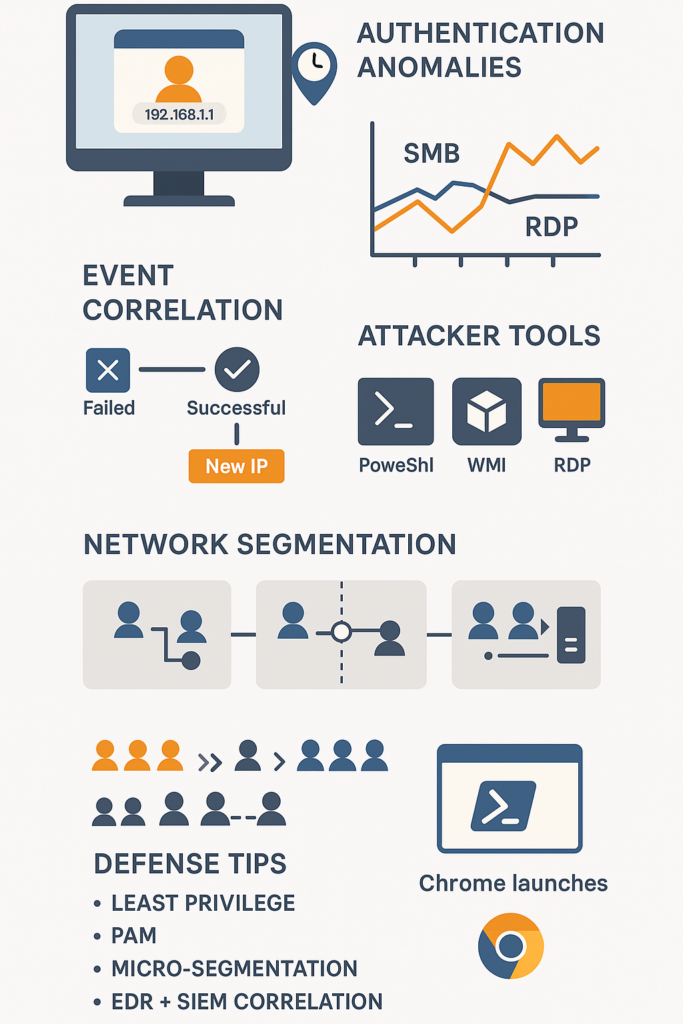
You look at your security dashboard, and everything seems normal. Green lights, acceptable traffic volumes. But beneath that calm surface, an attacker could be methodically hopping from one workstation to the next.
They aren’t using a flashy exploit, they’re using the same tools your IT team uses every day. The key to finding them isn’t a magic bullet, it’s a shift in perspective. You stop looking for the malicious and start looking for the abnormal within the legitimate [1].
The Attacker’s Playbook is Surprisingly Simple
Lateral movement follows a predictable, almost boring, pattern. First, they figure out where they are. A few simple network commands can map out the surrounding systems. Then, they need keys.
They’ll steal credentials from memory or use a vulnerability to gain access to another machine. Finally, they move. They use Windows Remote Management (WMIC) or PowerShell to execute commands remotely, or simply log in via Remote Desktop.
The entire process leverages tools that are already installed and trusted. This “living off the land” is what makes them so hard to spot. They’re hiding in plain sight.
The goal is always a privilege. An attacker who lands on a standard user’s computer will immediately look for a way to get to an administrator’s machine.
From there, they can target domain controllers, file servers, and databases. This hopscotch across your network can happen incredibly fast. Some incidents show attackers moving from initial access to domain admin rights in less than an hour. They aren’t wasting time.
- Reconnaissance: Using commands like net view or interest to discover other computers on the network.
- Credential Access: Dumping passwords from memory using tools like Mimikatz or exploiting a service vulnerability.
- Execution & Movement: Using PsExec, WMI, or RDP to log into a new system with the stolen credentials [2].
Your Best Clue is in the Authentication Logs

The most reliable signal of lateral movement is a user behaving out of character. Your SIEM or EDR platform should be your best friend here.
Look for a user account logging into a system that user has never accessed before. For example, a marketing employee suddenly authenticating to a finance database server is a massive red flag.
This is where user entity behavior analytics plays a crucial role by detecting subtle deviations in normal user activity.
It’s the digital equivalent of a cashier suddenly having keys to the bank vault. Time is another critical factor.
A login at 2:17 AM from an IP address in a different country when the user is based in New York is obviously suspicious.
But even subtler anomalies matter. A successful login from a new device or IP address immediately after a series of failed login attempts on another machine can indicate credential stuffing.
The attacker is trying the stolen password until it works somewhere. Windows Event IDs 4624 (successful logon) and 4625 (failed logon) are the bread and butter for this kind of detection.
Correlation is everything. A single event might be explainable. Maybe the user is working late. But when you string events together, a story emerges.
A failed login on Server A, followed by a successful login on Workstation B from the same source IP, followed by unusual network scans from Workstation B. That’s a chain of evidence. It’s no longer about isolated events, it’s about a trajectory.
Listen to the Whisper of Your Internal Network
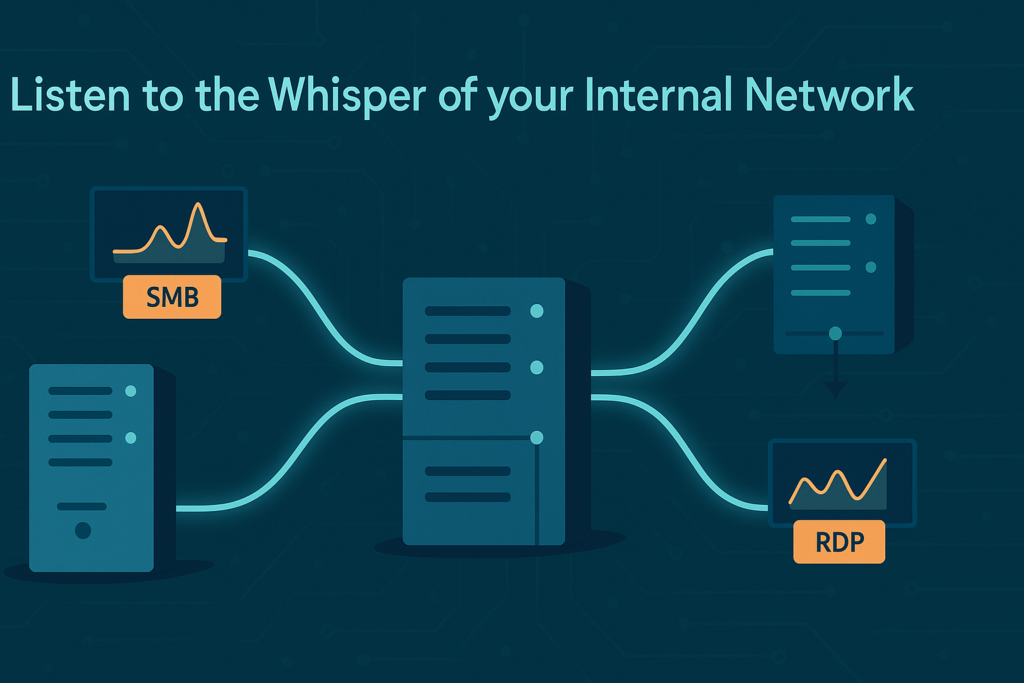
While authentication logs tell you who is doing something, network traffic tells you what they are doing.
Most networks have a predictable rhythm of east-west traffic (the traffic between your internal systems).
A sudden, significant spike in Server Message Block (SMB) traffic, the protocol for file sharing, could mean an attacker is searching through file shares.
A flood of connections on port 3389, the default for Remote Desktop Protocol (RDP), is a clear sign of someone trying to move from machine to machine.
The volume isn’t the only clue. The pattern matters, too. Legitimate administrative traffic usually has a purpose.
An admin might RDP into a server, perform a task, and log out. Malicious traffic can look more frantic. Applying advanced behavioral analysis for threat detection helps distinguish between normal admin traffic and suspicious activity.
It might involve short, successive connections to multiple different hosts as the attacker probes for a weak point. This is sometimes called “beaconing” or “pivoting,” and it creates a unique signature that behavioral analytics tools can learn to recognize.
Don’t ignore the protocols themselves. Attackers love tools that look like normal admin activity.
A sudden increase in PowerShell scripts being executed remotely, or WMI queries coming from an unexpected source, should trigger an investigation.
These are powerful, legitimate tools, but their misuse is a classic lateral movement technique. Monitoring for the parent-child process relationships of these tools can reveal malicious activity.
For instance, if svchost.exe launches PowerShell, that’s normal. If a web browser like Chrome launches PowerShell, that’s highly unusual and warrants a closer look.
Building a Defense That Notices the Small Things
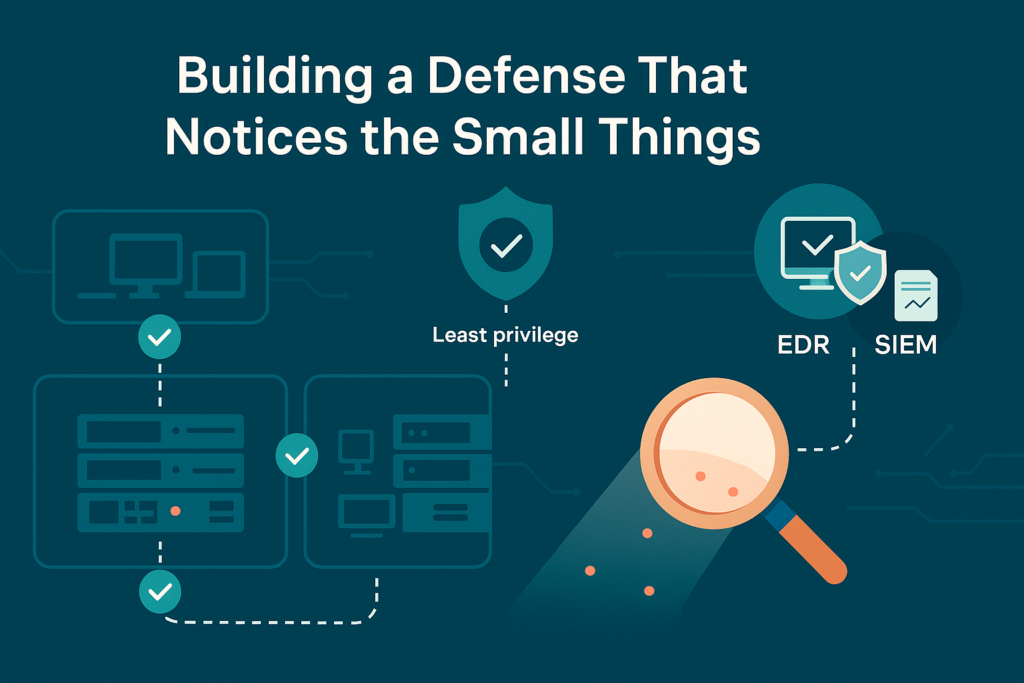
Preventing lateral movement is less about building walls and more about creating an environment where anomalies are obvious.
The principle of least privilege is your foundation. If a user only has access to what they absolutely need, an attacker who compromises their account can’t get far.
Combining this with continuous detecting unknown network threats methods ensures a proactive security posture.
Regularly auditing user permissions and using a Privileged Access Management (PAM) solution to tightly control admin accounts drastically reduces the attacker’s playground.
Network segmentation is another powerful tool. By dividing your network into segments, you force traffic through choke points.
If the marketing department’s network segment has no reason to communicate directly with the industrial control system segment, you can block that traffic entirely.
This contains an attacker, limiting the “rooms” they can enter after the initial breach. A zero-trust approach takes this further, verifying every access request as if it’s coming from an untrusted network.
Your technology needs to work together. An EDR tool on your endpoints might see a suspicious process.
Your network monitoring tool might see strange traffic. Your SIEM is what connects the dots. By correlating these disparate signals, you can build high-fidelity alerts.
For instance, an alert could trigger only when a suspicious authentication event from your Active Directory logs is paired with anomalous network traffic from the same source IP within a 10-minute window. This reduces false positives and helps your team focus on real threats.
- Implement Micro-segmentation: Create granular network policies to control east-west traffic.
- Deploy EDR Consistently: Ensure every endpoint, especially servers, has an EDR agent reporting back.
- Tune SIEM Rules: Move beyond generic alerts to create custom rules based on your specific network behavior.
Making Lateral Movement Impossible to Hide
Identifying lateral movement behavior ultimately comes down to knowing your own network’s normal rhythm. It’s a continuous process of tuning and observation.
There is no “set it and forget it” solution. The attacker’s methods will evolve, and so must your vigilance. By focusing on the behavioral clues, the odd login, the unusual traffic spike, the misuse of trusted tools, you move from a reactive stance to a proactive one.
You’re not just waiting for an alarm to sound. You’re learning the language of your network, so you can hear it when it starts to whisper a warning. Start by reviewing your authentication logs from the past week. Look for one thing that seems out of place. That’s where you begin.
FAQ
How can I tell if my network shows early signs of lateral movement?
You can look for specific clues that point to real trouble. Anomalous login behavior, abnormal credential use, and suspicious authentication patterns often appear first.
Consistent east west traffic monitoring and careful host-to-host communication analysis help you detect lateral movement early. These signals let you respond before cyber lateral movement turns into a larger breach.
What should I check if I think an account is acting strangely?
You should start by reviewing compromised account activity and identity misuse detection alerts. Look for credential theft indicators, LSASS access anomalies, and abnormal LDAP queries that clearly fall outside normal patterns.
Suspicious VPN activity or anomalous token usage may confirm deeper issues. When you connect these findings using endpoint telemetry correlation, you can identify suspicious lateral access with confidence.
How do I spot tools or commands that attackers use while moving inside a network?
You can spot attacker activity by watching for unusual admin tool usage and remote command execution detection alerts.
Suspicious net commands, powershell misuse detection, and internal network reconnaissance often show up together.
You may also find remote WMI execution detection or anomalous process creation. These signals support detailed threat movement analysis and internal attack pattern detection, helping you react quickly.
What behaviors show that an attacker is jumping from one device to another?
Clear signs include endpoint pivot detection and network pivoting behavior. Abnormal SMB traffic, unauthorized share access, and unauthorized cross-host communication often appear as attackers move.
Worm-like behavior detection and malware lateral propagation can also emerge during this phase. These patterns reveal lateral traversal indicators and multi-hop attack detection paths that help you trace the spread.
How can I track complex attack paths once a threat already spreads?
You can follow the attack by combining correlated attack path detection with behavior-based lateral detection.
Suspicious Windows event logs, anomalous port usage, and unexpected protocol usage help map the attacker’s route.
Command and control pathway analysis and breach containment signals add deeper context.
Together, these details uncover the host compromise chain, internal threat movement, and suspicious domain controller access that show how far the threat has reached.
Making Lateral Movement Stand Out in the Noise
Lateral movement is rarely loud; it’s a pattern of quiet deviations hiding in everyday activity. When you understand what “normal” looks like, even small anomalies stand out.
By tightening privileges, monitoring internal traffic, and correlating subtle authentication clues, you make it far harder for attackers to slip between systems unnoticed.
Effective defense isn’t about guessing the next threat; it’s about noticing the moment your network behaves differently and acting before the attacker reaches anything critical.
Ready to strengthen your detection strategy? Join the movement toward smarter network visibility
References
- https://www.darktrace.com/solutions/insider-threat
- https://asec.ahnlab.com/en/60690/
