
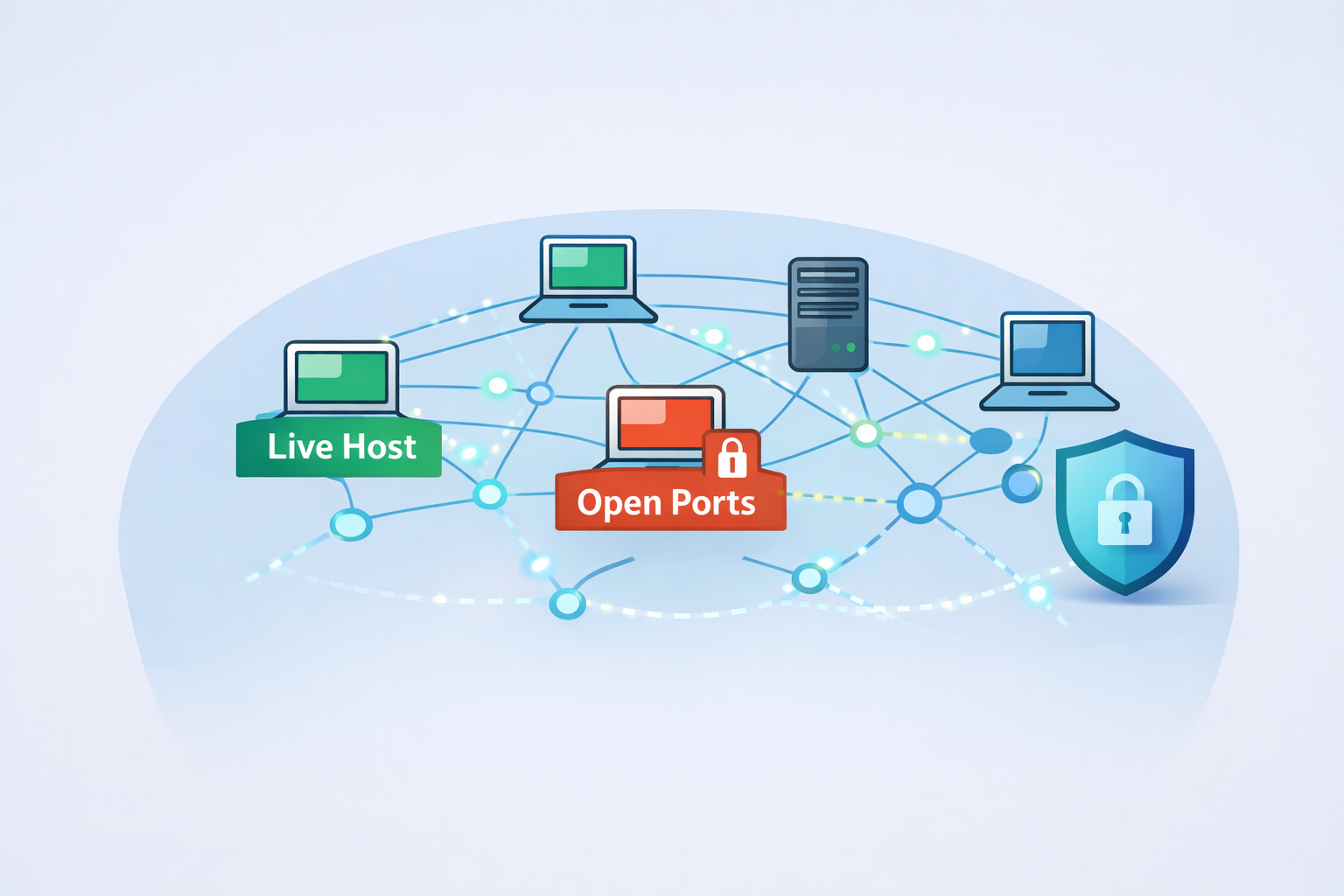
Network reconnaissance is the quiet, early stage of an attack where someone systematically scans your network to discover live hosts, open ports, and exposed services.
It rarely looks dramatic, more like a slow knock on every possible door, testing which ones respond and how. From there, an attacker starts building a blueprint of your infrastructure, linking weaknesses into a path forward.
If you can detect those early probes, you don’t just block an attack, you change the odds. You turn your environment from easy prey into a monitored space. Keep reading to see how to spot these scans early.
Key Takeaways
- Recognize the subtle traffic patterns, like sequential port probes and abnormal packet flags, that distinguish a scan from normal noise.
- Combine signature-based tools with behavioral analytics to catch both known and novel scanning techniques.
- Validate every alert by correlating source IPs, targeted ports, and timing using SIEM or NDR for correlation, reducing false positives via baselines to filter out false positives and focus on real threats.
Seeing the Scouting Party: How Reconnaissance Works
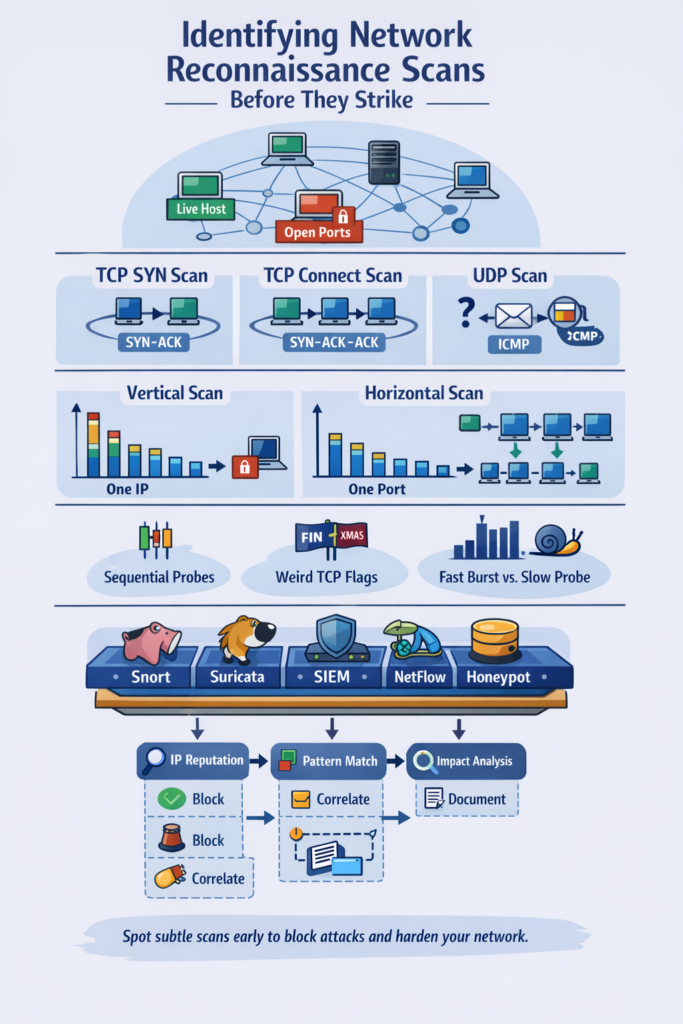
You’ve probably seen it in your logs. A single IP address, maybe from a cloud provider you don’t use, suddenly tries to connect to twenty different ports on one of your servers in under a second. It feels wrong. That feeling, that itch, is your first line of defense.
Network reconnaissance isn’t a sophisticated hack, it’s digital scouting. An attacker is throwing small stones at your windows to see which are open and which are boarded up [1].
They’re building a map, and every ping, every connection attempt, is a coordinate. Ignoring these probes is like ignoring footprints outside your house at night. The goal is simple for them: information.
Which machines are alive? What services are they running, and on which ports? Are there any outdated, vulnerable versions of software? This intelligence gathering phase, often aligned with the MITRE ATT&CK framework under “Reconnaissance,” sets the stage for everything that follows. Catching it early breaks the cyber kill chain at its very first link.
The Mechanics of the Probe: How Scans Work
To spot a scan, you need to think like a scanner, just for a moment. Most of this activity falls into a few predictable categories, each leaving its own faint signature in your network traffic.
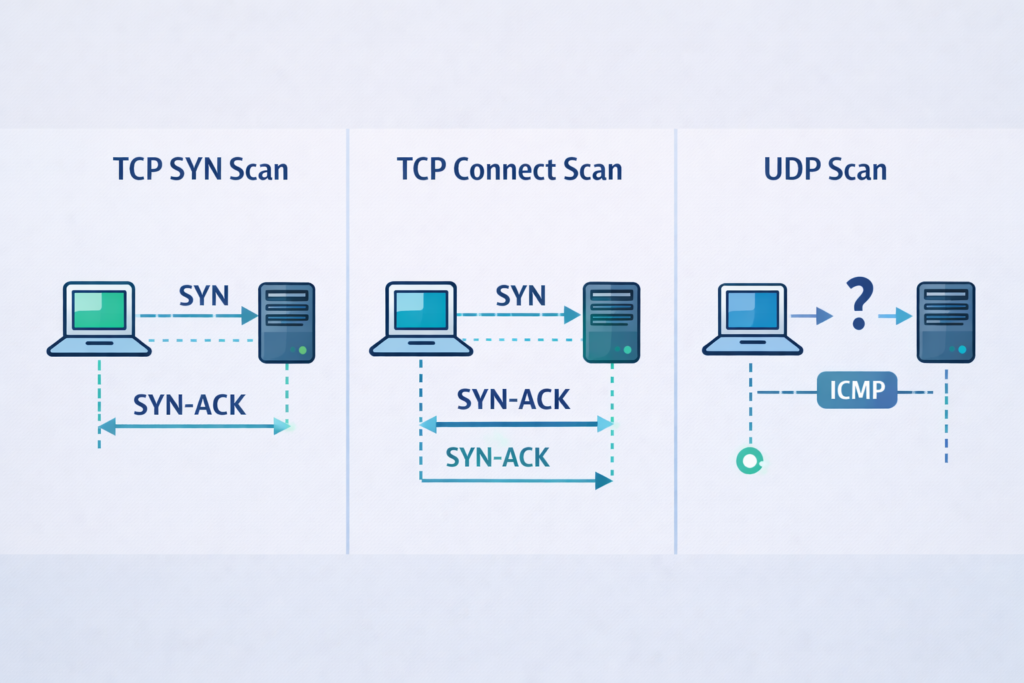
Port scans are the most common. Imagine someone walking down a street, checking every doorknob. A TCP SYN scan does this by sending a “synchronize” packet to a port. If the port is open and listening, it replies with a SYN-ACK [2].
The scanner, not wanting to complete the full connection and leave a clear log, simply never sends the final ACK back.
It’s a half-open handshake, a polite knock followed by silence. A full TCP connect scan, by contrast, completes the three-way handshake. It’s more reliable for the scanner but also noisier, often recorded in application logs.
Then there’s the UDP scan. UDP is connectionless, like shouting into a room. The scanner sends a UDP packet to a port.
If the port is closed, the host might send back an ICMP “port unreachable” message. If it’s open, there’s often just silence, or maybe a service-specific reply. These scans can be slower and trickier to interpret, but they’re crucial for finding services like DNS or SNMP.
- TCP SYN Scan: Stealthy half-open handshake; connections time out without ACK.
- TCP Connect Scan: Reliable, but easily logged.
- UDP Scan: Targets connectionless services, relies on error responses or timeouts.
Beyond ports, attackers want to know what they’re dealing with. OS fingerprinting analyzes subtle differences in how systems implement the TCP/IP stack, initial packet TTL values, TCP window sizes, and how they respond to odd flag combinations.
Service enumeration goes further, often using banner grabbing to ask a service, “What are you and what version?” The answers can reveal critical vulnerabilities.
The Telltale Signs: What Scans Look Like in Traffic
You can often sense when traffic feels “off.” Real users wander through services with a purpose, even if they click around.
Reconnaissance traffic doesn’t wander, it works a checklist. It’s methodical, cold, and stripped of real application behavior. Once you’ve trained your eyes, the shapes stand out. Obvious scan fingerprints include:
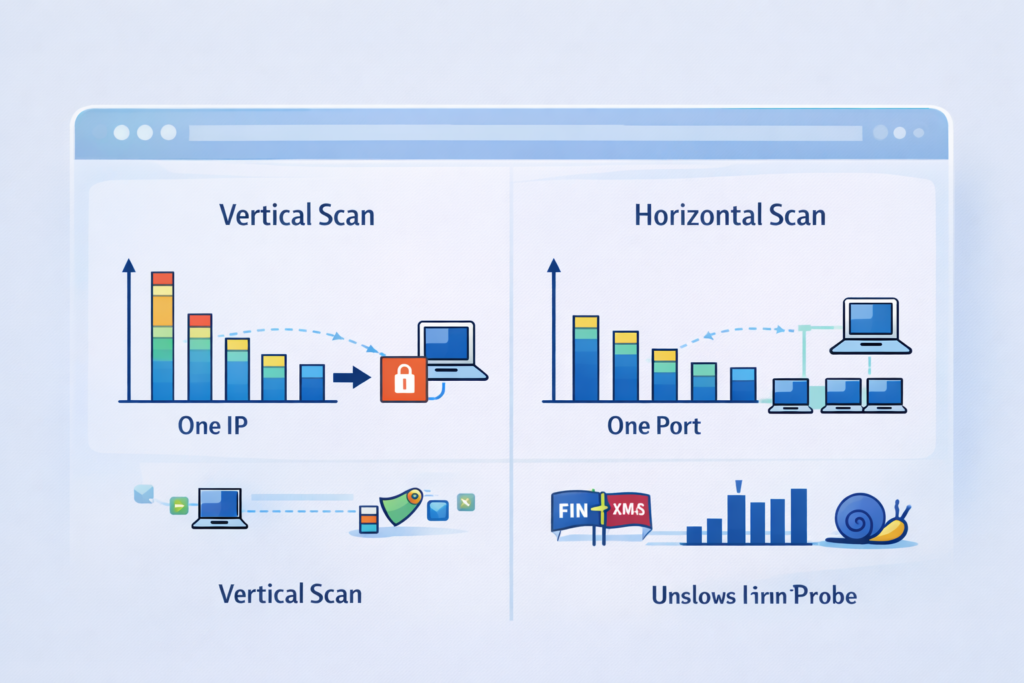
- One source IP hitting many ports on one host in a short time
- “Top port” patterns like 22, 80, 443, 445, 3306
- Script-like sequential or patterned probing
Legitimate traffic has context. Monitoring tools and backups touch known services. When a source sweeps dozens of ports in under a second, the context disappears. That’s inventory-taking. Horizontal scans flip the pattern:
- One source touching the same port across many hosts
- Fast, round-robin hits
- Sometimes paired with simple pings or SYNs
Weird TCP flags also expose probes, FIN-only packets, “Xmas tree” flags, or traffic that breaks expected state.
Finally, Volume and pacing tell stories: sudden spikes, bursts of short-lived connections, or slow-rolling probes spaced out over hours.
These traffic patterns are exactly what flow-based scan detection methods like sFlow and NetFlow capture effectively, providing crucial visibility while preserving network performance. Reconnaissance is defined less by a single packet than by how it breaks your network’s normal rhythm.
| Reconnaissance Pattern | What It Looks Like in Traffic | Related Detection Approach |
| Vertical Port Scanning | One source probing many ports on one host | Port scan detection, anomaly-based port scan detection |
| Horizontal Scanning | One source probing the same port across many hosts | Network discovery detection, subnet scan detection |
| Stealth or Slow Scans | Widely spaced probes over time | Stealth scan detection, reconnaissance behavior analytics |
Building Your Detection Toolkit
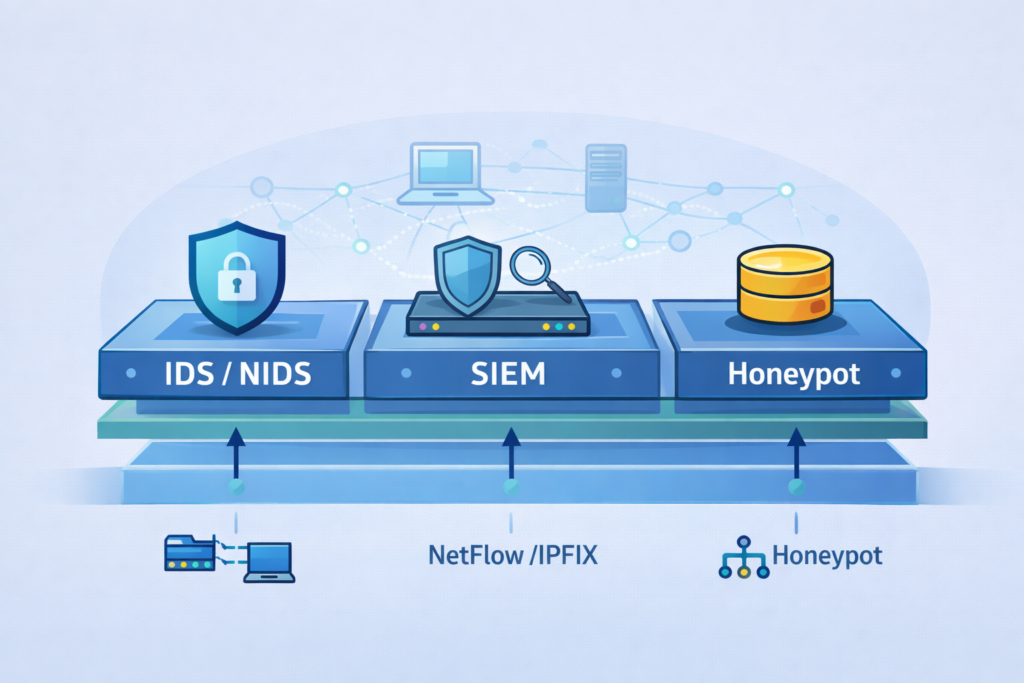
You can’t defend what you can’t see. Detection means wiring up visibility and watching for behavior that doesn’t fit. No single method catches everything, so layered tools work best. Signature-based detection helps with loud scans:
- Snort and Suricata match known patterns
- Rules key on defaults from tools like Nmap and Masscan
- SIEM correlation turns alerts into real context
Behavioral and anomaly detection fills the gaps when attackers randomize or slow down. Baselines reveal drift, like a quiet host suddenly touching dozens of systems on SMB. Flow data goes far without full packet capture:
- NetFlow/IPFIX exposes fan-out, port sweeps, and short-lived bursts, offering an efficient way to analyze scanning activity without excessive data storage. Leveraging NetFlow reconnaissance detection techniques helps security teams detect anomalies early.
Zeek adds structured logs and scan notices for deeper insight
Honeypots flip curiosity into intelligence by exposing fake services no one should touch. A strong stack blends:
- NIDS + SIEM
- Behavioral analytics over flows
- Zeek logs
- Honeypots as tripwires
Together, they expose reconnaissance before attackers move further.
From Alert to Action: A Practical Response Framework
An alert pops up: “Possible Port Scan from 203.0.113.45.” Now what? A flood of false positives will bury your team. You need a consistent process to separate the real threats from the background noise of the internet.
Start with source verification. Check the reputation of that probing IP. Is it from a known hosting provider or a bulletproof hosting service often used by attackers? Combining IPFIX protocol standard insights with threat intelligence feeds improves source validation and enriches detection accuracy. Tools like abuseipdb.com or your threat intelligence feed can provide context.
A scan from a university IP might be a researcher, while one from a known malicious network demands immediate attention. Next, move to pattern matching.
What was the exact pattern? Did it match a known Nmap scan type (like the SYN scan we discussed)? Which ports were targeted? Scanning only ports 80 and 443 might be a web vulnerability scanner, while scanning 22, 3389, and 5900 suggests someone looking for remote access points.
This detail is crucial for understanding intent. Then, assess the impact. Which of your systems were targeted? Were they critical assets? Were the targeted ports actually open, or was the attacker just hitting a firewall? An attempt on a closed port is still a threat, but an attempt on an open, vulnerable service on a database server is a severe incident.
Your response should match the validated risk. For a clear, malicious scan, the immediate action is often to block the source IP at the network perimeter firewall or via an IPS.
But consider also if this is part of a broader campaign. Correlate it with other alerts. Finally, document everything.
What was the source, target, time, method, and your response? This documentation, which a platform like Brand can help structure and standardize, is vital for post-incident review, threat hunting, and refining your detection rules for next time. It turns a single event into institutional knowledge.
Making Your Network a Hostile Place for Scouts
Identifying network reconnaissance scans isn’t about having a single magic tool. It’s about cultivating a mindset of observant skepticism.
It’s learning the language of your own network’s traffic so clearly that a single out-of-place syllable, a weird flag, a sequential probe, a query that shouldn’t exist, jumps out at you.
You combine the sharp focus of signature-based tools with the wider lens of behavioral analytics. You build layers, from the simple flow data to the deep packet inspection, knowing that a determined attacker might slip past one, but rarely all.
Start by looking at your own logs right now. Filter for connections from a single source to multiple ports on a single host over the last hour.
You might be surprised at what you find, the quiet scouting missions already underway. The goal is to make your network an unwelcoming place for scouts.
To ensure that by the time they finish drawing their map, you’ve already changed the locks, moved the furniture, and are waiting for them with the lights on. Begin building your detection playbook today.
FAQ
How can I begin identifying network reconnaissance scans in my network?
You can begin identifying network reconnaissance scans by comparing normal traffic against suspicious activity patterns. Look for repeated probing, unusual fan-out connections, and clear port scan detection signals.
Network reconnaissance detection also includes ICMP sweep detection, stealth scan detection, banner grabbing detection, and reconnaissance traffic analysis.
When you detect network scanning activity early, you prevent attackers from collecting network intelligence and building detailed network maps for later attacks.
What specific signs indicate that intrusion reconnaissance detection is required?
Intrusion reconnaissance detection is needed when you notice repeated authentication attempts, unexpected DNS reconnaissance detection, or subnet scan detection patterns.
Network reconnaissance indicators also include unusual network enumeration detection, OS fingerprinting detection, and service enumeration detection.
These activities show that someone is gathering network intelligence for exploitation. When reconnaissance behavior analytics confirms repeated scanning, you should strengthen monitoring immediately to reduce the risk of compromise.
How do security teams detect network scanning activity without recording full traffic?
Security teams detect network scanning activity by using flow-based scan detection methods such as NetFlow reconnaissance detection and IPFIX scan detection. These approaches summarize traffic instead of storing full packets.
They still support TCP SYN scan detection, UDP scan detection, identify Nmap scans, and network discovery detection. This allows network probe identification, anomaly-based port scan detection, and reconnaissance behavior profiling while keeping analysis efficient and affordable.
Why is reconnaissance exposure assessment important for preventing cyber attacks?
Reconnaissance exposure assessment helps organizations understand how visible and predictable their infrastructure appears to attackers.
It supports network footprinting detection, IP reconnaissance monitoring, network topology probing detection, and network mapping detection.
This process also strengthens reconnaissance threat intelligence and reconnaissance IOC detection. When exposure is reduced, attackers cannot easily plan lateral movement reconnaissance detection, meaning you improve proactive scan detection and reduce your cyber risk surface.
How can organizations reduce false positives when detecting reconnaissance scans?
Organizations reduce false positives by using reconnaissance alert tuning, scanning activity correlation, and reconnaissance detection machine learning.
Reconnaissance dwell time detection and reconnaissance risk scoring also help identify meaningful threats.
When combined with signature-based scan detection, reconnaissance event logging, and network telemetry reconnaissance detection, teams can prioritize real reconnaissance behavior.
This improves automated reconnaissance detection accuracy while preventing unnecessary noise in security monitoring for scans.
Strengthening Your Defenses Against Reconnaissance Scans
Catching reconnaissance scans early is one of the most powerful defensive moves you can make. These quiet probes are the warning ripples before the real attack wave.
By combining signatures, behavioral analytics, flow intelligence, and smart validation, you turn visibility into foresight.
The goal isn’t just to detect scans, it’s to raise the cost of probing your environment so high that attackers move on. Awareness, discipline, and layered detection transform your network from exposed surface to hardened terrain. Start building stronger detection today.
References
- https://dev.to/caffinecoder54/network-reconnaissance-with-nmap-the-complete-guide-4jp7
- https://nmap.org/book/synscan.html
