
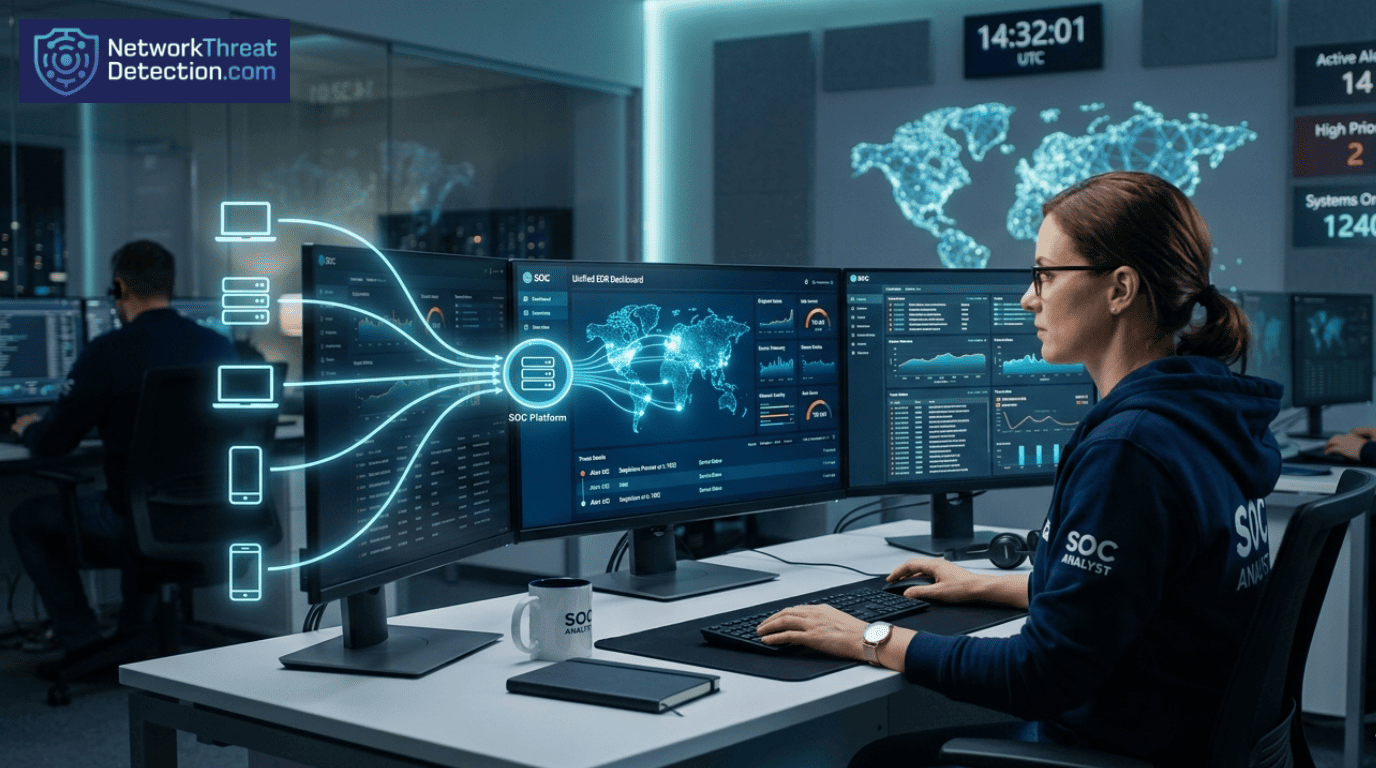
Cyberattacks usually start on a computer. EDR software watches that computer and connects what it sees to your network logs. This creates one clear story for your security team to follow. A recent industry survey found 84% of experts say devices are the top target.
Old security tools look at the network but miss what’s happening on the machine itself. They can’t see certain types of hidden malware. EDR fixes this.
Merging these two views lets teams find real threats faster and ignore harmless activity. Keep reading to see how this changes security.
Core Insights on Integrating Endpoint Data (EDR)
Security teams see more when endpoint and network data connect. The signals become clearer, and attacks are easier to track.
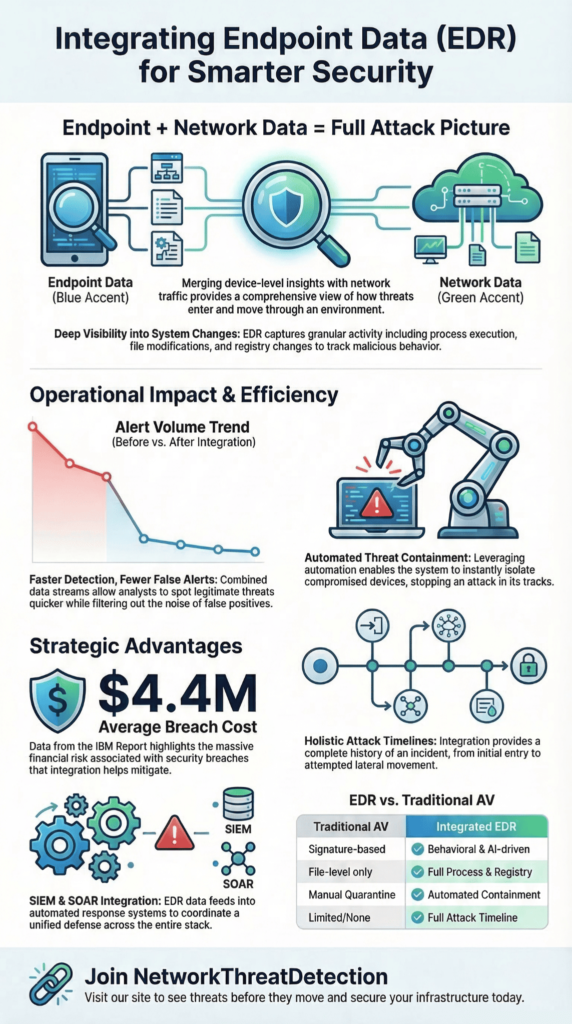
- Combining endpoint and network data shows us the full story of an attack, from start to finish.
- This connection lets us correlate threats faster, respond quicker, and stop breaches more effectively.
- To make this work, we integrate our EDR directly with our SIEM and SOAR tools for automated investigation.
How We Integrate Endpoint Data (EDR)
In our work, we see that connecting endpoint data with everything else creates a single, clear picture. It shows what’s happening on a device, what a user is doing, and what’s moving across the network, all at once.
Tools from companies like CrowdStrike, Microsoft Defender, and SentinelOne collect this device data. They look at running processes, file changes, and system calls. Then, they analyze it for strange behavior.
Our teams then link that device information with network data, things like connection logs and DNS requests. This connection builds a complete story of an attack, from start to finish, and we find it much earlier than if we looked at pieces separately.
Organizations like the National Institute of Standards and Technology (NIST) say this kind of integration is essential for modern security.
When we set this up, we focus on a few key things:
- Seeing what’s happening on servers and laptops in real time.
- Spotting unusual behavior on a device.
- Tracing how a process started and what it did.
- Letting the system automatically contain a threat.
As companies use more cloud services and remote work setups, having this unified view isn’t just nice to have; it’s a must for keeping security operations running smoothly.
Endpoint Security Vs. Network Security
Credits: A2DGC Production
Think of it this way: endpoint security watches the computer on your desk. Network security watches the digital highways that connect all those computers together.
Endpoint tools are focused on the machine itself. They track what programs are running, what files are being changed, and system settings. Network tools, like firewalls, watch the traffic flowing between machines, looking for strange communication patterns.
Many security teams compare these two layers when deciding where visibility is missing. The difference between them becomes clearer when looking at how endpoint security and network security observe activity from completely different perspectives.
You really need both. An attack might start with a malicious file on a laptop (endpoint) and then use that laptop to talk to other servers on your network (network).
| Security Layer | What It Sees | What It Finds |
| Endpoint Security | Programs, files, system changes | Strange device behavior, malware |
| Network Security | Data packets, connections, traffic flow | Suspicious communication, hacking attempts |
| Combined Security | Device data + network logs | The full attack, from start to spread |
In our experience, most attacks begin on a device. Relying only on network monitoring means you miss the crucial first step. Using both gives you overlapping layers of protection.
Why Combining EDR and Network Security Helps
When we link EDR data with network logs, our teams find real threats faster and waste less time on false alarms. Many organizations start noticing the operational improvements once they begin integrating EDR with network security because alerts gain more context across systems.
We match events from a device, like a suspicious script running, with events from the network, like a call to a shady website. One alert might be harmless, but together, they often tell the story of an active attack.
This approach gives us concrete advantages:
- We can sort through alerts much quicker.
- We get fewer meaningless alerts that go nowhere.
- We spot when an attacker is trying to move from one machine to another.
- We can often let the tools automatically isolate a compromised device.
The financial reason to do this is clear. According to the latest IBM Cost of a Data Breach report, the global average cost of a breach is $4.4 million. The faster you find and stop an attack, the less it costs you. By connecting endpoint and network visibility, we help teams respond before an attacker can do serious damage.
Connecting the Dots Between Devices and Networks
To see an entire attack, you need to connect what happens on a single device with what happens on your network.
Security analysts often describe this process as correlating endpoint and network events, where host telemetry and traffic data are linked into one investigation timeline. Most hackers start on a laptop or server before they start talking to other systems online.
Our EDR tools record the steps on the device: a program starting, a file changing, a user logging in. Then, we take that information and line it up with network logs, things like DNS lookups and connection attempts.
Putting these two views together creates a timeline. It shows us exactly how an attack moved from the first infected device to others inside the network.
In our investigations, we often look for specific patterns that connect device and network activity:
- A program runs and then immediately makes an outbound connection.
- A strange file is downloaded, which then tries to install malware.
- The same user account is active on several machines in a short time.
- A large amount of data is sent out through an encrypted channel.
Our analytics tools are built to spot these linked patterns and flag what’s unusual. This is how we find threats that might look like normal traffic if you only watched the network.
What Our EDR Tools Actually Collect
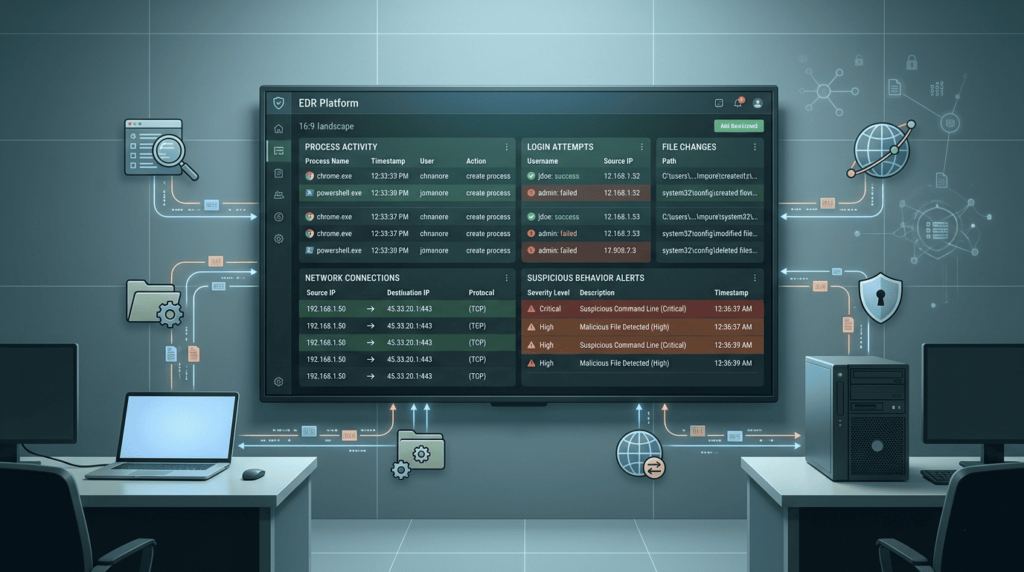
An EDR platform watches a device closely. It collects several types of information to understand exactly what’s happening. These EDR data sources often include process execution records, file activity, registry modifications, and other host telemetry.
The main things it tracks are:
- When a program starts or stops.
- When a file is created, changed, or deleted.
- Changes to system settings (the Windows registry, for example).
- Attempts by one program to interfere with another’s memory.
Our security tools often show this as a “process tree.” This is a map that lets our analysts follow a chain of events. They can see, for instance, that your web browser started, which launched a script, which then downloaded a malicious file.
Each piece of data helps build a profile of normal behavior for that device. When something deviates from that profile, like a trusted program suddenly doing something it never does, that’s our signal to look closer. This detailed record is also what we rely on later to figure out exactly how a breach happened.
Finding Threats Your Network Tools Can’t See
A lot of dangerous attacks never show up on traditional network monitors. These are often examples of threats missed by network-level monitoring, especially when malicious activity occurs entirely inside an endpoint. They happen entirely on the device itself or hide inside encrypted traffic that firewalls can’t inspect.
Some common examples we deal with are:
- Fileless malware: Malicious code that runs only in a computer’s memory, never saving a file to the disk.
- Living-off-the-land attacks: Hackers using your own trusted system tools, like PowerShell or Windows Script Host, to do their dirty work.
- Memory injection: A bad program slipping its code into a legitimate one’s memory space.
Our endpoint tools are built to catch these. They don’t just look for known bad files; they analyze behavior. They check for things like:
- A normal program trying to escalate its privileges.
- A user running tools at strange times or in unusual sequences.
- Patterns of activity that don’t match how that person or machine usually operates.
By watching for these behavioral red flags on the endpoint, we get an early warning. We can often spot an advanced attack while it’s still on the first machine, before the hacker has a chance to move sideways through the network.
What Modern EDR Tools Can Actually Do
A good EDR system does more than just find problems; it helps you fix them. Modern platforms provide a wide range of endpoint detection and response capabilities such as automated containment, threat investigation, and real-time monitoring. It gives our teams the ability to monitor devices live, isolate them automatically, and take action remotely.
When we confirm a threat, our analysts can respond right from their console. They don’t need to touch the physical machine. Common actions include:
- Stopping a malicious program in its tracks.
- Moving a suspicious file to a safe, quarantined folder.
- Cutting off a device’s communication with a hacker’s server.
- Disconnecting an infected endpoint from the rest of the network.
Newer platforms add features like machine learning analysis and risk scoring, which help prioritize the most serious alerts. Our security teams use dashboards to watch how an attack is unfolding across laptops, servers, and cloud systems.
These capabilities let us contain a threat quickly, often before the attacker can move to another machine.
Deploying and Managing EDR Agents
Getting EDR protection right starts with putting the software, or “agent,” on every device. Effective EDR agent deployment management ensures that every laptop, server, and cloud workload reports telemetry consistently. It sounds simple, but managing thousands of agents takes planning.
First, you need a complete list of every laptop, server, and cloud machine that needs protection. Then, we usually start with a pilot. We install the agent on a small group of high-risk systems first to make sure it works well and doesn’t slow things down.
To deploy agents at scale, organizations use their existing management tools:
- Mobile Device Management (MDM) for company phones and tablets.
- Remote Monitoring and Management (RMM) systems for IT support.
- Standard software distribution tools that push updates.
- Automation scripts for configuration.
After the agents are installed, the work isn’t over. We constantly check to make sure they’re all still running, tune their settings for performance, and enforce security policies. It’s no wonder that over 80% of large companies now use EDR; it’s become a core part of how they protect themselves.
Connecting EDR to Your SIEM and SOAR
EDR generates a lot of data. To make it useful, we connect it to other security systems. Many SOC environments rely on EDR integration with SIEM and SOAR platforms so alerts can be correlated and automated responses triggered quickly.
The SIEM acts as a central log. It collects and correlates alerts not just from EDR, but from firewalls, user login systems, and cloud apps. This gives us one place to look for patterns.
The SOAR platform then automates the response. When the EDR sends an alert, the SOAR can run a predefined “playbook.” This might automatically:
- Send the EDR alert to the SIEM for deeper analysis with other logs.
- Execute a containment action, like isolating a device.
- Add context to the alert by pulling in information from threat intelligence feeds.
- Trigger other responses, like resetting a user’s password or blocking a malicious IP address.
These automated workflows take repetitive tasks off our analysts’ plates and let them respond to incidents much faster. For a Security Operations Center (SOC), this integration means they can monitor and coordinate the response for all their tools from a single pane of glass. As highlighted by Palo Alto Networks
“By integrating threat intelligence data from multiple sources, today’s EDR solutions allow users to view the root cause of threats and address alerts from any source, significantly reducing investigation times. […] It’s also possible to build advanced queries across multiple data sources and visualize results to hunt down the most covert threats.” – Palo Alto Networks
How We Use EDR for Incident Response
When a security incident happens, our EDR tools are often the first place we look. Many response teams rely on using EDR for incident response because endpoint telemetry reveals the earliest signs of compromise. Their constant monitoring means we can spot suspicious activity almost as soon as it starts.
Our incident responders use the data EDR collects to piece together what happened. They look at process trees to see how one program launched another, check execution logs, and review all the host telemetry. This helps them find the exact point where the attacker got in.
Once we know there’s a problem, our typical response steps are straightforward:
- Isolate the infected computer from the network.
- Search all other systems for the same signs of attack.
- Stop any malicious programs and remove harmful files.
- Collect all the forensic data we need for a deeper investigation.
By building a timeline from the EDR data, we can reconstruct the entire attack. This doesn’t just help us clean up; it shows us exactly where our defenses failed, so we can make them stronger for next time.
Investigating a Compromised Device with EDR
When we get an alert about a potentially hacked device, our investigation follows a clear path using the EDR’s recorded data. Analysts often approach this task as investigating endpoint compromise with EDR, using process lineage and system telemetry.
We start with the alert itself. What system is it on? What triggered it? Then, we dive into the device’s telemetry. We examine what programs were running, what files were changed, and what network connections were made at that time.
Our investigation usually goes step-by-step:
- We review the alert details and see if any automatic actions have already been taken.
- We map out the “execution lineage”, essentially, a family tree showing which process started which.
- We search our entire environment for other machines showing similar signs of compromise.
- We work to identify the root cause: how did the attacker get in?
To get the full picture, we also pull in logs from cloud services, user authentication systems, and our network tools. This structured approach helps us find the real source of the breach and contain it effectively.
EDR vs. Traditional Antivirus: What’s Changed?
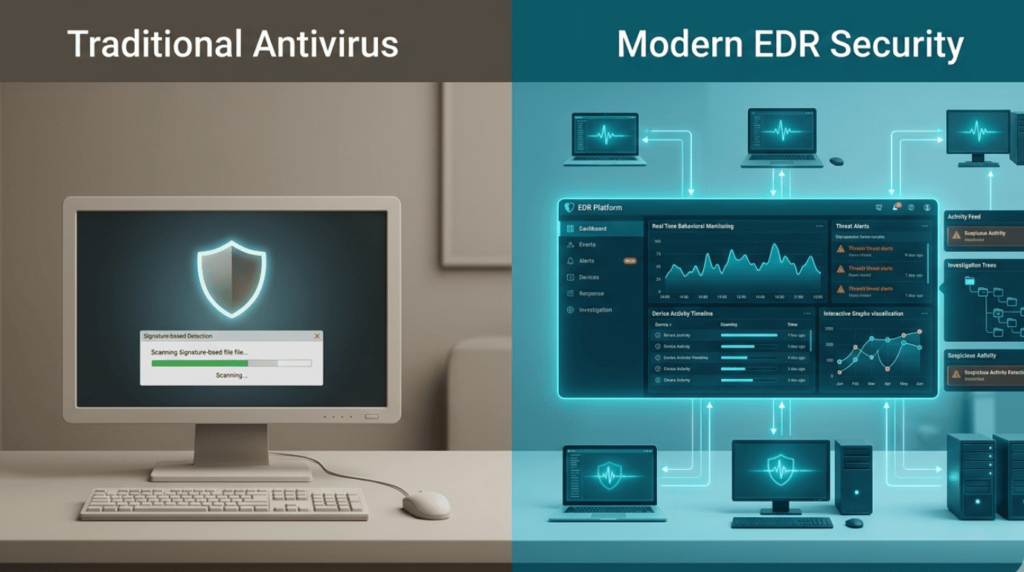
The old way of protecting computers was with traditional antivirus (AV) software. The new way is with EDR, and they work very differently. Many teams evaluate this transition by comparing EDR vs traditional antivirus capabilities, particularly around behavior detection and response automation.
Traditional AV is like a bouncer with a list. It checks files against a database of known bad software, or “signatures.” If it’s on the list, it gets blocked.
EDR is more like a security camera and a detective combined. It watches how programs behave on your device in real time, using machine learning to spot what’s unusual. It’s looking for actions, not just matching a list.
Here’s a quick comparison:
| What it does | Traditional Antivirus | EDR |
| How it finds threats | Matches known malware signatures. | Analyzes behavior for anomalies. |
| What can it see | Mostly just files. | Everything on the host: processes, files, network calls. |
| What can it catch | Only malware that’s already known. | New (“zero-day”) attacks and fileless malware. |
| How it responds | Usually, it just quarantines a bad file. | Can automatically isolate a device and help investigate. |
As noted by Forrester
“Convergence between EPP and EDR is not just a choice but a necessity for better user experience, analyst experience, and overall business support. […] Essentially, EPPs on desktops, laptops, and servers are a key component to the defensive posture of any enterprise, which is why EDR vendors included those functions in their products and carried this into their XDR offerings.” – Forrester.
Because of these advantages, more and more security teams are using EDR to replace or seriously upgrade their old antivirus. The EDR market is growing fast, over 20% each year, because attacks are focusing on endpoints, and companies need this deeper visibility.
FAQ
How does endpoint detection response connect endpoint security and network security in one system?
Endpoint detection response (EDR) connects endpoint security with network security by collecting detailed telemetry data from devices and network activity. Endpoint agents record host events such as process execution, file monitoring, API calls, registry changes, and module loads.
At the same time, the system tracks network events and network flows. Security teams use threat correlation to link these signals. This combined endpoint visibility helps analysts identify attack chains, detect suspicious behavior earlier, and respond quickly during incident response across security operations environments.
What data does EDR collect, like process execution, file monitoring, and registry changes?
EDR systems collect detailed host telemetry to understand activity on each endpoint. The platform records process execution, process trees, and execution lineage to show how programs start and interact. File monitoring tracks file creation, modification, and deletion.
The system also records registry changes, module loads, and API calls. This telemetry data supports behavioral analysis and anomaly detection. Security teams use this information to detect fileless malware, identify endpoint compromise, and begin threat hunting before endpoint breaches spread across systems.
How does EDR integration reduce false positives during security operations?
EDR integration improves security operations by combining endpoint data with other monitoring systems. Telemetry from endpoint agents can feed SIEM integration and SOAR platforms. Security teams compare host events, network events, and user behavior across systems.
This correlation supports alert triage and helps analysts understand the full context of potential threats. As a result, security teams achieve noise reduction and lower false positives. Analysts can identify lateral movement, recognize attack chains, and take faster action during incident response.
How do teams handle agent deployment and deployment management for many cloud endpoints?
Organizations often begin agent deployment with a pilot rollout to test compatibility and performance. Endpoint agents can be installed using MDM tools or RMM integration to support large environments. Deployment management includes coverage validation to ensure that all endpoints report telemetry data.
Teams also perform performance tuning to reduce performance impact on devices. This structured approach helps organizations scale endpoint visibility across cloud endpoints and hybrid environments while maintaining reliable real-time monitoring for security operations teams.
How does EDR help during incident response and compromise investigation?
EDR helps analysts investigate security incidents by building detailed forensic timelines. The system combines host telemetry and network telemetry to show how an endpoint compromise developed. Security teams review process trees, execution lineage, and network flows to identify suspicious activity.
Analysts can perform an IOC search to locate related threats. Response capabilities may include automated isolation, process killing, or quarantine actions. These actions support breach containment, root cause analysis, and effective compromise investigation during endpoint attacks.
Building a Smarter Security Strategy with EDR
Cyberattacks rarely start loudly. They move step by step, a strange process on a laptop, a quiet network call, a file that should not exist. When these signals stay apart, attackers stay hidden. When you connect them, the story becomes clear. So ask yourself one thing: if an attack began tonight, would you truly see it?
You can keep chasing alerts, or you can see the whole attack path and act faster. Tools already exist to help teams do this. If you want stronger visibility and faster response, you can join the NetworkThreatDetection platform here and start seeing threats before attackers move further.
References
- https://www.paloaltonetworks.com/cyberpedia/what-is-the-role-of-edr-in-dfir-digital-forensics-and-incident-response
- https://www.forrester.com/blogs/endpoint-security-is-dead-long-live-endpoint-security/
