
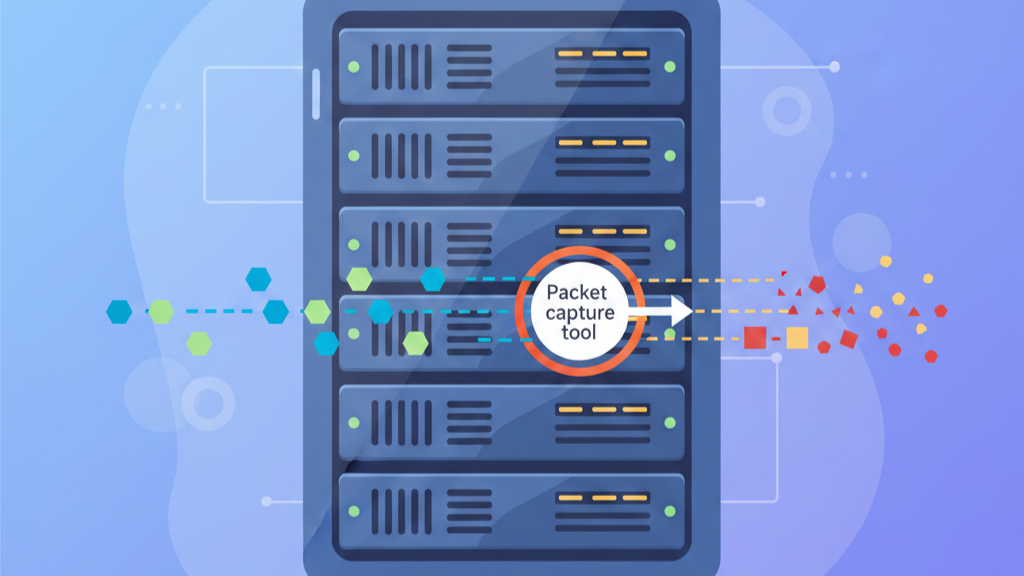
Yes, capturing network packets hurts performance. On a single-core server, running tcpdump next to your web app can slash throughput by half. The slowdown comes from three bottlenecks: your CPU gets overloaded, your memory fills up, and your disk I/O gets hammered.
You can fix this. You don’t have to pick between security and speed. Read on to find the bottlenecks and the performance impact packet capture tools.
What Really Slows Servers During Packet Capture
- CPU Contention is the Main Culprit: Capture tools fight your web server for processing power, causing dramatic slowdowns.
- Disk I/O Causes Packet Loss: Writing data to disk is slow; a busy drive means dropped packets and blind spots.
- Smart Filtering Saves the Day: Applying filters before capture reduces load by over 80%, preserving performance.
When Packet Capture Becomes the Performance Problem

I was in a data center once, the air thick with chilled air and a low electrical hum. A network engineer was troubleshooting a slow application, his screen a blur of scrolling packet headers. The server, meanwhile, was gasping.
“Open-source packet sniffers and network analyzers face significant limitations: Inability to reliably capture traffic at sustained high throughput… Packet capture does introduce operational challenges: Storage requirements for high-volume network traffic, privacy and data protection concerns, [and] performance overhead if systems are not optimized.” – SentryWire Blog
Its response times had doubled since he started his capture. He was solving one mystery by creating another, a common scene where the tool meant to provide clarity instead clouds the picture with its own side effects.
That’s the silent trade-off we face. We want packet-level insight, the definitive truth of what’s crossing our network links. But the act of capturing those packets consumes the very resources our services need. It’s a direct tax on performance.
How Your CPU Becomes the Battleground
Credits: Information Security – IV – IITM
Think of your server’s CPU as a single, busy chef in a kitchen. Your web service, like Nginx or Apache, is preparing the main course. A packet capture tool is a food critic who demands to inspect every ingredient before it’s cooked. The chef must stop cooking, hand over each item, wait for the inspection, and then resume. Everything slows down.
“This is context switching. The CPU must constantly jump between running your application and servicing the packet capture process. On a single core, the contention is direct and brutal. Continuous packet capture doesn’t just slow applications, it creates large data volumes, heavy storage pressure, and persistent processing overhead that compounds performance degradation over time.” – TekDash Blog
This is context switching. The CPU must constantly jump between running your application and servicing the packet capture process. On a single core, the contention is direct and brutal.
- A web server and tcpdump on the same core will split time, starving each other.
- In our own tests, this co-location can reduce HTTP fetches per second by nearly half.
- The CPU hits 100% utilization, and the entire system feels the strain.
Moving the capture process to a separate core helps, a lot. It’s like giving the critic their own workstation. But it’s not a free lunch. There’s still overhead from memory access and system bus traffic, often leaving a residual 10% performance penalty. The goal isn’t elimination, it’s management.
When Your Disk Drive Decides What Gets Seen
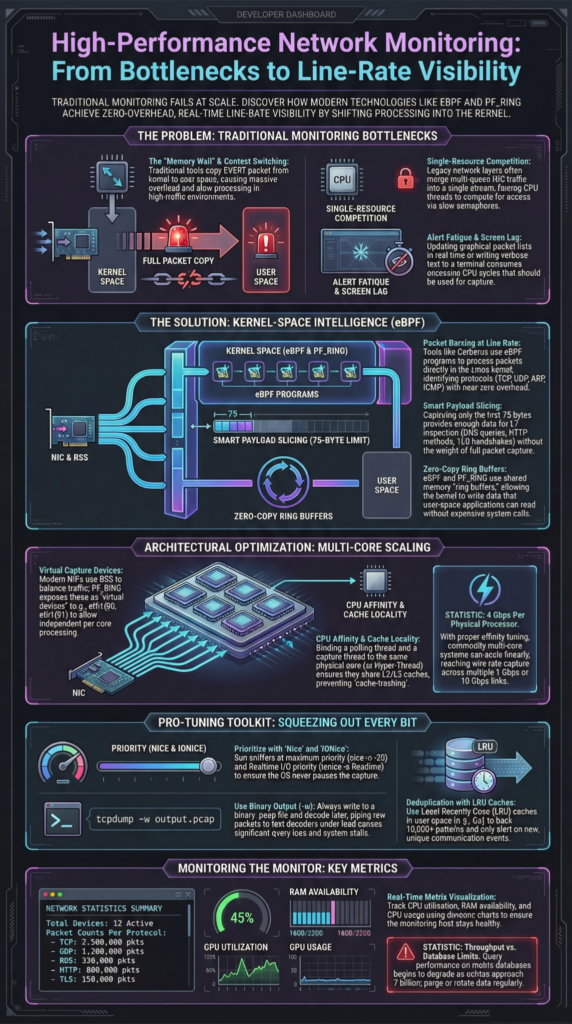
The capture process doesn’t just look at packets. It usually writes them to a file, a PCAP file, for later analysis. This is where many good intentions hit a wall. Disk I/O is orders of magnitude slower than RAM or CPU cache.
Writing each captured packet to disk is a blocking operation. If the disk queue gets too long, the tool’s memory buffer fills up. When the buffer is full, new incoming packets have nowhere to go. They get dropped. You might be capturing, but you’re missing crucial pieces of the conversation.
We’ve seen packet loss rates swing from a manageable 3% to a catastrophic 90% during traffic bursts, all because of disk latency. Using faster SSDs helps, but it’s a cost bandage. A better strategy is to be selective about what you write.
Capturing only packet headers (using a -s 96 snaplen in tcpdump, for instance) cuts the I/O load dramatically compared to saving every byte of every packet.
The Memory Middle Ground and Network Nuances
Between the CPU and the disk sits your system’s RAM. It acts as a buffer, holding packets briefly before they’re processed or written. In high-traffic environments, say a 10 Gbps link, this buffer can be overwhelmed in milliseconds. Tuning the buffer size in your capture tool (like adjusting libpcap parameters) is essential to smooth out microbursts.
There’s also a subtle network effect. The capture tool itself, especially if placed inline, can introduce microseconds of latency. For most productivity applications, this is noise. For low-latency trading systems or voice services, it can be a problem.
Furthermore, the tool’s network interface needs to keep up. If you’re mirroring traffic from a 10 Gbps port to a 1 Gbps capture NIC, you’ve designed in 90% packet loss from the start.
Mitigating the Impact: Work Smarter, Not Harder
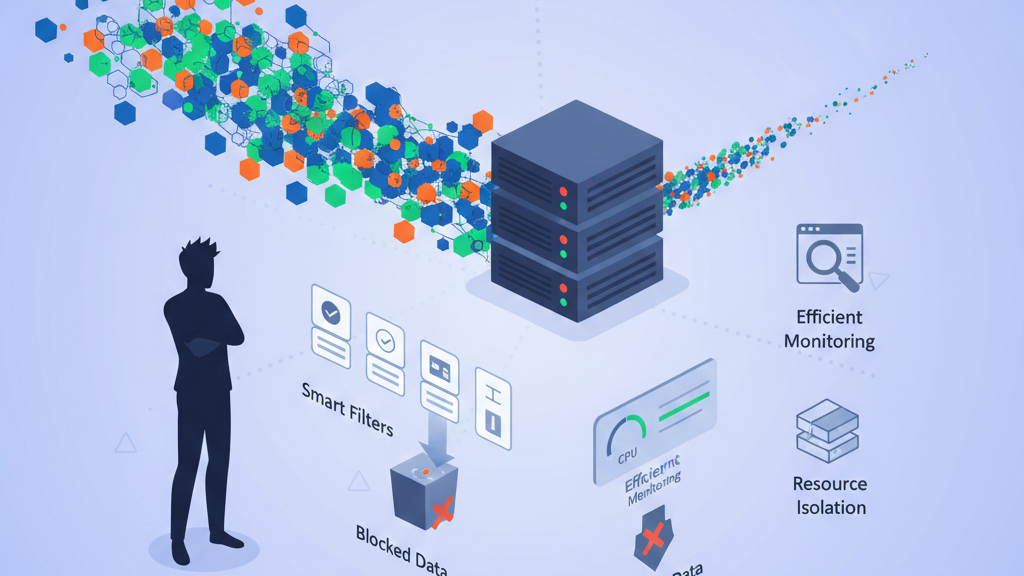
You don’t have to live with this performance hit. The best fix is to filter early. Use Berkeley Packet Filters (BPF) at the kernel level. This discards irrelevant traffic before it burdens your CPU.
For example, filtering for a single server port or blocking background noise like DNS to 8.8.8.8 can remove 95% of packets. Your CPU load can drop by 80%.
For ongoing security work, we use a metadata approach. We log connections, protocols, and timestamps instead of every raw packet. This slashes disk I/O.
- Separate capture from analysis.
- Use network TAPs or SPAN ports.
- Consider hardware-accelerated cards for busy links.
| Optimization Method | How It Works | Performance Benefit |
| Kernel-Level Filtering (BPF) | Discards irrelevant traffic before capture | Reduces CPU load by up to 80–95% |
| Header-Only Capture | Stores packet headers instead of full payloads | Lower disk usage and faster writes |
| Dedicated Capture Resources | Separates capture processes from application cores | Prevents CPU contention |
| Metadata-Based Monitoring | Logs sessions and flows instead of raw packets | Preserves visibility with minimal system load |
Match the tool to the job: tcpdump for quick debugging, a GUI analyzer for forensics, and an endurance-built platform for production monitoring.
FAQ
How does packet capture affect network performance during heavy traffic?
Packet capture tools inspect network data packets in real time, which adds load to CPU, memory, and disk systems. During busy network traffic periods, this capture process can slow network performance and increase packet loss.
Writing PCAP files, processing packet headers, and handling deep packet inspection all consume resources. Without filtering, packet-level insight often comes at the cost of latency and reduced end-user experience.
Can network packet capture tools cause packet loss on busy network links?
Yes, packet loss happens when packet sniffers collect more data traffic than systems can process. High volumes of network packet capture overwhelm buffers, disk I/O, and network interfaces.
When capture tools can’t write packet capture files fast enough, incoming data packets get dropped. This creates blind spots in network monitoring and weakens troubleshooting workflows and network security investigations.
What makes packet capture tools slow servers in data centers?
Packet capture tools compete with applications for CPU time while analyzing IP packets and header data. In data centers, constant packet analysis and session reconstruction strain storage and memory systems.
Capturing full payloads instead of packet metadata increases the load further. Without smart traffic analysis filters, network management systems suffer from resource contention and degraded network performance.
How can packet capture improve security without hurting end-user experience?
Using targeted network packet capture with filters limits unnecessary data traffic. Capturing only relevant packet headers or packet metadata reduces strain on network devices while still detecting security threats.
This allows teams to investigate malicious code, DDoS attacks, and suspicious network activities without overwhelming systems. Balanced network monitoring preserves packet-level insight while protecting speed and user experience.
Capturing Truth Without Compromise
Packet capture delivers critical insight for troubleshooting and security, but it shouldn’t come at the cost of system performance. With smart filtering, resource isolation, and efficient architectures, teams can gain visibility without slowing servers or users.
For deeper risk awareness beyond raw packets, explore how NetworkThreatDetection helps model threats in real time, automate risk analysis, and uncover blind spots before attackers act. Strong visibility works best when it protects both performance and security.
References
- https://www.sentrywire.com/blog/what-is-packet-capture
- https://tekdash.com/blog/how-to-analyze-network-traffic-for-better-performance
