
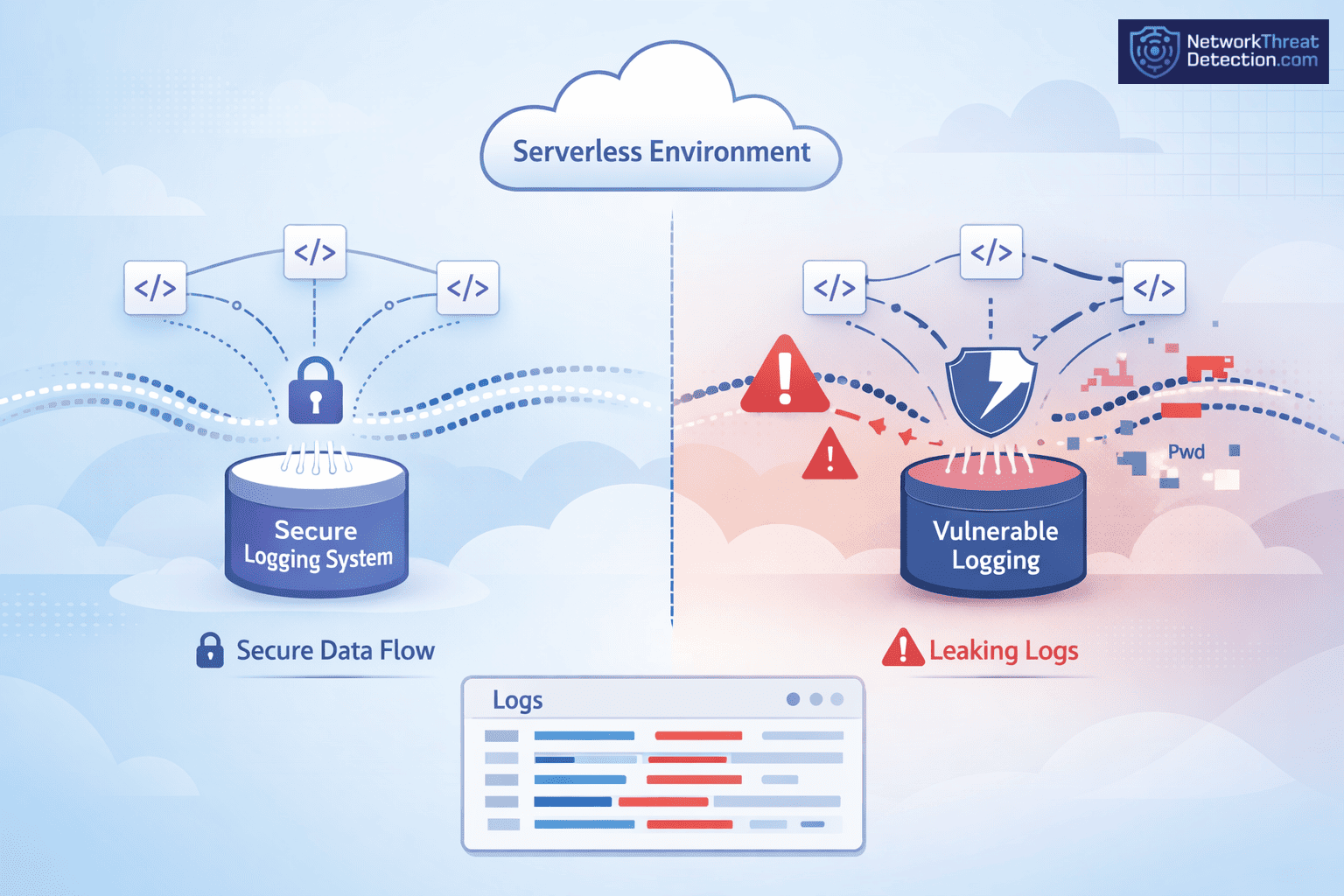
Logs cause problems when no one pays attention to what they hold. Teams use them every day to debug and track activity in Amazon Web Services and Google Cloud Platform. That part is routine. What slips through is the data itself. We have seen logs carry API tokens during an incident review, which made the situation worse.
No one expected it to be there. Logs should help make sense of events, not add new risk. That only happens when there are limits in place. Keep reading to see where things usually go wrong.
Serverless Logging Security: What Gets Missed
Logs are meant to show what happened. They also keep data that was never meant to stay. That overlap is where issues begin.
- Structured logging with least-privilege access keeps access tighter
- Sensitive data in logs is still a common serverless security risk
- Adding network threat detection helps spot issues sooner
What Serverless Logging Security Looks Like in Practice
Every serverless run leaves a trace. AWS Lambda and Azure Functions both write logs with inputs, outputs, and small system details. We rely on those records during reviews and incident work, especially when managing cloud environment log collection across distributed systems.
The trouble is not the logging itself. It is what gets written. Data from API Gateway, storage, or IoT devices can pass straight into logs. We have come across tokens sitting there from earlier tests, unnoticed. It happens more than teams expect. IBM Security has pointed to misconfigured logging as a factor in many breaches.
Key characteristics of serverless logging include:
- Captures data from short-lived runs
- Pulls in events from different services
- Helps with debugging and audits
- Can include tokens or environment variables
Logs are useful. Without limits, they become something else.
What Are the Key Security Risks in Serverless Logging?
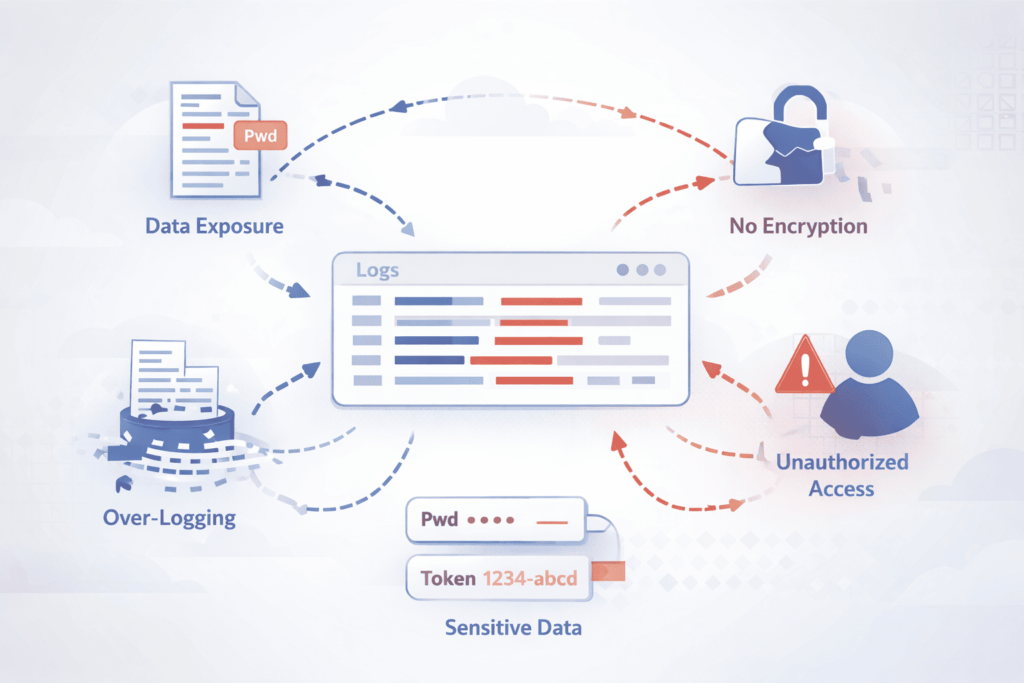
Most problems come from what gets written and who can read it. We often see full request data stored without any filtering. That can include login details or personal data. Sysdig has reported this, and it matches what we see in practice.
There is also the issue of bad input. Attackers send crafted data through APIs or function URLs. It gets logged, then picked up by other tools later. We saw one case where a small piece of bad data in logs ended up breaking reports days after.
Some teams cut logs to save cost. That leaves gaps. OWASP calls this out, and it shows up often. Without logs, it is hard to trace anything back.
Common risks include:
- Logging inputs without checks
- Broad IAM roles with too much access
- Missing logs from broken setups
- Keeping logs longer than needed
These issues stack up fast as systems grow.
How Do Attackers Exploit Serverless Logging Weaknesses?
Attackers use what is already there. In serverless systems, there are many entry points, uploads, API calls, queue messages. The system logs what it receives, even when it should not, which becomes harder to detect without proper Azure monitor activity log analysis in place.
We have seen log poisoning happen. In one case, the data looked normal at first glance. It slipped through and changed how a reporting system worked. The logs were trusted too much. Reports from The Hacker News note a rise in these attacks, often tied to weak setup.
Common attack patterns include:
- Sending crafted data through normal triggers
- Using logs to affect other systems later
- Taking advantage of missing tracing
- Acting before alerts pick it up
Short-lived functions do not help. By the time someone checks, the trace is thin. Without Network Threat Detection, it is easy to miss what really happened.
What Are Serverless Logging Best Practices for Security?
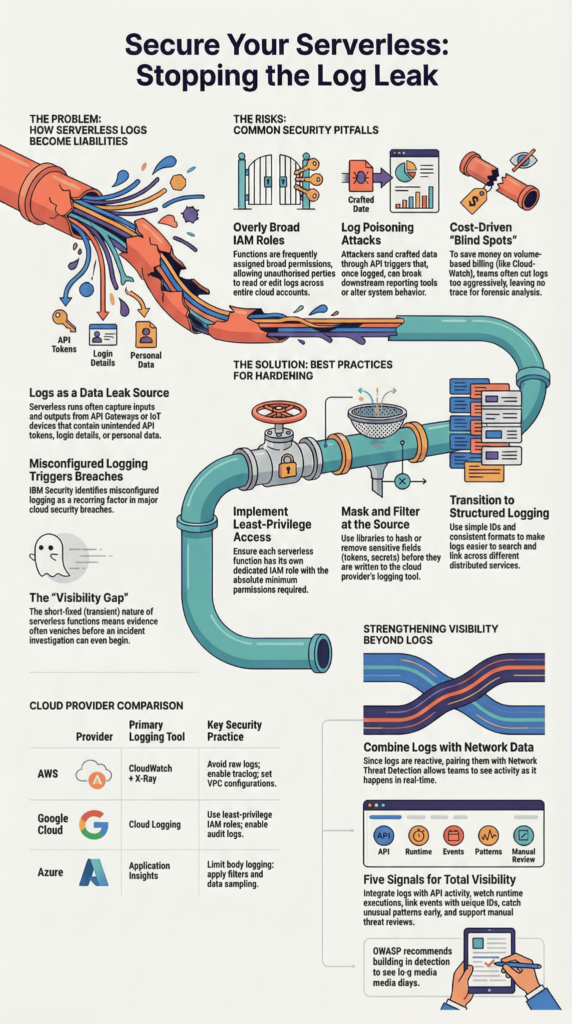
Logs need limits. Without them, they fill up with things you never meant to store. We keep logs structured and small, enough to trace what happened, not everything that passed through. When logs get messy, people miss details. We have seen that slow down real incident work.
We also learned not to wait on logs alone. By the time you read them, the event is already over. That is why we use Network Threat Detection alongside logging and support it with cloud-native security monitoring tools. It shows activity as it happens, not after.
Encryption is basic hygiene. Logs should stay protected in transit and at rest, whether in CloudWatch Logs or GCP Logging.
Core best practices include:
- Use structured logs with simple IDs
- Keep access tight with IAM roles
- Store logs in one place
- Turn on tracing across services
Strengthening Visibility Beyond Logs
Logs do not tell the full story. Short-lived functions leave gaps, and sometimes nothing looks wrong at first glance. We have run into cases where logs looked fine, but traffic patterns told a different story.
So we add other signals. Runtime checks, network data, small alerts that trigger early. IPS tools help here too. It is less about one tool, more about seeing from different angles.
Five key enhancements improve visibility:
- Combine logs with network data
- Watch what runs in real time
- Link logs with API activity
- Catch unusual patterns early
- Support manual threat reviews
That mix gives a clearer picture than logs alone.
How Sensitive Data Ends Up in Logs
It usually starts with something small. A request gets logged during testing, and no one removes the extra details. We have seen logs still holding tokens long after the test was done. It is not planned, but it happens more than people expect.
The tools themselves are not the problem. Azure Functions and Google Cloud Functions give options to control logging. The issue is those options are often left at default, or no one circles back to adjust them.
What helps in practice:
- Avoid logging full request or response data
- Mask or hash anything sensitive
- Add simple filters inside logging tools
- Review logs after changes, not just before
Data Handling and Filtering Strategies
Once data is in a log, it is hard to undo. That is why the focus needs to be earlier.
We try to catch issues before anything is written. Inputs get checked, extra fields get removed, and secrets are stored somewhere safer. Small steps here can prevent bigger problems later.
- Validate inputs with clear rules
- Remove fields that are not needed
- Store secrets in secure services
- Keep secrets out of environment variables
Logs stay useful when they stay clean.
How Do Major Cloud Providers Handle Logging Security?
Credits: Cloud Security Lab a Week (S.L.A.W.)
The tools are there. The setup is where things go wrong. AWS, Google Cloud, and Azure all provide logging with access control and encryption, yet we still find the same issue during reviews, permissions left too open.
| Provider | Logging Tool | Key Security Practices |
| AWS | CloudWatch + X-Ray | Avoid raw logs, enable tracing, set VPC config |
| Google Cloud | Cloud Logging | Use least-privilege IAM roles, enable audit logs |
| Azure | Application Insights | Limit body logging, apply filters and sampling |
AWS shows up most often in our work. In one case, a role meant for one service could read logs across the account. It stayed that way for months because nothing broke.
Across providers, the pattern is the same. The tools work. The gaps come from how they are set up.
What Are the Cost and Visibility Trade-offs in Logging?
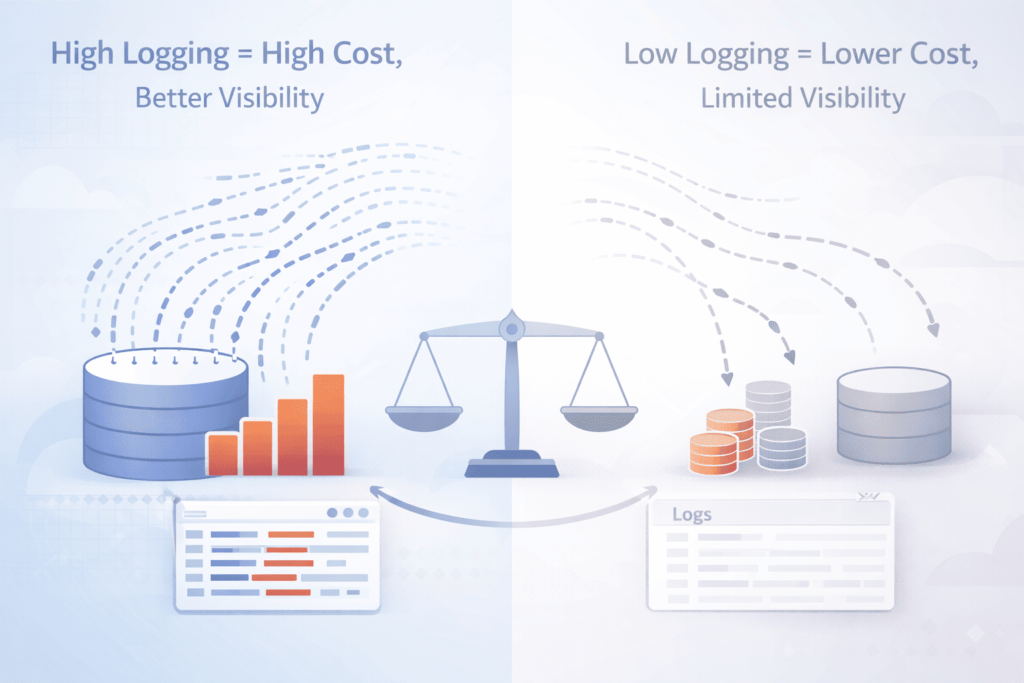
Logging grows quietly. A few lines per request do not seem like much until it runs all day across many functions. We have seen teams realize the cost only after the bill lands.
CloudWatch charges by volume, so more logs mean a higher cost. The first reaction is often to cut logs fast. That usually removes useful detail along with the noise.
We try to avoid that swing. Keep the logs that help explain actions, drop the rest.
Cost optimization strategies include:
- Adjust log levels by environment
- Sample high-volume events
- Remove debug logs in production
- Keep only what is needed for compliance
There is always a trade-off. More logs give more detail. Fewer logs leave gaps.
How Do You Ensure Compliance in Serverless Logging?
Most teams think about compliance after logs are already in place. That is where problems begin. Logs often hold more than expected, bits of user data, tokens, small details that add up.
We have seen audit checks fail because logs could be edited or access was not tracked. It was not a complex issue, just something no one had tightened. Rules like GDPR focus on control, who can read data, how long it stays, and whether it can be changed.
Data from OWASP demonstrates.
“A confidentiality attack enables an unauthorized party to access sensitive information stored in logs. [Organizations should] build in tamper detection so you know if a record has been modified or deleted [and] store or copy log data to read-only media as soon as possible.” – OWASP
The fix is not complicated, but it has to be done early.
Key compliance practices include:
- Mask sensitive data before it is logged
- Limit access using IAM roles
- Keep logs unchanged once written
- Set clear retention and deletion rules
Guidelines from NIST and the European Commission help, but they do not replace setup.
Why Do Serverless Environments Create Logging Blind Spots?
Logs in serverless systems rarely sit in one place. One function writes part of the story, another writes something else, and the link between them is missing.
We ran into this during a review. The data was there, just spread out. No shared ID, no clean timeline. It took longer to piece together than it should have.
Research from the International Journal of Science and Research shows
“The transient nature of serverless functions. makes it difficult to capture and analyze security events, as evidence may be lost when the function terminates. This complicates incident response and forensic analysis, requiring new techniques for rapid evidence collection and preservation in ephemeral environments.” – International Journal of Science and Research
Short runtimes add to it. By the time you look, the function is gone.
Blind spots usually come from:
- Logs split across services
- Missing IDs to connect events
- Delays in log collection
- Limited view of async steps
When the pieces do not line up, response slows. Teams end up searching instead of acting.
FAQ
What are the common security risks in serverless functions logging?
Serverless functions often create logs without proper control. In serverless applications, logs can store secrets, environment variables, and user inputs. This practice increases security risks such as secret exposure and event injection.
Weak input validation and overly broad IAM permissions also expand the attack surface. These issues can weaken the overall security posture and slow down incident investigation across the cloud infrastructure.
How can I protect sensitive data in serverless logs?
You can protect sensitive data by limiting what your logs store. Avoid logging secrets, tokens, or environment variables. Use a secure logging library that masks or removes sensitive values.
In serverless systems such as AWS Lambda or Azure Functions, apply strict IAM roles with least-privilege access. Store secrets in a Secrets Manager instead of logs. Clear security policies and proper logging tools help security teams reduce risks.
Why is input validation important for logging security?
Input validation ensures that only safe data enters your logs. In serverless development, serverless functions receive data from sources like API Gateway, HTTP APIs, or IoT device connections.
Without proper validation, attackers can inject harmful data or trigger event injection. This increases the attack surface and creates security risks. Clean inputs improve threat detection and help maintain safer serverless deployments.
How do IAM roles and permissions affect logging security?
IAM roles and IAM permissions define who can access and manage logs. Weak configurations can expose cloud storage or allow unauthorized changes. In serverless technology, each function should use its own IAM role with least-privilege access.
This setup supports security hardening and protects the cloud execution model. Strong IAM roles also improve the security posture and support effective threat hunting.
What logging best practices improve serverless security posture?
Strong logging practices improve visibility and reduce risk. Use distributed tracing and end-to-end stack traces while avoiding sensitive data in logs. Enable tools such as GCP Logging or Stackdriver Logging for better monitoring.
Apply runtime protections and watch for signs of DoS attacks or unusual behavior. These practices support early threat detection and make incident investigation faster and more accurate across serverless systems.
Serverless Logging Security: Where to Go from Here
If your logs told the story, would you feel sharing them? Every entry matters. Keep logs simple, protect access, and never store secrets. Small, steady care keeps risks low and systems clear, giving you control before problems grow.
Now is the moment to act. Tighten what you log and connect your monitoring with Network Threat Detection so blind spots don’t hide. You can reduce risk, see faster, and build trust starting today with visibility always.
References
- https://cheatsheetseries.owasp.org/cheatsheets/Logging_Cheat_Sheet.html
- https://www.ijsr.net/archive/v13i7/SR24723103837.pdf
