
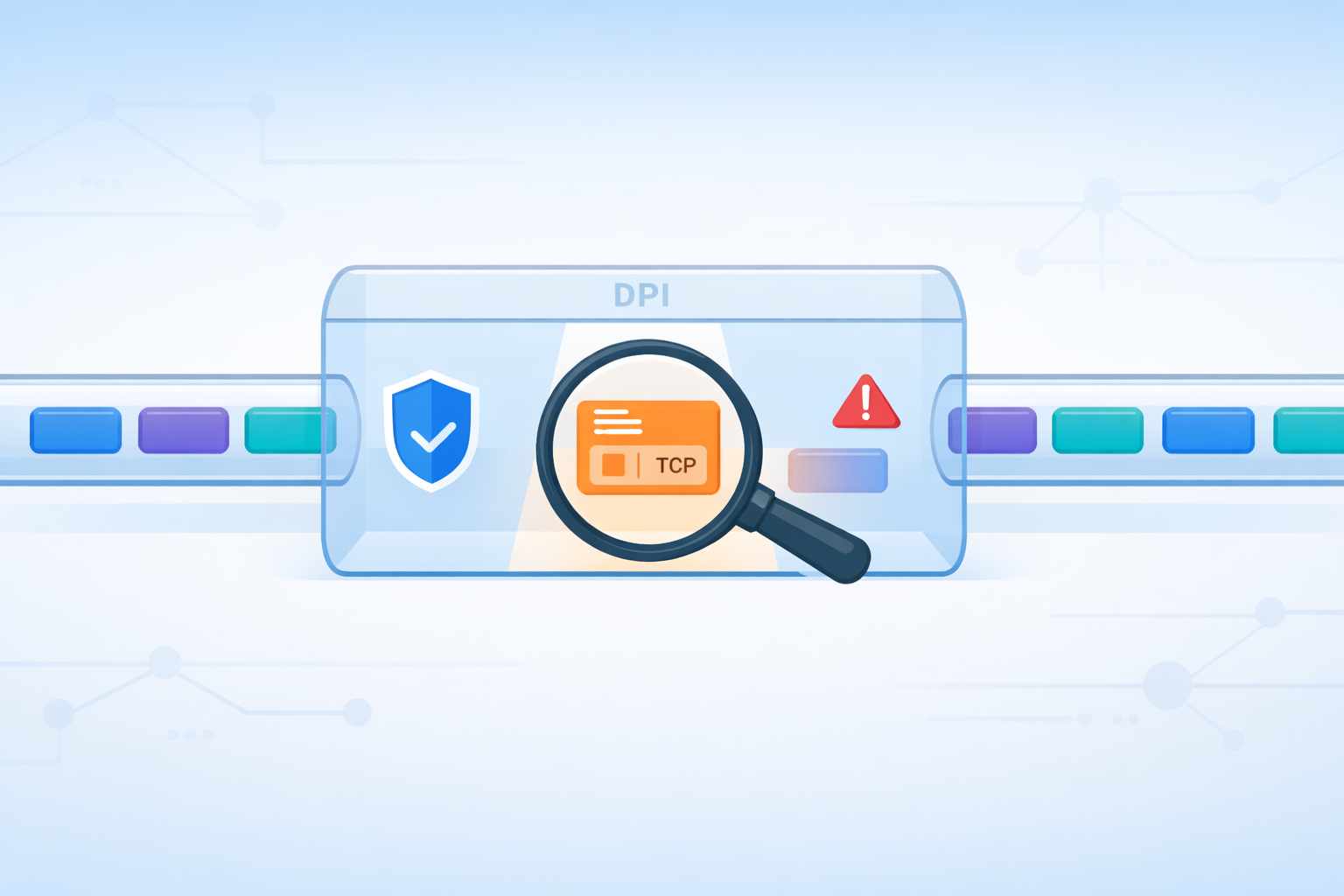
Deep Packet Inspection (DPI) lets a network tell the difference between a harmless cat video and a serious data breach by actually opening and examining each packet’s contents, not just its headers.
Instead of treating all traffic the same, DPI checks what’s inside, compares it against rules or security policies, and then decides whether to allow, block, throttle, or prioritize it.
That’s how companies can filter unsafe sites, protect sensitive data, and keep voice or video traffic smooth even when the link is busy. Keep reading to see, step by step, how DPI gives you that level of control.
Key Takeaways
- DPI analyzes headers and payloads where accessible, though encryption limits visibility.
- It operates across multiple OSI layers, especially Layer 7, to identify specific applications.
- The process enables real-time actions like blocking threats and managing bandwidth.
The Anatomy of a Packet Inspection

You can think of a network packet like a mailed letter. The header is the envelope, showing the sender, recipient, and postage.
The payload is the letter inside. Basic inspection just reads the envelope. DPI opens the letter and reads it. This fundamental difference is why DPI is so powerful for security and management. It doesn’t just see where traffic is going. It understands what that traffic actually is.
The process begins at a network checkpoint, like a firewall or router. Here, every packet is intercepted. It’s a constant, real-time flow.
The system first needs to make sense of the raw data stream. Packets can be fragmented, arriving out of order. DPI engines reassemble them into complete sessions, like putting the pages of a book back in the correct sequence. Only then can the real analysis start.
- Header Inspection: The system reads the “envelope” details, source and destination IP addresses, port numbers, and protocol flags.
- Payload Inspection: This is the core of DPI. The system scans the actual data content within the packet.
- Pattern Matching: It compares the payload against known signatures for malware, exploits, or specific applications.
- Protocol Validation: It checks if the traffic conforms to the rules of its claimed protocol, detecting misuse [1].
| Inspection Stage | What DPI Examines | Why It Matters |
| Header Inspection | Source and destination IPs, ports, protocol flags | Identifies traffic origin, destination, and basic service type |
| Packet Reassembly | Fragmented packets reordered into full sessions | Restores context before deeper inspection begins |
| Payload Inspection | Actual data content where accessible | Enables malware detection, content inspection, and policy enforcement |
| Pattern Matching | Known signatures and application fingerprints | Detects threats, applications, and policy violations |
| Protocol Validation | Checks protocol behavior against standards | Identifies protocol misuse, tunneling, or evasion attempts |
The Deep View Across Network Layers
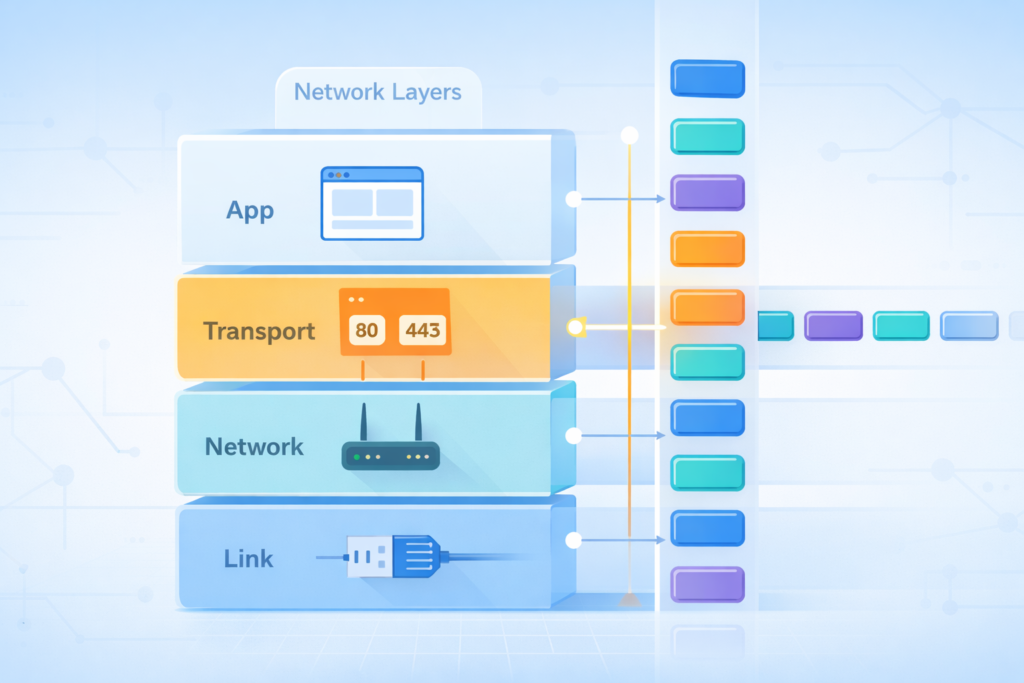
DPI’s power comes from its ability to analyze traffic at different levels of the OSI model. This layered approach provides a depth of understanding that simpler methods can’t match. It’s not just about who is talking. It’s about what language they’re using and what they’re saying.
At Layer 3, the Network layer, DPI looks at IP addresses. It understands the routing information. At Layer 4, the Transport layer, it examines TCP or UDP ports.
This helps identify the general type of service, like web traffic or email. But the most critical work happens higher up, where deep packet inspection technology reveals detailed application behavior beyond surface-level data.
Layer 7 is where DPI truly shines. This is the Application layer. Here, the technology decodes the actual content of the communication. It can identify specific applications, Spotify versus Slack, for instance, even if they’re using the same ports.
It reads HTTP requests, understands VoIP protocols, and can even analyze the patterns of encrypted traffic without necessarily decrypting it. This application awareness is crucial for modern policy enforcement.
Advanced Techniques for a Smarter Network
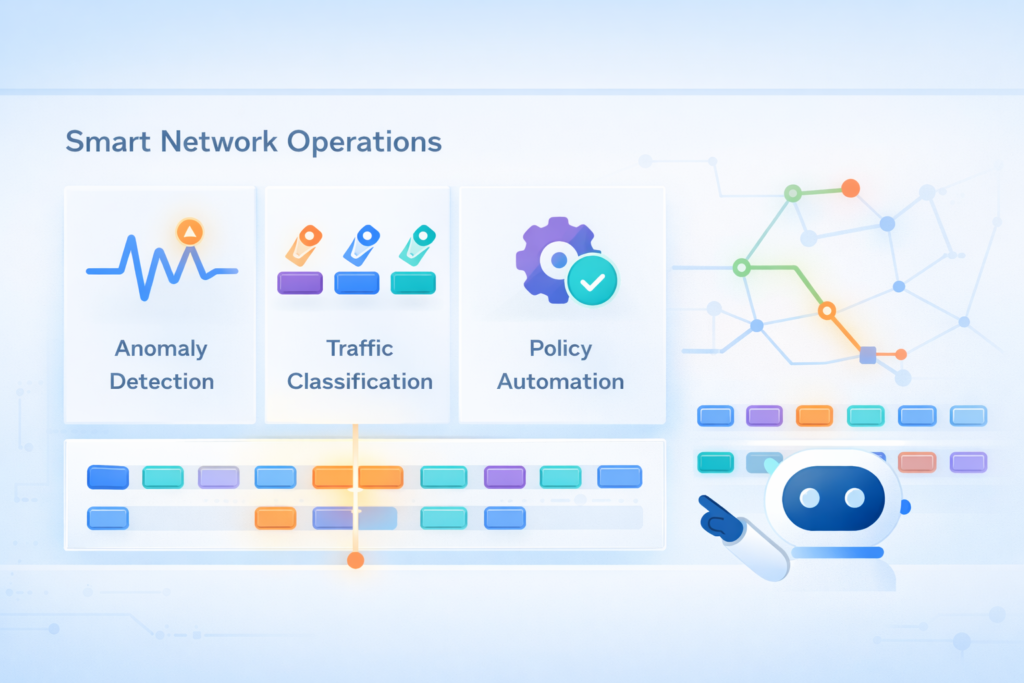
Modern networks are complex, and threats are sophisticated. Basic pattern matching isn’t always enough. Advanced DPI uses more intelligent techniques to spot problems that don’t have a known signature. It learns what normal looks like for your network, making it adept at finding anomalies.
These systems extract metadata from the traffic flow. They look at attributes like packet size, timing, and flow duration. This level of insight is a key deep packet inspection benefit that strengthens threat detection and network performance management.
Using statistical analysis and machine learning, the DPI system builds a baseline of normal behavior. When something deviates significantly from that baseline, it raises a flag.
This is how it can detect a slow, low-volume data exfiltration attempt or a new type of DDoS attack that doesn’t match any known pattern.
- Behavioral Analysis: Flags activities that are unusual for a specific user or device.
- Heuristic Analysis: Uses rules and algorithms to identify suspicious patterns.
- Encrypted Traffic Analysis: Examines metadata from encrypted flows to make educated guesses about the content.
This analysis isn’t just for show. It leads to immediate action. Based on predefined security and management policies, the DPI system can make real-time decisions.
It can allow safe traffic to pass, block a known threat, throttle the bandwidth of a non-essential application to prioritize business-critical tools, or simply log the event for a security team to review later. This immediate response is what makes DPI a proactive security tool, not just a passive observer.
Putting DPI to Work for You
So what does this all mean in practice? It means control. For network managers, DPI provides the visibility needed to keep everything running smoothly.
You can see which applications are consuming the most bandwidth. You can ensure that your video conferencing platform has the priority it needs, while limiting peer-to-peer file sharing.
This is the kind of precise control only possible through deep packet inspection uses in modern network security and traffic shaping. This is essential for maintaining quality of service and a productive work environment.
From a security standpoint, the benefits are even clearer. DPI is a fundamental component of next-generation firewalls and intrusion prevention systems. Despite added latency in high-traffic scenarios.
It enables data leakage prevention by identifying and blocking sensitive information from leaving the network. It helps with compliance by monitoring for policy violations.
By providing detailed logs and forensic data, it helps security teams understand the scope of an incident after it occurs. It turns your network from a passive pipeline into an intelligent, active defense system.
The Final Packet Analysis
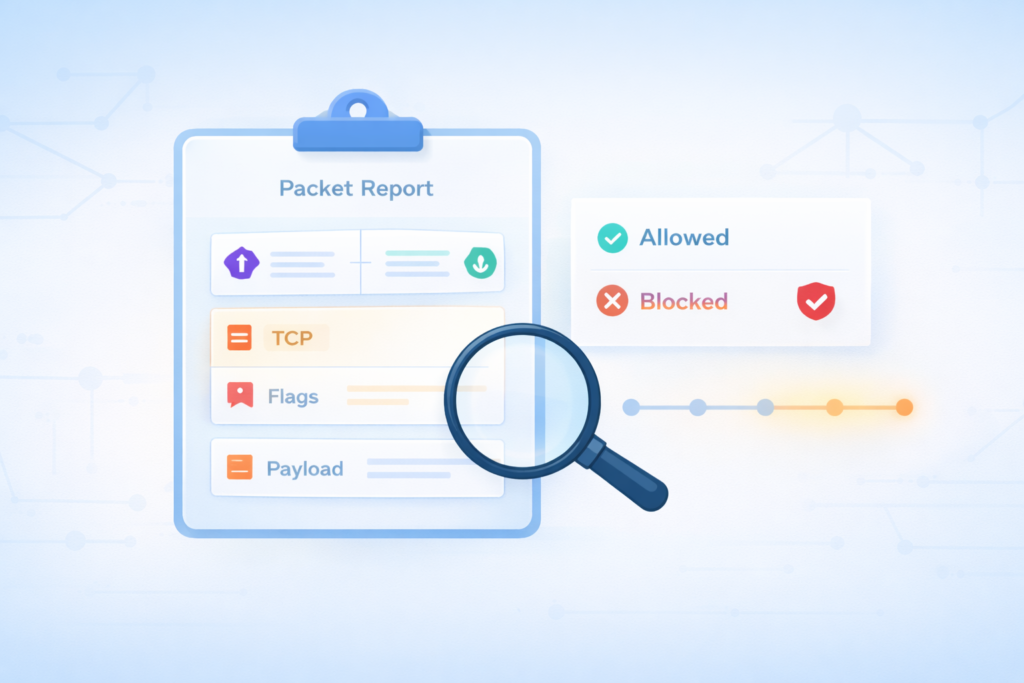
Seeing how DPI actually looks at network traffic changes the way you think about what’s moving across a wire.
It’s not just like watching cars speed past on a highway, it’s more like being able to pick out each driver, where they’re headed, and what they’ve packed in the trunk.
That kind of deep visibility used to feel like bonus gear. Now its basic survival for handling modern threats and messy, high-volume networks [2].
So when your firewall quietly drops a malicious payload or your video call gets bandwidth over a big download, you can picture the careful work underneath:
- Every packet inspected.
- Context stitched together.
- Rules matched in real time.
- Decisions made in milliseconds.
DPI turns what used to look like a blur of anonymous flows into something readable, almost like a series of short stories moving through your cables and airwaves.
If you start thinking of your network not as a fog of traffic but as a stream of individual packets, each carrying intent, risk, or value, the whole system becomes easier to understand, and a lot more interesting to watch.
FAQ
How is deep packet inspection different from basic traffic inspection?
Deep packet inspection analyzes both packet headers and packet payloads, while basic inspection only reviews header information.
This deeper network traffic analysis allows protocol decoding, traffic classification, and application layer visibility at Layer 7. As a result, DPI enables accurate application awareness, stronger traffic filtering, and more reliable network monitoring than surface-level inspection methods alone.
How does DPI analyze encrypted traffic without accessing private content?
DPI examines encrypted traffic by analyzing traffic metadata such as packet size, timing, and flow behavior.
This encrypted traffic inspection relies on flow analysis, session reconstruction, and behavioral traffic analysis rather than reading payloads. These methods support anomaly detection and cyber threat detection without requiring man in the middle inspection or decrypting sensitive user data.
Why is packet reassembly critical for accurate DPI results?
Packet reassembly allows DPI engines to rebuild fragmented packets into complete sessions before inspection.
This process ensures packet level inspection, payload signature matching, and protocol compliance checking work correctly.
Without proper session reconstruction, intrusion detection systems and intrusion prevention systems may miss context, reducing malware detection in traffic and weakening network forensics accuracy.
How does DPI help manage bandwidth and prioritize applications?
DPI supports bandwidth management by combining application identification, traffic shaping, and traffic prioritization.
Through application usage monitoring and traffic policy enforcement, networks apply quality of service enforcement based on actual application behavior.
This approach improves network performance monitoring and application performance management by ensuring critical services receive consistent and predictable network resources.
What visibility does DPI provide during security investigations?
DPI provides deep traffic visibility by capturing detailed traffic patterns using network probes and packet capture analysis.
This visibility supports network security analytics, data leakage prevention, and content aware filtering.
It also assists network compliance monitoring and lawful interception by supplying accurate evidence for investigations, enabling faster and more confident decisions during enterprise network security incidents.
From Packets to Clarity: Why DPI Delivers True Network Visibility
Deep Packet Inspection gives networks clarity instead of guesswork. By reconstructing sessions, decoding applications, and analyzing behavior in real time, DPI turns raw traffic into actionable intelligence.
That visibility enables faster threat blocking, smarter bandwidth control, and stronger compliance. As encryption and traffic volumes grow, understanding how DPI works matters as much as deploying it.
If you’re ready to gain full visibility and proactive control over your network, explore advanced network threat detection features here.
References
- https://www.scirp.org/journal/paperinformation?paperid=56565
- https://pmc.ncbi.nlm.nih.gov/articles/PMC7146318/
