
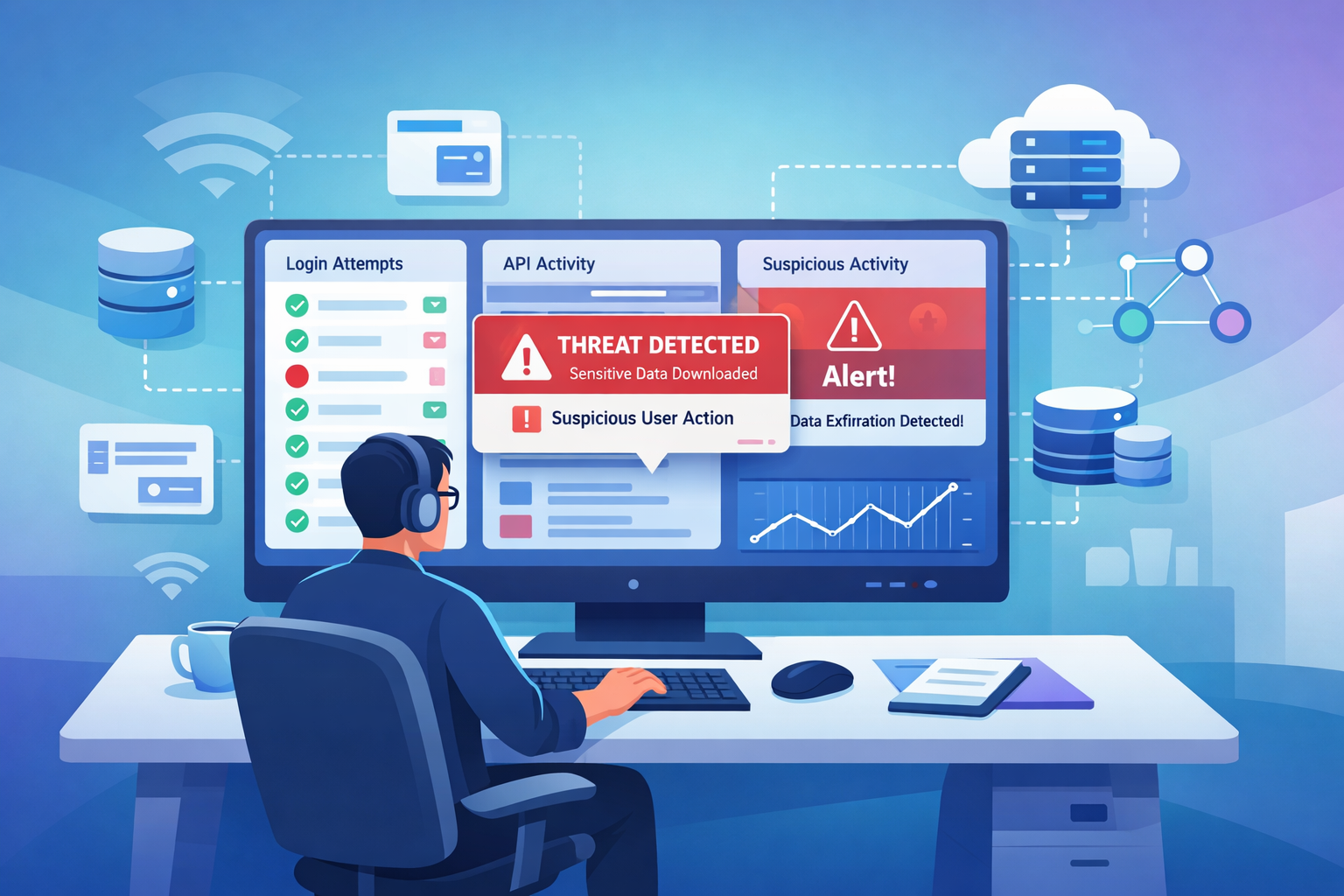
Application specific security logs record what users actually do inside a software application. They track login attempts, permission checks, API activity, and when someone accesses sensitive data. This creates a clear timeline of who did what and when it happened. In our work with security teams, we often see how useful this visibility becomes during an investigation.
A network alert might show unusual traffic, but application logs reveal the real action behind it. They show whether a user changed an account setting, ran a query, or downloaded records. Keep reading to see how these logs help teams detect threats and investigate incidents.
Application Security Logs at a Glance
Before diving deeper, here are the core points that explain why application specific security logs matter for threat detection and investigations.
- Application security logs show user behavior inside your software, helping catch account takeovers and data misuse early.
- Logs with a clear, consistent format make threat detection, compliance audits, and investigations much easier, especially when combined with network data.
- Using network detection tools alongside application logs creates defense-in-depth, catching attacks that one source alone might miss.
What Are Application Specific Security Logs?
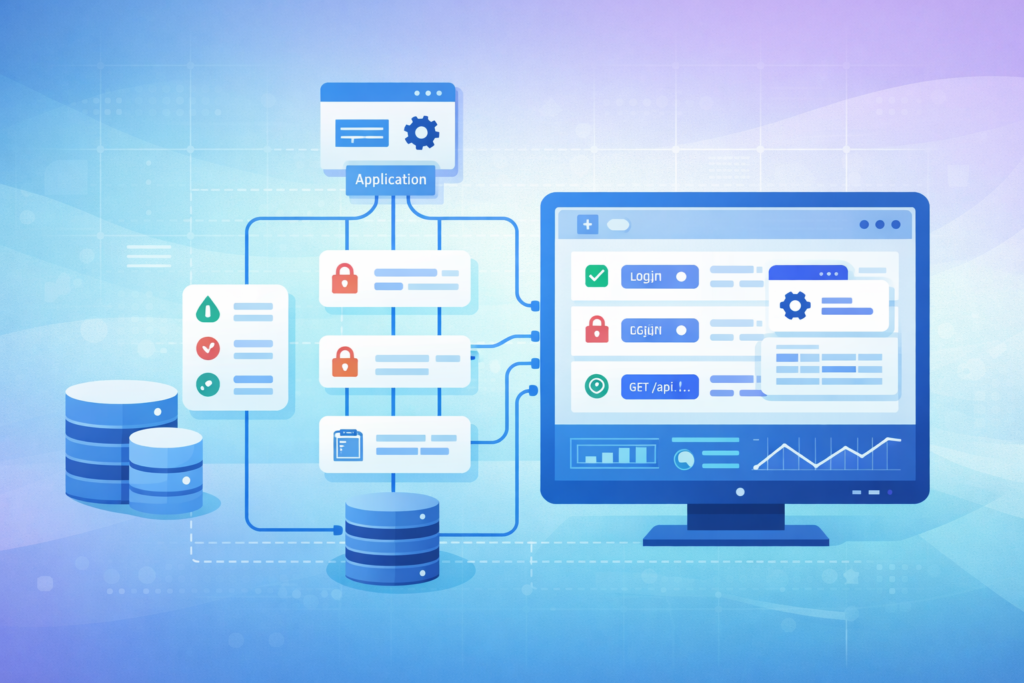
Simply put, they are the security diary of your application. Every time someone tries to log in, accesses an API, or changes a user role, the application can write a timestamped entry. This entry includes who did it, from where, what they tried to do, and whether it worked.
The real value is in the context. Infrastructure logs tell you a server is busy. In our own security work, we rarely see an incident start with a blazing red siren on the network.
A login from an unfamiliar country, a sudden burst of failed passwords, or a role change that doesn’t match the user’s job often stands out first. These events are part of the critical security logs to collect when building a solid monitoring strategy.
A good application log should capture events like:
- Failed and successful logins.
- Times when access to a resource was denied.
- Queries made to a database.
- Changes to user roles or privileges.
These logs work best when they’re structured, like in JSON format. This makes them easy for security tools to read and analyze. The National Institute of Standards and Technology (NIST) advises keeping these logs for 6 to 12 months to support investigations.
How Do Application Logs Differ From System and Network Logs?
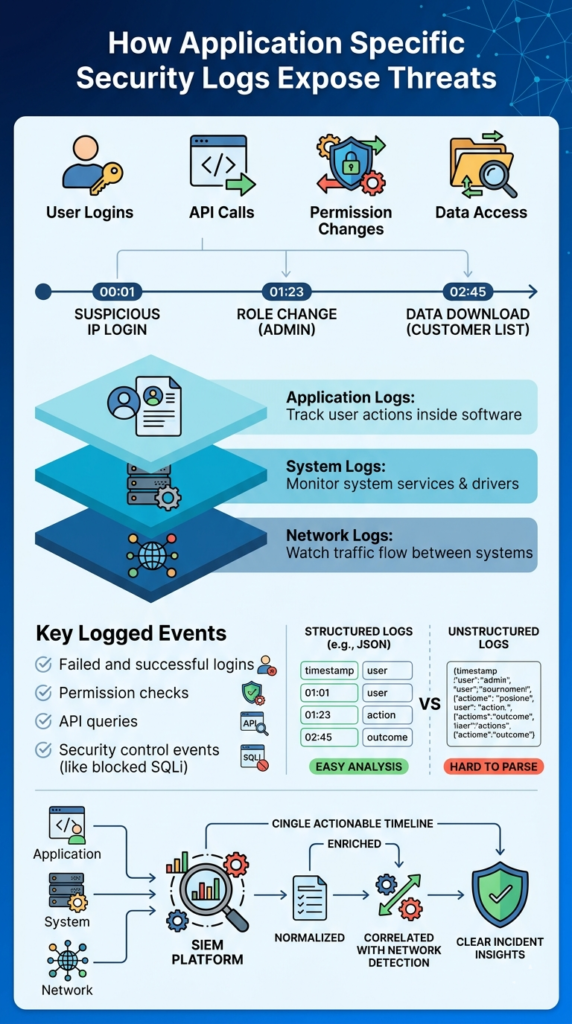
It’s about the layer they monitor. Think of it like securing a building. Network logs watch the streets and alleyways around it, who’s coming and going. System logs monitor the building’s utilities and hallways, lights, doors, and cameras. Application logs are inside the offices, watching what people actually do at their desks.
Insights from OWASP indicate
“The application has the most information about the user (e.g. identity, roles, permissions) and the context of the event (target, action, outcomes), and often this data is not available to either infrastructure devices, or even closely-related applications.” – OWASP
Here’s a quick breakdown:
| Log Type | What It Watches | Example | What It Finds |
| Application Logs | User actions inside software. | A user downloading a report. | Misuse of the app itself. |
| System Logs | The computer or server’s activity. | A new, unknown program starting up. | Malware running on a machine. |
| Network Logs | Traffic flowing between systems. | A connection to a suspicious server. | An attacker scanning for weaknesses. |
We’ve found that starting an investigation with just network data gives you an incomplete picture. You might see a suspicious IP address, but you won’t know if it accessed anything important. The network alert points you to a suspicious actor, and the application logs show you every file they touched once they got inside.
What Security Events Should Applications Log?
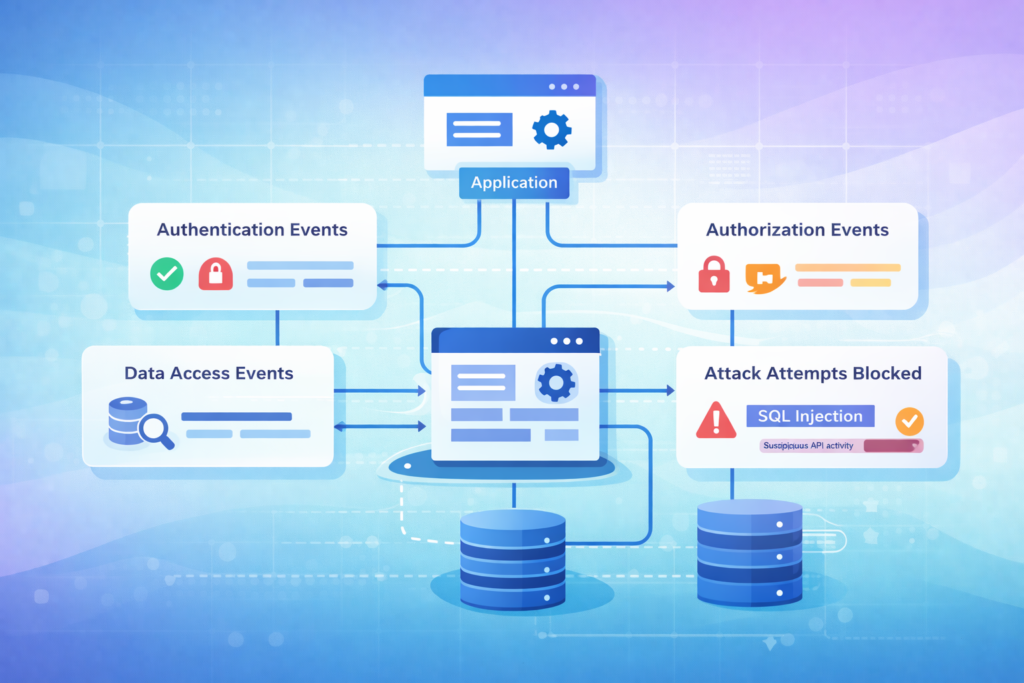
You should log the events an attacker can’t avoid. Focus on actions that, if they go wrong, mean a security problem. This centers on four main areas: proving identity (authentication), checking permissions (authorization), accessing sensitive stuff, and changing settings.
From our experience, we always recommend starting with core telemetry sources and expanding from there. In many monitoring environments, these application events are combined with other essential log sources for NTD. That layered approach gives analysts a clearer picture when something suspicious happens:
- Authentication Events: Every login try, pass or fail. Every multi-factor check. This helps spot brute-force attacks or stolen credentials.
- Authorization Events: Every time access is granted or denied. Every change to a user’s role or permissions. This catches privilege abuse.
- Data Access Events: When someone queries a database, downloads a file, or calls an API that handles sensitive information. This reveals data theft or snooping.
- Security Control Events: Failed input validation, blocked SQL injection attempts, or invalid session tokens. This shows active probing for vulnerabilities.
A log entry that just says “login failed” isn’t very helpful. One that says “login failed for user ‘admin’ from IP 192.168.1.100 using an outdated browser” gives an investigator a real lead. Microsoft reports seeing billions of malicious login attempts each year, making these detailed auth logs one of your best tools.
Why Application Security Logs Are Critical for Threat Detection
Application logs let you see the attacker’s hands moving inside your system. Network monitoring might tell you an intruder is in the building, but application logs show you which filing cabinets they’re rifling through. The financial stakes are high. IBM’s latest data shows the global average cost of a data breach is $4.4 million.
As noted by SANS Institute
“Detection does not start with alerts. It starts with data. Logs, telemetry, and context flow in from countless systems, platforms, and services… Security operations teams are expected to turn that raw data into meaningful alerts that identify real threats without burying analysts in noise.” – SANS Institute
Here’s a real scenario we help clients model: Your network tools flag a connection from an unknown IP. You check your application logs and see that same IP successfully logged into a sales account after dozens of failed tries.
Minutes later, the logs show that account using an API to pull down the entire client contact list. Without the application logs, you’d just have a suspicious IP. With them, you have a confirmed data theft in progress. This is why we correlate logs. It turns isolated alerts into a clear attack story.
Best Practices for Implementing Application Security Logging
Doing this right means being smart, not just thorough. Logging everything will drown your team in data and bury the real threats. The goal is to log the right things, in the right way.
Based on our work implementing these systems, here are the practices that actually hold up:
- Use a structured format like JSON. It makes logs machine-readable, so your security tools can parse them automatically instead of an analyst digging through text.
- Define a clear schema. Decide what fields every log will have (like user_id, timestamp, action, outcome). Consistency is everything for quick analysis.
- Never log sensitive data. This seems obvious, but we’ve seen logs accidentally capture passwords, credit card numbers, or API keys.
- Protect the logs themselves. Logs are a prime target for attackers trying to cover their tracks. Send them over encrypted channels, store them securely, and limit who can access or delete them.
- Test your logging. Simulate an attack. Can you follow the attacker’s trail in your logs? If not, you’re missing critical telemetry.
Many organizations also combine application telemetry with identity monitoring and windows event log analysis security. It’s to track login behavior across endpoints and servers.
How Security Teams Integrate Application Logs With Monitoring Platforms
Credits: NetPath by SECURE7
Collecting logs is step one. Making them useful is step two. This means getting all your application logs into a central system where they can be normalized, enriched, and correlated with other data.
The process usually starts in the application code, using logging libraries that output structured data. These logs are then shipped, often in real-time, to a central platform like a SIEM or a dedicated security data lake. This is where the magic happens.
The platform will:
- Normalize the data, so a “user_id” field from App A means the same thing as “username” from App B.
- Enrich it, adding context like geolocation for an IP address or linking it to a known threat intelligence feed.
- Correlate events, using shared fields like session IDs to stitch together a user’s actions across multiple services.
We integrate this with network detection data to create a unified timeline. The network alert might say, “Malicious payload detected at the firewall at 2:05 PM.” The application logs can then show, “At 2:07 PM, the compromised account ‘jsmith’ escalated their privileges.” This turns two separate clues into a single, actionable incident.
Common Mistakes That Make Application Security Logs Ineffective
The biggest mistake is creating “log soup.” That’s when you collect terabytes of data but have no way to find the meaningful spoonful that indicates an attack. It leads to alert fatigue, wasted storage costs, and missed threats.
In our risk analysis, we often see these specific pitfalls:
- Logging the noise, not the signal. Capturing every debug message but missing the “admin role change” event.
- Using unstructured plain text. Analysts waste hours writing custom parsers for every new log format.
- Having no retention policy. Deleting logs after 30 days, only to find you need them for a compliance audit or a slow-burn investigation on day 31.
- Siloing logs. Keeping application logs with the dev team, network logs with infrastructure, and never bringing them together. An attacker’s path won’t respect those organizational boundaries.
Research from SANS notes that over 40% of analysts suffer from alert fatigue, often due to poorly tuned systems. The fix isn’t more logs; it’s better logs. Focus on high-value security events, give them rich context, and build a pipeline that gets them to analysts in a clean, correlated, and actionable format.
FAQ
How do application logs help with user activity tracking during security investigations?
Application logs record timestamped entries that show how users interact with a system. These records support user activity tracking by capturing authentication events, failed login attempts, and session management logs.
During forensic analysis, investigators review these logs to understand what actions occurred and when they happened. Clear audit trails help security teams connect behavior patterns with possible intrusion attempts or unauthorized access.
Why are access control logs important for security auditing and compliance logging?
Access control logs record when users attempt to reach restricted resources inside an application. These logs capture authorization failures, permission updates, and authentication events.
Security teams rely on these records during security auditing to confirm that access rules work correctly. Compliance logging also depends on these records because frameworks like PCI-DSS auditing and GDPR logs require proof that organizations monitor sensitive data access.
What role do API access logs and database query logs play in threat hunting?
API access logs and database query logs show how applications request and use data. Security teams review these logs during threat hunting to detect unusual behavior.
Analysts may see patterns such as unexpected data requests or large numbers of queries from one account. When teams combine these logs with anomaly detection, they can uncover hidden attack paths or suspicious activity within the application environment.
How does SIEM integration improve analysis of application specific security logs?
SIEM integration allows organizations to collect application logs in one central platform. The system performs log parsing, log normalization, and event correlation to connect application activity with other security data.
This process helps analysts understand incidents more quickly. With real-time monitoring and log aggregation, security teams can detect abnormal patterns early and respond before the problem grows.
Why are structured logging and log retention policies important for investigations?
Structured logging organizes records into consistent formats such as JSON logs. This structure allows security tools to analyze data efficiently.
Log retention policies ensure that organizations keep logs long enough for investigations and compliance checks. When teams apply log rotation, secure log transmission, and tamper-proof storage, investigators can rely on those records for accurate forensic analysis.
Turn Application Logs Into Clear Security Insight
You know the problem when alerts appear but the real user activity inside the application isn’t clear. Security teams end up digging through scattered logs just to understand what actually happened and when. It slows investigations and leaves too many questions.
That’s why Network Threat Detection makes a difference. By connecting application security logs with network visibility, teams get clearer evidence and faster answers during incidents. Explore Network Threat Detection today and see how stronger visibility helps you respond with confidence.
References
- https://cheatsheetseries.owasp.org/cheatsheets/Logging_Cheat_Sheet.html
- https://www.sans.org/blog/logs-alerts-introducing-detection-engineering-poster/
