
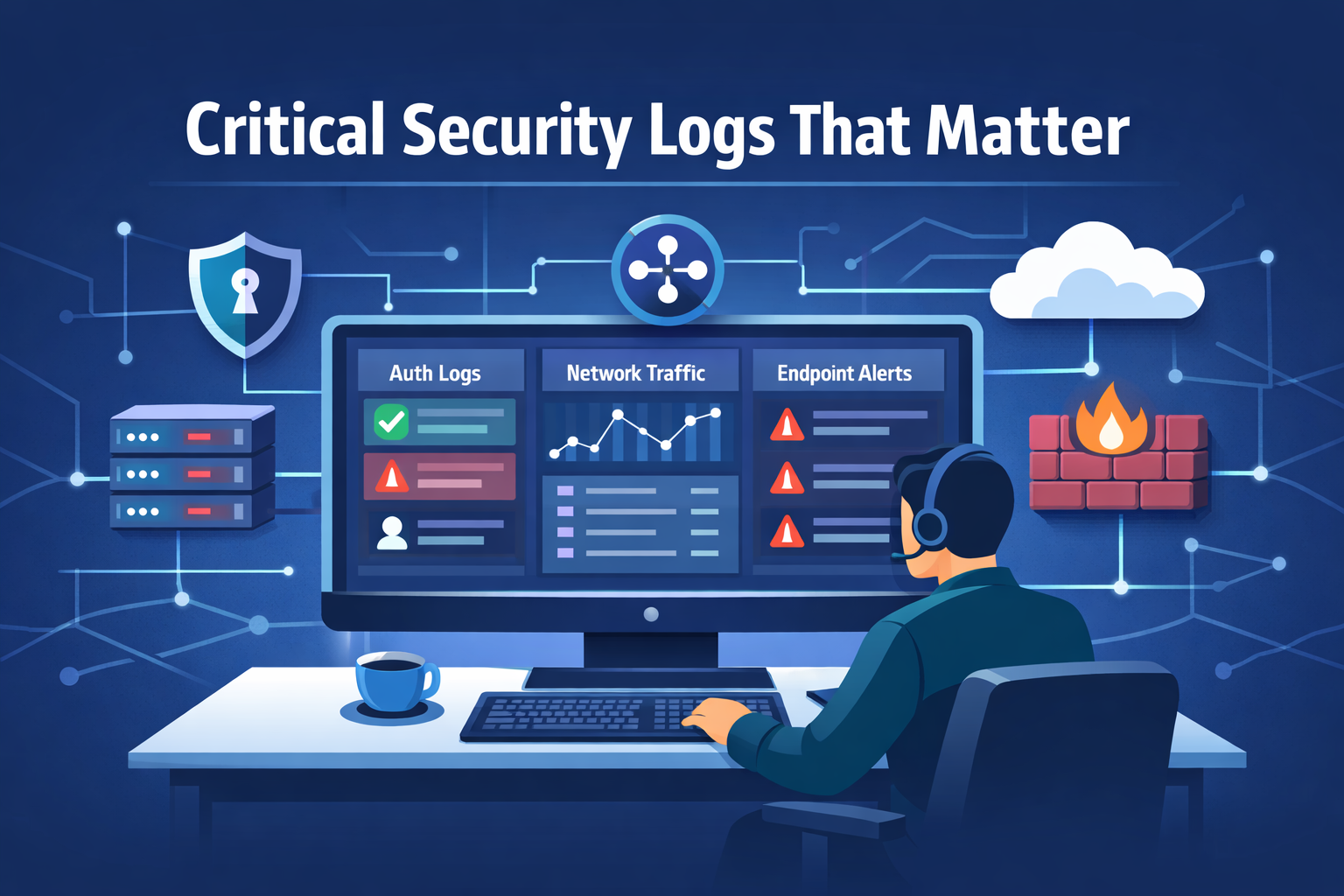
Log only what reveals attacker movement across your environment. Anything beyond that quickly turns into noise, rising costs, and logs no one reads. The goal is clarity, not volume. A small set of well-chosen sources can show how access begins, how it spreads, and where it lands. Those records let you follow actions instead of chasing alerts. Without them, even serious incidents look like fragments. With them, events connect into a timeline you can act on. The rest adds little value and slows response. Keep reading to see which logs matter and how they improve visibility.
Signals That Matter Most, A Quick Read
- Start with Network Threat Detection for the broadest view of traffic, lateral movement, and data exfiltration attempts.
- Authentication and endpoint logs are non-negotiable for tracing user activity and malicious behavior on systems.
- A centralized, prioritized collection strategy is what separates actionable intelligence from an overwhelming data dump.
What Are Critical Security Logs and Why Do They Matter?
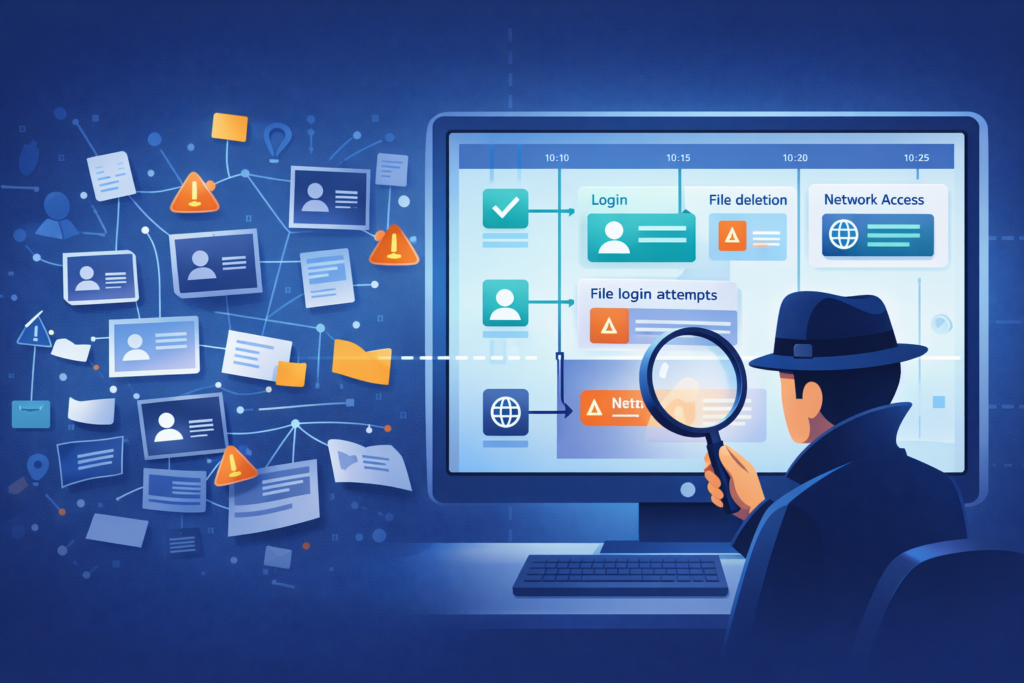
You walk into a dark room after a break-in. Furniture is overturned, drawers are open. You need to know what happened, when, and who did it. Critical security logs are the digital equivalent of that crime scene evidence. They’re not every single event a system generates, but the specific records that capture security-relevant actions: a user logging in, a file being deleted, a strange connection to an external IP.
Without them, you’re investigating in the dark. With them, you can reconstruct timelines, identify compromised accounts, and meet the demands of compliance frameworks that ask, “Prove you were monitoring.” According to Mandiant’s M-Trends 2026 report, the global median dwell time has risen to 14 days, emphasizing that logs are the backbone of any serious security operation, turning guesswork into grounded fact. We’ve seen teams waste immense time sifting through irrelevant data because they logged everything and understood nothing. The goal is precision, not volume.
Quick Reads: Core Log Categories You Must Prioritize
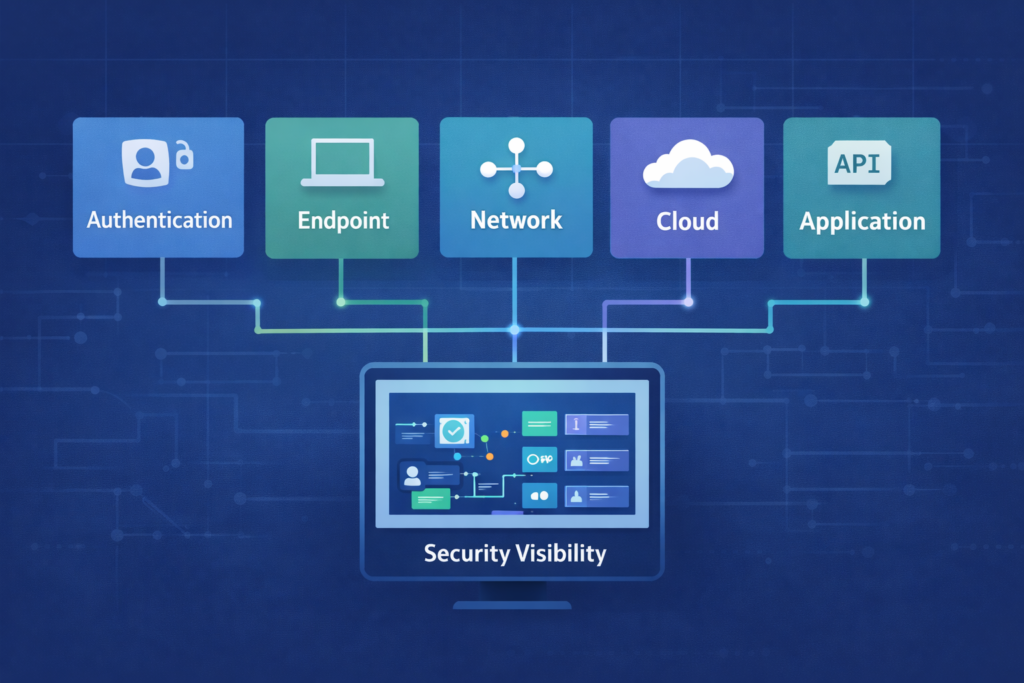
So where do you point your collectors? Focus gets you further than frenzy. Think about an attack chain. It starts with an identity (authentication), moves to a device (endpoint), communicates over the wire (network), and might target an app or cloud resource. Your logging should mirror that path. By concentrating on these five core categories, you cover over 90% of the attack surface without drowning in data, especially when focusing on essential-log-sources-for-ntd that map directly to attacker behavior.
- Authentication & Access Logs
- Endpoint & System Logs
- Network & Perimeter Logs
- Cloud & Identity Logs
- Application & API Logs
This isn’t just a tidy list, it’s a mental model. When a new system comes online, you ask: which category does it fit? This focus reduces the alert fatigue that plagues so many teams. You stop chasing shadows and start watching doors.
Which Authentication Logs Are Critical for Threat Detection?
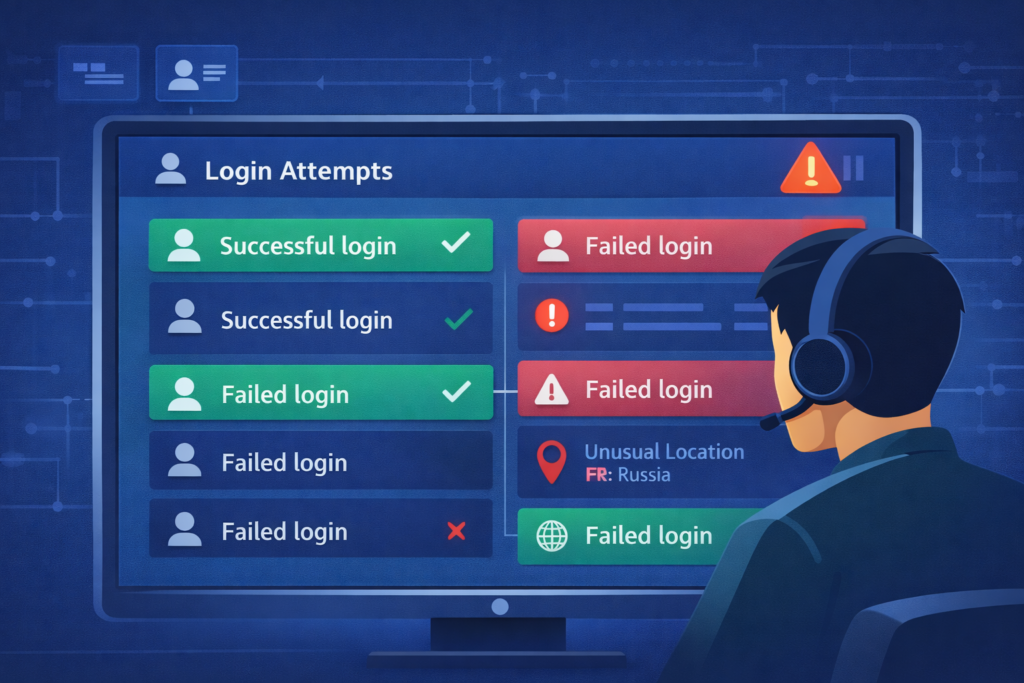
It usually starts with a username and password. Authentication logs are your first line of witness testimony. They tell you who tried to get in, when, and if they succeeded. A sudden spike in failures from a single account? That’s a brute-force attack. A successful login from a country your employee has never visited? That’s a likely credential theft. You’re looking for the story of identity.
On Windows systems, your eyes go to the Security Event Log. Event ID 4624 is a successful logon, 4625 is a failed one. But don’t stop there. Look for 4768, a Kerberos authentication ticket request, which can reveal attempts to forge tickets for lateral movement. On Linux, it’s /var/log/auth.log or /var/log/secure. For your VPN, your firewall, your cloud identity provider (like Azure AD or Okta), collect those login events. Centralize them. A single failed login is a blip, but ten failures across five systems for the same account in two minutes is a pattern, and patterns are what you hunt.
How Do Endpoint Logs Reveal Malicious Behavior?
Credits: TrustedSec
Once an attacker is in, they have to do something. They run a script, they create a file, they call home. Endpoint logs capture this “doing.” On Windows, the built-in Event Log is a start, but tools like Sysmon (a free Microsoft utility) provide surgical visibility. Sysmon Event ID 1 logs every process creation, with parent process details. That’s how you spot powershell.exe spawning from an unexpected Office macro.
Event ID 3 logs network connections, showing you that a benign-looking calculator app just made an outbound call to a suspicious port. On Linux, the auditd framework is your friend, logging file accesses, command execution, and system calls. These logs answer the “what happened next” after a login. They show persistence mechanisms, like new services being installed, or data staging, like large volumes of files being read. Without endpoint logs, an investigation hits a dead end at the front door.
What Network Logs Should You Collect for Visibility?
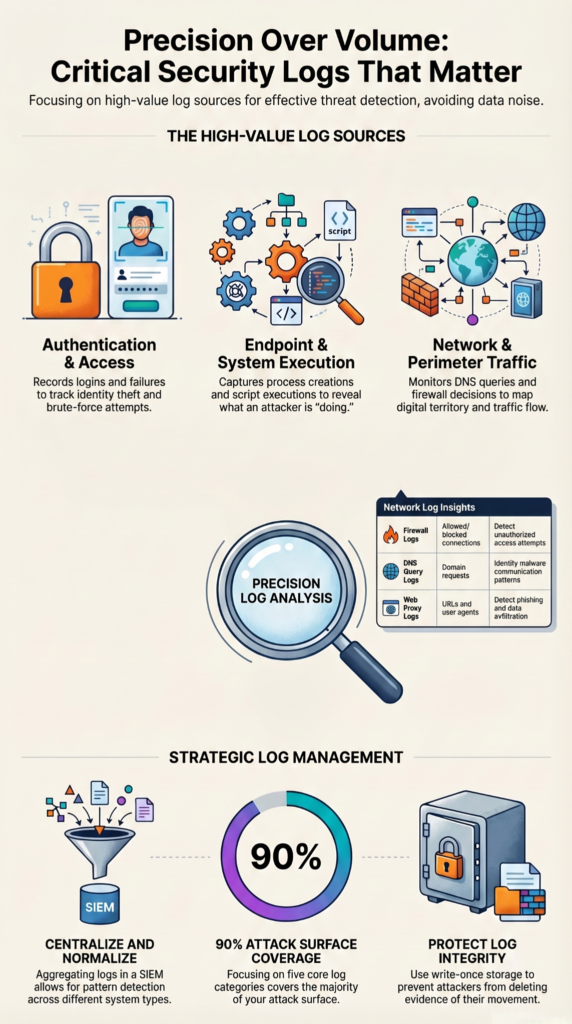
This is where we often start, because the network doesn’t lie. It shows the conversation between machines, good and bad. Network Threat Detection isn’t a fancy add-on, it’s fundamental. You need to see the traffic to understand the threat. Firewall logs are the obvious start, they show allowed and denied connections. But look deeper. DNS query logs are a goldmine. A machine making hundreds of requests for random, nonsense domain names is likely infected with malware searching for its command-and-control server.
Your web proxy logs show every outbound HTTP/HTTPS request, which can reveal data exfiltration or communication with phishing sites. For internal visibility, flow data (like NetFlow or IPFIX) from your switches and routers is invaluable. It can’t show packet contents, but it can show a server suddenly sending terabytes to an external IP at 2 AM, a classic sign of data theft. Collecting these logs gives you the map of your digital territory. You can’t defend a landscape you can’t see.
- Firewall (Allow/Deny decisions, source/destination IPs & ports)
- DNS Servers (Query and response logs)
- Web Proxy (Full URL and user-agent strings)
- Network Flow Data (NetFlow, sFlow for traffic volume analysis)
| Log Source | Key Data Captured | Security Insight |
| Firewall Logs | Allowed/blocked connections, IPs, ports | Detect unauthorized access attempts |
| DNS Query Logs | Domain requests and responses | Identify malware communication patterns |
| Web Proxy Logs | URLs, user agents, web activity | Detect phishing access and data exfiltration |
| Network Flow Logs | Traffic volume, source/destination flows | Spot unusual spikes and lateral movement |
Which Cloud Logs Are Essential in Modern Environments?
The cloud is someone else’s computer, but the logging is still your responsibility. The cloud control plane is a major target. Every change, every API call, is logged. In AWS, that’s CloudTrail. In Azure, it’s the Activity Log. In GCP, it’s the Audit Logs. These are non-negotiable. They tell you when a new, overly permissive storage bucket was created, or when a user’s permissions were escalated to admin.
But don’t forget the data plane. AWS VPC Flow Logs, Azure NSG Flow Logs, and GCP VPC Flow Logs are the cloud equivalent of your network flow data. They show traffic between your cloud instances. A web server in a private subnet shouldn’t be talking directly to the internet. If your flow logs show it is, you have a problem. Cloud logging feels different, but the principle is the same: capture the critical actions that change your security posture.
How Do Application Logs Strengthen Security Monitoring?
Applications hold the crown jewels: customer data, financial records, and intellectual property. Their logs are the ledger of access and action. Web server logs (like Apache access.log or IIS logs) record every page visit and every form submission. A sudden string of 404 errors probing for /admin.php or wp-login.php is an automated attack. Application-specific audit logs are even better. A banking app should log every failed login, every balance check, and every funds transfer.
Database logs can show every query run. A spike in SELECT * statements on a table that usually sees little traffic could be someone snooping. These logs provide context that network and endpoint logs lack. As noted by the University of California, Berkeley, without appropriate audit logging, “an attacker’s activities can go unnoticed, and evidence of whether or not the attack led to a breach can be inconclusive.” They tell you not just that someone accessed a server, but what they tried to do once they got there. They turn an anomalous connection into a specific attempted theft.
What Are the Best Practices for Log Collection and Management?
Collecting the right logs is half the battle. Making them usable is the other half. It starts with centralization. Scattered logs are useless in an incident, which is why benefits-of-centralized-log-management becomes critical for connecting events across systems. You need them in one place, a SIEM or a log management platform, where you can search across them. Normalize the data, so a “failed login” from Windows, Linux, and your VPN all get a common tag. This lets you write one detection rule that works everywhere.
Retention is a constant tug-of-war between cost and necessity. A common real-world strategy is 30 days of “hot” storage for active investigation and alerting, with a year or more in cheaper “cold” storage for compliance and deep-dive forensics. Most importantly, build integrity checks. Your security logs are a target. An attacker will try to delete them to cover their tracks. Use write-once storage or forward logs immediately to a hardened system they can’t reach.
How Do Real-World Teams Handle Log Volume and Costs?
The theory of logging everything meets the reality of budget and bandwidth. Smart teams get clever. We’ve seen setups that avoid vendor lock-in and massive bills. One common pipeline uses a lightweight agent like Fluent Bit on servers. It collects logs and sends them to a message broker like NATS for buffering, then into Elasticsearch for search and analysis, with aged data rolling into cheap S3 storage for the long haul.
This stack can handle serious volume, we’re talking terabytes a day. The key is selectivity, often driven by metadata-analysis-tools-comparison to prioritize high-value signals over raw data. You don’t need verbose debug logs from every application. You need the security-relevant events. Prioritize the high-value sources: your Domain Controllers for authentication logs, your critical file servers for access logs, your EDR tool for endpoint data. Logging every single workstation event is often unnecessary if you have decent endpoint protection. Focus on the choke points and crown jewels.
What Logs Are Mandatory for Compliance and Audits?
Sometimes, the driver isn’t just security, it’s a regulator. Frameworks like PCI DSS, HIPAA, or SOC 2 have explicit logging requirements. They demand proof, proof of who accessed what, when, and what they did. They want to see that you’re monitoring for misuse. The logs we’ve talked about are the very ones that satisfy these demands.
Authentication logs prove you control access. File integrity logs prove data wasn’t altered. System event logs prove your controls are functioning. The audit at the end of the year isn’t a surprise pop quiz, it’s a test you can prepare for every day by collecting and protecting these critical records. Non-compliance isn’t just a fine, it’s a signal that your basic security visibility is broken.
FAQ
What authentication logs and login attempts logs should I prioritize first?
You should prioritize authentication logs, login attempts logs, and failed login logs because they clearly show who is trying to access your systems. You should also include session logs and user activity logs to understand user behavior after login. These logs help you detect suspicious patterns, such as repeated failures or unusual access times, and support faster investigations.
How do network traffic logs and firewall logs improve threat detection?
Network traffic logs and firewall logs help you understand how data flows across your environment. You should combine them with intrusion detection logs, intrusion prevention logs, DNS query logs, and proxy logs. This combination allows you to identify suspicious connections, detect malicious activity early, and respond quickly before threats spread further within your systems.
Why are audit logs and system event logs important for compliance?
Audit logs and system event logs provide a detailed record of system activities and changes. You should also use compliance logs and change management logs to track modifications and verify that policies are followed. These logs create a reliable timeline of events, which helps during audits and ensures that your organization meets regulatory and internal security requirements.
Which endpoint security logs should I collect for better visibility?
You should collect endpoint security logs such as antivirus logs, anti-malware logs, and EDR logs to monitor threats on individual devices. You should also include process monitoring logs, command execution logs, and script execution logs. These logs provide detailed insight into system activity, helping you detect malicious behavior and respond quickly to potential compromises.
How do data access logs help detect data exfiltration risks?
Data access logs show who accesses sensitive information and what actions they perform. You should combine them with data exfiltration logs, DLP logs, encryption logs, and key management logs. This combination helps you detect unusual data transfers, prevent unauthorized sharing, and understand how data moves, which is essential for protecting sensitive information.
Your Critical Logs Action Plan
So where do you go from here? Start small. Focus on one category, like network devices, and ensure logs are centralized. Next, move to identity sources and confirm key events are captured.
The goal is not collecting everything, but building a clear, actionable view of real threats. Your logs should help you see what matters, not create noise.
Your critical security logs are that lens. Ready to act? join here and get started today.
Related Article
- https://networkthreatdetection.com/essential-log-sources-for-ntd/
- https://networkthreatdetection.com/benefits-of-centralized-log-management/
- https://networkthreatdetection.com/metadata-analysis-tools-comparison/
References
- https://services.google.com/fh/files/misc/m-trends-2026-executive-edition-en.pdf
- https://security.berkeley.edu/security-audit-logging-guideline
