
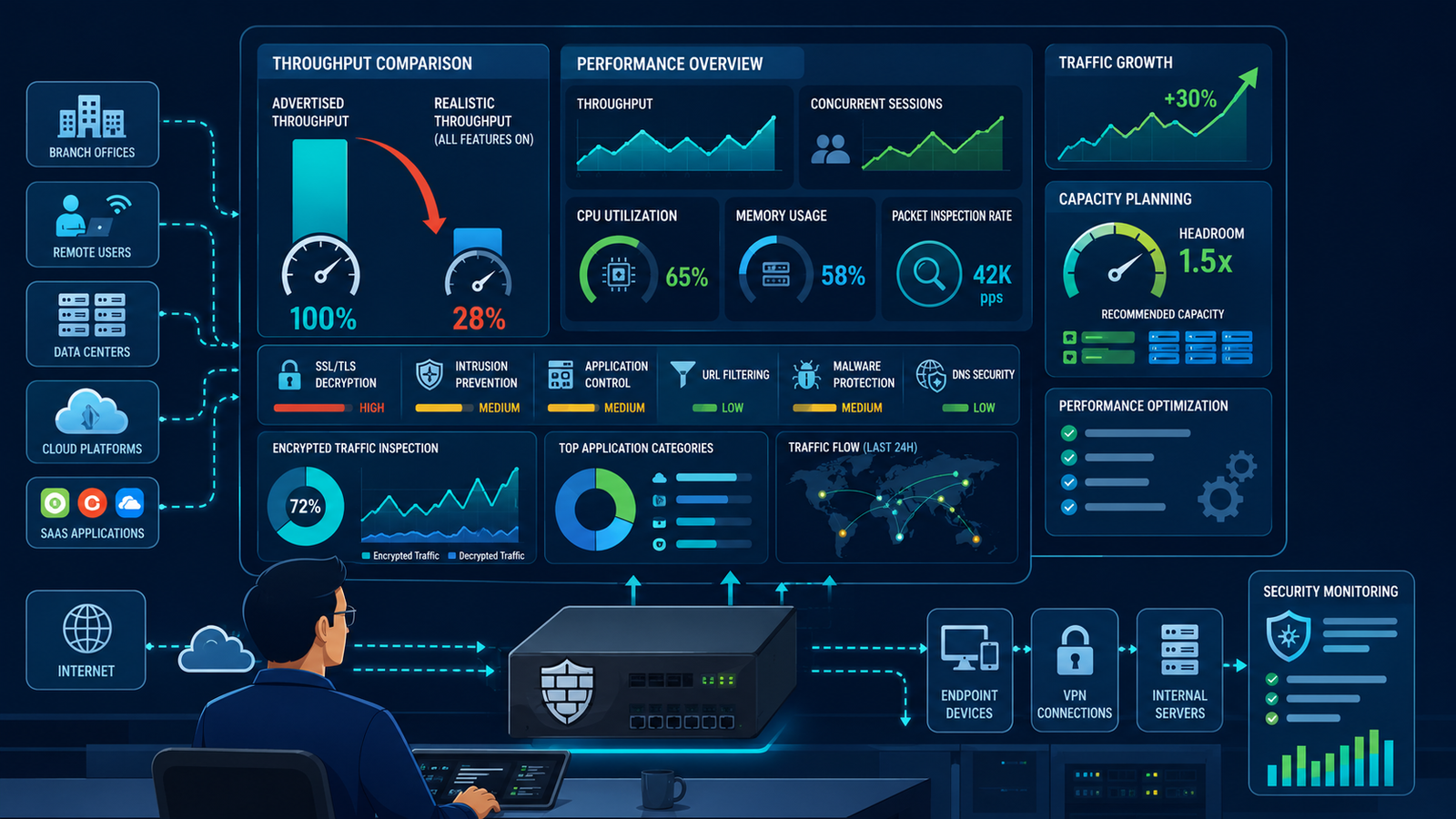
Datasheet throughput specs rarely match production environments, leading to costly performance bottlenecks. Understanding ngfw performance throughput considerations sizing is essential for building a resilient infrastructure.
At Network Threat Detection, we’ve seen firewalls crash when deep packet inspection and decryption are finally enabled. Relying on baseline throughput figures leaves your network vulnerable to lag and outages. Keep reading to learn how to measure true firewall performance and size your security hardware accurately.
Unmasking Datasheet Metrics: NGFW Performance Throughput Considerations Sizing
Before diving into your network load calculations, take a look at the key factors that determine real-world firewall performance:
- The Datasheet Illusion: Advertised “max throughput” is measured with all security features disabled. Real-world performance under full threat inspection is the only metric that matters.
- Traffic-Driven Sizing: Proper firewall sizing requires a granular analysis of your network’s unique traffic mix, including protocol distribution, SSL/TLS encryption ratios, and average file sizes.
- Factoring the Decryption Tax: Next-gen threat detection demands heavy compute power; future-proofing requires accounting for encrypted traffic growth and evolving security inspection costs.
What’s the Difference Between “Box” Throughput and “Real-World” Performance?
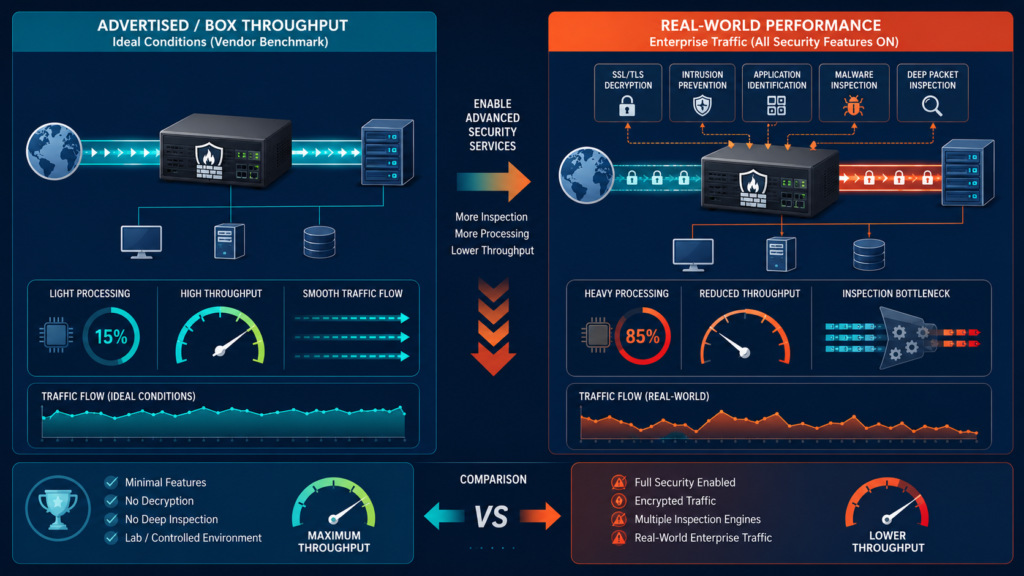
The vendor’s datasheet lists a beautiful number. “Firewall Throughput: 20 Gbps.” It’s seductive. It’s also a trap. That’s “box” throughput. It’s measured with the simplest possible rules, no inspection, no decryption.
It’s the engine’s top speed on a closed track with no passengers. Real-world performance is that same car in city traffic, with the AC on, carrying a full load. The difference is staggering.
When you enable the very features you bought an NGFW for, application control, intrusion prevention, antivirus, SSL inspection, the processing load skyrockets. These core next-generation firewall features are exactly what make modern inspection far more demanding than simple packet forwarding.
Each packet isn’t just forwarded; it’s opened, examined, compared against thousands of threat signatures, and then reassembled. We learned this lesson early. A unit rated for 5 Gbps was struggling at 800 Mbps of real traffic because we had full inspection turned on. The CPU was pegged. Latency spiked. The spec sheet became a useless piece of paper.
You must find the vendor’s performance numbers with services enabled. Look for “IPS Throughput” or “Threat Prevention Throughput.” This is your baseline. Even then, understand your traffic. Encrypted traffic (like HTTPS) is more costly to inspect than plain HTTP.
Small packet sizes (like VoIP) are harder to process than large data transfers. Real-world performance is a complex calculation, not a single number.
- Firewall Throughput: Raw packet forwarding with basic rules. Useless for sizing.
- IPS Throughput: Performance with Intrusion Prevention System enabled. More realistic.
- SSL Inspection Throughput: Performance with SSL/TLS decryption and inspection on. The most critical, often lowest number.
How Do You Accurately Size an NGFW for Your Network’s Needs?
So, you ignore the big, fake number. Where do you start? You begin with data, not guesses. You need a profile of your actual traffic. What’s your peak utilization? What’s the mix of protocols? How much is encrypted? What are the typical session and packet sizes?
Including user identity alongside traffic patterns provides additional context for understanding how different groups consume network resources and where deeper inspection is truly needed. Tools on your existing routers or switches can provide this. Without it, you’re sizing in the dark.
“Independent third-party validation… Architects should not rely on vendor claims alone but seek third-party evaluation from recognized bodies such as NSS Labs. The latter offers detailed test results and recommendations for NGFWs in a variety of use cases” –Fortinet
Next, define your security policy precisely. Will you decrypt all SSL traffic? Or just for specific user groups or destinations? Will you apply full IPS to all zones, or just internet-bound traffic? Each decision has a massive performance impact. We create a simple table for our planning. It forces clarity on the “what” and the “cost.”
| Security Service | Applied To | Performance Impact |
| SSL/TLS Decryption | All outbound web traffic | High |
| Intrusion Prevention | Internet-facing traffic | Medium |
| Application Control | Internal user VLANs | Low-Medium |
| Network Threat Detection | All mirrored traffic (Passive) | Separate Appliance |
Finally, add headroom. Traffic grows, often by 20-30% a year. Threats evolve, requiring more complex inspection. We size for our needs today, then multiply by at least 1.5 for the next three years.
Buying a firewall that hits 90% utilization on day one is a plan for failure. It leaves no room for growth, for unexpected attacks, or for turning on that new network threat detection service you’ll inevitably need.
Which Features Have the Biggest Impact on NGFW Throughput?
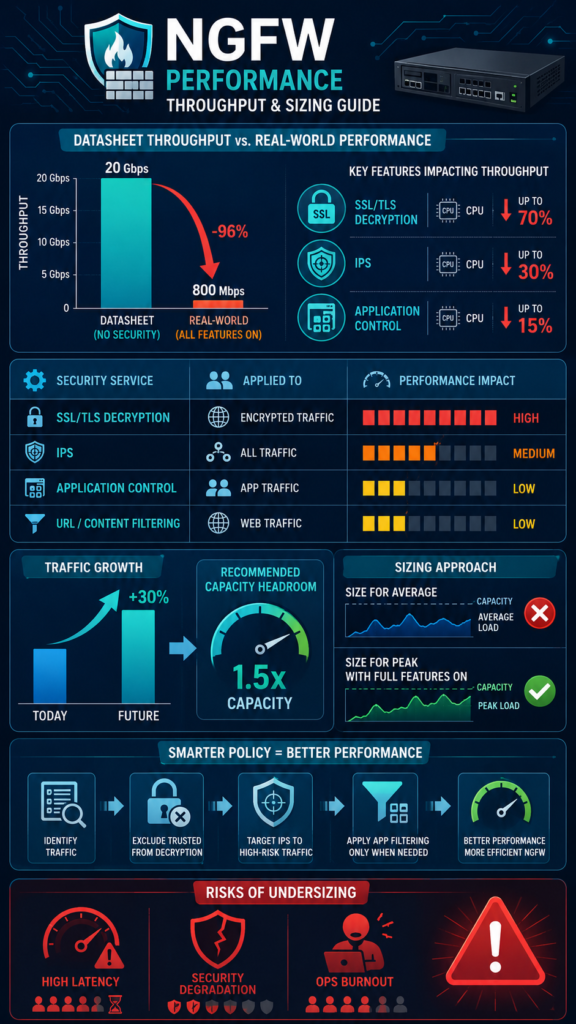
All security features are not created equal. Some are lightweight filters. Others are resource hogs. Knowing the difference lets you make smart policy trade-offs. The single biggest consumer of CPU is, without question, SSL/TLS decryption.
It’s a two-step process: first, break the encryption; second, inspect the now-clear content. It’s incredibly important for security, as most malware hides in encrypted channels. But it can reduce throughput by 70% or more.
Intrusion Prevention System (IPS) is the next major factor. It’s not just pattern matching anymore. It involves protocol decoding, state tracking, and heuristic analysis. The depth of inspection matters. A “standard” IPS profile might check for known exploits.
An “advanced” or “zero-day” profile doing more behavioral analysis will be far heavier. Application identification and control adds another layer, categorizing traffic based on its application signature, not just port.
“With the ever-increasing bandwidth and the high-speed internet traffic, the software implementations of DPI have become a performance bottleneck.” –Dspace
Here’s the subtle point many miss: the performance hit isn’t linear. It’s combinatorial. Turning on SSL decryption and advanced IPS and full application control creates a multiplicative load.
The system isn’t just doing three tasks. It’s doing them in an integrated pipeline on the same stream of traffic. This is why testing in a lab with your exact planned configuration is non-negotiable. We’ve seen a feature combination that worked fine individually bring a system to its knees when all were enabled together.
Can You Improve Performance Without Buying a Bigger Firewall?
Credits: Stratus Networks
Your NGFW is struggling. Latency is up. The CPU graph looks like a mountain range. Before you demand a bigger budget for a new model, look at your configuration. Often, you can reclaim significant performance through smarter policy design.
A well-structured firewall rule base keeps inspection focused on the traffic that truly needs it instead of forcing every packet through the most expensive security checks. The goal is to apply your heaviest inspection only where it’s needed most. A blanket “inspect everything” policy is easy to write but inefficient to run.
Start with SSL decryption. Do you need to decrypt traffic to your trusted SaaS providers? Probably not. Create a decryption exclusion list for known, trusted domains. For internal traffic between data center servers, encryption might be for privacy, not threat evasion.
You might choose to not decrypt that east-west traffic, or only sample it. This alone can cut your processing load dramatically.
Refine your IPS and application control policies. Instead of applying the “maximum-detect” profile to all traffic, create more targeted rules. Use a stricter profile for traffic from the internet, and a lighter one for internal user traffic.
What Are the Hidden Costs of Under-Sizing Your NGFW?’
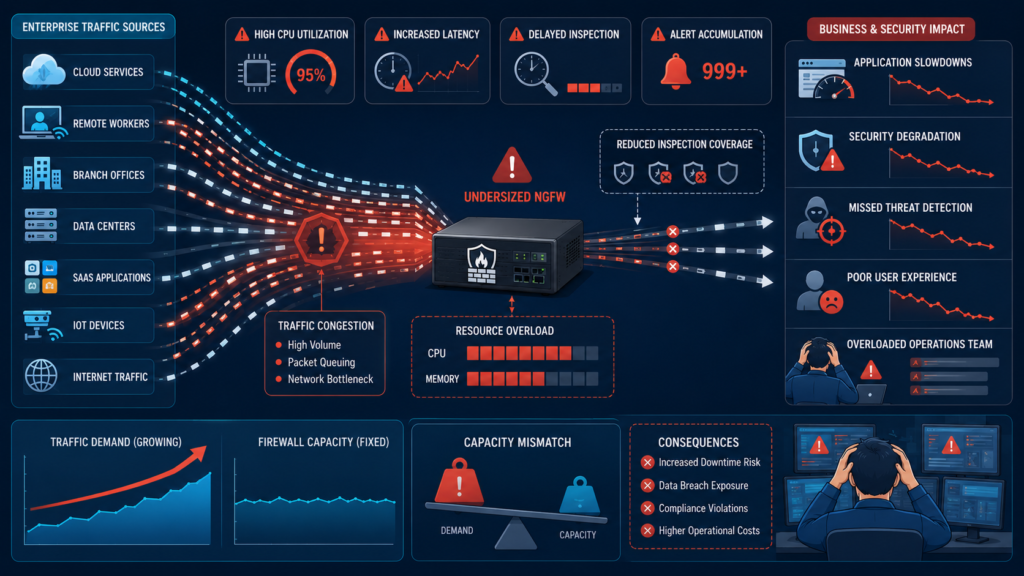
Missing the sizing mark doesn’t just mean slow internet. It has cascading security and business consequences. The most obvious is latency. As the firewall CPU maxes out, it queues packets.
Users complain about “slow applications.” VoIP calls break up. Database queries time out. The performance problem becomes a business problem, eroding productivity and trust.
Then security degrades. To keep up with traffic, administrators might be tempted to turn off critical inspection features. Maybe they disable SSL decryption. Or they switch IPS from “prevention” to “detection-only” mode.
Now, the firewall is letting threats through just to keep the network running. You’ve paid for an NGFW but are only getting a basic router’s level of security. It’s a worst-case scenario.
Finally, there’s the operational toll. Constantly firefighting performance issues, tuning policies in panic mode, explaining outages to management, it burns out teams. A properly sized firewall, with room to grow, runs predictably. It allows the security team to focus on proactive threat hunting and strategy, not keeping the lights on.
The hidden cost of under-sizing isn’t just a new hardware purchase next year. It’s the total cost of operational chaos and increased security risk in the meantime.
FAQ
Should I size for average or peak throughput?
Always, always size for peak throughput, with all your planned security services enabled. Sizing for average guarantees failure during your busiest periods, which could coincide with an attack. Build in a 20-30% buffer on top of your measured peak.
How does encrypted traffic (like HTTPS) affect sizing?
Massively. Inspecting encrypted traffic requires SSL/TLS decryption, which is the most computationally expensive task an NGFW performs. If a majority of your traffic is encrypted, you need a much more powerful appliance than the “firewall throughput” spec suggests.
What is “session capacity” and why does it matter?
It’s the maximum number of concurrent connections the firewall can track. Exceeding this causes new connections to be dropped. High-connection environments (like busy web servers or user networks with many browser tabs) can hit this limit even if bandwidth is low. It’s a separate, critical metric from throughput.
Can I just cluster two smaller firewalls for more performance?
Yes, high-availability or clustering modes can aggregate performance. However, it adds complexity in configuration and management. Often, a single, larger appliance is more efficient and simpler to operate than a cluster of smaller ones, unless you specifically need active-active load balancing or geographic redundancy.
Finding Your True NGFW Performance Throughput
Chasing the vendor’s biggest throughput number is a fool’s errand. True performance is defined by your unique blend of traffic and the depth of security you demand from it. The process starts with honest measurement of what’s on your wire today and a clear-eyed policy on what you need to inspect tomorrow.
Learn how we help security teams accurately prioritize risks and strengthen network defenses by requesting a personalized demonstration here: Join Network Threat Detection.
References
- https://www.fortinet.com/content/dam/fortinet/assets/white-papers/wp-High-Performance-Security.pdf#1#1
- https://dspace.iiti.ac.in/handle/123456789/15929?mode=simple
