
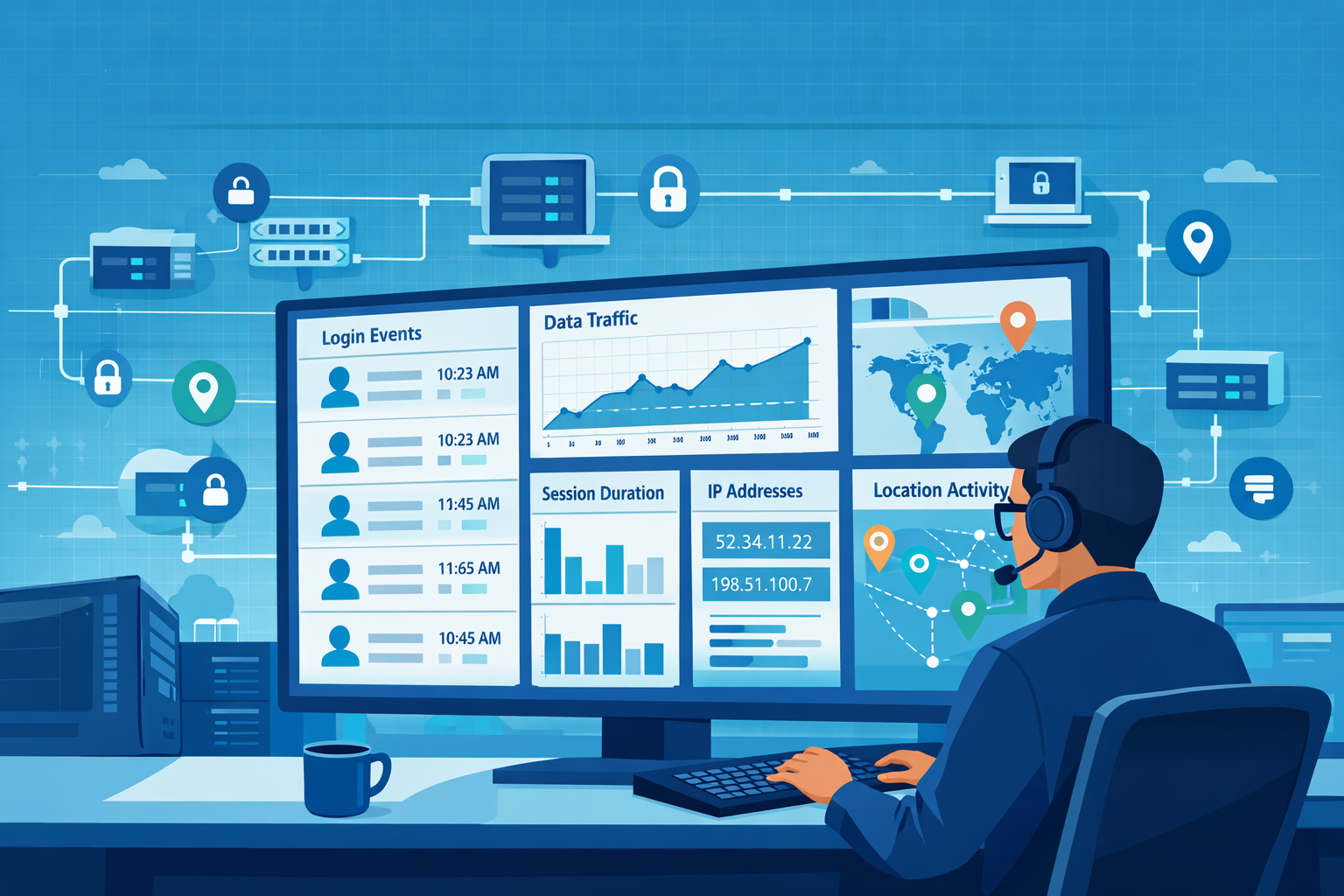
VPN connection logs analysis remote access is how we track who connects to the network, where they come from, and what happens during the session. We review login attempts, session duration, assigned IP addresses, and traffic volume to spot unusual behavior. Many organizations rely on remote access for employees and contractors.
We often examine timestamps and bandwidth usage to detect brute force attempts or unexpected data transfers. Security teams also rely on these logs during audits and incident investigations. When analyzed together with identity and network records, they reveal the bigger picture. Keep reading to see how security teams turn raw VPN logs into useful insights.
VPN Log Insights at a Glance
These quick points highlight what VPN connection logs analysis for remote access reveals and why it matters for security monitoring.
- VPN logs show who logged in, when, and how much data they moved. We analyze this to find odd behavior and look into incidents.
- Matching VPN data with identity and firewall logs helps find brute force attacks, strange locations, and possible data theft.
- Using automated tools and analytics lets us set behavior baselines and monitor everything in real time, cutting down on manual work.
What VPN Connection Logs Are and Why They Matter
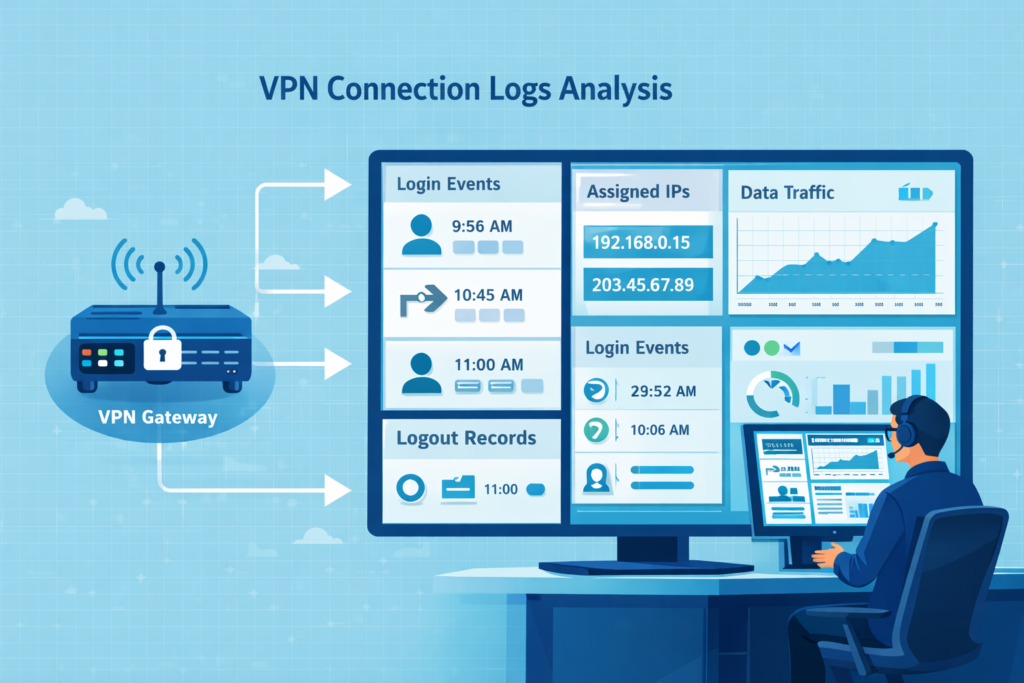
VPN connection logs are the record of every remote login. They note the time, the user, the IP addresses involved, and how much data was sent. For us, these logs are a primary source for tracking access and investigating issues.
Every time someone connects, the VPN gateway creates an entry. It has details like the login result, session length, and the internal IP given to the user. This lets us rebuild any remote session later. Vendors provide these logs, usually through syslog. This becomes critical during an investigation.
Common data points we always check include:
- Login and logout timestamps
- The user’s public IP address and their assigned private IP
- The total bytes uploaded and downloaded
In our work, these logs aren’t used in isolation. We correlate them with other network telemetry. This approach, part of our broader threat modeling, helps us spot abnormal patterns much faster than looking at logs alone.
For reliability, organizations should set up a central log pipeline, using encrypted syslog, to feed everything into a security platform. The National Institute of Standards and Technology (NIST) recommends this for better visibility across all systems.
Key Fields to Pull from VPN Logs
Credits: Fun and Adventures
To make sense of VPN logs, we start by pulling out specific, structured information. We need connection events, authentication results, traffic metrics, and device identifiers. This lets us reconstruct sessions and flag suspicious behavior.
Different systems might format logs differently. We parse and normalize it so we can run searches across all our log sources. We focus on a few main categories of data.
- Connection Events: When the session started and stopped.
- Authentication: The username, and whether MFA passed or the login failed.
- Network Data: The user’s public IP and the private IP we gave them inside the network.
- Traffic: How many bytes were uploaded or downloaded during the session.
- Protocol: Whether they used SSL VPN (port 443) or IPSec (port 500).
We also pull in related identity data from other systems. Correlating VPN events with identity telemetry often depends on structured authentication logs user activity tracking. So analysts can verify login behavior across identity providers, VPN gateways, and access services.
In our operations, getting this parsing right is the first step. Once these fields are clean and structured, we can pipe them into our behavioral analysis tools. Reliable extraction turns noisy log files into a trusted dataset for investigations.
How SOC Teams Use VPN Logs to Find Threats
In a Security Operations Center (SOC), analysts do more than read logs. They connect signals from different systems to understand what is really happening. A VPN login by itself rarely tells the full story. SOC teams compare those login events with identity data and network activity to identify threats.
The first step is simple monitoring. Analysts watch login patterns and authentication failures. When a sudden spike of failed logins appears from one location, it often signals a brute-force attempt against an account.
Insights from NIST indicate
“By analyzing logs, an organization can identify that a particular user account has been used to log into the network from three different IP addresses, all in different countries, within a few minutes of each other. This is a clear indicator that the account has likely been compromised.” – NIST
Location patterns also reveal suspicious activity. If the same user account appears to log in from London and then Tokyo only minutes later, that travel pattern is nearly impossible. It often suggests stolen credentials or someone routing traffic through a proxy.
A remote session that normally transfers about 50 MB suddenly pushing several gigabytes of data raises concerns about possible data theft. Analysts often confirm these events by correlating VPN sessions based on firewall log analysis best practices to see whether the session triggered unusual outbound connections.
Typical SOC Workflow for VPN Log Analysis
SOC teams usually follow a structured workflow when investigating VPN activity. This process helps analysts move quickly from raw logs to confirmed security events.
- Trend monitoring: Analysts track normal login times and typical data usage for each user to establish a baseline.
- Correlation: They connect VPN login events with identity system logs. Such as Active Directory, and review what resources the user accessed.
- Threat hunting: Analysts search for indicators that generate unusually large outbound traffic.
Research from the 2024 Verizon DBIR shows that most breaches involve a human element, such as stolen credentials. That makes authentication monitoring and VPN log analysis especially important.
Automation now plays a larger role in this work. Machine learning models study a user’s normal behavior. These including login times, session duration, and accessed resources. When activity deviates sharply from that pattern, the system raises an alert.
Automated analysis helps SOC teams filter massive volumes of data. Instead of chasing every alert, analysts can focus on the events that are most likely to signal a real security incident.
Tools for Analyzing VPN Logs at Scale
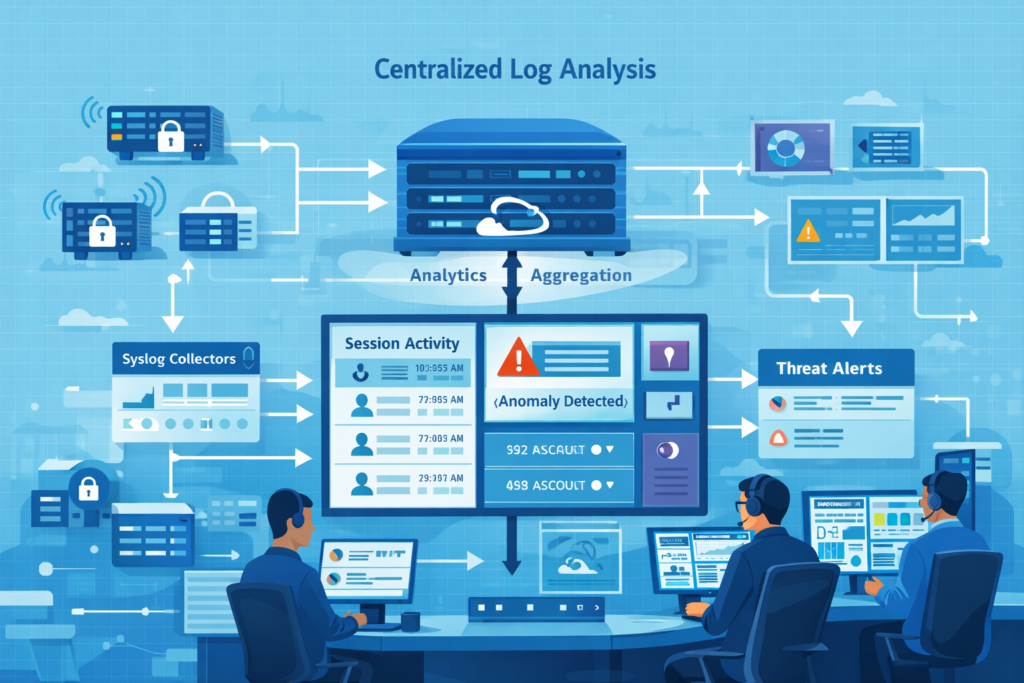
A typical setup starts with syslog collectors on the VPN gateways themselves. These forward logs to a central system, often over an encrypted TLS connection, to keep the data secure.
From there, the logs flow into a few key types of platforms:
| Platform Type | Its Main Job | Common Examples |
| SIEM | Correlates events and runs detection rules | Splunk, Microsoft Sentinel |
| Log Analytics Stack | Indexes logs and builds dashboards | Elastic (ELK) Stack |
| Network Analytics | Models behavior and detects traffic anomalies | Our own Network Threat Detection tools |
Once the logs are centralized, they need to be normalized, making sure timestamps are synced and fields are extracted the same way every time. Many SOC environments combine VPN logs with several other telemetry feeds listed among the essential log sources for NTD.
These tools let us do a few critical things:
- View real-time dashboards of active VPN sessions and login rates.
- Search back through months of history for a forensic investigation.
- Run complex queries to hunt for specific threat patterns.
- Build risk scores for user accounts based on their access behavior.
We almost never look at VPN logs by themselves. An investigation usually starts with a weird VPN event, then we pivot to check the firewall, the proxy, and endpoint records to get the full story.
Common VPN Logging Problems in the Real World
In practice, VPN logging often fails. Tunnels might look connected, but missing logs or forwarding errors can create blind spots right when you need visibility most.
As noted by CISA
“Threat actors can also impair detection by disabling logging, or by configuring it to exclude their specific IP addresses or activities, which limits the ability of defenders to track their lateral movement or data exfiltration.” – CISA
We’ve seen this repeatedly. An OpenVPN tunnel shows as “active,” but a firewall rule is silently blocking all traffic, resulting in zero packets in the logs. Or, a system like pfSense gets so flooded with PPP process logs that the important authentication entries get buried.
Other frequent headaches include:
- Syslog messages that stop flowing the moment a tunnel drops.
- Certificate changes that break TLS connections for logging.
- MTU mismatches causing cryptic packet errors.
- Logs that travel through the VPN they’re monitoring, vanishing if the tunnel fails.
To build resilience, we recommend architectures that use local log buffering (with tools like rsyslog), encrypted transport, and failover paths. This ensures logs are queued and forwarded reliably, even during network instability.
From our experience, pairing a robust logging pipeline with broader network behavior analysis is the best defense. Reliable logging isn’t just an IT task; it’s a foundational part of security visibility.
How Log Analysis Supports Secure Remote Access
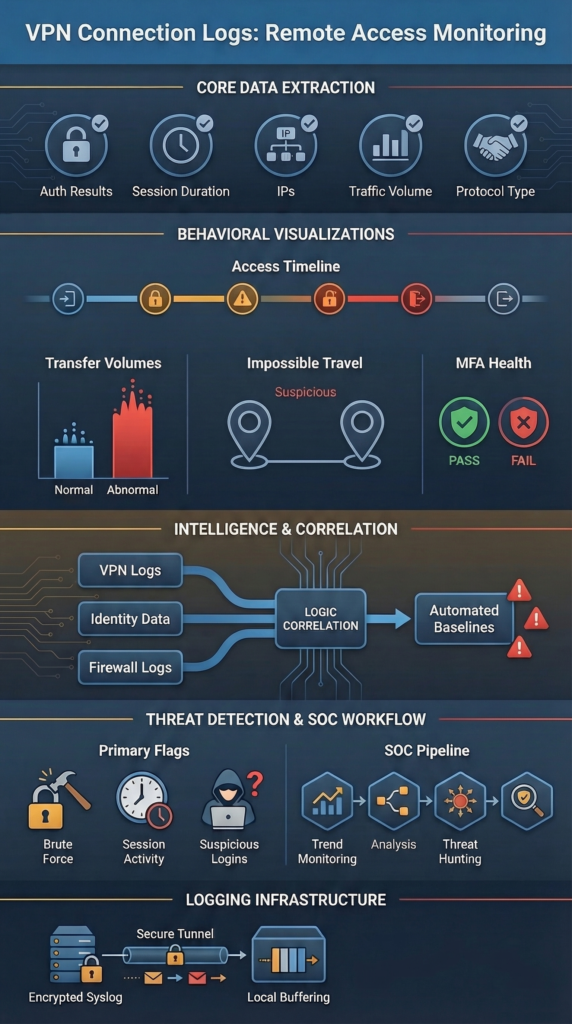
Analyzing VPN logs gives us the traceability we need for secure remote access. It lets us monitor user behavior, investigate incidents, and keep the evidence required for regulations like GDPR or SOX.
These logs are our audit trail. They prove who accessed what systems and when. We keep VPN logs for at least 30 to 90 days, often longer. We store them securely and document any changes to our logging setup. After an incident, these logs are how we piece together the timeline.
For example, we might find a single remote session that moved over 5 GB of data at 2 AM. That pattern triggers a deeper look across all our other security tools. In our SOC, we use network behavior analytics as an early warning system to highlight odd traffic. Then we use the detailed VPN logs to confirm and investigate.
This combination, behavioral monitoring plus detailed log analysis, is how we protect remote access. Security visibility starts with getting the right data, and it gets stronger when logs, user identity information, and network traffic context all work together.
FAQ
How do VPN connection logs help security teams investigate remote access activity?
VPN connection logs record login events, logout records, VPN session timestamps, assigned IP addresses, and bytes transferred. During remote access analysis, security teams review session duration, bandwidth usage, and connection metadata to understand user activity tracking.
These records help investigators analyze endpoint access and post-auth activity. They also support traffic volume analysis and reliable audit trails with accurate forensic timestamps for incident response workflows and compliance reporting.
What indicators in VPN logs can reveal brute force or authentication failures?
During remote access analysis, security teams monitor authentication failures, failed logons, handshake failures, and repeated login events from the same client public IP address. These patterns often indicate brute force patterns or possible MFA bypass attempts.
Analysts also review multi-factor authentication logs, unusual geolocations, and concurrent sessions to determine whether abnormal authentication activity suggests unauthorized access or automated credential attacks.
How can analysts detect unusual data transfers using VPN session data?
VPN connection logs show bytes transferred, bandwidth usage, and session duration for each connection. Analysts review traffic volume metrics and peak usage trends to detect high volume transfers or potential data exfiltration signs.
When remote access analysis reveals unusual resource usage or bandwidth hogs during a session, investigators review endpoint access records and connection metadata to determine whether suspicious data movement occurred.
Why do VPN logs need normalization and centralized aggregation for analysis?
VPN logs often come from distributed log sources that use different formats. Security teams apply log normalization, field extraction rules, and Grok parsing so SIEM parsing systems can analyze connection metadata consistently.
Analysts also perform timestamp synchronization and proper timezone handling to preserve accurate forensic timestamps. Centralized aggregation and encrypted syslog transport allow teams to analyze remote access activity across multiple systems more reliably.
What challenges often affect VPN log visibility during remote access investigations?
VPN log monitoring may experience issues such as syslog forwarding failures, queue management errors, or gaps in log forwarding reliability. Additional challenges include MTU mismatches, fragmentation errors, NAT traversal issues, and inconsistent disconnect reasons in log records.
During remote access analysis, investigators may also encounter idle timeouts, kill switch events, or split tunneling logs that complicate correlation with endpoint detection and firewall correlation data.
Turn Network Alerts Into Clear Security Insight
You know the moment when a network alert shows unusual traffic but the real story is still missing. Security teams then dig through VPN and identity logs just to confirm what actually happened. That back and forth slows investigations.
That’s where Network Threat Detection helps. By combining automated detection with identity and connection analysis, teams get clearer context during security reviews. Explore Network Threat Detection today and see how real time threat modeling helps you respond faster.
References
- https://nvlpubs.nist.gov/nistpubs/legacy/sp/nistspecialpublication800-92.pdf
- https://www.cisa.gov/news-events/cybersecurity-advisories/aa22-011a
