
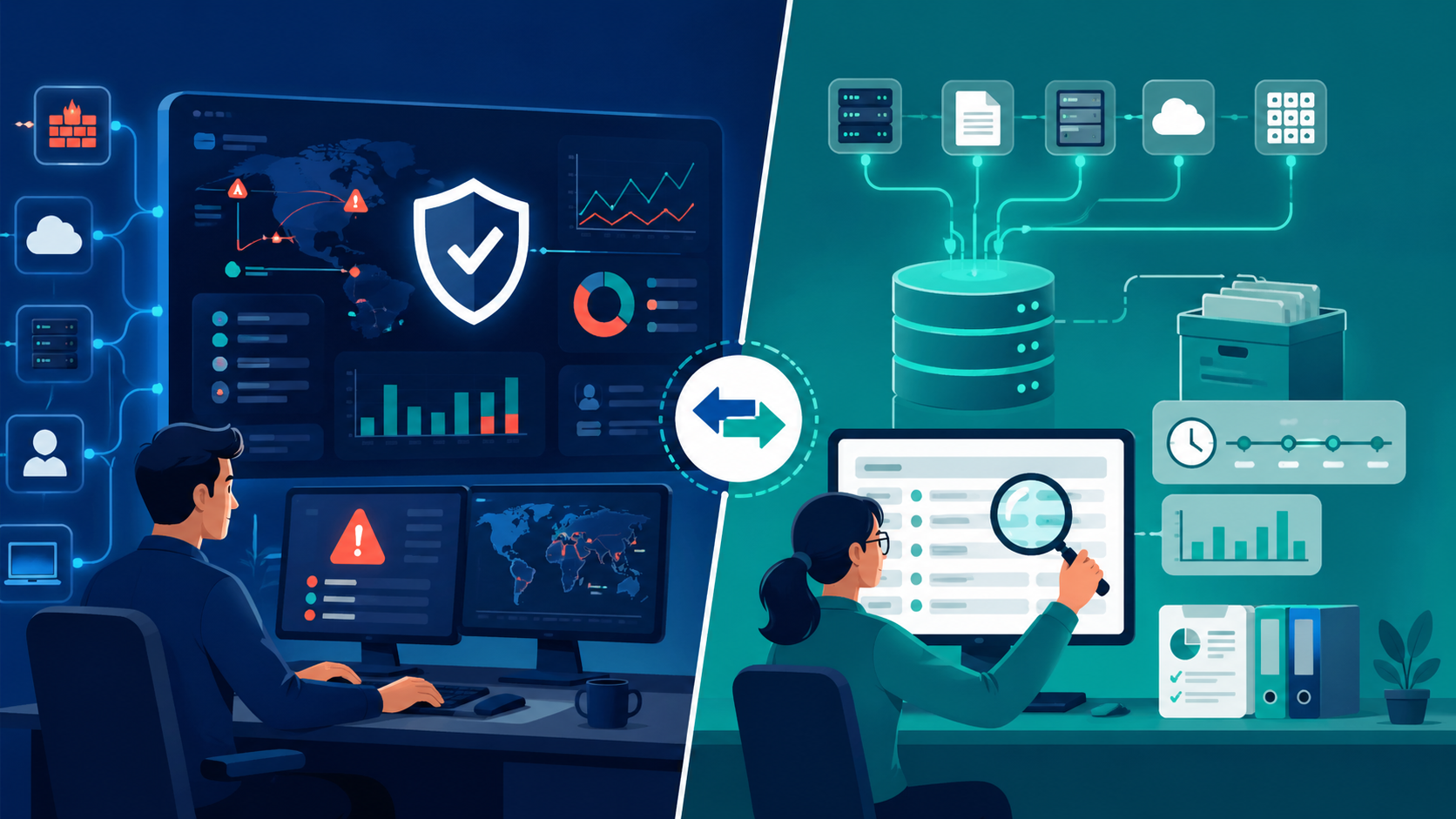
SIEM vs log management tools comes down to purpose. SIEM is built for real-time threat detection and response, while log management tools are made to collect, store, and search logs for troubleshooting, audits, and historical review. We often see teams confuse them because both ingest data from servers, firewalls, cloud apps, and endpoints.
The difference becomes obvious when alerts spike and someone needs fast answers. In many environments, Network Threat Detection adds useful context before logs hit the wider stack. Splunk helped popularize the category, but needs still vary. Keep reading to choose wisely today.
SIEM vs Log Management: Quick Decision Guide
This quick summary highlights where each tool fits best and why many teams use both over time.
- Choose SIEM tools for security event correlation, alerts, and faster response.
- Choose log aggregation platforms for retention, search, compliance, and lower-cost scale.
- Many organizations use Network Threat Detection, log management, and SIEM together.
Key Differences at a Glance
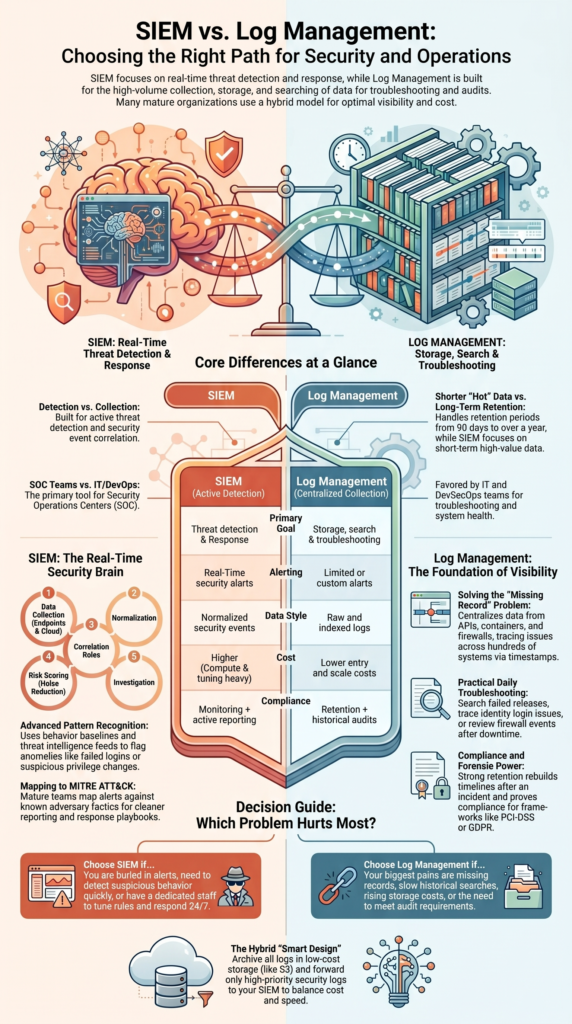
When buyers ask us where to begin, we usually ask what problem hurts most today. If the team is buried in alerts, needs faster investigations, or must detect suspicious behavior quickly, SIEM is often the better fit. If the bigger pain is missing records, slow searches, or rising storage costs, log management usually makes more sense. Both tools work with logs, but they solve different jobs.
We have seen operations teams save hours each week once logs were centralized and searchable. We have also seen security teams cut response time once detections moved into a SIEM. That is why many companies use both, then tune each platform for its own purpose.
| Feature | SIEM | Log Management |
| Primary Goal | Threat detection | Storage & search |
| Alerts | Real-time | Limited or custom |
| Compliance | Monitoring + reports | Retention + audits |
| Cost | Higher compute and tuning | Lower entry cost |
| Best For | SOC teams | IT / DevSecOps teams |
| Retention Window | Often shorter hot data | Commonly 90 days to 1 year+ |
| Data Style | Normalized security events | Raw and indexed logs |
Platforms narrowed the gap, but the core difference still stands.
What Is SIEM and How Does It Work?
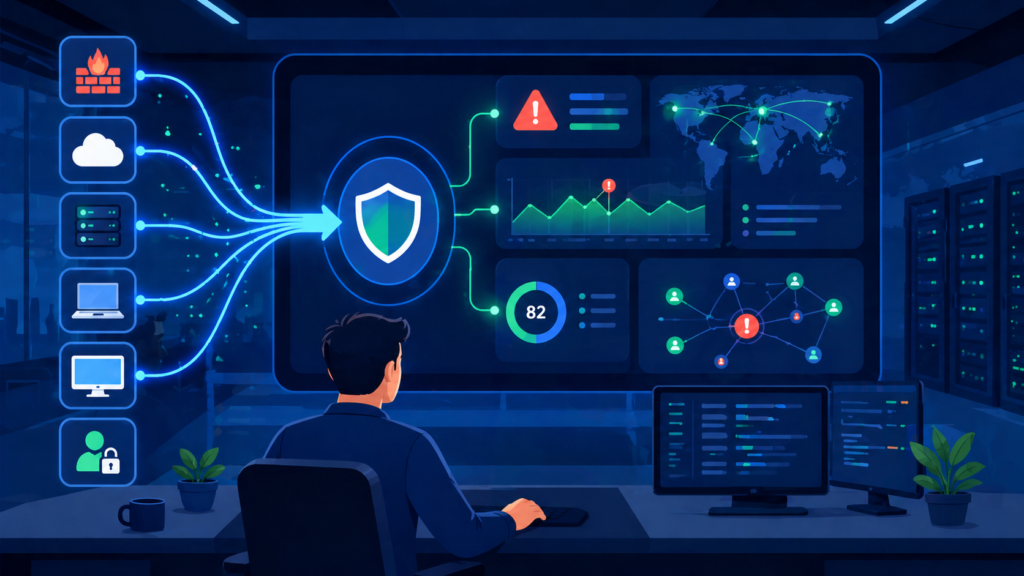
A SIEM gathers logs from many sources, connects related events, spots risky patterns, and alerts analysts when something looks wrong. In our work, we often see teams move to SIEM after manual monitoring stops scaling.
Sometimes they start earlier with Network Threat Detection. Network traffic can reveal command-and-control activity, lateral movement, or odd east-west behavior before endpoint data is complete. That early signal matters during fast attacks, especially when teams are handling centralizing cloud logs SIEM projects across hybrid environments.
A mature SOC wants answers in minutes. Strong monitoring helps make that possible. We also provide threat models and risk analysis tools, which help teams decide what data deserves priority instead of sending everything into the system.
Common SIEM functions include:
- Correlating failed logins, firewall blocks, and privilege changes
- Using behavior baselines to flag anomalies
- Matching events with threat intelligence feeds
- Triggering alerts and response playbooks
- Giving analysts dashboards for triage and cases
That shift, raw logs to useful intelligence, is where SIEM earns its cost.
A common workflow looks like this:
- Collect endpoint, identity, cloud, and network events
- Normalize data into usable fields
- Run correlation rules
- Score risk and cut noise
- Launch investigation or response
Many teams also map alerts to MITRE ATT&CK for cleaner reporting.
What Is Log Management and Why Is It Used?
Log management centralizes machine logs so teams can search issues, keep records, and review past events without jumping between systems. We often recommend it first when an organization has no dedicated SOC. Visibility usually comes before advanced detection.
In real environments, log volume grows fast. Applications, containers, APIs, cloud tools, and firewalls can create huge amounts of data every day. At that stage, clean storage and easy search matter more than flashy analytics, which is why many teams begin with strong centralized log management strategies before adding more advanced detection layers.
We have seen operations teams solve long-running outages once logs were finally in one place. A failed deployment across hundreds of systems becomes easier to trace when timestamps and events sit in a shared platform.
Core capabilities often include:
- High-volume log ingestion
- Central storage with indexing
- Historical searches for outages or changes
- Retention controls for audits
- Parsing rules for custom data formats
Our risk analysis work also shows another benefit: strong log retention helps investigators rebuild timelines after an incident.
Daily value is practical:
- Search a failed release across 200+ systems
- Trace login issues in identity logs
- Review firewall events after downtime
- Prove retention for PCI-DSS or GDPR audits
That is why many IT teams buy log management before SIEM.
SIEM vs Log Management Tools: Which Features Matter Most?
Credits: Tom Olzak
The best choice depends on what success looks like inside the business. If leaders need attack detection and security workflows, choose SIEM. If they need affordable storage, long retention, and fast search, choose log management.
We have seen companies overspend by pushing every log line into premium analytics. A smarter design often keeps high-value security data hot and moves lower-value data into cheaper archives. Teams comparing options often benefit from a clear log management system features comparison before finalizing budgets or architecture plans.
False positives are another hidden issue. Some teams lose hours each week tuning noisy rules. That is why automation, clean data sources, and realistic use cases matter more than brand names.
| Need | Better Choice |
| Detect attacks in real time | SIEM |
| Investigate outages | Log Management |
| Meet retention audits | Log Management |
| SOC workflows | SIEM |
| Lower total cost | Log Management |
| User behavior analytics | SIEM |
| Cheap long-term archive | Log Management |
Before either purchase, we often suggest Network Threat Detection. It can expose blind spots across unmanaged devices, contractors, and cloud traffic.
Shortlists should also score:
- Scalability under heavy load
- Cloud logging support
- Integration with vulnerability tools
- Search speed at large volume
- Ease of tuning and maintenance
These details often cost more than brochure claims.
When Is SIEM Worth the Cost?
A SIEM is usually worth the spend when security risk is higher, compliance pressure is real, or trained staff are available to run it well. Without ownership, even expensive tools can become little more than searchable storage.
Insights from Quora / Professional IT Security Community indicate
“Until a few years ago, only big enterprises used SIEM tools because they required a considerable budget and a team of dedicated security analysts. This situation changed when smaller organizations realized the importance of SIEM… SIEMs are powerful tools, collating mass volumes of event logs and analyzing threat patterns in a short time. Without a SIEM, a security analyst will have to comb through data from multiple security devices and sources.” – Quora
We have seen costs climb fast when ingestion grows without planning. That is often an architecture problem, not only a license problem. Teams that onboard every source at once usually regret it later.
Better outcomes tend to come from phased rollouts. Start with the data that matters most, then expand as detections improve. We use threat models to help customers rank sources by business risk, attacker value, and likely abuse paths.
Good fit scenarios include:
- Dedicated analysts or MSSP coverage
- 24/7 monitoring needs
- Regulated industries
- Multi-cloud environments
- Frequent phishing or ransomware pressure
- Need for faster investigations
If nobody tunes alerts, owns use cases, or responds after hours, the return drops quickly. Tools help, but people and processes still decide success.
Can You Use Both Together?
alt text: SIEM vs Log Management Tools comparison with analyst dashboards, alerts, and archive systems
Yes, and many organizations do. They keep broad log data in lower-cost storage while sending priority events into a SIEM for active detection. This hybrid model is practical because not every log deserves premium analytics.
Data from MDPI – Journal of Cybersecurity and Privacy demonstrates
“Security event data surveillance, evaluation, and control are all centralized functions given by SIEM products… Logs from a wide range of resources in the IT environment of an organization, like networks, servers, apps, and devices, are gathered and collected for that reason. SIEM solutions feature important benefits such as regulation tracking, incident handling planning, and warning, which make them essential tools in fighting against cyberattacks.” – MDPI
We often recommend putting Network Threat Detection near the front of the stack. Network signals can enrich alerts before they reach the SIEM. That gives analysts better context and lowers wasted time.
A common design looks like this:
- Archive all logs in low-cost storage such as Amazon S3
- Forward identity, endpoint, and network security logs to SIEM
- Keep recent hot data ready for fast search
- Move older data to cold storage for forensics
- Review routing rules as risks change
Our own experience shows this model balances cost and coverage well. Security teams get speed where it matters. Operations teams keep history for troubleshooting and audits.
Good log planning should also cover generation, storage, access control, and disposal. Many companies ignore the last part until storage bills rise.
FAQ
How do I choose between SIEM and log tools?
Start by listing your goals, team size, and daily alert volume. SIEM tools work best for teams that need security event correlation, automated alerting mechanisms, and threat detection software. If search, audits, and retention matter more, choose log aggregation platforms with centralized log storage.
Review SIEM deployment costs, staffing needs, and future log management scalability before making a final decision.
What helps during investigations after an incident?
Use historical log analysis when an incident is found late or when older data is needed. Strong log retention policies and retention archiving strategies help teams keep useful records. Log indexing optimization also speeds up searches.
Add forensic investigation tools for timelines, identity access logs, firewall event monitoring, and endpoint log collection. These features help teams find facts faster.
How can teams reduce too many alerts?
Reduce noise by reviewing event correlation rules each month. Rule-based correlation engines need regular tuning to improve false positive reduction and lower SIEM alert fatigue. Combine anomaly detection algorithms with user behavior analytics and behavioral analysis features to spot unusual activity.
Strong security analytics engines help analysts focus on real risks instead of wasting time on weak alerts.
What matters most for compliance logging?
Compliance teams should map requirements before collecting data. Use compliance logging solutions with compliance audit reporting that supports compliance frameworks PCI-DSS, GDPR log requirements, and NIST cybersecurity framework goals.
Keep centralized log storage searchable and set clear log retention policies. Apply data normalization techniques so reports stay accurate. This reduces audit stress and saves time later.
How do hybrid environments change tool needs?
Modern teams need visibility across cloud and on-site systems. Choose platforms that support cloud security logging, network flow analysis, scalable log ingestion, log forwarding agents, and high-volume data processing.
If staff is limited, add incident response platforms, security orchestration automation, and SOC operations dashboards. These features help teams respond faster while keeping costs under control.
Build Visibility in the Right Order
Choose the layer your team can run well first. Strong telemetry and clean retention often solve more problems than rushing into tools you can’t fully use. As environments grow, early signals matter more.
Add Network Threat Detection to spot movement sooner, then expand into SIEM when response speed becomes critical. Ready to strengthen your next security layer? Talk with our team and see a smarter roadmap built for your environment today.
References
- https://www.quora.com/Why-do-we-need-SIEM
- https://www.mdpi.com/2813-0324/12/1/18
