
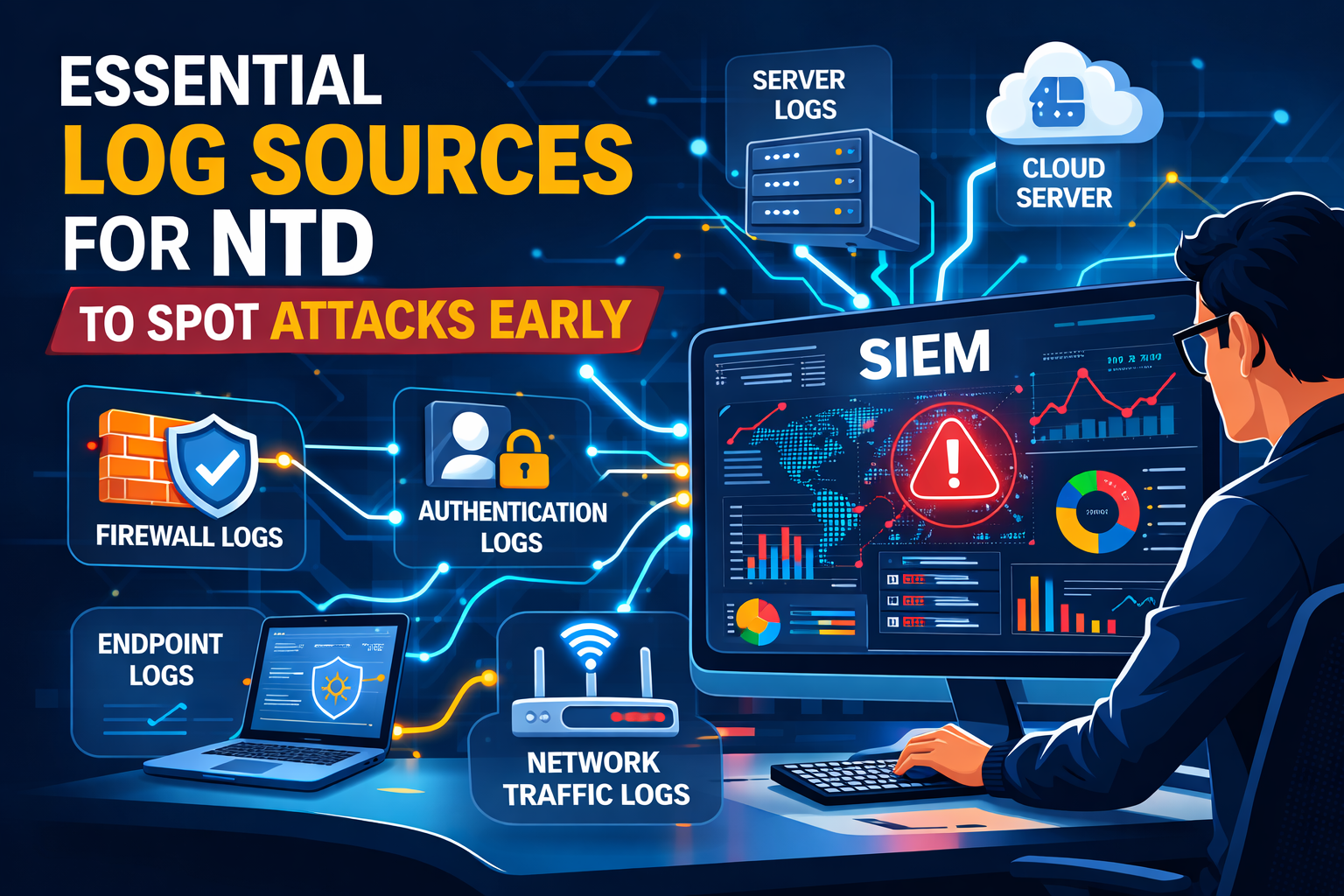
Stop hunting for threats in the shadows. The real power of centralized logging is time. When every log from every part of your network comes into one place, the full picture of an attack just appears. You’re not chasing broken pieces of information anymore. You’re watching a live stream of your entire digital world. We built our Network Threat Detection on this straightforward, hard truth: sprawl ruins security. Keep reading to learn which logs you absolutely must have and how to get them to communicate with each other.
NTD Log Signals: What Actually Matters
- Firewall, DNS, and authentication logs form the core triad for spotting initial compromise.
- Centralized collection isn’t for storage; it’s for correlation, turning isolated events into a clear attack narrative.
- Your mean time to detect plummets when you stop reviewing logs individually and start analyzing relationships.
Benefits of Centralized Log Management
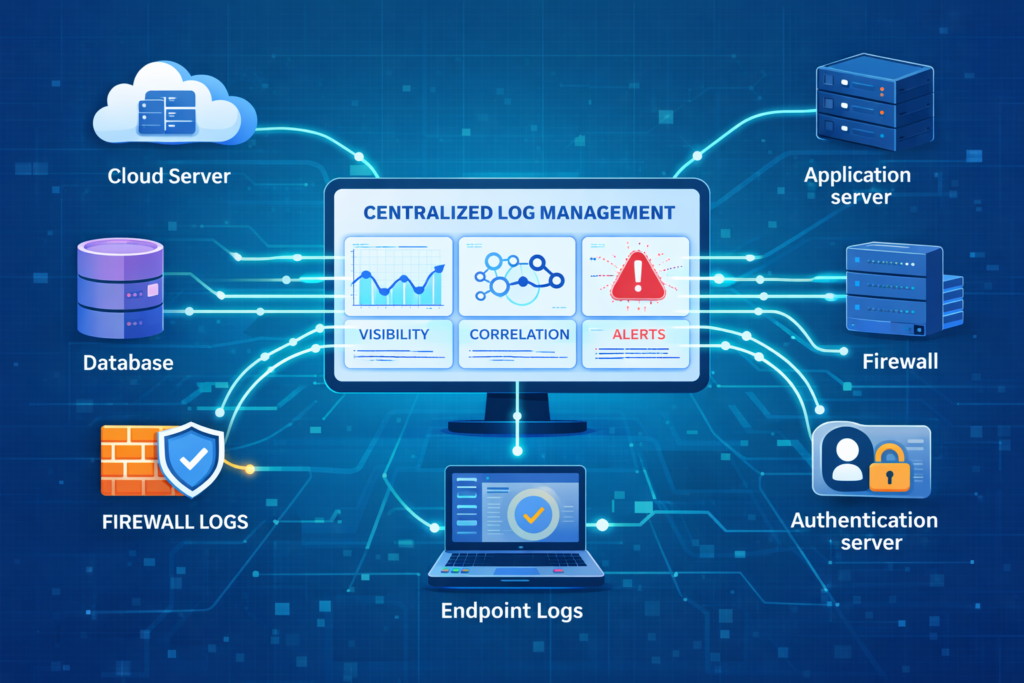
Imagine trying to understand a novel by reading every tenth page. That’s security without centralized logging. The plot makes no sense. The benefits aren’t just theoretical, they’re measurable in time and money.
First, it streamlines security operations. Your team has one console, one query language. They stop juggling ten different logins. Real-time monitoring becomes a reality because the data stream is unified. You can set a rule that correlates a failed VPN login with a successful internal login from a new country two minutes later. That’s power.
Compliance gets easier, a lot easier. Regulations like PCI DSS and HIPAA demand an audit trail. Proving who did what with a hundred separate log files is a nightmare. Proving it from a single, searchable, tamper-evident repository is just reporting.
The market sees this value. It’s why log management is a multi-billion dollar industry growing fast. Companies are buying back their own time. They’re reducing that terrifying mean time to detect from hundreds of days to something you can actually work with. That’s the ultimate benefit: it turns reaction into prevention.
Critical Security Logs to Collect
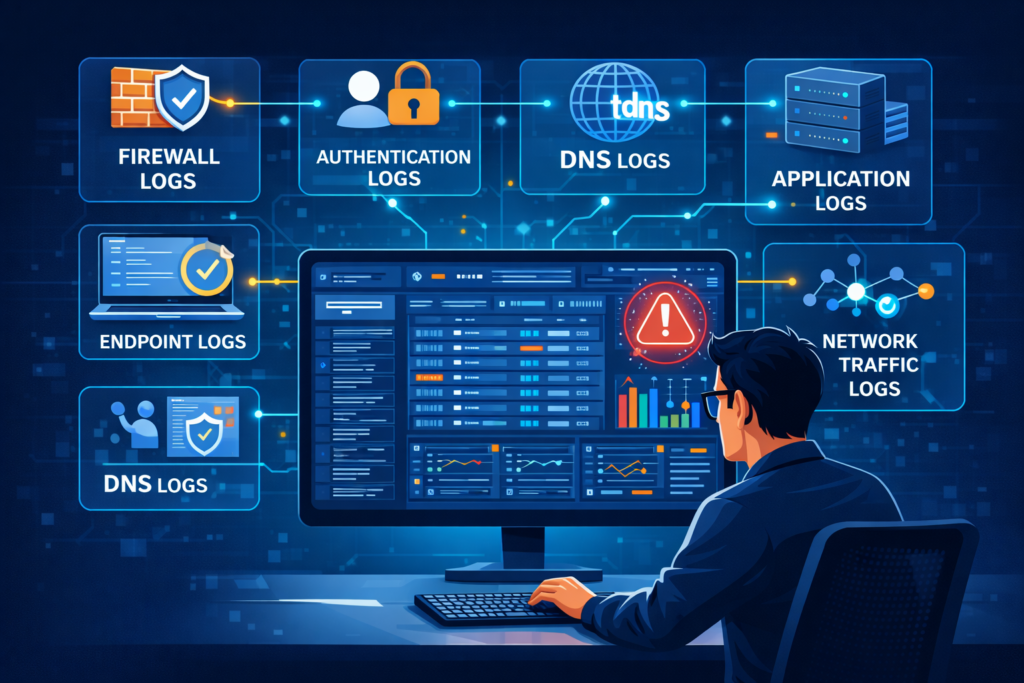
You can’t collect everything. So you collect the signals that matter. The logs that answer the basic questions: What happened? Who did it? Where did they go? Your shortlist isn’t a suggestion, it’s a requirement. These signals become far more valuable when they are part of a structured NTD data sources collection that allows correlation across systems.
Start at the perimeter. Firewall logs and web proxy logs. They document every conversation between your network and the outside world. Move inward to identity. Windows Event Logs, Linux authentication logs, VPN connection logs. These tell you who is who, and who is pretending.
Then add the networking glue. DNS query logs and DHCP server logs. They reveal hidden communications and unauthorized devices. Finally, layer in the specifics from your crown jewel applications.
“Logs from network devices such as firewalls and routers are not typically a primary source of precursors or indicators… Still, they can be valuable in identifying network trends and in correlating events detected by other devices.” – Computer Security Incident Handling Guide (SP 800-61 Rev. 2)
This collection forms a complete envelope of activity. Without it, you’re defending a building but only watching the front door, blind to the side windows and the roof hatch. This is the dataset that makes true threat detection possible. You can’t find anomalies if you don’t have a baseline of normal.
Firewall Log Analysis Best Practices
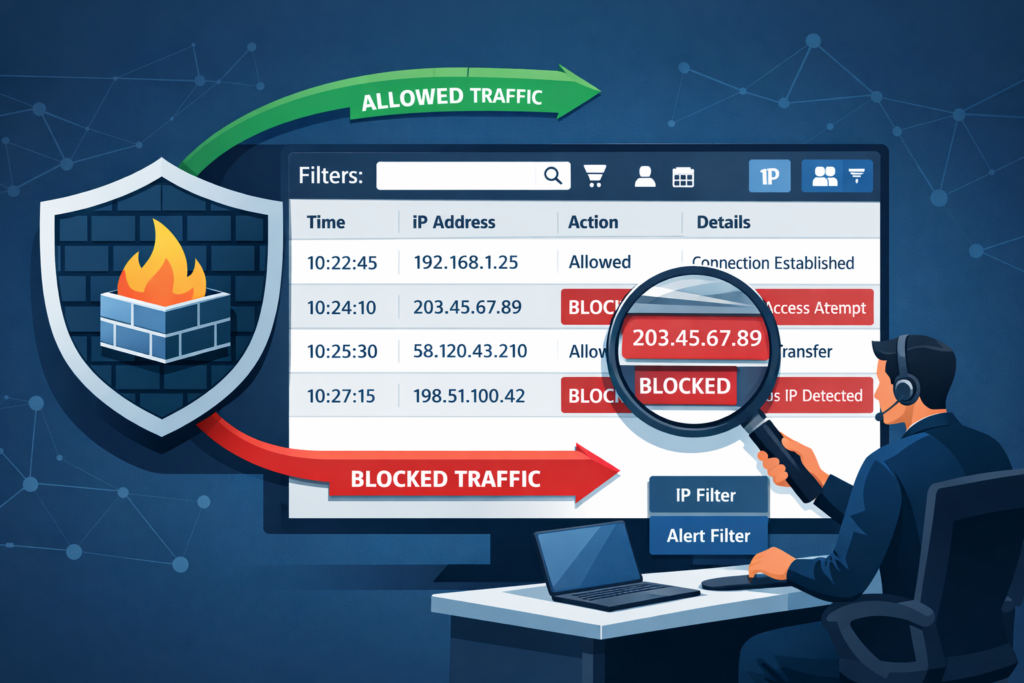
Most people look at firewall logs to see what was blocked. That’s important, but it’s the shallow end. The real depth is in analyzing what was allowed. Your firewall is the definitive record of conversations between your network and the outside world.
Enable every logging category. Don’t just log denies. Log allowed traffic, authentication attempts on the firewall itself, and crucially, configuration changes. A log entry showing a new “allow any any” rule added at 2 AM is a five-alarm fire.
Once you have the logs, you centralize them. A single firewall’s view is limited. But when you aggregate logs from every firewall, across every office and cloud VPC, you can see patterns. You might see a single external IP probing different segments of your network over a week. That’s reconnaissance. Individual firewalls might miss it. The centralized view won’t.
- Look for internal servers initiating connections to unknown external IPs on odd ports.
- Watch for allowed outbound traffic on ports commonly used for data exfiltration (e.g., 4444, 8080).
- Correlate firewall with failed login spikes on internal systems.
Use this for hunting. The firewall log is your first and best witness, but only if you ask it the right questions.
Analyzing Web Proxy Server Logs
Creadits: Level Effect
Proxy logs feel like IT data. Bandwidth, caching, user productivity. And they are. But they’re also a candid transcript of user intent and potential data loss. Every HTTP request is logged. The timestamp, the source IP, the full URL, the HTTP status code, the number of bytes transferred.
You analyze these for more than optimization. A user agent string that doesn’t match your standard browser fleet could be a script or malware. A spike in traffic to a cloud storage provider from a finance department machine warrants a look.
The bytes transferred field is key. A machine that normally pulls down a few megabytes a day suddenly uploading gigabytes to an external site is a massive red flag. This is where you catch insider threats or malware exfiltration that bypasses other controls.
Look for patterns. Access to a phishing simulation training site followed minutes later by calls to strange, newly registered domains. That’s a possible infection chain. Regular review turns this operational log into a powerful security sensor.
DNS Query Log Monitoring Security
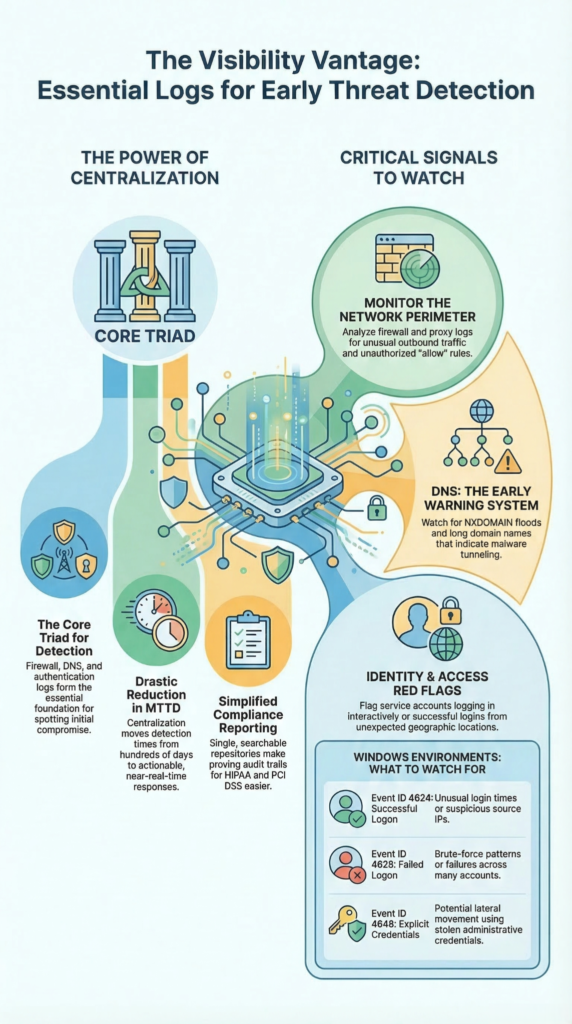
Malware needs to communicate. Almost always, it uses DNS first. It’s allowed, it’s noisy, and most places don’t watch it closely. Monitoring DNS query logs is like tapping the phone lines of every device on your network. The clues are in the abnormalities.
You set up alerts to flag the weird stuff in real-time. Long domain names, sometimes 50 or 60 characters, can indicate DNS tunneling. Data is encoded directly into the domain name itself.
A sudden flood of NXDOMAIN responses is a classic sign of Domain Generation Algorithm malware trying to find its home server. Keep an eye on queries for suspicious top-level domains (.tk, .cc, .biz) often used by bad actors.
Even TXT record queries can be manipulated for data exfiltration. By monitoring these logs centrally, you can detect the command-and-control phase of an attack. Often this is before any data is stolen or damage is done. It’s the earliest whisper of compromise, a whisper you can’t afford to miss.
Windows Event Log Analysis Security
In a Windows network, the Security Event Log records who did what. Understanding key Event IDs is essential. Event ID 4624 shows a successful logon, including the user, source IP, and logon type.
Logon Type 2 means a local console login, while Type 10 indicates a Remote Desktop session, suspicious if used by service accounts.
Event ID 4625 records failed logons; repeated attempts from one IP suggest brute-force attacks, while attempts across many accounts indicate password spraying. Event ID 4648 shows logons using explicit credentials, often linked to lateral movement. These logs help investigators reconstruct attacker activity after a breach.
| Event ID | Event Description | What Analysts Should Watch |
| 4624 | Successful logon | Unusual login times, new source IPs, suspicious logon types |
| 4625 | Failed logon | Multiple failures from one IP or across many accounts |
| 4648 | Logon with explicit credentials | Possible lateral movement using stolen credentials |
| Logon Type 2 | Local console login | Unexpected local logins on servers |
| Logon Type 10 | Remote Desktop login | Potential RDP attacks or unauthorized remote sessions |
Linux Sysmon Log Collection Setup
Linux used to be harder to monitor because syslog often mixed many events together. Sysmon for Linux improves visibility by capturing detailed activity such as process creation, network connections, and file changes. Proper setup is essential.
- Install Sysmon through your package manager.
- Accept the EULA during installation.
- Apply a configuration file (commonly CollectAll).
- Run a command like sudo sysmon -i configuration.xml.
- Logs are written in XML format to syslog.
- Use a log agent to parse and forward the data.
Verify installation by tailing syslog and checking for entries with the Linux-Sysmon provider.
Authentication Logs User Activity Tracking
Beyond the basic login/logout, authentication logs track the intent behind the action. They’re your audit trail for change. This includes data access, configuration adjustments, report generation.
You’re looking for patterns that break the norm. A user who only logs in from Chicago suddenly has a successful login from Eastern Europe. Multiple failed login attempts followed by a success from a different IP.
A service account logging in interactively on a weekend. In application logs, like from a CRM, you track who viewed which sensitive client record, who exported a large dataset. This granular tracking is your primary tool for insider threat detection.
It answers the question “what did they do after they got in?” Early detection of unauthorized access or privilege escalation often starts with a simple alert on an unusual pattern in these logs. They turn identity from a static list into a dynamic story of behavior.
VPN Connection Logs Analysis Remote Access
Your VPN is a tunnel through your firewall. It’s a necessary hole. VPN logs are the sentry records for that hole. In a solution like Microsoft’s Routing and Remote Access, you enable full logging. You analyze these logs for signs of abuse.
Look for connection events that show a user disconnecting and reconnecting from a completely different geographic location in an impossibly short time. That’s account sharing or credential theft.
Monitor for failed authentication attempts, which could be targeted attacks against your remote access gateway. Once inside, correlate a VPN login with subsequent Windows logon events on internal servers.
This shows you lateral movement. A compromised laptop used to VPN in becomes a launching point for attacks on your internal network. These logs are critical for tracing the path of a remote attacker. They help you understand the scope of a breach that started outside your walls. Without them, the tunnel is a black box.
DHCP Server Log Monitoring Devices
In a dynamic network, the DHCP server is the bouncer. It hands out IP addresses. Its logs are the guest list. Every lease event is recorded: the MAC address of the device, the IP address given, the lease duration.
You monitor this for one main reason: the rogue device. An unknown MAC address gets an IP. Is it a new corporate phone, or a malicious device plugged into a conference room jack? Real-time alerting on new MAC addresses is a basic, powerful control. You also look for anomalies.
A single MAC address requesting leases excessively could indicate a misconfigured device or someone trying to spoof addresses. In a forensic investigation, these logs are invaluable. They place a specific device on the network at a precise time with a specific IP.
When correlated with firewall logs showing traffic from that IP, you have a solid link between hardware and activity. It turns an anonymous IP address into a tangible device.
Application-Specific Security Logs
Your operating systems and network devices tell a story. Your applications tell the business story. Each major application generates its own security-relevant logs. These logs capture things generic system logs miss.
“The US Office of Management and Budget’s M-21-31 outlines a good baseline for what an event log should capture, if applicable: properly formatted and accurate timestamp… event type… device identifier… session/transaction ID… autonomous system number… source and destination IP… status code… response time… additional headers (e.g. HTTP headers)… the user ID… [and] the command executed.” – Best practices for event logging and threat detection
Failed API calls with odd parameters might be probing for weaknesses. Successful logins to an admin panel at 3 AM. Large data exports or changes to user roles and permissions. The error logs can reveal exploitation attempts, like SQL injection payloads that caused the app to crash. The challenge is format.
Every app logs differently. You need to work with developers or vendors to identify where these logs are written and how to parse them. Once you do, and you feed them into your centralized SIEM, you can perform powerful correlation.
A spike in app error logs coinciding with unusual outbound traffic from the app server paints a vivid picture of an active attack. Ignoring these logs leaves a blind spot directly over your most valuable data and processes. They are the final piece of the puzzle.
FAQ
How does centralized logging improve threat detection in NTD?
Centralized logging collects security data from many systems and stores it in one place. This approach allows analysts to compare firewall logs, authentication logs, and network traffic logs more easily. With effective log correlation and real-time monitoring, teams can detect unusual login patterns, repeated failed logins, or suspicious access attempts. Centralized logging also reduces breach detection time and helps teams respond faster during incident response investigations.
Which authentication logs help identify suspicious login activity?
Authentication logs record how users access systems and services. Security teams analyze Windows event logs, VPN connection logs, and access control logs to identify abnormal login behavior. These logs reveal failed logins, brute force attacks, privilege escalation attempts, and unusual logon types. Careful user activity tracking also helps analysts detect insider threats, unauthorized remote access, and login attempts that occur from unexpected geographic locations.
Why are DNS query monitoring and web proxy logs important for security?
DNS query monitoring and web proxy logs show how devices interact with external domains and websites. Analysts examine these logs to identify suspicious TLDs, frequent NXDOMAIN queries, and patterns linked to DGA malware. Proxy server analysis also reveals HTTP status codes, blocked requests, and unusual browsing behavior. Together, these logs help detect command and control communication, tunneling activity, and possible data exfiltration attempts.
How do firewall logs help detect network-based threats?
Firewall logs record both allowed traffic and denied traffic across the network. These records provide visibility into connection attempts, blocked requests, and configuration changes. Security teams analyze firewall auditing data to identify brute force attempts, unusual outbound connections, or signs of lateral movement between systems. Consistent log analysis improves network traffic visibility and supports faster detection of suspicious network behavior.
Why are log retention and forensic analysis important after a breach?
Log retention preserves historical security data that investigators need during forensic analysis. After a breach occurs, analysts reconstruct the timeline of events using authentication logs, network connection logs, and application security logs. This audit trail helps identify privilege escalation, lateral movement, and possible data exfiltration. Long-term log storage also supports compliance reporting and helps organizations strengthen future threat detection and incident response efforts.
From Logs to a Defensible Position
Building a log collection is technical. Building a logging strategy creates resilience. Threats rarely appear in one log—they move across systems. Centralized logging reveals the full picture, reducing detection time and improving investigations. Start with core log sources and learn your network’s normal patterns. See how Network Threat Detection helps turn scattered logs into early threat visibility.
References
- https://nvlpubs.nist.gov/nistpubs/specialpublications/nist.sp.800-61r2.pdf
- https://www.cyber.gov.au/business-government/detecting-responding-to-threats/event-logging/best-practices-for-event-logging-and-threat-detection
