
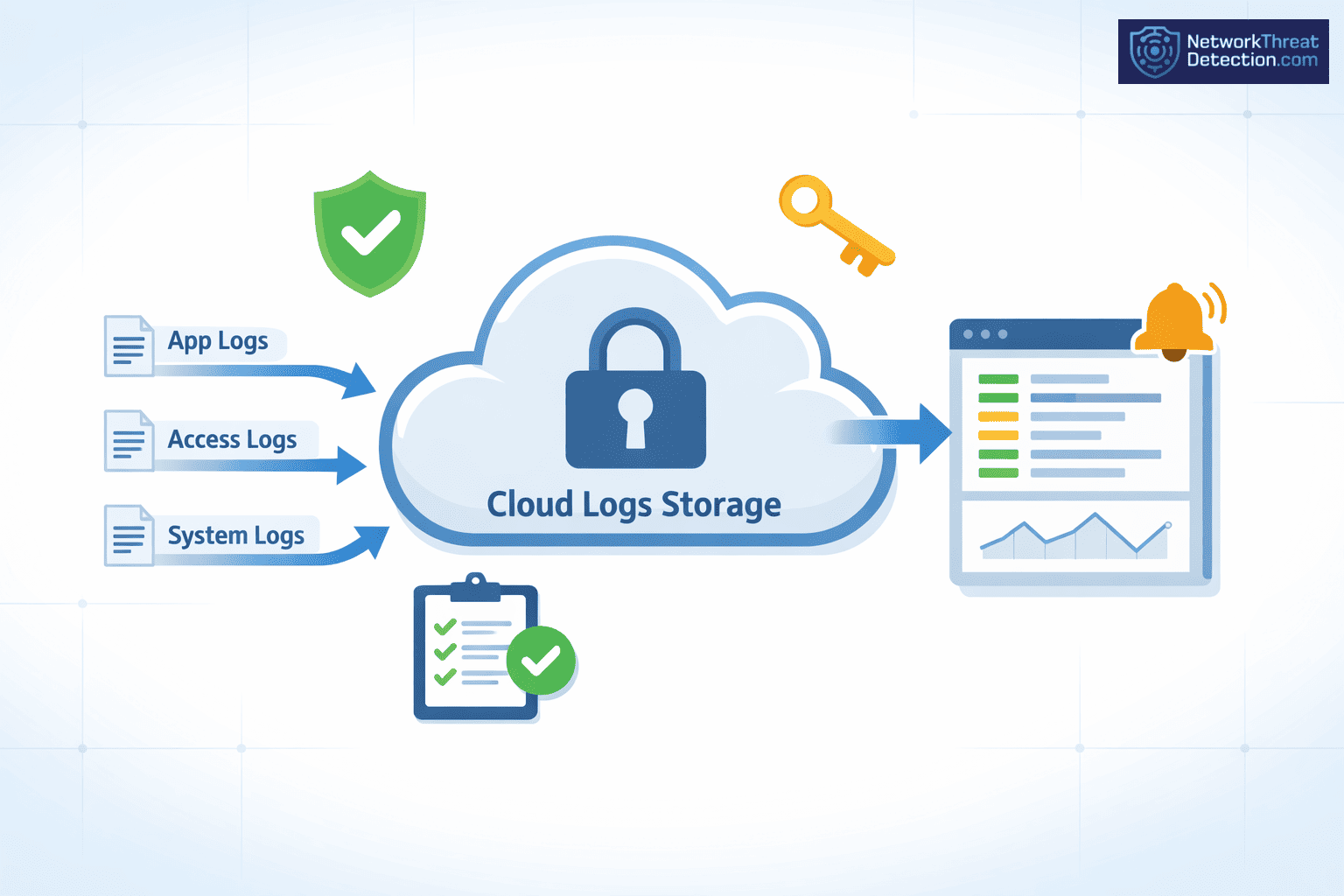
Lock down cloud storage logs so they cannot be changed, lost, or quietly accessed. These records track activity across Amazon Web Services, Microsoft Cloud, and Google Cloud Platform, and they matter most when something goes wrong. In practice, the trouble is usually simple.
Permissions stay too open. Keys are shared or stored poorly. Logs get deleted early. IBM Security has linked many recent breaches to gaps like these. When logs are incomplete, the story falls apart. Keep reading for steps that hold up in real use.
What Actually Matters For Securing Cloud Storage Logs
When it comes down to it, a few basics matter most:
- Strong access controls, encryption, and immutability form the foundation of cloud storage security
- Network Threat Detection provides early visibility into suspicious log access and anomalies
- Cost, compliance, and security must align to avoid blind spots and unnecessary exposure
Why Is Securing Cloud Storage Logs Critical?
Logs are the record you fall back on when something breaks. They show who did what and when, and they help meet rules like the Payment Card Industry Data Security Standard (PCI-DSS) and the General Data Protection Regulation. If that record is changed or gone, the review stalls.
We have walked into incidents where a cloud storage bucket was exposed, and the logs were wiped soon after. At that point, the team had no clear path forward. Logs help during the incident, not after. IBM Security has tied many recent breaches to gaps in logging and monitoring.
As highlighted by CISA
“Limited telemetry and short log retention impede detection of forged tokens, compromised keys, and unauthorized token generation. Balancing consumer visibility with manageable log volumes is challenging, while inconsistent logging standards across providers hinder threat detection and response.” – CISA
Key risks include:
- Unauthorized access to cloud audit logs
- Log tampering from weak identity governance
- Exposure of data like IP addresses or credentials
- Loss of evidence during attacks
Without firm data protection, logs become a weak spot.
What Are The Core Pillars Of Cloud Log Security?
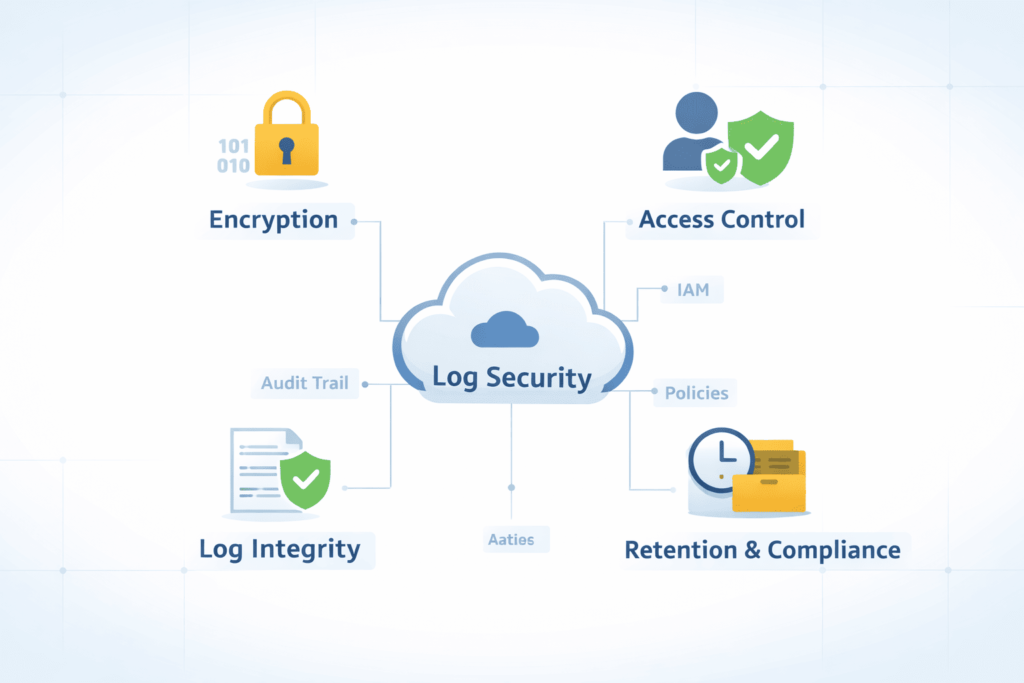
Four parts carry most of the weight: access control, encryption, immutability, and monitoring. We keep these in place on every system we review.
In practice, the trouble is usually in the setup. Controls exist, but they are left open or drift over time. Gartner has reported that many cloud failures start this way. We see it in enterprise IT teams that rely on defaults and do not revisit them.
Insights from the Atlantic Council indicate
“Observability and logging services collect the telemetry essential to detecting anomalies and investigating incidents. Identity and access management services control who and what can interact with cloud resources.” – Atlantic Council
The four pillars include:
- Access Control → Limit who can see or change logs
- Encryption → Keep log data unreadable if exposed
- Immutability → Stop logs from being edited or deleted
- Monitoring → Watch for unusual access
Used together, these reduce risk across AWS, Microsoft Cloud, and Google Cloud.
How Do You Implement Strong Access Controls For Logs?
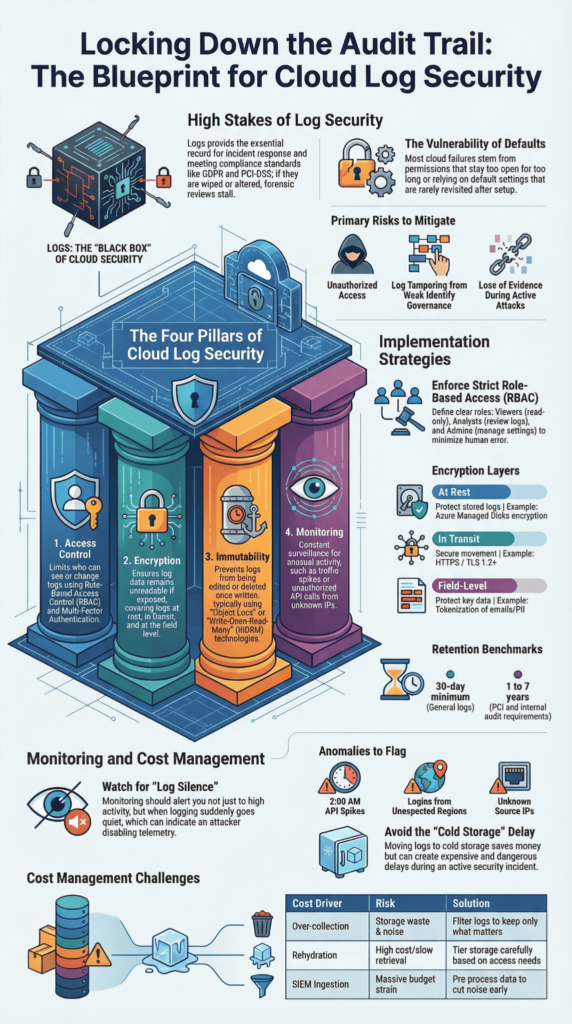
Access control sets the boundary. We keep it narrow, so fewer errors slip through.
Most cases we review involve permissions that stayed too broad for too long. One role gets extra access, then others inherit it. Microsoft has reported similar patterns. We bring in Network Threat Detection early to spot odd access before it turns into a breach.
Effective controls include:
- Role-based access control (RBAC):
- Viewer → Read-only
- Analyst → Review logs
- Admin → Manage settings
- Multi-factor authentication for all users
- Regular credential rotation
- Masking sensitive fields like personal data
We also keep logs in a separate security zone. If a system is compromised, the logs remain intact and usable.
What Encryption Practices Secure Cloud Logs Effectively?
Encryption only helps if the keys are handled well. Logs should be encrypted at rest and in transit, but that alone is not enough.
We have seen teams switch on encryption and move on. Later, during a review, the keys were shared across services or left without rotation. In one case, a test key stayed active in production for months. Anyone with it could read the logs. Most issues we find sit here, not in the algorithm.
Core encryption strategies include:
- At rest: AES-256-GCM for stored logs
- In transit: TLS 1.2+ for APIs
- Field-level encryption for data like emails or tokens
- Customer-managed keys when tighter control is needed
| Encryption Type | Purpose | Example |
| At Rest | Protect stored logs | Azure Managed Disks encryption |
| In Transit | Secure movement | HTTPS/TLS |
| Field-Level | Protect key data | Tokenization |
We keep key access tight and rotate them on a set cycle. That step tends to get skipped, and it shows.
How Does Log Immutability Prevent Tampering?
Immutability means once a log is written, it stays as it is.
We ran into this during a ransomware case. The attacker cleared logs early, and there was no object lock in place. The team lost its timeline and had to rebuild it from fragments. Since then, we have not left logs writable.
Key mechanisms include:
- Object lock for write-once-read-many protection
- Bucket Lock to enforce retention
- Immutable storage across cloud platforms
Typical retention:
- Minimum: 30 days
- Compliance cases: up to 7 years
This helps guard against:
- Insider changes
- Automated deletion
- Malicious API use
Logs that cannot be changed hold up when they are needed most.
What Are Best Practices For Log Retention And Storage?
Credits: Ask Charly Leetham
Retention is a balance. Keep logs long enough to use them, but not so long that they pile up without control.
We often see logs deleted too soon or kept with no plan. Both cause trouble later. Storage grows fast, so it needs some structure from the start.
Best practices include:
- Centralizing logs in dedicated cloud storage buckets
- Using log rotation and lifecycle rules
- Enabling usage and storage logs, especially when collecting logs across services like AWS environments
- Separating logging from production systems
Retention benchmarks:
- PCI → at least 1 year
- GDPR → based on purpose
- Internal audits → often 3–7 years
Older logs can move to cheaper storage. We keep the same access rules so they are still usable when needed.
How Do Monitoring And Alerting Strengthen Log Security?
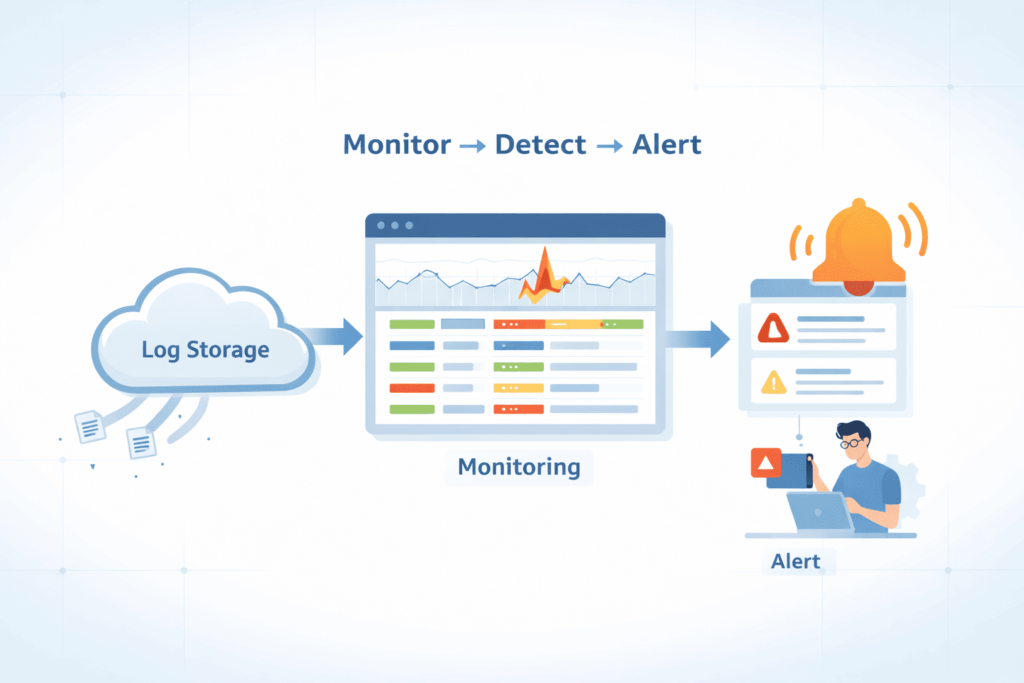
You notice problems in the logs before anyone reports them.
A spike in API calls at 2 a.m., a login from a country no one works from, or logging suddenly going quiet, those are the kinds of things we watch for. We use Network Threat Detection with machine learning to scan activity and flag patterns that look off. In a few incidents we handled, early alerts came from logs, not user reports.
Key monitoring capabilities include:
- Unusual API activity
- Sudden traffic spikes
- Unknown source IPs
- Logging turned off or changed
Tools and methods:
- SIEM tools for log review
- Simple AI models for pattern checks
- Alerts tied to specific events
We keep logs together so it is easier to connect what is happening across systems, especially when cloud log collection is consistent across services and environments.
What Cost Traps Impact Cloud Log Security?
Costs tend to show up later, then force quick decisions.
We have seen teams shorten retention after a large bill landed. In one case, logs were pushed to cold storage to save money. Weeks later, they needed them for an incident. Pulling them back was slow and expensive, and that delay mattered.
Log data keeps growing, especially in cloud systems.
Common cost drivers include:
- Collecting logs no one uses
- Paying to retrieve cold data
- High ingestion costs in SIEM tools
| Cost Driver | Risk | Solution |
| Over-collection | Storage waste | Filter logs |
| Rehydration | High cost | Tier storage |
| SIEM ingestion | Budget strain | Pre-process |
We cut noise early and keep the logs that matter.
What Real-World Mistakes Lead To Log Exposure?
Most exposures come from things left unchanged.
We have opened storage buckets and found logs sitting in public view. No one meant to leave them there. The settings were never revisited after setup. That pattern comes up often, and reports from CISA reflect the same issue.
Common mistakes include:
- Public storage buckets
- No object lock
- Weak login controls
- Missed updates, especially in setups that rely on GCP logging without regular review
Lessons learned:
- More logs can mean more noise
- Noise hides real problems
- Default settings are rarely enough
Logs need the same care as other sensitive data. When they are overlooked, gaps show up.
FAQ
What are the biggest security risks in serverless function logging?
Serverless function logging can expose sensitive data if it is not handled properly. Logs often store request and response details, source IPs, and API endpoints. This practice increases the cloud attack surface and introduces serious security risks.
Weak access controls or poorly managed encryption keys can lead to data breaches. Strong cloud security requires careful cloud logging, well-managed audit logs, and strict control over what data is stored.
How can I protect cloud storage used for serverless logs?
You can protect cloud storage by applying strong cloud storage security measures. Always use encryption keys and enable immutable storage options such as Object Lock or Bucket Lock. Enforce Multi-Factor Authentication and single sign-on to secure access.
Avoid exposing Public objects in any Cloud Storage bucket. Follow best practices from your cloud service provider to secure cloud storage environments and reduce risks in public cloud storage services.
Why are audit logs important for serverless applications?
Audit logs record Logging API activity, user authentication events, and changes across cloud services. They support compliance audits for standards such as PCI DSS, SOC 2, and ISO 27001.
These logs improve cloud security by enabling effective log analysis and early detection of cybersecurity incidents. They also help organizations meet regulatory requirements like the General Data Protection Regulation and the Health Insurance Portability and Accountability Act.
What access controls should be used for serverless logging security?
You should apply strict access controls supported by identity governance and Multi-User Authentication. Zero Trust models help ensure that only authorized users can access security logs.
Strong Passwords and regular credential rotation reduce the risk of unauthorized access. Network segmentation and virtual private clouds isolate sensitive systems. These security practices lower the chance of a data breach and strengthen infrastructure security in cloud computing.
How do I respond to threats found in serverless logs?
You should follow a clear Incident Response Plan when threats appear in serverless logs. Use log analytics, machine learning, or artificial intelligence to support real-time response. Monitor security telemetry and performance monitoring data closely.
If threats such as phishing email attacks or zero-day vulnerabilities are detected, act immediately. Update your patch management system and secure backup repositories to help enterprise IT teams contain cybersecurity incidents and protect data.
How To Keep Your Cloud Storage Logs Protected Every Day
Your logs matter every day. If you leave gaps, you create gaps. But when you stay careful, lock access, and watch closely, you take control back. Small steps, done daily, keep your system safe and steady.
Start now. Check your access, turn on protection, and watch your logs with care. Use Network Threat Detection to see risks early and act faster. Don’t wait for a problem, protect what matters today, and stay one step ahead.
References
- https://www.cisa.gov/news-events/news/securing-core-cloud-identity-infrastructure-addressing-advanced-threats-through-public-private
- https://www.atlanticcouncil.org/in-depth-research-reports/issue-brief/securing-cloud-infrastructure-ai/
