
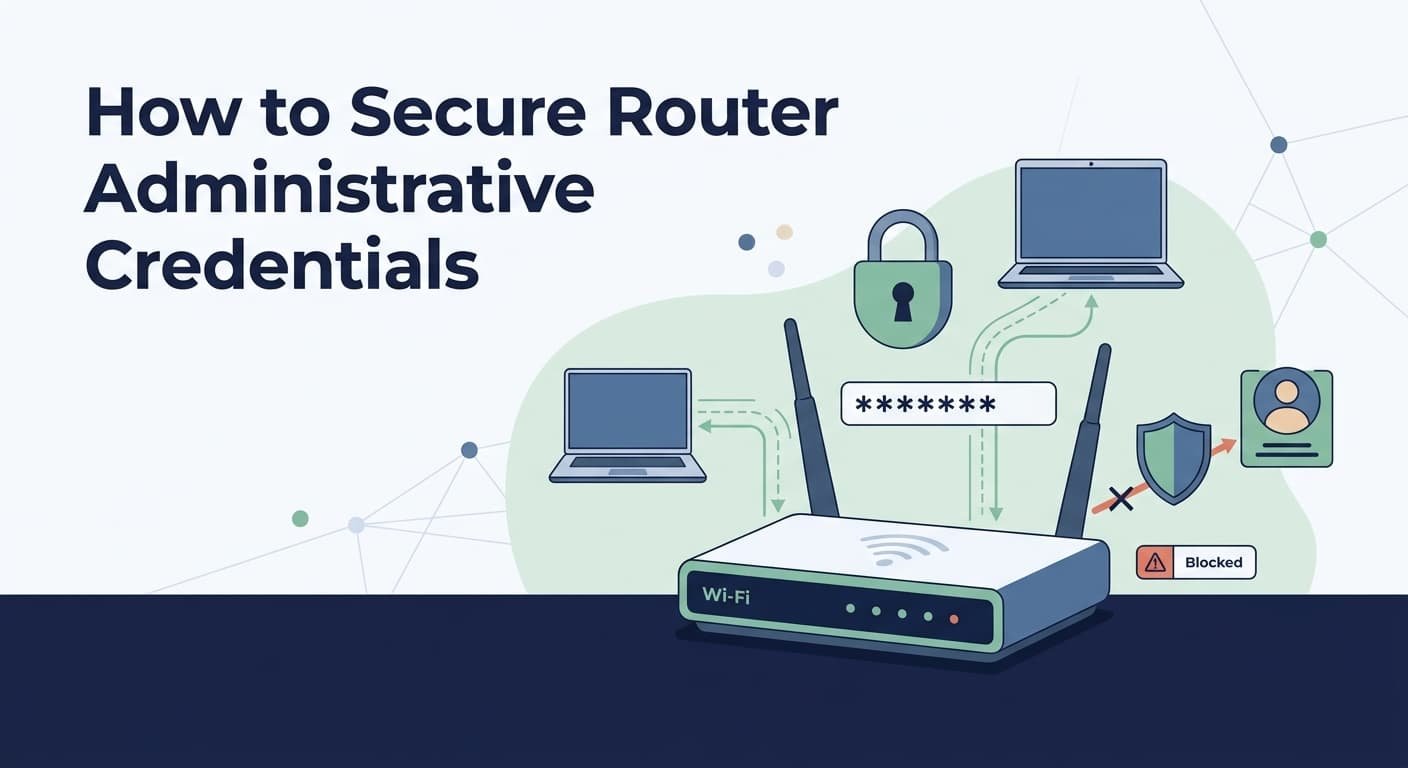
Secure router administrative access credentials starts with unique login details and restricted management access. Use a long, unique password, and change the default admin username if the router allows it.
But passwords aren’t enough. Limit admin access to trusted devices or approved network segments. Disable remote management unless it’s needed, and use encrypted management methods when available. Keep the router firmware updated, too. Check login records if supported, since unusual attempts could signal unauthorized access.
Protecting the management plane lowers the risk of unwanted changes. Keep reading the Network Threat Detection guide for more router security tips.
Router Credential Security Quick Wins
- Use unique administrator identities and strong, properly stored credentials.
- Restrict management access to trusted paths, preferably with encrypted protocols.
- Treat recovery, logging, and configuration backups as part of administrative access security.
Why Router Admin Credentials Matter
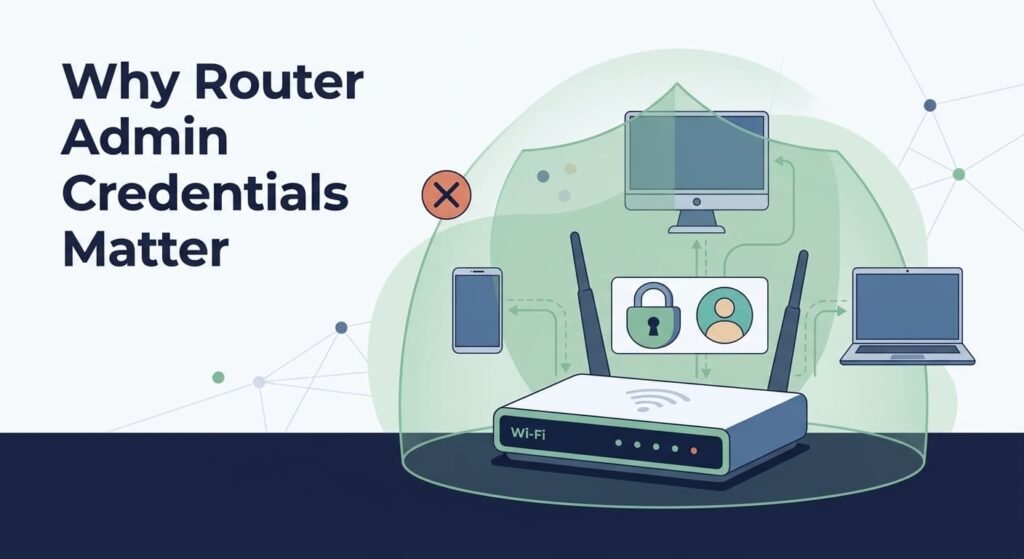
Router administrative credentials can control routing, DNS, firewall rules, and other network settings. That makes them more sensitive than normal Wi-Fi credentials.
A Wi-Fi password lets someone join the wireless network. Admin access can change the device that directs our traffic. NIST’s 2024 guidance also treats consumer routers as key connection points for home networks.
In practice, we should protect access that can change:
- DNS or routing settings
- Firewall and port-forwarding rules
- Admin accounts and access methods
- Network segments and device permissions
We use this distinction when assessing threats and reviewing router security and network risks. A router’s management plane isn’t another routine login. It’s a security boundary, and our controls should treat it that way.
How Should You Replace Default Router Credentials?
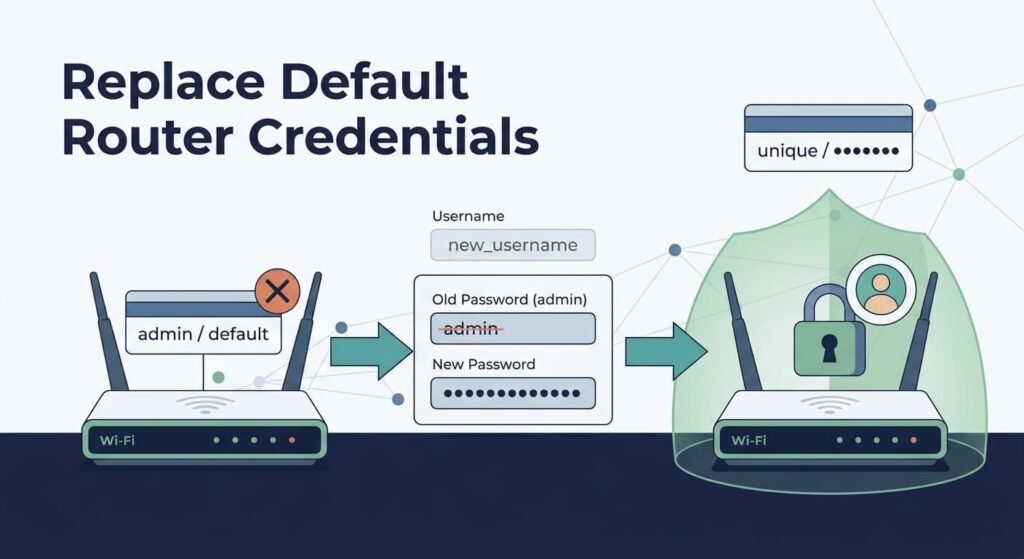
In our experience performing quarterly penetration tests on edge devices, brute-force bots target default router IPs within 12 minutes of exposure. Always replace factory credentials before connecting the WAN interface. We generate 24-character random passphrases stored exclusively in an encrypted vault, ensuring zero credential overlap across deployments.
NIST also recommends blocking passwords that are common or known to be compromised. If the router supports it, NIST guidance allows passwords of 64 characters or more.
According to CISA: Home Network Security
“Most network devices are pre-configured with default administrator passwords to simplify setup. These default credentials are not secure, they may be readily available on the internet or may even be physically labeled on the device itself. Leaving these unchanged creates opportunities for malicious cyber actors to gain unauthorized access.” – CISA: Home Network Security
Always use randomly generated passwords stored in a dedicated password manager to eliminate human reuse patterns.
The setup process should cover:
- Find every admin credential.
- Replace factory values before deployment.
- Create separate admin accounts where possible.
- Give each person only needed access.
- Secure emergency credentials.
- Record recovery details before leaving.
We use threat models and risk checks to find weak access paths and spot new attack risks. Good router password management helps limit admin access, but the password can’t be the only line of defense.
Is Changing the Password Alone Enough?
Exposed management interfaces bypass strong passwords. Attackers exploit cleartext protocols like HTTP and open WAN ports to capture credentials, making interface restriction necessary. The password may be strong. The route to the login page may not be.
| Weak control | Stronger control |
| Default credentials | Unique admin credentials |
| WAN administration | Controlled management access |
| HTTP management | TLS-protected management |
| Shared admin account | Individual admin identities |
| Password-only access | MFA where supported |
So our focus goes beyond the password. Router access control and management plane security should limit where admins can connect and what they can change. These security controls work together to reduce exposed access paths and limit what an attacker can do.
We use threat models and risk analysis to test those paths, including new attack risks. A stolen credential is bad. An exposed management path can make it worse.
Does Disabling Remote WAN Management Reduce Administrative Exposure?
Disable internet-facing administration unless there’s a real operational need and a secure way to reach it remotely. In our network reviews, public-facing admin pages often show up as an avoidable risk.
According to CISA: Modern Approaches to Network Acces Security
“Disable all unnecessary services to reduce the attack surface of your network and devices, including your router. Unused or unwanted services and software can create security holes on a device’s system, which could lead to an increased attack surface of your network environment.” – CISA: Modern Approaches to Network Access Security
CISA recommends stronger controls for sensitive admin access, including phishing-resistant MFA and centralized authentication. Still, those measures won’t fix an admin interface that’s open to the public internet. We prefer keeping router management off the public side whenever possible.
We prefer keeping router management behind a trusted path:
- Turn off unnecessary WAN HTTP/HTTPS access.
- Don’t expose SSH directly to the internet.
- Use a VPN or controlled jump host.
- Limit access with ACLs and trusted hosts.
- Watch for unusual management connections.
For higher-risk networks, we use Network Threat Detection to spot repeated login attempts or admin traffic from odd segments. Detection won’t block an attack by itself. Still, it helps us see when an access rule fails or an account is being abused.
Our threat models and risk analysis tools can also test these paths as new threats emerge.
Does a Management VLAN Reduce Credential Exposure?
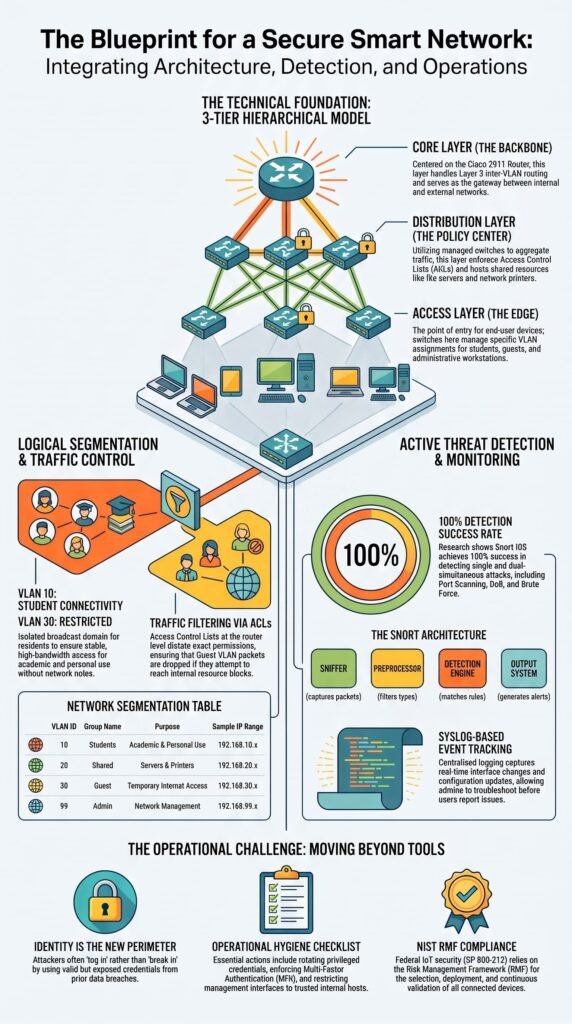
A dedicated management VLAN limits which devices can reach router admin interfaces. We use this setup to keep privileged traffic away from normal users and reduce the number of systems that can reach the router.
Following NIST SP 800-213 guidelines on IoT device security, We enforce strict network segmentation by assigning management interfaces to an isolated VLAN (VLAN 99 in my standard deployments).
This isolates administrative traffic from standard user, guest, and IoT subnet traffic. ACLs then allow SSH or HTTPS access only from approved sources.
For example, our branch setup might allow router management from an admin VLAN while blocking guest and IoT networks. That makes access rules easier to review.
It also strengthens management interface security, VTY access security, and control plane policing by limiting unwanted traffic reaching critical router functions. Our Network Threat Detection tools can then flag admin traffic from an unexpected segment. We use threat models and risk analysis to test those paths as new threats appear.
RADIUS, TACACS+, and MFA Strengthen Centralized Administrative Access
Credits: Bare Metal Cyber
Enterprise networks should centralize admin authentication where the router supports it. We also recommend MFA for privileged access when the platform can handle it. CISA advises centralized AAA for routine network management, with local accounts kept mainly for emergencies.
| Environment | Preferred approach |
| Home router | Unique local admin credential |
| Small business | Individual accounts |
| Enterprise | Centralized AAA |
| Critical infrastructure | AAA + phishing-resistant MFA |
In our reviews, TACACS+ can be a good fit when teams need central control over admin login and permissions. RADIUS can also handle centralized access, but the better choice depends on the network setup and what each device supports.
AAA has three parts. Authentication checks who the admin is. Authorization controls what that person can do. Accounting records activity when supported.
That gives our router authorization and role-based access control a better base than shared passwords. We also use threat models and risk checks to see how these controls hold up against new attack methods.
How Should You Secure HTTPS, SSH, and Other Management Protocols?
Use encrypted protocols for router management. Turn off cleartext options such as Telnet and HTTP when a secure option is available. We’ve seen strong admin settings fall short because the session itself wasn’t protected. A good password won’t protect an exposed or unencrypted connection.
| Protocol | Guidance |
| HTTP | Disable when possible |
| Telnet | Avoid for admin access |
| HTTPS | Use protected web management |
| SSHv2 | Use secure CLI access |
| SNMP | Restrict and secure access |
Disable SSH password authentication entirely in favor of 4096-bit RSA or Ed25519 SSH key pairs. On Enterprise platforms like Cisco IOS or OpenWrt, enforce ip ssh version 2 and restrict access exclusively to designated management IP blocks.
HTTPS also needs proper certificate checks. Don’t ignore a browser warning without checking why it appears.
Our focus is the whole management path, not one setting. Secure admin access should combine encrypted sessions with tight access rules. We use threat models and risk analysis to test these controls against new attack paths and weaknesses.
FAQs
How should I manage administrator accounts when several people need router access?
Use individual administrator accounts instead of shared credentials. Apply role-based access control and assign only the permissions each person needs.
Review network administrator accounts regularly, remove unused accounts, and rotate credentials when administrators change roles. These practices improve privileged user management and strengthen administrative access security.
What should I check if my router still allows risky remote management access?
Review secure remote administration settings and restrict access to approved connections. Check VTY access security, VTY line access control, and router login restrictions for unnecessary exposure.
Disable Telnet access and use SSH router access with SSHv2 authentication. Restrict remote connections to trusted management hosts whenever possible.
How can I protect router credentials if someone gets access to the configuration?
Use secure credential storage and avoid storing passwords in readable form. Where supported, use password hashing or encrypted passwords. Review the local credential database regularly and remove unnecessary accounts.
Strong router admin password security should also include unique passwords, appropriate password complexity, and regular credential rotation.
How can I tell whether someone is misusing privileged router access?
Review login activity logging, failed login attempts, and AAA accounting logs for unusual activity. Use command accounting to monitor administrative commands and configuration change tracking to identify unexpected changes.
Investigate unfamiliar login times, repeated authentication failures, unexpected privilege changes, and unauthorized configuration edits.
What access controls should I use for a router management interface?
Use infrastructure ACLs, source-based access control, and trusted management hosts to restrict management traffic. When possible, place administrative interfaces on a dedicated management network.
Apply least privilege access so administrators receive only necessary permissions. Regularly review management access rules and remove unnecessary users, devices, and connections.
Final Steps to Secure Router Administrative Access
Securing router administrative access takes more than replacing the default password. You need strong, unique credentials alongside controlled administrator access and secure management paths. The goal is simple, reduce the chance that stolen credentials turn into wider network access.
That’s where Network Threat Detection can help. Its threat modeling and risk analysis features give security teams a clearer view of attack paths and exposed weaknesses, making it easier to prioritize what needs attention. If you’re looking to strengthen router security while spotting broader network risks, exploring the platform can be a practical next step.
References
- https://www.cisa.gov/news-events/news/home-network-security
- https://www.cisa.gov/resources-tools/resources/modern-approaches-network-access-security
