
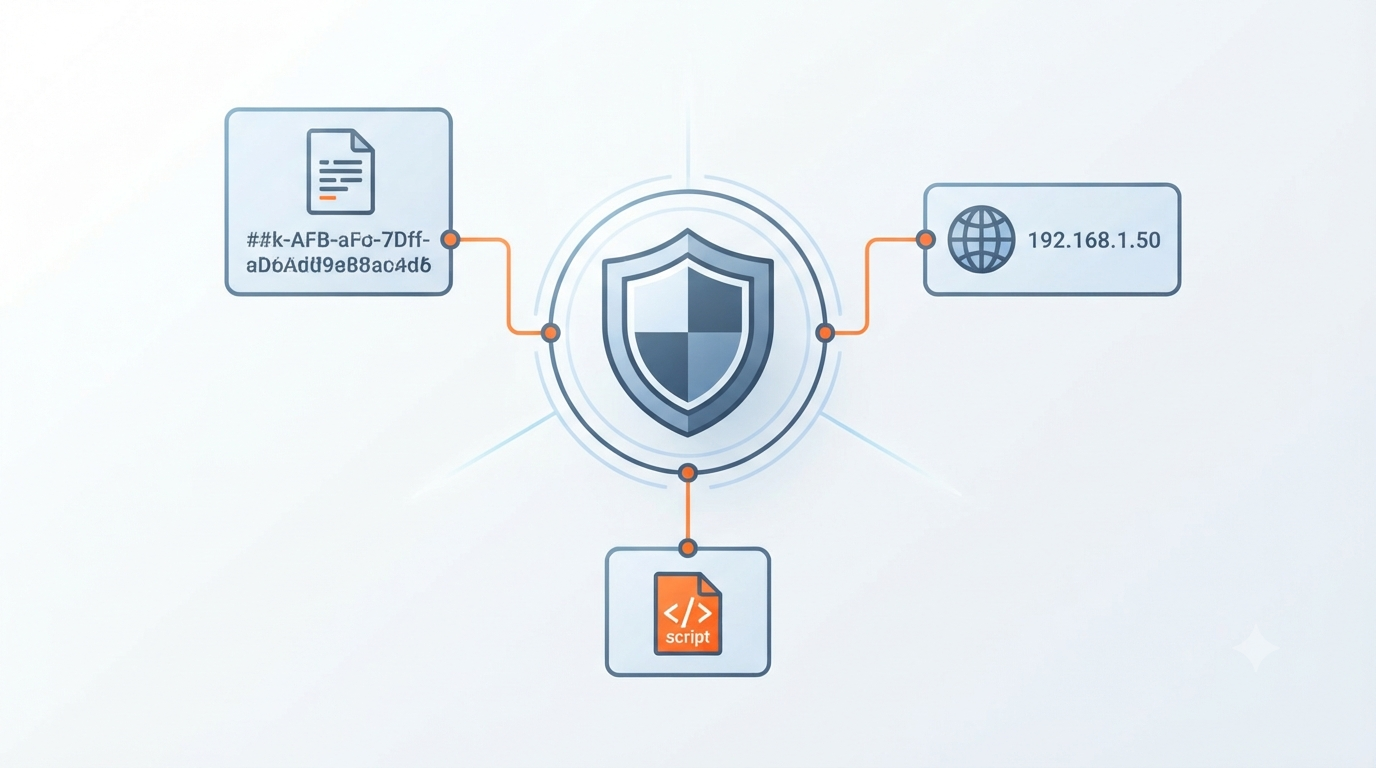
Examples of examples common indicators compromise file hashes IPS help security teams recognize the digital traces attackers leave behind. These can include suspicious file hashes, malicious IP addresses, unusual domain names, and other signs of compromise.
While each IOC can provide a useful clue, the real value comes from connecting multiple indicators to understand what is happening inside a network. At Network Threat Detection, we help organizations turn these threat signals into actionable insights for faster detection and response.
Common IOCs You Should Know
Before looking at specific examples, here are three important things to remember:
- File hashes are unique fingerprints for malware, but they change easily.
- Malicious IPs and domains are the most actionable IOCs for immediate blocking.
- IOCs are best used together, forming a story of the attack.
What Exactly Is an Indicator of Compromise (IOC)?
Think of it as digital evidence of a crime scene. It’s a piece of data that suggests, with varying degrees of confidence, that an intrusion has occurred or is underway. It’s not always proof positive, but it’s a clue that demands attention. In the early days, we’d get alerts about “suspicious activity.”
“An Indicator of Compromise is any piece of evidence that suggests a system or network may have been breached. This includes. Malicious file hashes (MD5, SHA-256).” – SOCradar
They were useless. What does that even mean? An IOC changes the question. It’s not “Is something wrong?” It’s “Did this specific malicious file hash appear on our systems?” or “Did any of our machines talk to this known bad IP?”
Some are atomic, like a single IP address. Others are computed, like a file’s cryptographic hash. And some are behavioral, like a pattern of registry edits that mimic a ransomware attack.
These behavioral patterns help in understanding the difference between IOC and IOA indicators, as they move beyond static files to focus on the intent behind the actions. They’re the breadcrumbs left by attackers as they move through a network.
Why Are File Hashes Considered a Gold Standard (and Their Flaw)?
A file hash is like a digital fingerprint. You run a file through a cryptographic algorithm (like MD5, SHA-1, or SHA-256), and it spits out a unique string of characters. If the file changes even one bit, the hash changes completely. This makes hashes incredibly precise for identifying known malware.
For example, a ransomware executable might have the SHA-256 hash: a1b2c3d4e5f67890123456789abcdef0123456789abcdef0123456789abcdef. If that exact file lands on your endpoint, the hash is a perfect match. We’ve used this to great effect.
But here’s the flaw. Hashes are fragile. An attacker can change a single byte in the malware, add a space, tweak the code, and the hash is completely different. This is called “hash-hopping.” So while a hash match is a slam dunk, the absence of a match doesn’t mean you’re clean. You need other clues.
How Do Malicious IP Addresses and Domains Give Attackers Away?
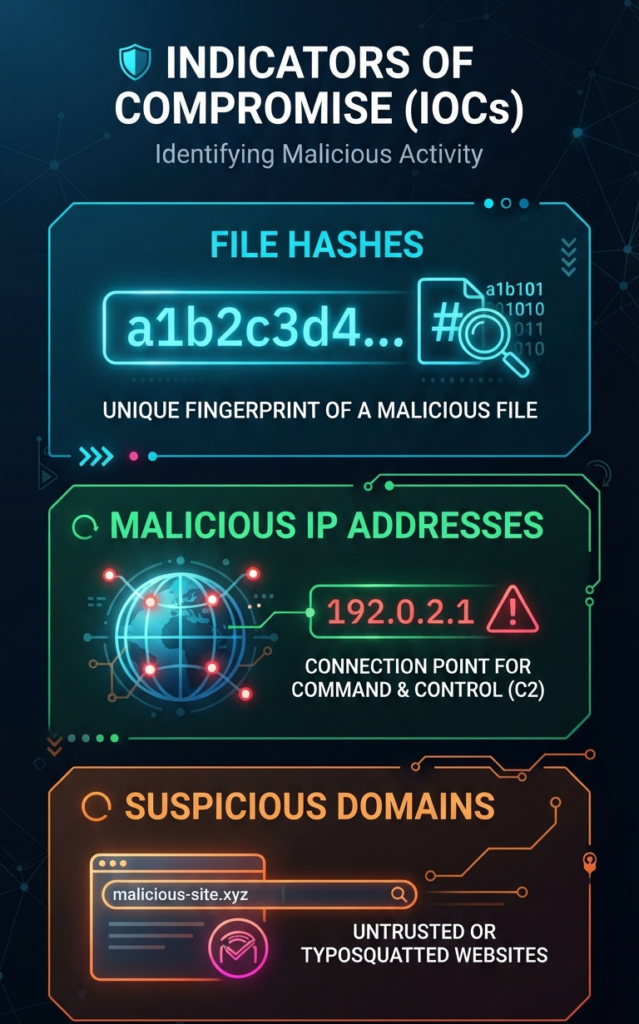
This is where Network Threat Detection shines. Attackers need to communicate. They need to send stolen data out (exfiltration) and get new commands in (command and control, or C2). To do that, they use IP addresses and domain names they control.
A malicious IP might look like 185.159.82[.]218. On its own, it’s just a number. But in context, it’s a problem. Our network sensors flagged this IP last year. It was part of a C2 infrastructure for a credential-stealing botnet. Any internal host talking to it was almost certainly infected.
Domains are trickier but common. Attackers register domains that look legitimate, like microsoft-security-update[.]com or adobe-flash-center[.]net. These are called “typo-squatting” or “brand impersonation” domains.
They’re used in phishing emails and malware downloads. Seeing DNS queries for domains like these is a huge red flag. The beauty of these IOCs is their immediacy. You can block them at the firewall or DNS level in minutes, cutting off the attacker’s communication.
What Do Other Common IOCs Look Like in the Wild?
Beyond hashes and network artifacts, attackers leave other traces. Here are a few you might hunt for.
- Registry Keys: Malware often creates or modifies specific registry keys to ensure it runs on startup. A key like HKCU\Software\Microsoft\Windows\CurrentVersion\Run\WindowsDefenderUpdate might look real, but the misspelling or unusual location is the clue.
- URL Patterns: Phishing campaigns use specific URL structures. You might see long strings of random characters in a path, like hxxps://legitsite[.]com/account/verify/7a3b9c1d2e. The domain is real, but the path is a phishing page.
- User Agent Strings: Some malware families use unique, identifiable strings in their HTTP requests. An outdated browser string from a supposedly updated system, or a blatantly fake one like “Mozilla/5.0 (Windows NT 10.0; Win64; x64) Client_Security_Update”, can be a giveaway.
These IOCs are often found together. A phishing email (URL) delivers a malicious document that drops a file (hash) which calls home to an IP address. Each piece reinforces the others.
Can You Show Me a Real Incident Using These IOCs?
Absolutely. Let’s walk through a simplified case we encountered, a classic phishing-to-malware attack.
It started with a user in accounting. They clicked a link in an email pretending to be a shipping invoice. The link took them to shipment-notice742[.]com (Malicious Domain IOC). That site pushed a disguised JavaScript file that downloaded a payload. The payload file had a specific SHA-256 hash we later identified as a remote access trojan.
Once installed, the malware created a registry run key for persistence (Registry Key IOC). Then, it began its first call home. It reached out to the IP 91.218.114[.]50 (Malicious IP IOC) on port 443. Our Network Threat Detection, which was ingesting feeds of known-bad IPs, saw this outbound connection immediately.
The table below shows how these IOCs formed the attack chain and where we could have detected them. Distinguishing these stages is a key part of analyzing IOCs vs IOAs, as it allows security teams to identify not just what was used, but the specific tactical goals of the attacker during each phase.
| Attack Stage | IOC Example | Type | Where to Detect |
| Delivery | shipment-notice742[.]com | Malicious Domain | Email Gateway, Web Proxy, DNS Logs |
| Installation | a1b2…cdef (SHA-256 Hash) | File Hash | Endpoint Detection, File Integrity Monitoring |
| Persistence | HKLM\…\CurrentVersion\Run\OneDriveSync | Registry Key | Endpoint Logs, EDR Tools |
| Command & Control | 91.218.114[.]50:443 | Malicious IP:Port | Network Threat Detection, Firewall Logs |
This chain shows why relying on one IOC is risky. The domain might be new and unknown, but the final C2 IP might be on a block list. Detection at any point can break the chain.
How Do You Actually Hunt for These IOCs?
Credits: Lisk
You don’t do it manually, not at scale. The process is automated, but you need to know what the automation is looking for. It starts with ingestion. You bring in lists of known-bad IOCs from threat intelligence feeds into your security tools, your SIEM, your firewall, your EDR platform.
Then, you correlate. Your tools continuously scan logs and events, looking for matches. Did any endpoint create this registry key? Did any machine resolve this domain? This is where our network monitoring proved invaluable. It’s a central choke point. Even if the malware evades the endpoint, it usually can’t phone home without touching the network.
Finally, you investigate the context. A single match might be a false positive. But a match on a file hash and a call to a bad IP within minutes? That’s a near-certain incident. The tools flag it, but a human (or a well-tuned automated playbook) connects the dots and decides the response: isolate the host, block the IP, begin forensics.
What Are the Biggest Limitations of Relying on IOCs?
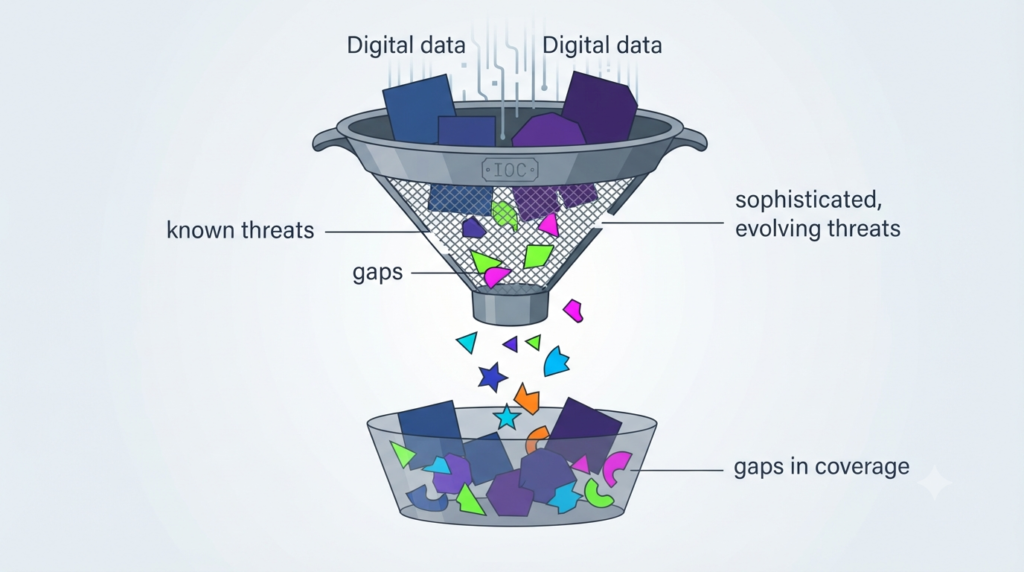
IOCs are reactive. They represent known threats. By the time a hash or IP is published in a feed, the smart attackers have already moved on, changing their tools. This is the “hash-hopping” and “domain fluxing” problem. It’s a cat-and-mouse game.
“An IP address linked to a known malicious server. If a connection attempt to this IP address is detected, it might indicate communication with a malicious entity. A domain associated with phishing or malware distribution, like ‘fakebank-login.com.'” – Dataminr
They can also create false positives. A legitimate software update server might share an IP block that was once used for malware. If you block it aggressively, you break business functionality. This is why context is king.
An IOC without a confidence score, without information on when it was seen and in what campaign, is just data, not intelligence. You need to be able to tune your systems, to say “block this high-confidence C2 IP, but just alert on this lower-confidence phishing domain.”
FAQ
Are IOCs still useful with modern, evasive malware?
Yes, but not alone. They are one piece of the puzzle. Modern defense pairs IOCs (for known threats) with behavioral analytics and anomaly detection (for unknown threats). IOCs are excellent for catching widespread, commodity malware and for tracking known threat actor campaigns.
Where can I get free IOC feeds?
Many open-source communities and security companies share IOCs. Sites like AlienVault OTX, Abuse.ch, and threat intelligence sharing groups (ISACs) are good starts. Remember, free feeds often lack curation and context, so use them for research and supplementing, not as your primary blocking source.
How long is an IOC valid for?
It varies wildly. A malware hash might be invalidated in hours if the attacker changes the file. A C2 IP might be active for days or weeks before being taken down. Domain-based IOCs can be very short-lived (sometimes hours). This is why continuous feed updates and automated ingestion are crucial.
Can IOCs be “poisoned” or used against defenders?
Potentially, yes. In a tactic called “false flag,” an attacker might plant IOCs associated with another group to mislead investigators. Or, they might bombard a network with decoy IOCs to cause alert fatigue. This is another reason why context and correlation (multiple IOCs lining up) are essential before taking drastic action.
Building Your Detective’s Kit
IOCs are the fundamental clues in threat detection. A malicious IP, suspicious domain, or unusual file hash can reveal potential attacker activity. Start with network indicators, then use file hashes to confirm suspicious files.
The most valuable insights often come from connecting multiple IOCs to uncover the bigger attack story. NetworkThreatDetection.com helps teams identify risks with real-time threat modeling, automated analysis, and updated intelligence. Explore the platform and strengthen your threat detection strategy.
References
- https://socradar.io/glossary/indicators-of-compromise-iocs/#popup-cntntt-field_66f1b3f0ab41b-gartner-report-2026-popup-v01-2
- https://www.dataminr.com/glossary/what-are-indicators-of-compromise-ioc/
