
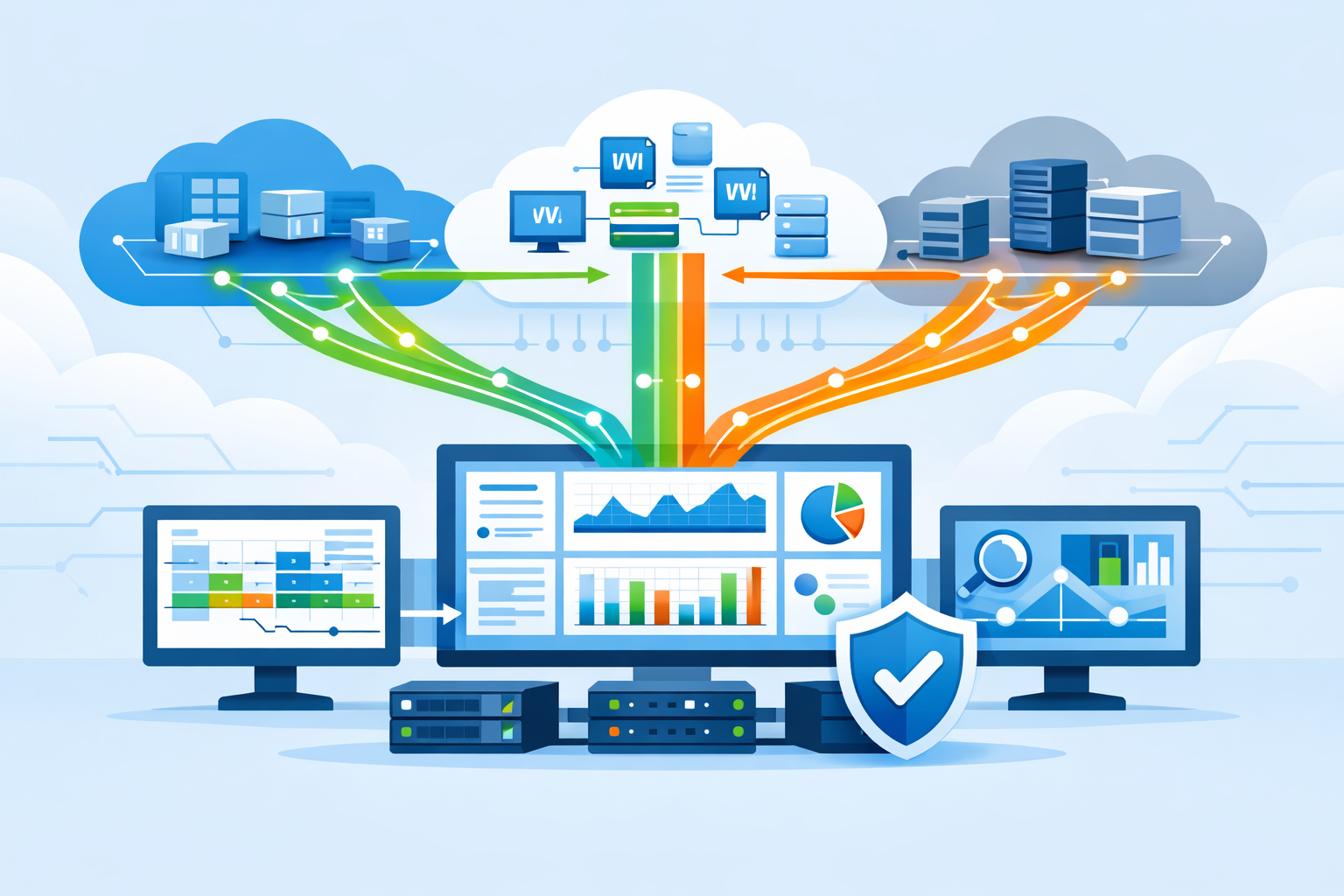
Virtual network taps (vTAPs) cloud mirror full traffic from cloud workloads to monitoring tools without disrupting production, giving visibility that logs alone cannot provide. We began using them after noticing how often east-west traffic slipped past log-based monitoring. Once we switched to packet-level data, those gaps became clear.
Attacks in cloud environments rarely stand out, they move quietly between systems. Without full visibility, teams are left piecing together incomplete data. This guide breaks down how vTAPs work, where they fall short, and how we deploy them without driving up cost or complexity. Keep reading to see what actually works in real environments.
vTAP Cloud: What Actually Matters
If you only remember one thing, it’s this: vTAPs give you real visibility, but only when designed with control and purpose.
- vTAP cloud provides full packet visibility instead of metadata summaries
- Poor design can increase bandwidth costs by 20% or more
- Network Threat Detection improves when fed real traffic, not just logs
What Are Virtual Network Taps (vTAPs) in the Cloud?
Virtual network taps copy live traffic from cloud resources and send it to monitoring tools without interrupting workloads. That sounds simple, but the shift from logs to packets changes how teams investigate problems.
We saw this firsthand. Logs told us a connection happened. Packets showed what actually moved across it. That difference matters when analyzing suspicious behavior or tracing lateral movement.
Cloud providers built vTAPs to replace physical taps. Traditional SPAN ports do not work in distributed virtual networks, which is why understanding the differences between network Taps vs. SPAN/mirror ports becomes important when moving into cloud environments.
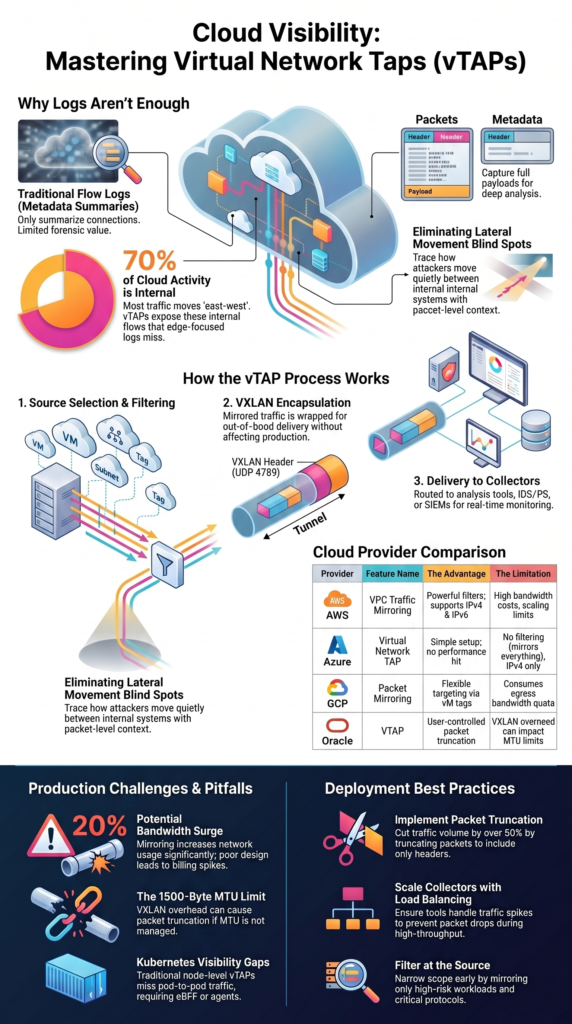
vTAPs capture full packets, including headers and payloads. That allows deeper inspection than flow logs, which only summarize activity.
In practice, teams use vTAPs to feed detection systems and analysis tools. Our own setups rely on this depth to validate alerts and reduce false positives.
Key traits show how vTAPs behave:
- Mirror inbound and outbound traffic
- Capture full packet data, not samples
- Work at VM, subnet, or tag level
- Scale across multi-tenant environments
This approach removes guesswork. Instead of inferring behavior, teams can review exact traffic and respond with confidence.
How Do vTAPs Work in Cloud Environments?
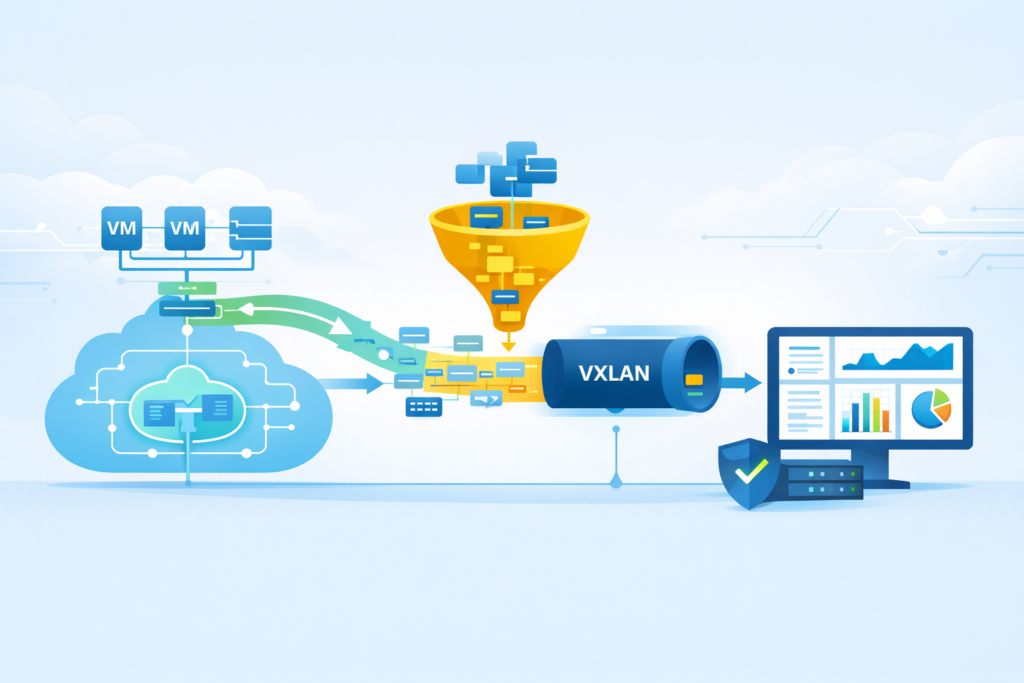
vTAPs follow a clear process: select traffic, filter it, wrap it, and send it to analysis systems. Each step looks straightforward, but small mistakes can cause problems.
We learned early that mirroring everything does not work. Without filtering, traffic volume grows fast and overwhelms collectors.
The process starts with selecting sources. Teams choose specific VMs, subnets, or tagged workloads. Then filtering reduces noise by limiting protocols, ports, or IP ranges. This is where applying proven network tap deployment advantages visibility practices helps guide better decisions around what to mirror and what to ignore.
After filtering, traffic is encapsulated using VXLAN and sent to a collector. This happens out-of-band, so production traffic continues without delay.
Still, encapsulation adds overhead. Packet size increases, which can reduce effective MTU. We once ignored this and hit truncation issues at the 1500-byte limit, breaking downstream analysis.
Core mechanics include:
- Source selection at VM or subnet level
- Filtering by protocol, port, or CIDR
- VXLAN encapsulation over UDP 4789
- Delivery to collectors or monitoring tools
vTAPs also support routing patterns like aggregation and load balancing. These help scale deployments, but they add complexity. In real environments, success depends on balancing visibility with control.
Why Are vTAPs Critical for Cloud Security and Observability?
Cloud traffic does not behave like traditional networks. Most activity happens internally, moving between services rather than entering from outside.
We noticed that early detection failures often traced back to missing east-west visibility. Logs captured edge activity but missed internal movement.
vTAPs solve that by exposing full traffic flows. Instead of summaries, teams see exactly what data moves between systems.
This matters for threat detection. Our models rely on packet-level input to identify anomalies that logs cannot show. That includes payload patterns, protocol misuse, and hidden lateral movement.
Three realities shape their importance:
- Internal traffic often exceeds 70% of total activity
- Logs do not include payload data
- Investigations require full packet context
vTAPs support several workflows:
- Feeding detection systems with real traffic
- Enabling forensic analysis during incidents
- Supporting compliance checks
- Helping troubleshoot application behavior
We use mirrored traffic as a baseline input for risk analysis. It gives consistent data across environments and reduces blind spots.
Without this layer, teams rely on incomplete information. With it, they can trace behavior clearly and respond faster.
How Do AWS, Azure, and GCP vTAP Implementations Compare?
Crédits: Arnaud Lheureux
Each cloud provider offers traffic mirroring, but the details matter more than the feature name.
We have worked across multiple environments, and differences show up quickly during deployment. What looks similar on paper behaves differently in practice.
Here’s a breakdown from our experience:
| Provider | Feature | The Good Part | The Catch |
| AWS | VPC Traffic Mirroring | Powerful filters, works with IPv4 & IPv6 | Bandwidth costs add up, scaling has limits |
| Azure | Virtual Network TAP | Simple to set up, no performance hit | No filtering (you mirror everything), IPv4 only, can’t mirror cross-region |
| GCP | Packet Mirroring | Flexible targeting, select VMs by tag | Uses your egress bandwidth quota, so you pay for it |
| Oracle | VTAP | You control packet truncation (64–9000 bytes) | The VXLAN overhead messes with your MTU |
In Azure, you often end up mirroring 100% of traffic because you can’t filter it, which creates a lot of noise. AWS gives you fine-grained control but makes it complex to scale across accounts. GCP is flexible but directly hits your egress billing.
One setup mirrored all ingress and egress traffic on day one, leading to a shocking cost spike within 48 hours. Knowing these quirks is the difference between a strategic deployment and an expensive mistake.
What Are the Real-World Challenges of vTAPs in Production?
vTAPs work well in theory. In production, they introduce trade-offs that teams often underestimate.
Bandwidth is the first issue most teams notice. Mirroring traffic increases usage, sometimes by 20% or more. Without filters, that number climbs quickly.
As noted by Keysight Technologies
“When considering virtual taps, there are several items to investigate… Performance impacts – A third consideration is around performance. You want a virtual tap solution that does not create any significant performance issues for your network. This includes not adding significant load to the CPU or the VM and also not overloading the LAN (due to the creation of the mirrored data). The virtual tap must be able to filter the mirrored data before it is sent across the LAN. Otherwise, you’ll heavily load your network with the extra 50% to 100% of mirrored data.” – Keysight Technologies Blog
We have also seen packet loss during peak traffic. Collectors struggle to keep up, especially when scaling is not planned properly.
Another problem is false confidence. Teams assume full visibility but miss traffic due to misconfigurations or unsupported instances.
Common challenges include:
- Increased bandwidth costs from mirrored traffic
- Packet drops during high throughput
- Regional and architecture limitations
- Overloaded collectors
Operational complexity adds another layer. vTAP setups are not one-time deployments. They need ongoing tuning and monitoring.
We treat the visibility layer like any other system. It needs health checks, scaling plans, and regular review. Without that discipline, vTAPs create gaps instead of closing them.
How Do vTAPs Perform in Kubernetes and Containerized Environments?
Kubernetes changes how traffic behaves. Instead of fixed paths between machines, traffic moves between pods that scale up, shut down, and restart constantly. That makes visibility harder than in traditional VM setups.
Early on, we saw this firsthand. Our vTAPs worked well at the node level, but they missed traffic moving between pods. From a security standpoint, that created real blind spots. In some cases, critical east-west traffic never showed up in our monitoring at all.
Another challenge comes from how CNIs handle routing. Some traffic simply avoids the mirroring points we rely on, so even well-placed taps don’t see everything. As clusters grow, this becomes harder to track consistently.
In hybrid environments, we’ve also had to align cloud visibility with physical infrastructure. Understanding different fiber optic network taps types helped us map how traffic should be observed consistently across both layers.
Common limitations include:
- No native pod-level mirroring
- CNI routing that bypasses tap visibility
- High volumes of east-west traffic
- Constant changes from scaling and rescheduling
To close these gaps, we don’t rely on vTAPs alone. We combine them with eBPF tools and lightweight agents, using our threat modeling and risk analysis approach to better understand what might be missed.
What Are Best Practices for Deploying vTAPs Efficiently?
Effective vTAP deployment comes down to control. Without it, costs rise and systems overload.
We learned to narrow scope early. Instead of mirroring everything, we focus on high-risk areas and critical workloads.
Filtering plays a major role. Reducing unnecessary traffic keeps systems stable and easier to manage.
Research from IJSAT shows
“The ability to correlate events across multiple systems in real time is critical for detecting anomalies, understanding root causes, and mitigating risks. However… existing solutions often suffer from latency and lack of contextual insights… Key practices include… employing network behavior analytics (NBA) tools that analyze traffic patterns for anomalies indicative of breaches or data exfiltration. Pair this with user behavior analytics (UBA) to correlate actions across the network and identify insider threats.” – International Journal of Science, Architecture and Technology
Scaling collectors is just as important. Without enough capacity, packet loss becomes unavoidable during spikes.
Best practices include:
- Filter traffic by protocol, port, and CIDR
- Use packet truncation to reduce volume
- Scale collectors with load balancing
- Monitor bandwidth and egress usage
We also prioritize feeding detection systems first. That reduces noise before data reaches heavier platforms like SIEM tools.
In one deployment, adding truncation cut traffic volume by more than half. That reduced both cost and processing load.
Efficiency comes from steady tuning. Small adjustments over time make the system reliable and sustainable.
Are Third-Party vTAP Solutions Better Than Native Cloud Options?
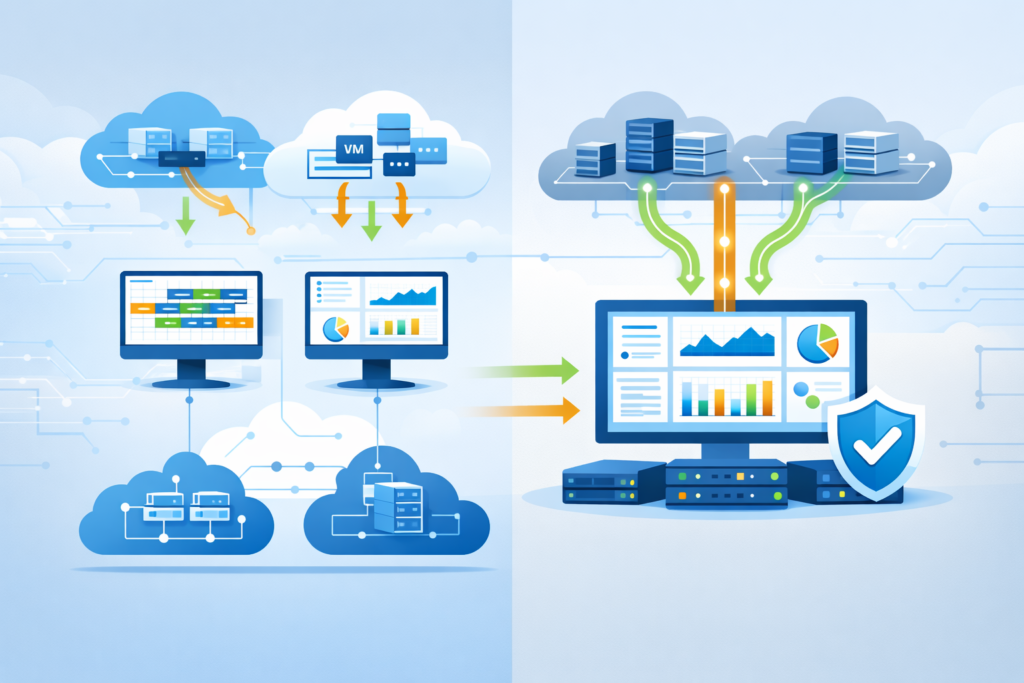
Native cloud tools do a decent job of basic traffic mirroring, but they are built for one platform at a time. In multi-cloud setups, that quickly becomes a problem. Each provider handles traffic a little differently, and visibility ends up fragmented.
From what we’ve seen, teams often struggle to connect the dots across environments. One cloud might show part of the picture, while another behaves in ways that don’t match. That makes consistent monitoring harder than expected.
Third-party vTAP solutions help smooth this out. They bring a more unified way to manage traffic across clouds and often include features that native tools don’t offer.
Key advantages include:
- Unified visibility across multiple clouds
- More advanced filtering and traffic control
- Support for hybrid environments
- Centralized monitoring and workflows
In practice, we’ve used these tools alongside our threat modeling and risk analysis methods to better spot gaps and reduce blind spots.
That said, native tools still matter. They provide the first layer of access to traffic. Most teams don’t replace them, they build on top of them.
FAQ
What is a virtual network tap in vTAP cloud environments?
A virtual network tap copies live traffic in a vTAP cloud environment and sends it to monitoring tools. It uses network packet duplication without affecting production systems.
Teams use cloud traffic mirroring to gain full visibility, including headers and payload data. This improves cloud security visibility and supports IDS packet capture and SIEM network input for deeper analysis.
How does cloud traffic mirroring work across different providers?
Cloud traffic mirroring works by selecting sources such as virtual machines or subnets and sending duplicated traffic to a collector. Features like VPC Traffic Mirroring, Azure vTAP, and GCP Packet Mirroring follow similar methods but differ in control and limits.
Most use VXLAN encapsulation over UDP port 4789, allowing out-of-band analysis and consistent traffic replication across environments.
Why is east-west visibility important in vTAP cloud setups?
East-west visibility shows how systems communicate inside the cloud, not just at the network edge. Without it, inter-pod traffic blind spots and hidden lateral movement can go unnoticed.
A virtual network tap captures internal traffic flows, improving threat hunting and anomaly detection. This matters because flow logs have limits and often miss full payload data.
What challenges affect performance in vTAP cloud deployments?
Performance issues often come from increased bandwidth usage, VXLAN overhead, and limited collector capacity. VXLAN encapsulation adds size to packets and can reach the 1500-byte limit. Without packet truncation, systems may drop data. High traffic volumes can overload tools, so teams need proper filtering, scaling, and high-availability collector designs.
Can vTAP cloud support Kubernetes and multi-cloud visibility?
vTAP cloud can support Kubernetes and multi-cloud environments, but it has limitations. Pod-level visibility is often missing, and some CNI routing can bypass traffic capture. This creates gaps in visibility.
Teams often combine agentless monitoring with other tools to improve coverage, track workload movement, and maintain consistent visibility across hybrid cloud environments.
Balance Visibility Before It Breaks Your Cloud
You see the problem when vTAP data gets out of control, traffic floods in, costs rise, and the signal you need gets buried in noise. It gets expensive fast.
That’s why Network Threat Detection helps you focus on what matters and turn raw data into a clear direction. If you want cloud visibility that stays useful and controlled, start here and build a strategy that actually holds up.
References
- https://www.keysight.com/blogs/en/tech/nwvs/2020/06/08/virtual-taps-the-abcs-of-network-visibility
- https://www.ijsat.org/papers/2024/1/2836.pdf
