
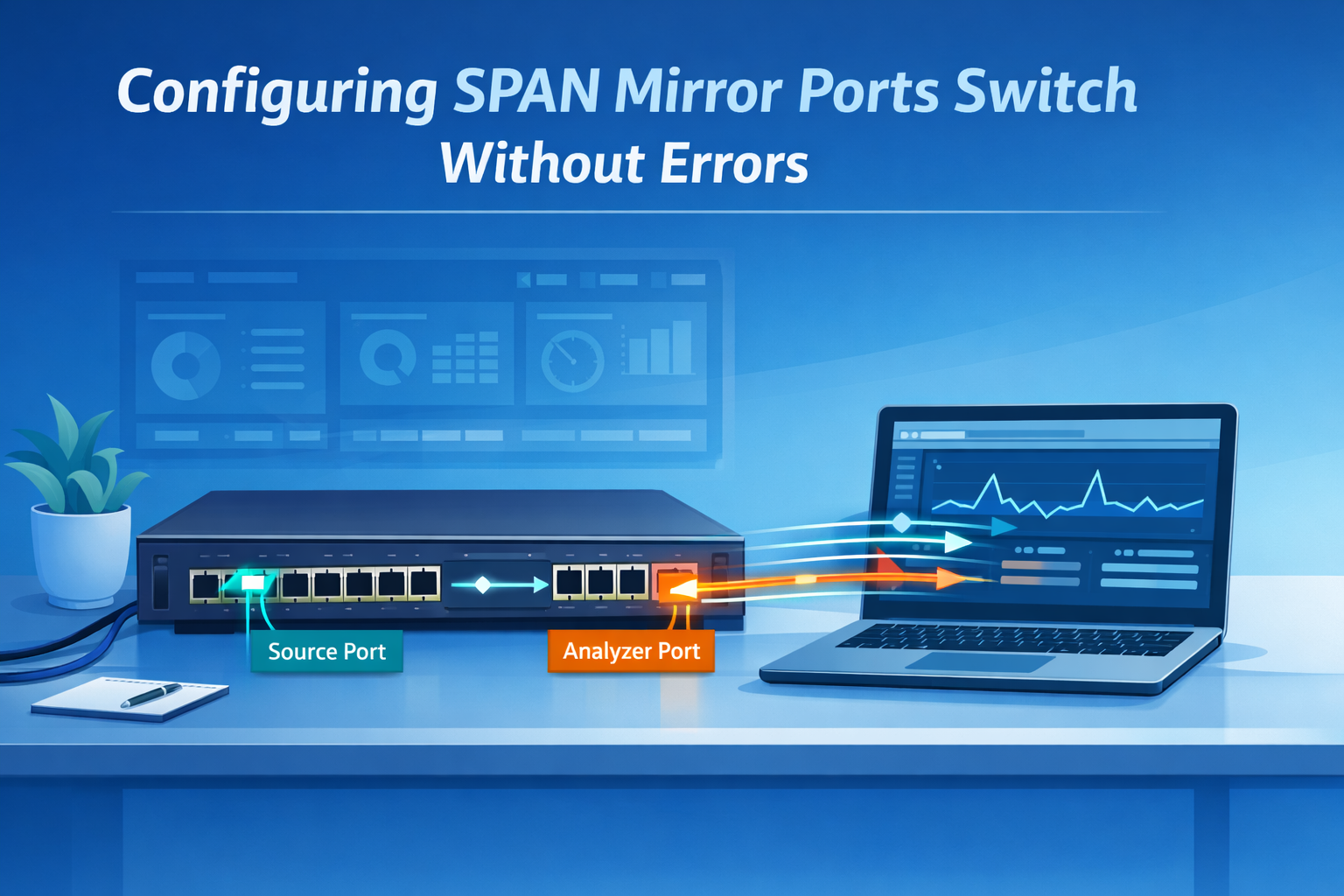
Configuring SPAN mirror ports switch lets teams copy selected traffic to a monitoring port so tools like Wireshark or tcpdump can inspect packets without affecting live production flows. In switched networks, traffic no longer reaches every port, so visibility is lost unless mirroring is enabled.
That is why many teams still rely on SPAN for troubleshooting, packet capture, audits, and Network Threat Detection. We often place Network Threat Detection first because it can expose suspicious lateral movement early. Done right, SPAN works well. Done poorly, it can drop packets or cause issues. Keep reading for practical setup tips.
Quick Reads: SPAN Mirror Port Wins
A well-planned SPAN setup gives you cleaner packet visibility, fewer drops, and faster troubleshooting without touching live traffic.
- Use an unused destination port and mirror only the traffic you need.
- Prefer rx only, tx only, or VLAN filters when full bidirectional traffic is too heavy.
- Watch for oversubscription drops, session limits, and analyzer NIC settings.
What Is a SPAN Session and How Does It Work?
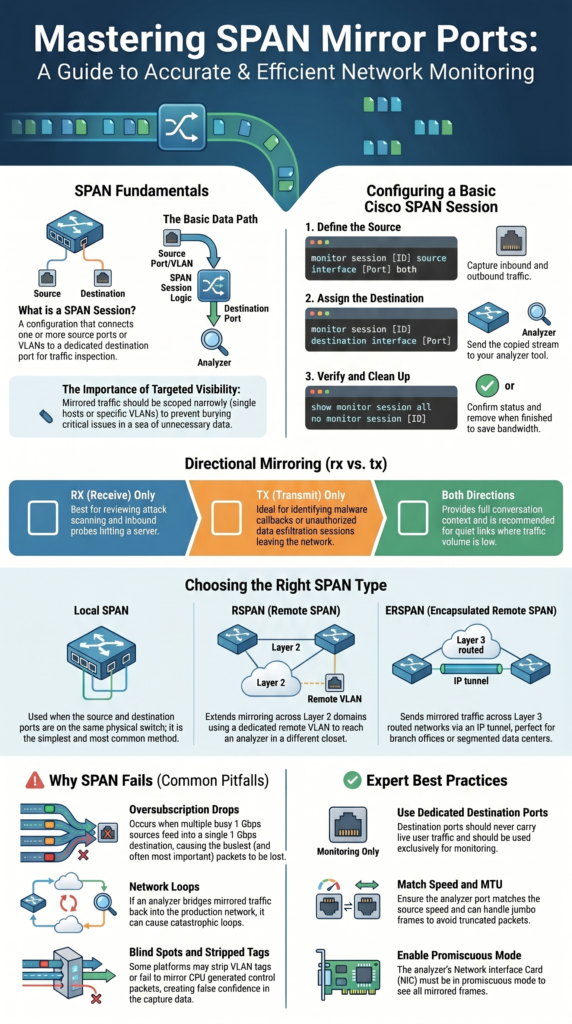
A SPAN session connects one or more source ports or VLANs to a destination port where copied traffic is sent for review. Instead of changing live traffic paths, the switch makes a duplicate stream for monitoring tools. That is why many teams rely on it during outages, malware checks, and packet analysis.
Most switch forward frames only where they belong. Once SPAN is enabled, a second copy goes to the analyzer. We use this often when clients need proof of scans, failed handshakes, or unusual east-west traffic inside the network.
The basic path is simple: source port → SPAN session → destination port. Many switches allow several sessions, though limits depend on hardware. Checking those limits first saves time later.
The destination port is usually dedicated to monitoring. It should not carry user traffic. We have seen old mirror ports left in place for months, then reused by mistake, causing confusion.
Common source choices include:
- Single interface
- Port range
- VLAN mirror
- Trunk with VLAN filter
- EtherChannel source
Some teams reviewing long-term visibility also compare network Taps vs. SPAN/mirror ports before deciding how to capture traffic at scale.
Good scoping matters. Clean captures are faster to read and easier to trust.
How Do You Configure SPAN Mirror Ports on a Cisco Switch?
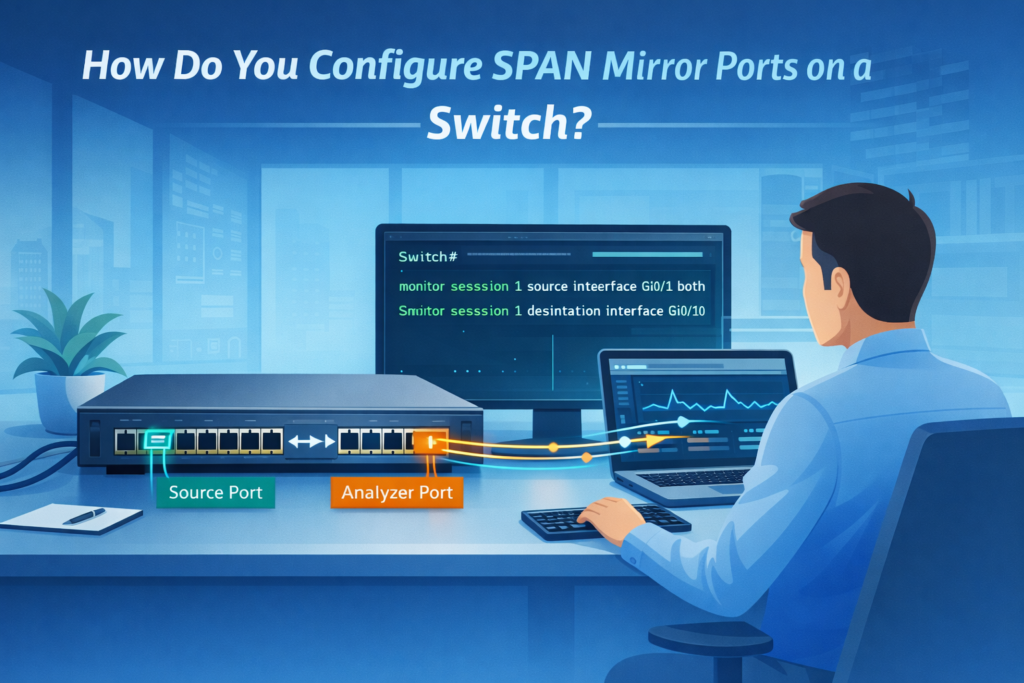
On many Cisco switches, setup starts in global configuration mode. First choose the source, then assign the destination port. We have done this during live incidents because it is fast when interface names are already known.
Switch(config)# monitor session 1 source interface Gi0/1 both
Switch(config)# monitor session 1 destination interface Gi0/10
Switch# show monitor session all
That example copies inbound and outbound traffic from Gi0/1 to Gi0/10. Once active, open Wireshark or tcpdump on the analyzer and confirm packets appear.
Heavy traffic links often need tighter control. Instead of copying everything, many admins mirror only one direction.
monitor session 1 source interface Gi0/1 rx
monitor session 1 source interface Gi0/1 tx
We often begin with inbound traffic when checking scans or suspicious connection attempts. Outbound traffic helps when reviewing callbacks or large uploads.
VLAN sources are common too:
monitor session 1 source vlan 100,200 both
monitor session 1 destination interface Gi0/10
After setup, verify these items:
- show monitor session all
- Port counters
- Live packet capture
When finished, remove the session:
no monitor session 1
Old mirror sessions often waste bandwidth and create guesswork later.
SPAN Direction Options: rx, tx, or Both
Direction settings decide which packets the analyzer receives. This sounds minor, but it changes how useful the capture becomes. Choosing the wrong option can bury the real issue in extra traffic.
rx copies packets entering the source port. tx copies packets leaving it. both send both directions. We use both only when the link is quiet enough to handle the extra load.
Insights from Layer23-Switch indicate
“Cisco switches provide three modes for port mirroring: rx (received packets), tx (transmitted packets), both (default, recommended) … If you only want to capture the traffic going in one direction, you have to specify it… Just add rx or tx, and you are ready to go.” – Layer23-Switch
Inbound traffic is useful when a server is being scanned or hit with repeated login attempts. Outbound traffic helps when checking data transfers, callbacks, or suspicious sessions reaching outside hosts. Full conversations matter when analysts need to rebuild a timeline.
A simple guide:
| Goal | Best Direction | Why |
| Malware callback review | tx only | Shows outbound sessions |
| Attack scanning review | rx only | Shows inbound probes |
| Full conversation decode | both directions | Best context |
| Busy uplink capture | rx only or filter | Reduces overload |
We tell teams to start narrow, then widen only if needed. Smaller captures are easier to inspect, store, and share with security staff.
Local SPAN vs RSPAN vs ERSPAN
Credits: PM Networking
The right SPAN type depends on where the traffic lives and where the analyzer sits. Many problems come from picking the wrong method before checking network layout.
Local SPAN is the simplest choice. Source and destination ports are on the same switch. We use it first for fast troubleshooting because it needs the least setup and usually creates fewer surprises.
RSPAN extends mirroring across Layer 2 switches by using a dedicated remote VLAN. This works well on campus networks where one collector receives traffic from several closets.
vlan 999
remote-span
monitor session 1 destination remote vlan 999
The receiving switch then maps that remote VLAN as a source and forwards packets to a local analyzer port.
ERSPAN sends mirrored traffic across routed networks inside an IP tunnel. That makes it useful for branch offices, data centers, and segmented environments where switches are not on the same Layer 2 path.
Use this quick rule:
- Same switch = Local SPAN
- Same Layer 2 domain = RSPAN
- Routed network or WAN = ERSPAN
We often pair ERSPAN feeds with our threat models and risk analysis tools so mirrored traffic becomes alerts, not archived noise.
Vendor Syntax Differences That Matter
Port mirroring exists on nearly every enterprise switch, but commands vary more than many engineers expect. We have watched skilled admins lose time because they assumed every platform uses Cisco syntax.
On Aruba gear, the destination port is often defined first, then source ports are attached. Juniper may use forwarding-options or firewall filters to mirror traffic. Older HP ProCurve systems can use commands such as mirror 1 port A1. ExtremeXOS handles source and destination objects in its own way again.
The feature goal stays the same, but the path to configure it changes. That is why we tell teams to check vendor guides before touching production gear.
Items worth confirming:
- Maximum session count
- Destination port behavior
- VLAN tag handling
- Whether control-plane traffic is mirrored
- L2 or L3 mirror limits
When traffic needs grow, many engineers spend time choosing between Taps SPAN ports based on uptime needs, packet fidelity, and deployment complexity.
Our team also reviews syntax differences during security assessments because missed settings can hide useful packets. A mirror session that looks active but drops tags or ignores certain traffic creates false confidence.
Commands change from vendor to vendor. Core principles do not.
Why SPAN Fails in Production: Drops, Loops, and Blind Spots
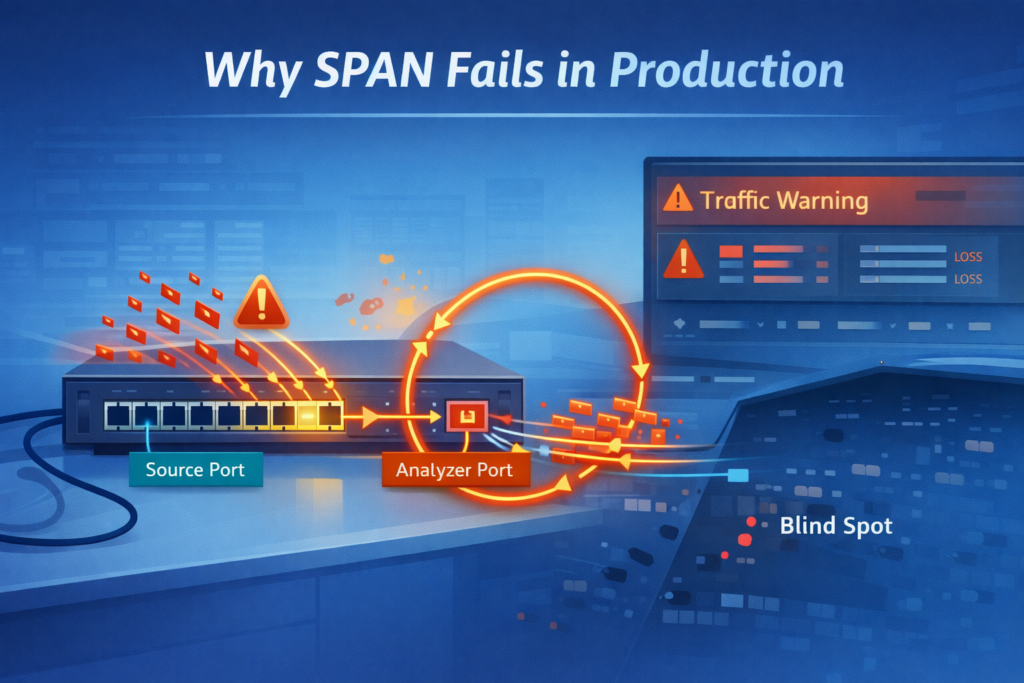
SPAN works well until design limits are ignored. The most common failure is oversubscription. If several busy 1 Gbps sources feed one 1 Gbps destination port, some mirrored packets will be lost. Which is why understanding SPAN port limitations oversubscription issues matters before deployment.
We see this often during incident response. Teams believe they captured everything, but the busiest moments were dropped first. That can hide malware movement or make timelines incomplete.
Another risk is loops. If the analyzer bridges traffic back into production, copied frames may circulate. Good isolation matters more than relying on default protections.
Blind spots also appear in quieter networks. Common examples include:
- Burst traffic above line rate
- CPU-generated control packets not mirrored
- Delayed packet timing during congestion
- Truncated jumbo frames from MTU mismatch
- VLAN tags stripped on some platforms
Bad captures create confidence without proof. That is dangerous during security work.
When we review packet visibility for clients, we compare SPAN output against threat models and expected traffic paths. If the mirror misses known flows, the design needs work before anyone trusts the data.
Reliable collection matters as much as the analyzer itself.
SPAN Best Practices We Trust in Real Networks
Good SPAN use starts with one question: what are we trying to prove? When the goal is clear, mirror sessions stay small, useful, and easier to manage.
During incidents, we usually begin with one host, one VLAN, or one direction. If evidence points elsewhere, we expand carefully. Huge captures waste time and bury useful details.
As noted by Airheads Community
“We include all interfaces as source from the switch… but only the ‘rx’ part of the traffic. The advantage of this should be that we have no traffic duplicated on the mirror session. I see in many configurations that ‘both’ is configured as direction… if I would mirror ‘both’ directions (rx & tx) I would not expect more unique traffic I only think we would double the traffic.” – Airheads Community
Best practices we rely on:
- Use an unused destination port
- Enable promiscuous mode on the analyzer NIC
- Match speed and MTU where possible
- Filter VLANs on trunk links
- Watch drop counters
- Remove stale sessions after use
- Keep a separate management NIC on the analyzer
- Document who enabled the session and why
We also advise teams to test captures before a crisis. Waiting until an outage starts is a poor time to learn the mirror port was misconfigured.
For long-term monitoring, packet copies alone are not enough. We often combine SPAN feeds with our threat models and risk analysis tools so traffic data supports detection, prioritization, and faster response.
Useful visibility is targeted visibility.
FAQ
How do I stop oversubscription drops during port mirroring?
Oversubscription drops happen when mirrored traffic exceeds the speed of the destination port. Reduce the number of source port links, apply a trunk VLAN filter, or split traffic across multiple sessions. Many teams also use rx only or tx only instead of both directions. Check drop counters regularly. If traffic remains high, use a network tap alternative.
What is the difference between local SPAN vs RSPAN?
Local SPAN keeps the monitor session on the same switch. RSPAN setup sends mirrored traffic through a remote SPAN VLAN to another switch. Local SPAN is simpler and faster to deploy in most cases. RSPAN is useful when the analyzer is in another location. Choose the best option based on distance, VLAN design, and monitoring needs.
When should I use ERSPAN tunnel instead of VLAN mirroring?
Use an ERSPAN tunnel when you need mirrored traffic to cross Layer 3 networks or reach a remote site. VLAN mirroring only works where Layer 2 paths exist. ERSPAN adds an IP header, so check MTU mirror traffic settings first. It works well for remote packet capture, IDS monitoring SPAN, and troubleshooting across multiple locations.
Why is my destination port not receiving mirrored traffic?
First, verify the monitor session source and confirm the correct destination port is assigned. Make sure no monitor session command removed the session. Check that the analyzer NIC uses promiscuous mode NIC settings.
Review source port status and VLAN membership. Some switches need learning disable port settings. Use show monitor session or show span to confirm status.
Is a packet broker tool better than SPAN for monitoring?
A packet broker tool can improve visibility when SPAN sessions reach limits or line-rate drops occur. It filters traffic duplication, balances loads, and sends traffic to multiple tools from one source. SPAN configuration still works well for quick troubleshooting mirror tasks. In larger environments, packet brokers often reduce production SPAN risks and simplify expansion.
Controlled Visibility Beats Copying Everything
You run into trouble when SPAN sessions are too broad, mirrored traffic piles up, packets drop, and the data you need becomes less useful. It happens quickly.
That’s why teams pair disciplined SPAN design with NetworkThreatDetection.com to get packet evidence and earlier warning signals at the same time. If you want smarter visibility without the noise, start here and build a setup that works when it matters.
References
- https://www.layer23-switch.com/blog/cisco-configure-port-mirroring-span.html
- https://airheads.hpe.com/discussion/mirror-session-for-ndr-system
