
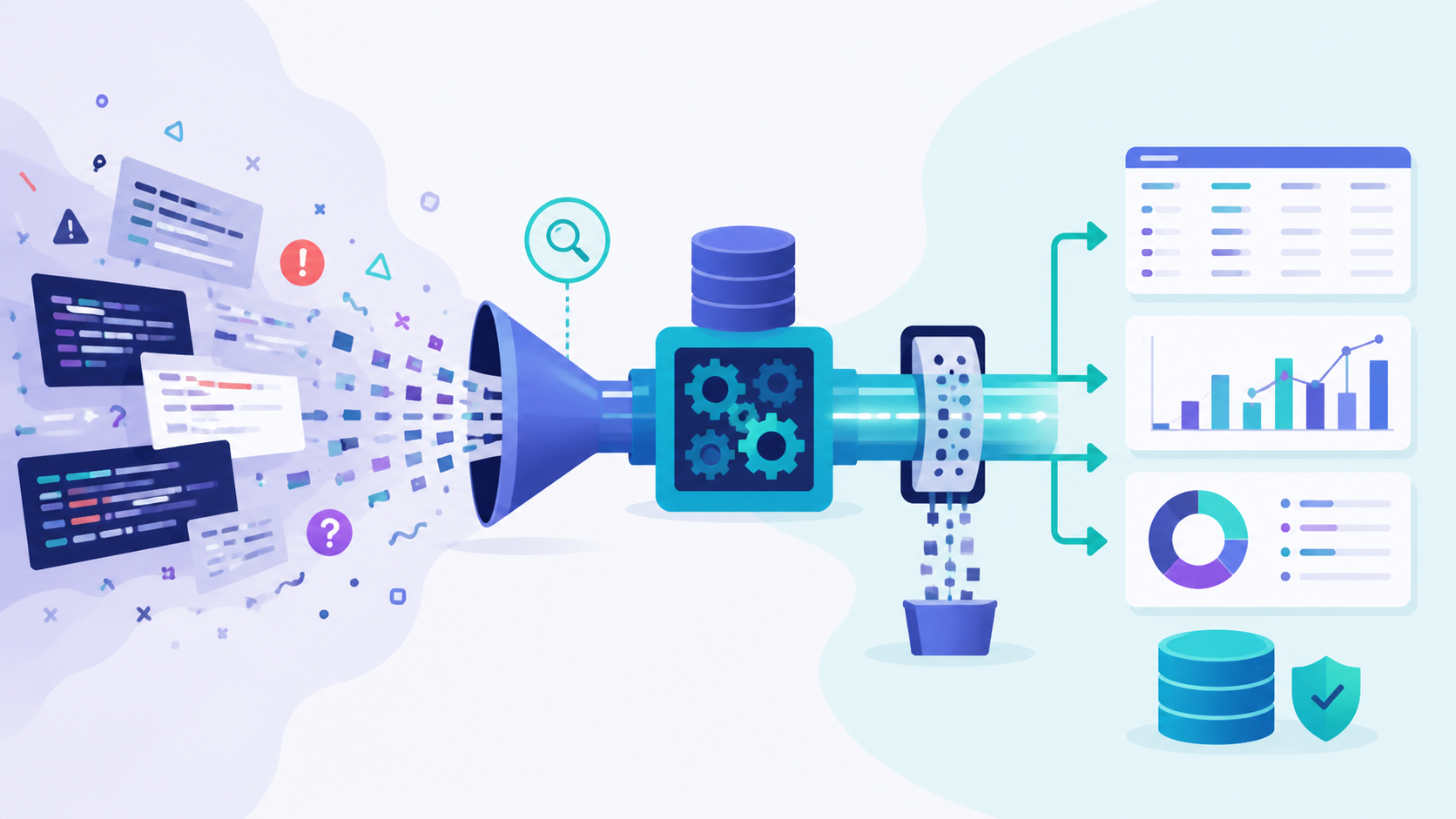
Searching analyzing large log volumes means turning massive machine data into usable insights quickly. At scale, logs can reach terabytes per day, and raw text alone becomes difficult to manage. What matters most is how data is structured, filtered, and queried early. We have seen systems where logs turned into noise and slowed everything down.
When teams introduced structured formats and early filtering, query speed improved and storage dropped. They spent less time guessing and more time solving real issues. We have applied the same approach with similar results. Keep reading to see how this works in real environments.
Quick Wins for Handling Large Log Volumes
A quick snapshot of what actually works when searching and analyzing large log volumes at scale.
- Structured logging and filtering reduce query load and improve analysis speed significantly
- Distributed systems and observability pipelines handle petabyte-scale logs efficiently
- Network Threat Detection provides early signal extraction before logs overwhelm systems
What makes large log volume analysis challenging?
Large log systems fail in quiet ways before they break loudly. At first, everything looked fine. Then volume increases, and useful signals start to disappear inside noise. We have seen platforms generate millions of events per second during incidents. Instead of helping, logs slowed everything down.
One issue is the drop in signal quality. When every component logs everything, the ratio of useful to useless data gets worse. Teams end up scanning huge datasets just to find one relevant error.
Storage is another concern. Indexing logs for fast search improves speed, but it also increases cost. Query performance also suffers. Even simple queries can take minutes, which is too slow when troubleshooting live systems.
We have dealt with bursts that caused chain reactions. Logging consumed CPU and disk, which then affected the application itself. In a few cases, logging contributed to the outage.
Common pain points include:
- Ingestion rates pushing past one million events per second
- Storage costs rising with full indexing
- Slow queries due to poor partitioning
- Sudden spikes flooding the system
Our approach now starts earlier. We use network-level detection to flag suspicious activity before logs grow out of control.
How does structured logging improve search efficiency?
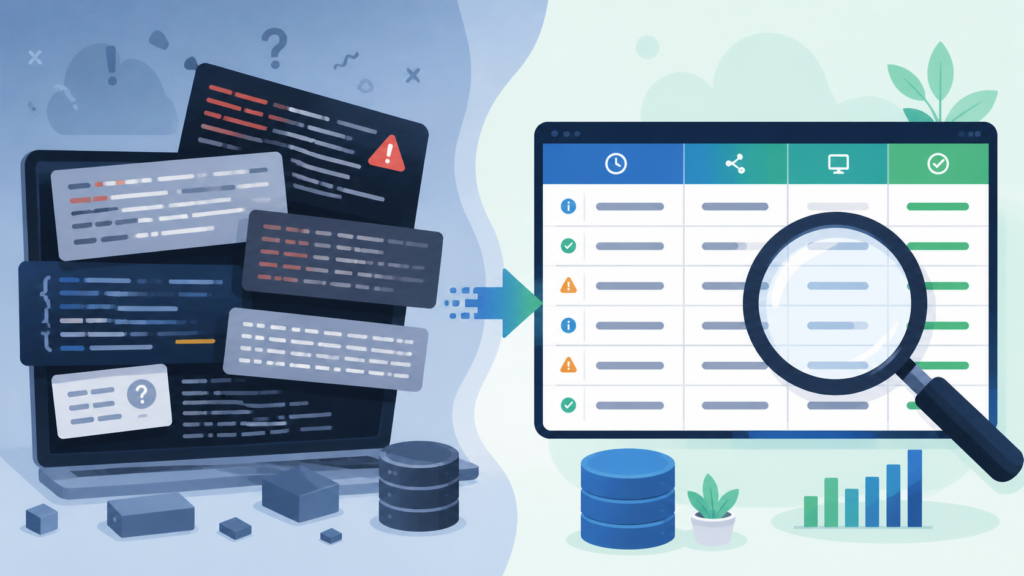
Switching to structured logs changes how teams interact with data. Instead of reading raw text, systems read fields. That makes searching faster and far more reliable.
We moved from plain logs to JSON in one environment, and the effect showed up right away. Parsing errors dropped, and queries became easier to write. Instead of guessing patterns, we filtered by exact fields like status codes or IP addresses.
Structured logging also forces consistency. When every service follows the same schema, logs stop breaking pipelines.It’s aligned with broader centralized log management strategies that standardize how data flows across systems.
Another benefit is enrichment. During ingestion, extra context can be added. This might include region, service name, or user ID. That context makes filtering more precise later.
What improves with structured logs:
- Faster indexing and cleaner queries
- Fewer parsing failures
- Consistent schema across services
- Better filtering through added metadata
We have noticed that once logs become structured, teams rely less on guesswork. Queries become direct. Instead of searching large chunks of text, we narrow down the results in seconds.
This also supports threat analysis. When logs include clear fields, it becomes easier to trace suspicious activity across systems without scanning everything.
What are the best techniques for searching massive log data?
Credits: Adam Gardner
Searching large log datasets requires discipline. We begin with filtering. Queries should always narrow down by time, service, or severity before anything else. This reduces the dataset early and speeds up results. Skipping this step leads to unnecessary load.
Partitioning also plays a major role. Logs should be grouped by time or category so systems only search what matters. Without partitions, queries hit every node.
Another mistake we often see is overuse of wildcard searches. These look flexible but slow down performance. Field-based queries are much faster and more predictable.
Pre-aggregation helps as well. Instead of storing every detail, some data can be summarized during ingestion. This reduces query time later.
To make this clearer, here is how different techniques impact performance:
| Technique | Impact on Speed | Impact on Cost | Notes |
| Early filtering | High | Low | Cuts data before processing |
| Partitioning | High | Medium | Limits search scope |
| Field-based queries | Medium | Low | Avoids full scans |
| Pre-aggregation | High | Medium | Reduces query load later |
We often combine these with network detection signals. Instead of searching everything, we start with flagged activity and then query logs with focus.
Which tools are best for large-scale log analysis?
Tools matter, but design choices matter more. We have seen strong platforms fail because the setup was wrong, not the tool itself.
At scale, the key features are distributed search, real-time processing, and flexible querying. Systems must handle spikes without slowing down. When comparing approaches like SIEM vs log management tools where functionality and use cases can overlap but diverge under scale.
From experience, the best setups share a few traits:
- Horizontal scaling to handle growth
- Flexible query language for fast filtering
- Support for real-time ingestion and analysis
Here is a simplified comparison of common capabilities teams look for:
| Capability | Why it matters | What to check |
| Distributed indexing | Handles large datasets | Node scaling support |
| Real-time search | Speeds up investigations | Query latency under load |
| Alerting | Detects issues early | Custom rule support |
| Data pipelines | Reduces noise before storage | Filtering and enrichment options |
We choose tools based on how well they fit our architecture. If ingestion, processing, and storage are tightly coupled, problems appear under load.
Security workflows also shape the decision. We integrate threat modeling and risk analysis tools so that network signals and logs work together. That way, investigations start with context instead of raw data.
How do observability pipelines reduce log volume?
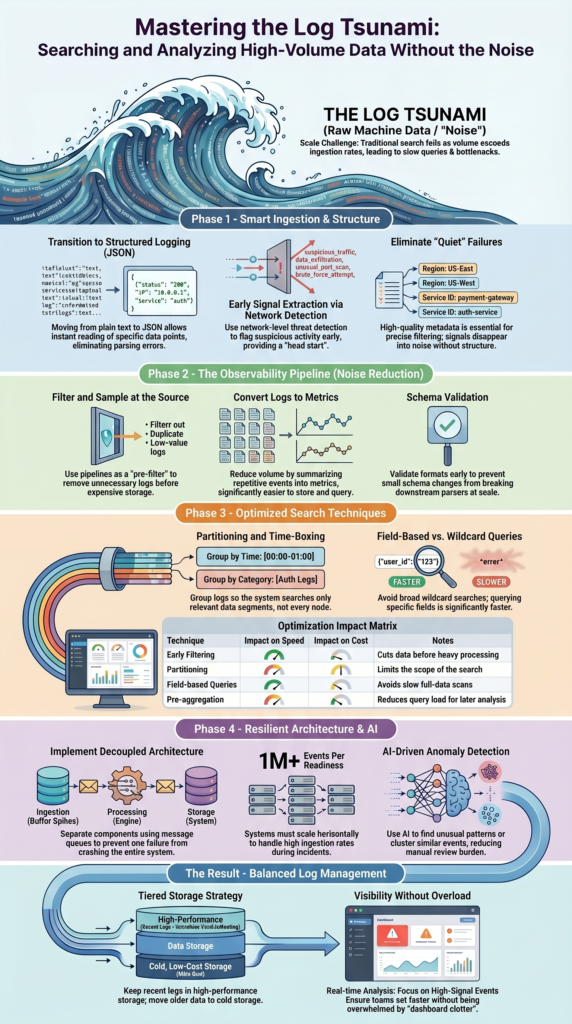
Observability pipelines act as a filter before storage. Instead of sending everything downstream, they decide what is worth keeping.
We introduced pipelines in one environment where storage costs were rising too fast. After applying filtering and sampling, volume dropped significantly without losing useful data.
Pipelines work during ingestion. They inspect logs, remove duplicates, and enrich important entries. Some logs are turned into metrics, which are easier to store and query. This process often depends on efficient log collection agent deployment to ensure data is gathered and processed correctly from the start.
Key functions of pipelines:
- Filter out low-value or repetitive logs
- Sample data to reduce volume
- Add context through enrichment
- Convert logs into metrics when possible
This approach shifts work earlier in the process. Instead of storing raw data and processing it later, pipelines handle it upfront.
We also connect pipelines with threat detection. Suspicious activity is identified early, and only relevant logs move forward. This reduces noise and keeps storage focused on meaningful data.
Without pipelines, teams often store everything and sort it later. That method rarely holds up at scale.
How can AI improve log analysis at scale?
AI helps when logs become too large for manual review. It does not replace structured data or filtering, but it adds another layer of insight.
We tested anomaly detection models on production logs. One clear benefit was spotting unusual patterns that were easy to miss with manual queries. These models learn normal behavior and flag anything outside it.
Clustering is another useful feature. Logs with similar patterns can be grouped together, which helps reduce the number of events teams need to review.
AI also supports semantic search. Instead of exact matches, systems interpret intent and return relevant results. This is useful when queries are not precise.
Where AI adds value:
- Detecting anomalies without labeled data
- Grouping similar log events
- Supporting intent-based search
- Summarizing large datasets
Still, AI performs best when data is clean. If logs are messy or inconsistent, results become unreliable. That is why we focus on structure and filtering first.
We also use AI alongside threat models. When anomalies appear, we compare them against known risk patterns. This reduces false positives and improves investigation speed.
Why is decoupled architecture critical for log systems?
Decoupled systems separate ingestion, processing, and storage. This prevents one failure from affecting everything else.
We rely on message queues to buffer incoming logs. During spikes, logs build up in the queue instead of overwhelming storage systems. This keeps ingestion stable.
Processing layers then consume data at their own pace. If one component slows down, others continue running. This reduces the risk of system-wide failure.
As noted by University of Liège
“Decoupling system with a queue and optional storage” – MatheO
Core parts of a decoupled system:
- Message queues to handle spikes
- Stream processors to transform data
- Storage systems for indexing and querying
We saw a clear improvement after moving to this model. Throughput increased, and failures became easier to isolate.
Decoupling also helps with scaling. Each layer can be adjusted independently based on load.
In security use cases, this design is important. Threat detection systems can analyze data in parallel without blocking log ingestion. That keeps both monitoring and logging reliable.
What are the hidden risks in high-volume log systems?
High-volume logging introduces risks that are easy to overlook. Many teams assume more logs mean better visibility, but that is not always true.
One risk is system overload. During spikes, logging can consume CPU and disk resources. We have seen cases where logging slowed down the main application.
Another issue is data loss. When pipelines are overwhelmed, logs may be dropped without warning. This creates gaps in analysis.
Schema inconsistencies also cause problems. A small change in format can break parsers, especially at scale.
Common risks include:
- Logging contributing to system slowdowns
- Silent data loss during peak events
- Parsing failures from inconsistent formats
- Time drift affecting event order
Time synchronization matters more than most expect. Without it, events appear out of order, making investigations harder.
We address these risks by limiting unnecessary logs and validating schemas early. Threat modeling also helps identify which logs matter most, reducing the need to capture everything.
How should you optimize cost vs insight in log management?
alt text: Searching and analyzing large log volumes with balanced cost and insight using filtering pipeline visualization
Balancing cost and insight requires clear priorities. Storing everything is expensive and rarely useful. We focus on keeping logs that provide value. This means identifying high-signal events and ignoring the rest. Over time, this reduces both storage and processing costs.
Tiered storage is one approach. Recent logs stay in fast storage for quick access, while older logs move to cheaper storage. This keeps performance high without overspending.
Research from arXiv shows
“Even with advances in columnar storage formats, indexing, adaptive query execution, and cost-based optimizers, log data remains especially challenging due to its high ingestion rates.” – arXiv
Key strategies:
- Prioritize high-value logs
- Use tiered storage for cost control
- Apply sampling with caution
- Avoid full indexing unless necessary
We also rely on early detection systems. By identifying important signals at the network level, we reduce how much data needs to be stored later.
Cost optimization is not about cutting data blindly. It is about understanding which data supports decisions and which does not.
FAQ
How do I handle high-volume logs without slowing systems down?
Handling high-volume logs starts with reducing noise early. You should apply log filtering, log sampling, and log deduplication before storing data. Use distributed log processing and log aggregation pipelines to manage heavy loads.
Focus on scalable log search and efficient log indexing. These steps help keep systems fast while still allowing useful log analysis during peak traffic.
What is the best way to improve log search accuracy?
You can improve log search accuracy by making your data clear and consistent. Use log parsing, log normalization, and log enrichment to organize your logs. Apply log field extraction and add log metadata for better filtering.
When your data is structured, log querying becomes more precise. This reduces false results and makes large log analysis easier and more reliable.
How can I reduce log storage costs without losing insights?
To reduce log storage costs, you need to store only what matters. Use log compression, log sampling, and clear log retention rules. Turn some logs into log-based metrics to save space. You can also move older data to cheaper storage. Good log aggregation and indexing help control costs while keeping important insights available when needed.
What role does real-time log analysis play in large systems?
Real-time log analysis helps you detect problems as they happen. It uses log streaming, log correlation, and anomaly detection to find issues quickly. This supports faster log alerting and better performance monitoring. In large systems, quick response time is critical. Real-time analysis helps teams act faster and avoid bigger problems during system failures.
How can AI help with searching and analyzing large log volumes?
AI helps by finding patterns that are hard to see manually. It uses log clustering, anomaly detection, and semantic search to group related events. Methods like log vectorization and TF-IDF logs improve how systems understand data. This reduces manual work and speeds up analysis. AI makes it easier to manage and understand large volumes of log data.
When Too Many Logs Start Slowing You Down
You’re pulling in massive log volumes, but instead of clarity, everything feels harder to track. Queries lag, dashboards clutter, and real signals get buried under noise. It’s exhausting. More data doesn’t mean better insight when your system can’t keep up.
We’ve seen better results by cutting noise early and focusing on what actually matters, and helps teams do that without overcomplicating things. It connects logs with real risk context so analysis stays fast and useful. If you want a cleaner way to handle scale, start here.
References
- https://matheo.uliege.be/bitstream/2268.2/16294/6/thesis_scheer.pdf
- https://arxiv.org/pdf/2603.04937
