
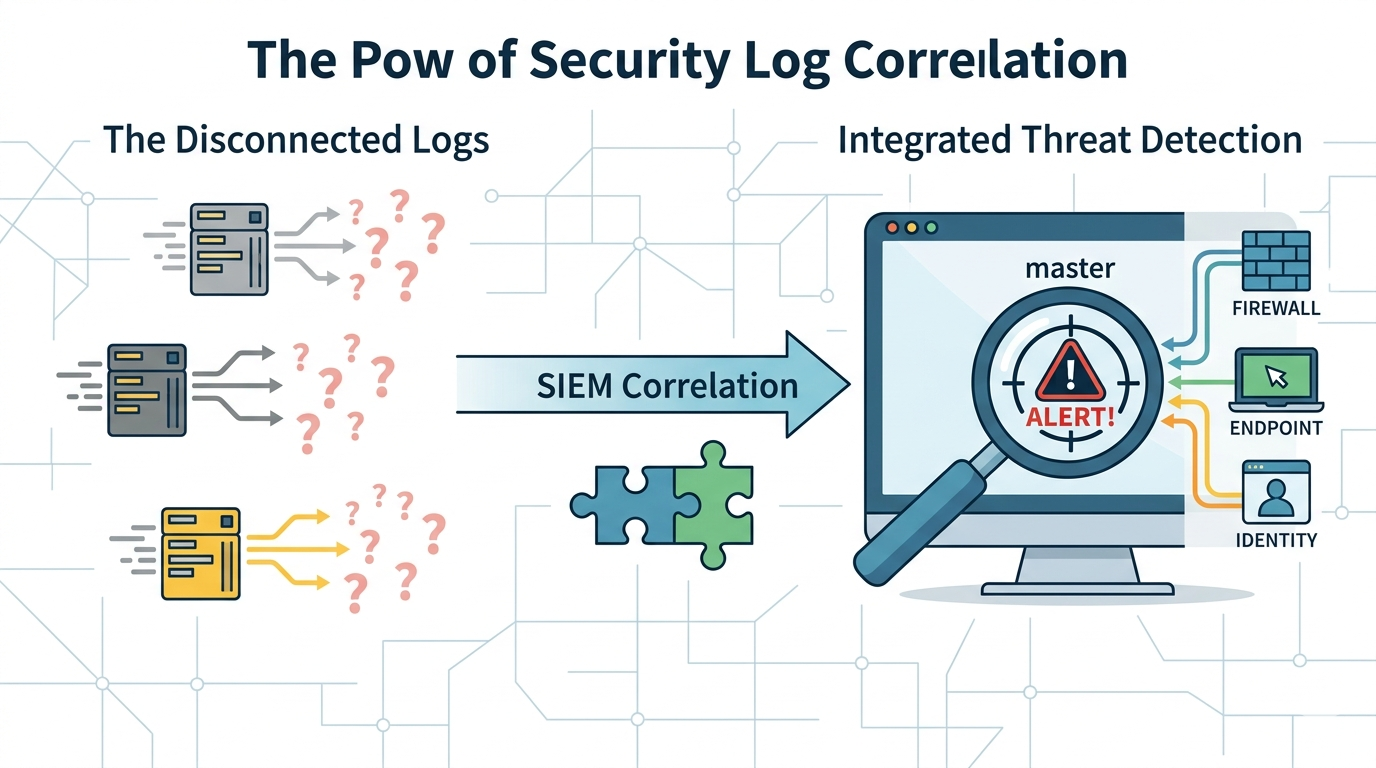
Collecting correlating security logs SIEM is one of the most effective ways to improve threat detection without increasing noise. Many organizations focus on gathering more data, but the real value comes from connecting the right log sources.
When identity, network, and endpoint logs work together, security teams gain the context needed to identify attacks faster. Combined with Network Threat Detection capabilities, a well-planned log collection strategy helps transform raw events into actionable security insights. Keep reading to learn how.
Why the Right Logs Matter More Than More Logs
You see it all the time in small security operations centers: a wall of screens, endless streams of data, and analysts struggling to find meaningful signals among thousands of events.
- Prioritize logs that show user identity, network traffic, and endpoint activity together.
- Correlation across different log sources is what turns random events into clear attack stories.
- A focused, high-quality log diet for your SIEM is always better than a bulk data dump.
The Problem with Collecting Every Log
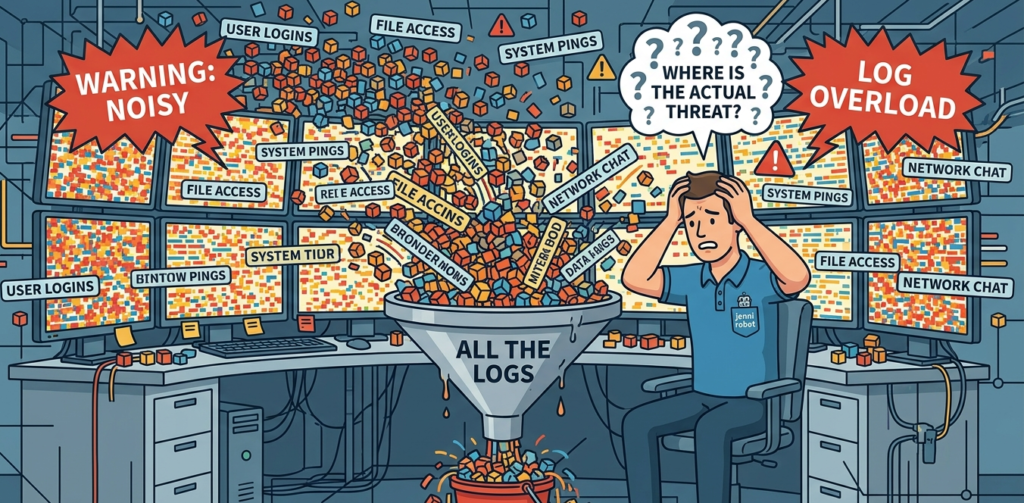
You see it all the time in small security operations centers. A wall of screens, streams of data, and an analyst trying to find a signal in the noise. The SIEM is running, sure, but it’s drowning in data.
The problem isn’t the tool, it’s the input. Collecting all logs is a common mistake, it’s like trying to listen to every conversation in a crowded room at once. You hear nothing useful. The goal is selective listening, tuning into the conversations that matter. That starts with knowing which logs correlate.
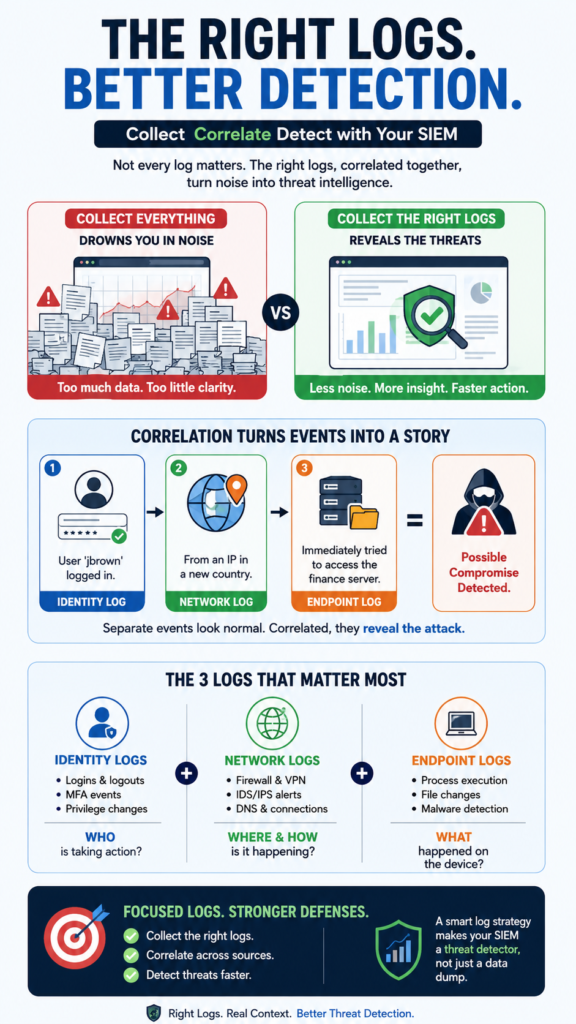
Think of correlation as storytelling. A single log entry is just a sentence. “User ‘jbrown’ logged in.” Is that normal? You need the next sentence. “From an IP in a new country.” And the next. “And immediately tried to access the finance server.”
Now you have a plot. This narrative is built by connecting identity logs (the who), network logs (the where and how), and endpoint logs (the what). Without this connection, your enterprise security information event management (siem) setup becomes just an expensive log storage device, not a dynamic security instrument.
What Log Sources Are Absolutely Essential to Collect?
Credits: Concepts Work
You can’t correlate what you don’t have. Start with these three pillars. Together, they enable the core functions of a siem system and form the basic sentences of every security story your network needs to tell.
First, identity and access logs. These tell you who is doing something. Every authentication event, successful or failed, from your Active Directory, cloud identity providers (like Entra ID), VPNs, and critical applications.
A failed login from a service account that only runs at night? That’s your first clue. Second, network traffic logs. These show how they’re moving and where they’re going. This is where Network Threat Detection becomes your first, best option for clarity.
While firewalls log allowed and denied connections, a dedicated Network Threat Detection platform watches the raw flow of traffic, looking for the whispers between the shouts. It sees the beaconing to a command server that other logs miss. It provides the context of “normal” for your environment, so anomalies stand out.
- Firewall (Allow/Deny)
- Proxy/Web Gateway
- DNS Query Logs
- Network Threat Detection (Flow & Packet Metadata)
Third, endpoint and server logs. These reveal what they did. Windows Event Logs (especially Security and Sysmon), Linux audit logs, and logs from critical applications like your database or mail server.
A sudden spike in process creation on a server after a strange login? That’s the action in your story. These logs provide the definitive proof of activity on your most valuable assets.
How Do You Correlate Logs to Find Real Threats?
Collecting is step one. Making the logs talk to each other is where security happens. Correlation is the art of linking these disparate data points across time. It’s not magic, it’s a process. You start by building timelines.
“The data suggests that respondents are having difficulty separating normal traffic from suspicious traffic… They need advanced correlation and analysis capabilities to shut out the noise and get the actionable information they need. But first they need to get more familiar with their logs and baseline what is normal.” – Dark Reading
Take a suspicious event from one log source and use its attributes, like an IP address or username, to search across all others. That suspicious login from a new country? Correlate it. Check the network logs for traffic from that IP around that time. Then check the endpoint logs on the machine they accessed.
Let’s look at a common attack pattern and how correlated logs reveal it.
The Attack: A Phishing Link Leading to Data Theft.
- User clicks a phishing link. (This might start in an email log, but often you’ll see it first in…)
- Network logs show an outbound HTTP call to a malicious domain, followed by an unexpected inbound connection.
- Endpoint logs on the user’s machine record a new, strange process spawning from the browser.
- Identity logs then show that compromised user account authenticating to a file server at 2 AM.
- More network logs show a large, unusual data transfer from that file server to an external IP.
Alone, each event might be explainable. Together, they tell the story of a breach. Your SIEM rules should be built to spot these sequences. A rule isn’t just “10 failed logins,” it’s “failed logins, followed by a success from a new IP, followed by access to a sensitive share within 5 minutes.” That’s correlation. That’s detection.
What Are the Biggest Mistakes in Log Collection Strategy?
The path to a useless SIEM is paved with good intentions. The first major mistake is the “collect everything” approach. It feels thorough, but it’s paralyzing. It increases storage costs, slows down query times, and buries critical alerts in a avalanche of operational noise.
The second mistake is ignoring log source health. A log that stops feeding is a blind spot. If your DNS logs stop flowing, you lose the ability to see malware beaconing. You need to monitor the SIEM’s own intake.
Are all your critical sources still sending data? Are the timestamps accurate? Inconsistent time zones across systems can break correlation, making an event look like it happened hours apart.
The third mistake is failing to tune and context. Loading logs and never adjusting is like setting up a camera and never reviewing the footage. You must tune out the noise. That daily backup job that triggers a “sensitive file access” alert? Create an exception. Add context to your data.
How Much Log Data Do You Actually Need to Keep?
This is a practical question with legal, financial, and operational answers. You need a retention policy that balances “what if” with “how much.” A good baseline framework considers three tiers of retention based on the log’s value for detection, investigation, and compliance.
| Retention Tier | Time Period | What It’s For | Example Log Types |
| Hot Storage | 30 – 90 Days | Active threat hunting & daily investigation. Fast, searchable access is critical. | All essential correlation logs (Auth, Network, Endpoint). |
| Warm Archive | 1 – 2 Years | Historical investigation, incident retrospectives, and internal audits. | Key identity and critical server logs. |
| Cold Archive | 7+ Years | Long-term compliance & legal hold. Accessed rarely, stored cheaply. | Logs mandated by regulations (PCI DSS, HIPAA, etc.). |
The goal is to keep your SIEM’s primary storage (the hot tier) lean and fast. Archive older data to cheaper storage. Your retention policy must also align with regulatory requirements. A healthcare org under HIPAA or a company handling credit cards under PCI DSS will have specific mandates, often requiring logs to be kept for years. Know your requirements.
But for pure security operations, the most valuable insights are usually in the last 30 days. An attacker living in your network for a year is rare, a threat detected months later from old logs is even rarer. Focus your resources on seeing today’s attack clearly.
How Do You Implement a Practical Log Collection Plan?
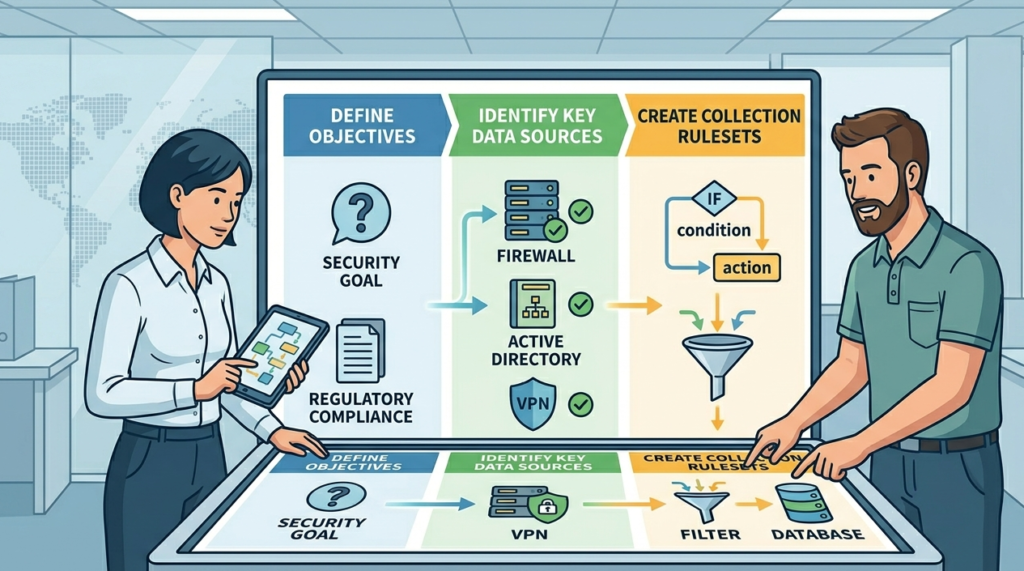
Start small. Don’t boil the ocean. Pick one critical area, say, your crown jewel financial server, and instrument it completely. Get its identity, network, and endpoint logs flowing into the SIEM. Build a few correlation rules just for that asset. See what alerts you get, tune them, and learn the process. This controlled pilot proves the value before you scale.
“A SIEM system provides a holistic view of the security status of a corporate network by analyzing log data from various network devices. The correlation engine is the most important module of the SIEM system.” – Science Direct
Understanding how these correlation engines interact with data ingestion and storage layers is a foundational aspect of designing a resilient siem architecture.
Phase your rollout. A logical order works best.
- Secure the perimeter: Get firewall and network threat detection logs.
- Understand identity: Ingest authentication logs from your directory service.
- Protect key assets: Add logs from critical servers and endpoints.
- Expand visibility: Bring in application-specific logs (databases, mail).
Finally, document everything. Maintain a living log source inventory. This sheet should list every source, what data it provides, its criticality level, its retention period, and who owns it.
This isn’t busywork. During an incident, you need to know instantly if you have the right logs to investigate. This document is your map. It turns a chaotic pile of data streams into a managed security program.
FAQ
Can’t I just use my firewall logs for network detection?
Firewall logs are crucial, but they mostly show the “yes” or “no” at the gate. They often miss what happens inside the walls, the lateral movement, the beaconing, the subtle data exfiltration that uses allowed ports. A dedicated Network Threat Detection layer analyzes flow and behavior, filling in those critical gaps.
How do we handle logs from cloud services like Microsoft 365?
The principle is the same: collect identity, activity, and data logs. Use the SIEM’s cloud connectors or API integrations to pull in sign-in logs, audit logs, and mail filtering logs. The correlation logic remains, a strange sign-in plus a rule to forward all email is a story you need to see.
Our SIEM is always slow. Is more hardware the answer?
Maybe, but first, look at your data. You’re probably collecting low-value, high-volume logs that choke the system. Audit your log sources. Eliminate “debug” level logs from production systems. Use data filtering at the source if possible. A tuned, smaller dataset will perform much better than a massive, unfiltered one.
How many correlation rules should we start with?
Start with 5 to 10 high-fidelity rules based on the most common threats to your industry. Examples include: “Multiple failed logins followed by a success from a new geolocation,” or “A process on an endpoint making connections to known malicious IPs.” Quality over quantity. It’s better to have 10 rules your team investigates promptly than 100 they ignore.
Final Thoughts on Logs and Meaning
Collecting security logs for a SIEM isn’t a checkbox for compliance. It’s the foundation of your visibility. The work isn’t in gathering every byte, it’s in carefully selecting the bytes that matter and teaching them to speak to each other.
Ready to expose your network’s hidden blind spots before attackers do?See how Network Threat Detection streamlines your defense with real-time threat modeling and automated risk analysis.
References
- https://www.darkreading.com/cybersecurity-analytics/connect-the-log-data-dots
- https://www.sciencedirect.com/science/article/pii/S2666281725000162?via%3Dihub=&__cf_chl_tk=Ue5OEIRGYu6Amxz3uE2yShTX9JNjxFTP89dBRq4WTqk-1782313933-1.0.1.1-L6Mq2l7.KrmTuqURnoS31S4H7pcbCMbpG00qR4OSFIg
