
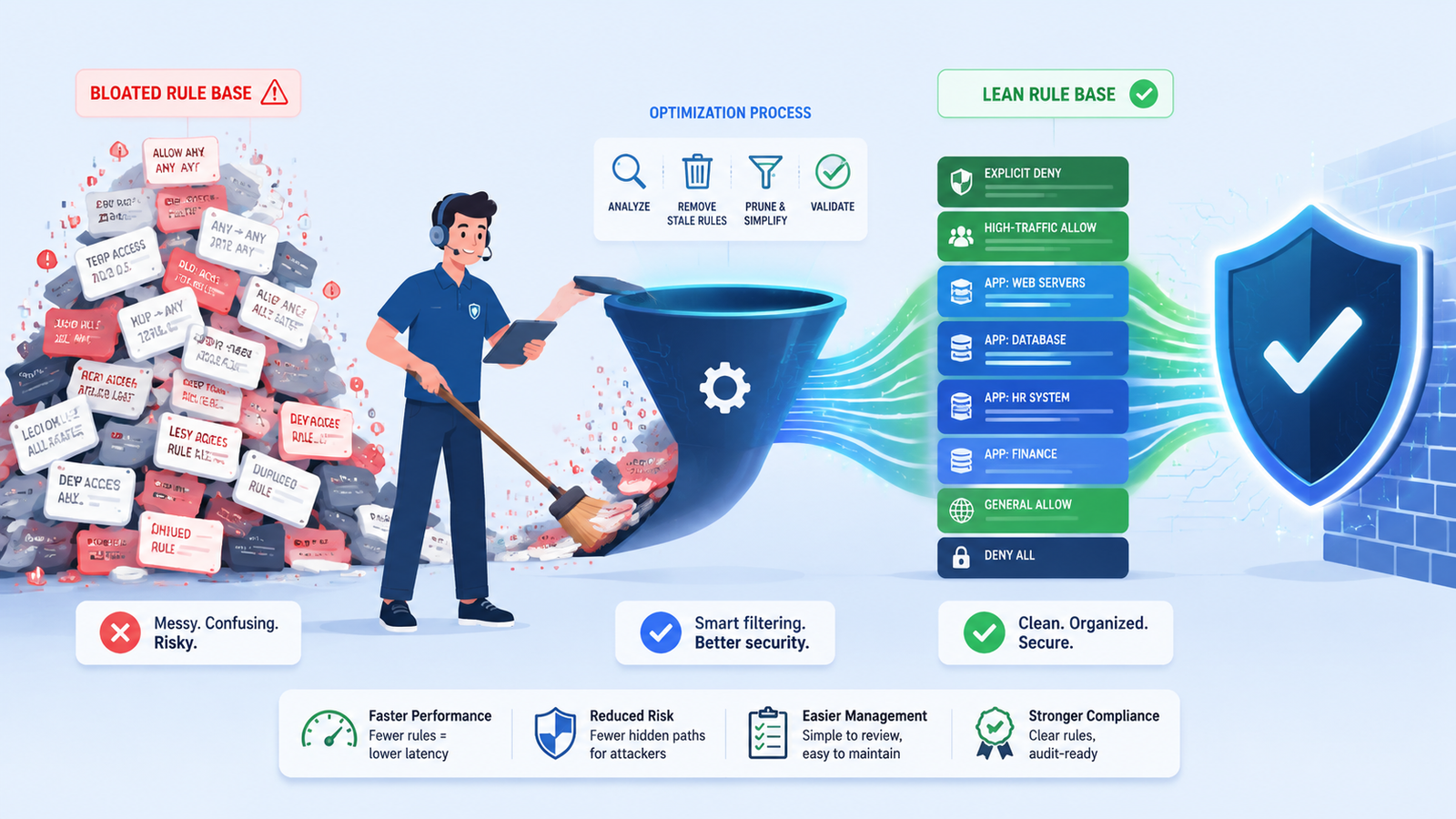
A cluttered firewall rule base is a silent security hazard. Obsolete rules slow down throughput, mask critical vulnerabilities, and transform routine compliance audits into administrative nightmares.
True network defense relies on discipline, clarity, and real-time Network Threat Detection rather than accumulated complexity. Treating your rule set like a digital junk drawer leaves your perimeter exposed to modern attacks. Keep reading to discover actionable strategies for optimizing your policy.
Firewall Rule Base Best Practices: Strategi Merapikan Network Defense
Here are the key points you need to understand to maintain optimal network security and performance:
- Leaner is Lethal to Threats: A minimalist, precisely documented rule base processes traffic faster and eliminates hidden exposure points.
- Proactive Hygiene Prevents Breaches: Routine policy audits and regular clean-ups are essential to eliminate stale access and close forgotten entry points.
- Order and Identity Drive Efficiency: Intuitive naming conventions and deliberate rule hierarchy form the bedrock of an easily maintainable defense system.
Why Does Rule Base Bloat Create Security Holes?
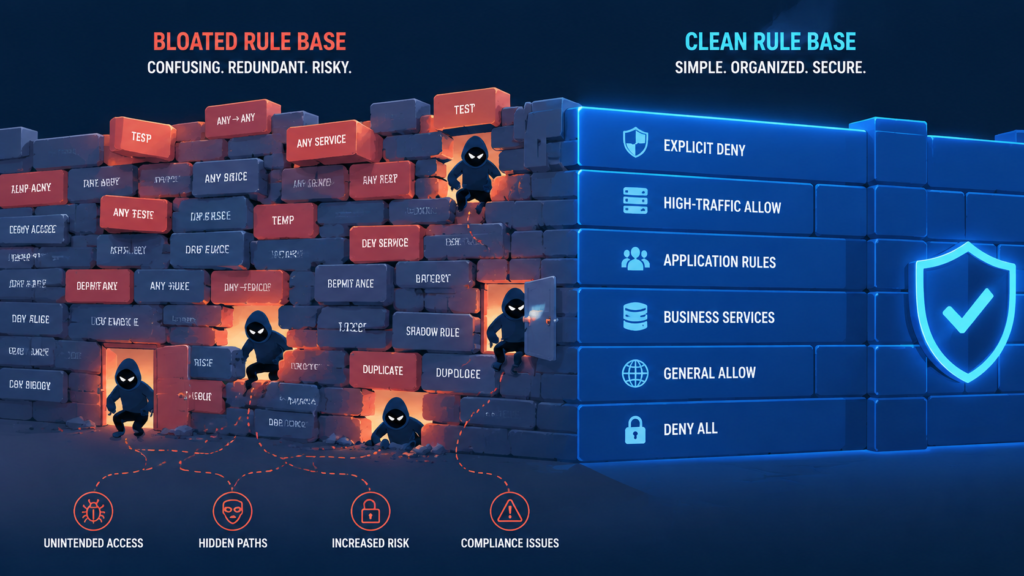
It happens slowly, over years. A developer needs a port open for a temporary test. A vendor requires a specific IP for a one-time data transfer. The project ends, the transfer completes, but the firewall rule stays. It becomes a “just in case” line in the config, forgotten by everyone except an attacker scanning for that exact open port.
This accumulation of stale rules creates a porous security boundary. It’s not just about the extra rules, it’s about their interaction. A broad, permissive rule buried deep in the list might be unintentionally overridden by a more specific, later rule, or worse, it might accidentally allow traffic it never should.
“Corporate firewalls are often enforcing poorly written rule sets, with rule base size more than doubling over a seven-year period to an average of 793 rules per firewall. The same study revealed that administrators consider it likely that their rulebases contain undetected errors that expose their organization to risk. This complexity directly correlates with the probability of configuration errors, turning a bloated rule base from a mere administrative nuisance into a concrete security liability.” – ISSA
The attack surface silently expands. Troubleshooting becomes a detective story, sifting through hundreds of lines to find why something isn’t working. The firewall, your primary gatekeeper, starts to resemble a gate with multiple broken latches and hidden side doors.
The risks of a bloated rule base are real and measurable.
- Increased latency as the firewall processes unnecessary rules for every packet.
- “Shadow rules” that provide unintended access paths for attackers.
- Immense difficulty during compliance audits or security investigations.
What Are the Foundational Principles of a Clean Rule Set?
You need a philosophy before you write a single line. The goal isn’t to block everything, it’s to allow only what is explicitly necessary for business. This “deny by default” mindset is your first and most important principle. Everything else is locked out unless a rule says otherwise.
Second, be as specific as possible. Instead of allowing “ANY” source to talk to your web server on port 80, specify the exact public IP ranges of your users or CDN. Instead of opening a wide port range for an application, pinpoint the exact ports it uses. This principle of least privilege reduces your exposure dramatically.
Finally, document relentlessly. Every rule should have a clear comment: what business service it supports, who requested it, and a ticket number or date. We’ve learned the hard way that a rule without a purpose is a rule that will never be safely removed.
These aren’t just ideals, they’re practical necessities. They turn your firewall from a black box of mystery into a readable, maintainable security policy. It becomes a document that explains your network’s intended flow, not a cryptic list of commands.
How Should You Logically Order Your Firewall Rules?
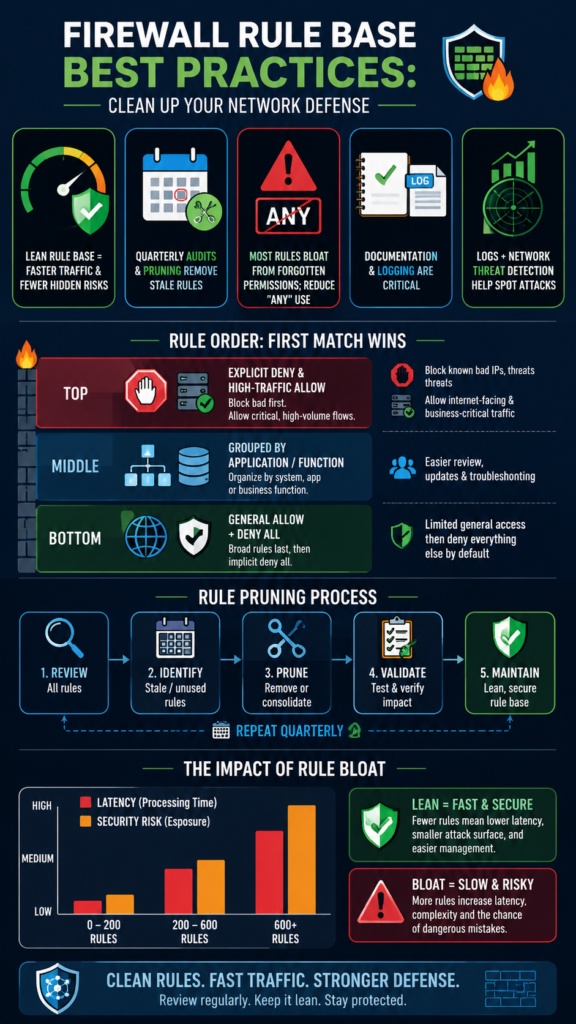
Order is everything. Firewalls process rules from top to bottom, first match wins. A common, effective structure uses a “landing zone” model. The very first rules are your explicit blocks, known malicious IPs, traffic to forbidden destinations. Get the obvious bad stuff out of the way immediately.
“Packets that match high rank rules require a small computation time compared to those that require scanning the whole rule set, and that processing load “becomes increasingly concerning as the input line speed increases.” – Onlinelibrary
Next, place your most frequently accessed, business-critical allow rules. Your internet-facing web servers, VPN concentrators, these high-traffic flows should be near the top for performance. After that, group rules by function or application. All rules for your finance database go together.
All rules for the HR system are in another block. This creates logical segments that are easy to review and update. We always place very broad, general rules at the very bottom, just above the implicit “deny all.” These might be limited outbound internet access for internal users.
| Rule Placement | Purpose | Example |
| Top | Explicit Deny & High-Traffic Allow | Block known bad IPs. Allow HTTPS to public website. |
| Middle | Grouped by Application/Service | All rules for “ERP_System_App” cluster together. |
| Bottom | General Allow & Catch-All Deny | Allow internal users to browse web (HTTP/HTTPS). Final “Deny Any Any” rule. |
What’s the Right Process for Reviewing and Pruning Rules?
Credits: Cyberpedia by Palo Alto Networks
You can’t just set it and forget it. A rule base must be a living document, reviewed regularly. We aim for a quarterly “clean-up” at a minimum. The process starts with reports. Most firewalls can generate a report showing which rules have had zero hits over the past 30, 60, or 90 days. These are your prime candidates for removal.
But don’t just delete them. That’s where your documentation saves you. Find the ticket owner or the application team listed in the rule comment. Send a notification: “This rule for your payroll server hasn’t been used in 90 days. We plan to disable it on X date. Please test and let us know if this breaks anything.”
This collaborative approach prevents outages. For rules with low but occasional hits, dig deeper. Is the traffic legitimate, or is it just old scanning noise that should be blocked anyway? This review isn’t just busywork, it’s where you find and close those hidden doors.
It’s also a perfect time to check if the rule’s specificity is still correct, have source IPs changed, are newer, more secure protocols available?
How Can You Use Logs to Validate and Improve Rules?
NGFW firewall logs are a goldmine, but only if you look at them. They tell you what’s actually happening, not just what you think should be happening. Start by checking the hits on your allow rules. Is traffic matching the right rules? Are your critical business rules seeing the expected volume?
More importantly, scrutinize the hits on your final “deny” rule. This is traffic that your policy explicitly rejected. Is it just random internet noise, or do you see repeated attempts from the same source to reach a specific, closed port on a server? That pattern could indicate targeted scanning.
This is where a broader view helps. By correlating these firewall deny logs with our Network Threat Detection, we can see if a blocked connection attempt is part of a larger, multi-stage attack pattern.
Maybe the firewall stopped the initial probe, but the same external IP is also trying to phish users via email. That context turns a simple log entry into a high-fidelity threat alert, and it might prompt you to add a more permanent block rule at the very top of your list.
What Are Common Mistakes Even Experienced Admins Make?
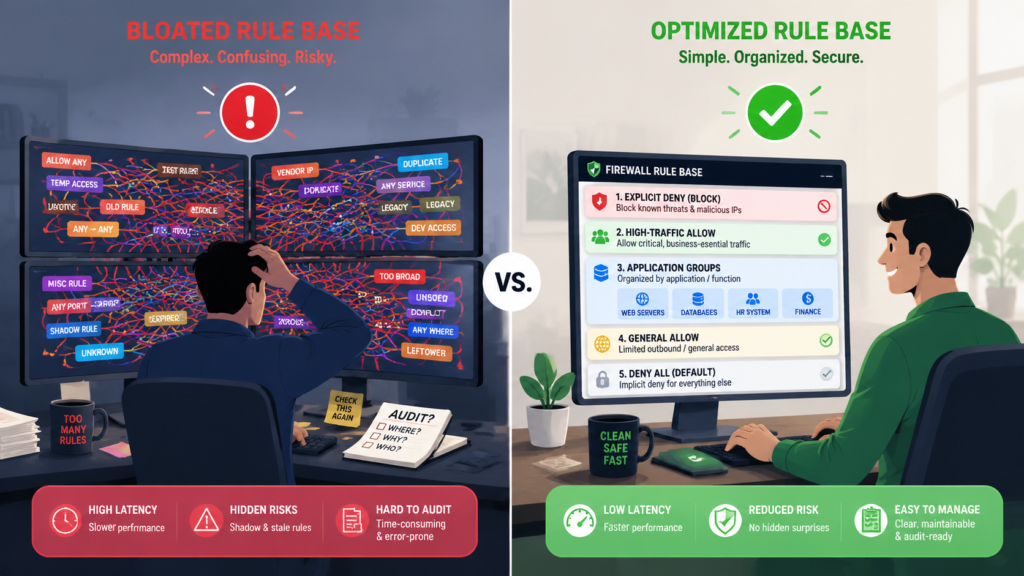
We’ve all made them. The first is overusing “ANY” in the source or destination fields. It’s the path of least resistance when you’re in a hurry, but it completely undermines the principle of least privilege. It’s like giving a master key to someone who just needs to get into one room.
Another classic is disabling logging on rules to “save space” or “improve performance.” This is a false economy. Without logs, you’re blind. You can’t audit, you can’t troubleshoot, you can’t see attacks being attempted. If performance is a concern, you log selectively, but you never turn it off completely for allow rules. Finally, there’s the fear of cleaning.
Admins often leave old rules “just in case,” worried that removing them will cause a catastrophic outage. This fear is what leads to the bloat in the first place. A disciplined, documented review process with stakeholder communication is the antidote to this fear.
FAQ
How often should I review my firewall rules?
At least quarterly for a formal review of stale rules. High-change environments might need monthly check-ins. Any time a major project concludes or an application is decommissioned, trigger an immediate review.
Is it better to have one large firewall or several smaller ones?
It depends on scale and segmentation. For most, a centralized edge firewall paired with internal firewalls or ACLs to segment key zones (like data centers from user networks) provides a good balance of control and manageability.
What’s the single most important best practice?
Documentation. If you don’t know why a rule exists, you can never confidently change or remove it. A simple comment field is your most powerful tool.
Can automation help with rule management?
Absolutely. Tools that can parse logs, generate stale rule reports, and even implement standardized rule templates (with proper approvals) can reduce human error and save massive amounts of time.
Building a Firewall Rule Base You Can Trust
A trusted firewall rule base is built through continuous review, documentation, and refinement, not one-time fixes. Small, consistent improvements reduce complexity, strengthen security, and improve performance over time.
To enhance firewall visibility with real-time threat modeling, automated risk analysis, and attack path simulations, Join Network Threat Detection and strengthen your organization’s defenses with greater confidence.
References
- https://issa.org/Library/Journals/2009/February/Chapple-Firewall-Rulebase-Mis-Management-Practices.pdf#2#1
- https://onlinelibrary.wiley.com/doi/10.1155/2015/872326
