
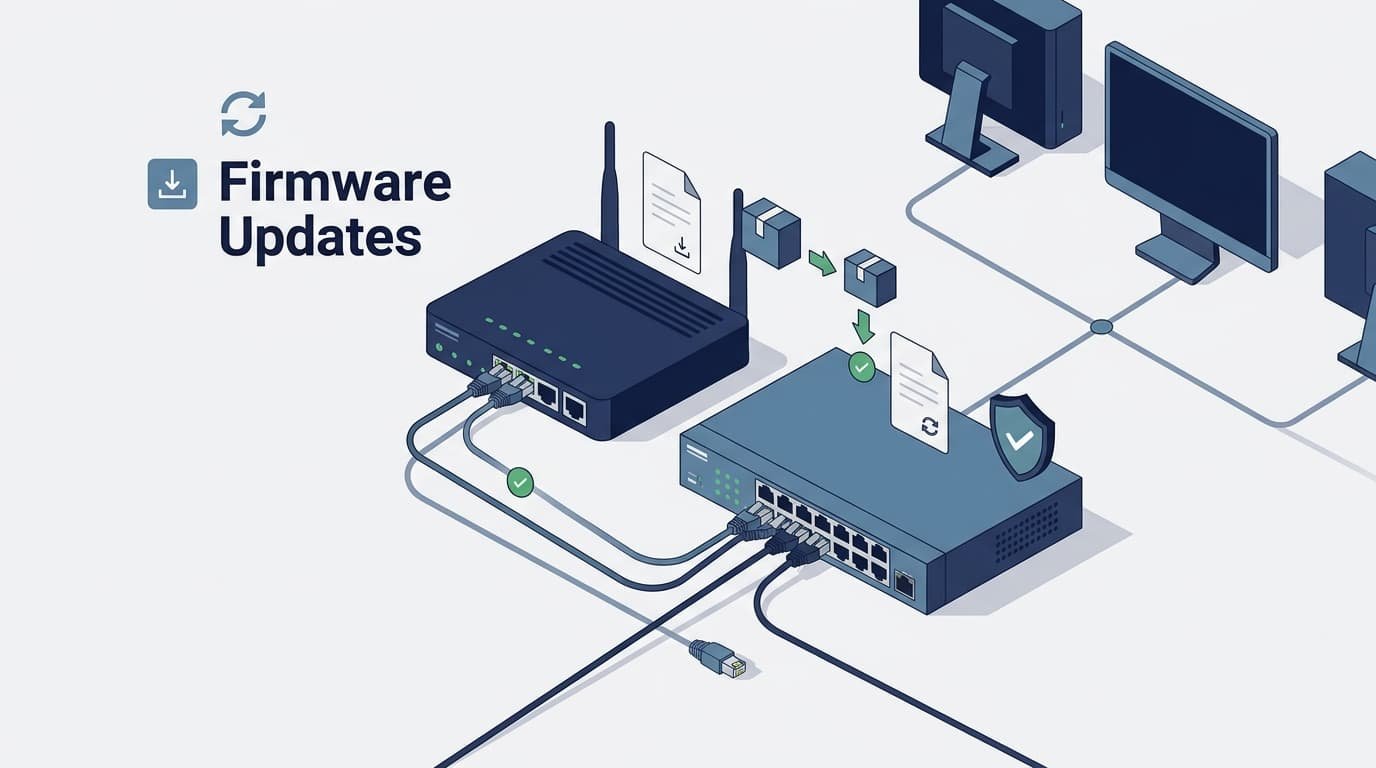
Regular firmware updates router switch vulnerabilities matter because patches fix known flaws before attackers can use them. Routers and switches can expose network traffic when old firmware has security gaps.
One recent case, CVE-2026-71992, shows the risk. The flaw allows remote command injection with root privileges in affected router firmware, with a 9.3 CVSS-B score from its CNA source.
That’s a serious issue for any network team. Check firmware versions, review vendor fixes, and update devices based on risk. Don’t leave known flaws open longer than needed. Keep reading with Network Threat Detection for practical network security guidance.
Firmware Update Security Quick Wins
- Regular firmware updates reduce known router and switch risks. We’ve seen outdated devices stay exposed long after fixes become available.
- Firmware patch management needs testing, backups, and recovery plans. Our teams check changes first to reduce the risk of network outages.
- Network Threat Detection adds visibility when flaws can’t be patched yet. We use threat models and risk analysis tools to assess emerging threats.
Why Can Outdated Firmware Put Routers and Switches at Risk?
Old firmware can expose routers and switches to remote code execution, login bypasses, or denial-of-service attacks. NIST warns that a compromised router can affect network integrity and availability, so router and switch security belongs in our wider network security work.
According to Cybersecurity and Infrastructure Security Agency (CISA)
“Vulnerabilities in network devices have become some of the top targets for all types of attackers. Given the tight coupling of firmware and operating systems in networking devices, security teams will naturally need to keep an eye on all the code running in these critical devices.” – Cybersecurity and Infrastructure Security Agency (CISA)
The most dangerous devices in any environment are the core switches with five years of uninterrupted uptime. They run silently, so teams assume they’re fine, until we run an credentialed audit and discover outdated microcode vulnerable to heap-based buffer overflows. High uptime is often just deferred maintenance in disguise.
Which firmware flaws create the most risk?
- Remote command injection
- Authentication bypass
- Hardcoded credentials
- Buffer overflow
- Denial-of-service flaws
- Exposed management interfaces
We check firmware versions against known CVEs, exposure, and business impact.
How Often Should Organizations Check for Firmware Updates?
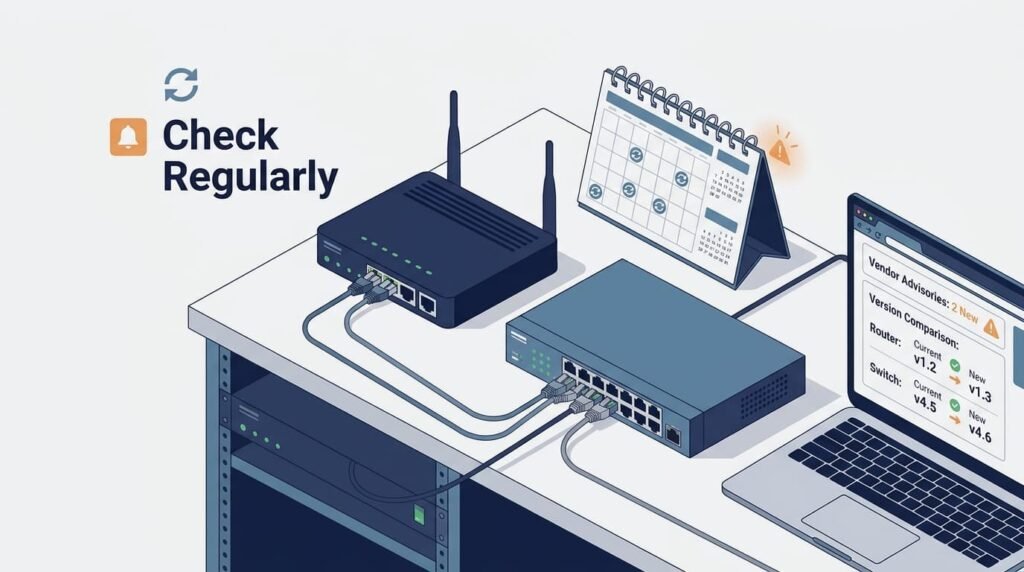
Organizations should review firmware and security advisories each month. We’ve found that critical or exploited flaws need faster action, especially on internet-facing devices.
What should a practical firmware cadence include?
- Monthly: Check versions, CVEs, advisories, and inventory.
- Quarterly: Plan updates after testing.
- Immediately: Review critical fixes.
- Exception-based: Record unpatched devices and controls.
- Lifecycle-based: Check unsupported hardware.
Adopting a strict monthly review rhythm prevents panic-patching when zero-days drop. More importantly, pushing every vendor update immediately on day one is a recipe for broken trunk lines and dropped VLAN tags, always validate image builds on bench hardware first.
Which Router and Switch Vulnerabilities Should Be Prioritized?
Teams should fix flaws faster when they allow remote access, need no login, or can give attackers admin rights. We’ve seen exposure matter as much as the score.
According to Institute of Electrical and Electronics Engineers (IEEE)
“Without a secure firmware update mechanism, critical security vulnerabilities cannot be fixed, and devices can become a permanent liability.” – Institute of Electrical and Electronics Engineers (IEEE)
What makes a firmware vulnerability urgent?
- Remote exploitation is possible.
- No authentication is needed.
- Root or admin access is possible.
- Network services could be affected.
- Exploitation is known or likely.
- The device faces the internet.
- No useful workaround exists.
NVD links CVEs to affected products and versions. For example, CVE-2026-71992 describes command injection in affected router firmware with high impact.
We rank these risks using asset value, exposure, and severity. Our threat models and risk analysis tools help shape the patch queue, while Network Threat Detection helps spot activity around remaining gaps.
How Can Teams Update Firmware Without Causing Network Downtime?
Credits: Memfault
Teams can cut firmware downtime by backing up configs, testing updates, and planning rollback steps first. We’ve seen this prevent rushed recovery work.
What should the deployment process look like?
- Inventory affected routers and switches.
- Confirm each hardware revision.
- Review firmware and security notes.
- Check related CVEs.
- Back up device settings.
- Verify the firmware image.
- Test on sample hardware.
- Update a small device group.
- Check routing and authentication.
- Expand after validation.
Before production changes, our teams confirm the model, firmware version, storage, and upgrade path.
Console access and recovery images help if an update fails. Our threat models and risk analysis tools help assess the change, while Network Threat Detection can add visibility during rollout.
Should Organizations Install the Latest Firmware Immediately?
Use a supported firmware release that fixes relevant flaws, but test it first. We’ve seen new builds cause issues when teams skip compatibility checks.
| Strategy | Security | Operations |
| Latest supported | Newer fixes | More testing |
| Stable supported | Fewer surprises | Some fixes may lag |
| Long-term release | Longer support | Slower feature changes |
| Unsupported | No reliable fixes | Higher risk |
NVD records show why version tracking matters. Our teams check each device against current CVEs and support dates, not past updates alone.
For sensitive networks, we may use N-1 when it fixes known issues and remains supported. But if it has an exploited flaw, we won’t keep it for stability. Our threat models and risk tools help guide that choice.
When Is Keeping EOL Router or Switch Hardware Risky?
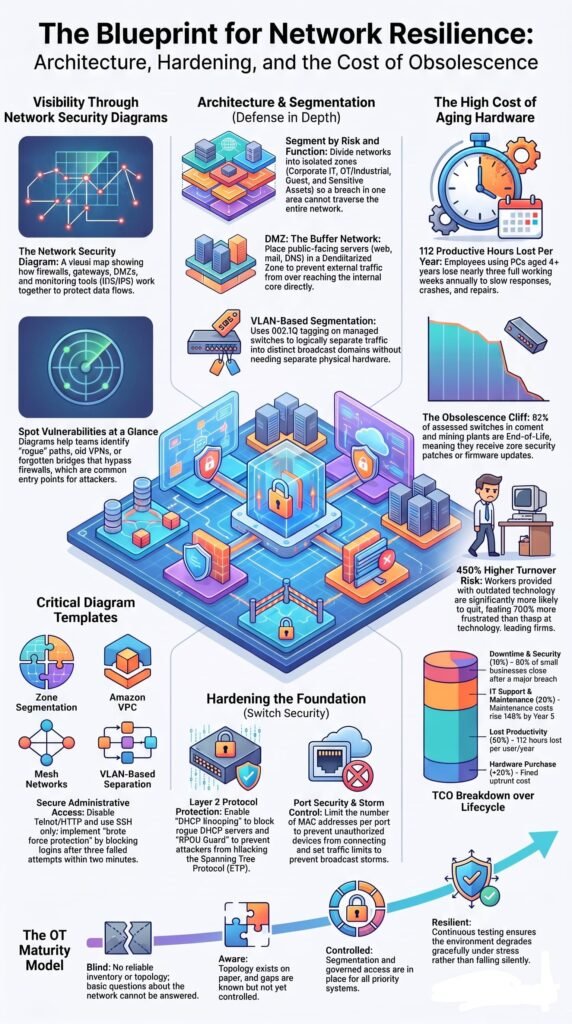
EOL network hardware gets harder to secure when vendors stop issuing firmware fixes. But the risk depends on how the device is used.
Retiring end-of-life hardware isn’t always financially possible on quarter-end budgets. When we’re forced to keep unsupported access switches running, we strip all layer-3 routing off the box, dump management access onto an isolated, non-routable VLAN, and restrict console access to local physical access.
Can network isolation reduce EOL hardware exposure?
- Use a dedicated management VLAN.
- Disable unused routing features.
- Block WAN administration.
- Separate legacy devices.
- Limit outbound traffic.
- Set a replacement deadline.
Our teams use segmentation to cut attack paths, but it can’t fix an unpatched flaw. If attackers can reach an EOL device remotely, replacement should move higher on the list. OpenWrt may fit some hardware, but support and recovery must be checked first. Our threat models and risk tools help assess that choice.
How Does Network Segmentation Limit Firmware Vulnerability Impact?
Network segmentation limits who can reach router and switch management interfaces. We’ve seen this reduce the paths an attacker can use after gaining access.
Which segmentation controls help?
- Dedicated management VLANs
- Firewall rules for admin access
- Separate guest and IoT networks
- Restricted admin source addresses
- Disabled WAN management
- Disabled unused services
- Limited device outbound traffic
A management VLAN can keep regular workstations away from device controls. Our teams also use infrastructure ACLs to control management access and filter traffic, while recording where each device sits, who can manage it, and whether untrusted traffic can reach it.
That context matters. An internet-facing router with a serious flaw may need fast patching, while an isolated switch may use temporary controls during replacement.
Our threat models and risk tools help rank that exposure. Network Threat Detection adds visibility too. Segmentation can’t replace firmware patches.
What Should Teams Check Before Installing Firmware?
Check the device model, firmware fit, backups, and recovery access before updating. We’ve seen wrong firmware images cause avoidable outages, especially with similar hardware names.
What belongs on a pre-update checklist?
- Device model and hardware revision
- Current and target firmware
- Vendor security notes
- Related CVEs
- Required upgrade path
- Tested configuration backup
- Image checksum or signature
- Available storage and stable power
- Console or out-of-band access
- Recovery image
- Rollback plan
- Post-update tests
Our teams read release notes before production changes, not only the version number. We also test backups because a backup that can’t restore won’t help during recovery.
Before pushing code to production, explicitly verify that your OSPF/BGP routing adjacencies, authentication settings, crypto maps, and spanning-tree root bridges converge correctly during bench validation.
Our threat models and risk tools help assess the change, while Network Threat Detection adds monitoring after the update.
What Should Teams Do After a Failed Firmware Update?
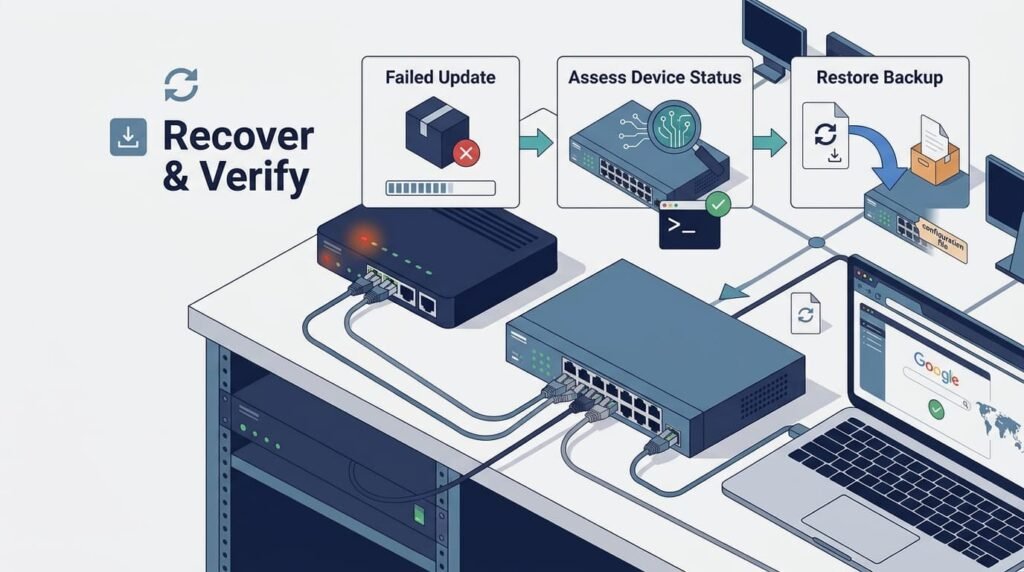
If an update hangs or drops a switch into a boot loop, stop the rollout across the rest of the site immediately. Your sole priority is restoring the control plane via console/out-of-band management or flashing the backup boot partition; root-cause analysis can wait until link status is restored.
How can teams prepare for firmware failures?
- Keep current configuration backups.
- Keep console access available.
- Confirm the recovery image.
- Document vendor recovery steps.
- Test recovery where possible.
- Save logs from failed updates.
- Check services after recovery.
- Record the cause before retrying.
Our teams pause the rollout until they know what failed. Hardware, storage, firmware fit, or configuration changes can all matter. Our threat models and risk tools help assess the wider risk, while Network Threat Detection can watch for related activity.
How Can Network Threat Detection Complement Firmware Updates?
Network Threat Detection gives us another way to spot activity that firmware patches can’t catch. Updates fix known flaws, but they don’t prove a device hasn’t been breached.
We watch for unusual admin access, outbound connections, or changes around network devices. That extra view has helped our teams spot behavior worth checking.
What should teams monitor?
- Unexpected admin access
- Unusual outbound traffic
- Suspicious management activity
- Strange device behavior
- Unexpected config changes
- Signs of lateral movement
- Repeated login failures
- Unusual traffic volume
Patching closes known gaps. Detection helps find signs of misuse or compromise. Our threat models and risk tools help connect those signals to asset exposure, while Network Threat Detection adds ongoing visibility when a device can’t be patched yet. That’s especially useful for known exploited flaws.
What Should a Router and Switch Firmware Maintenance Checklist Include?
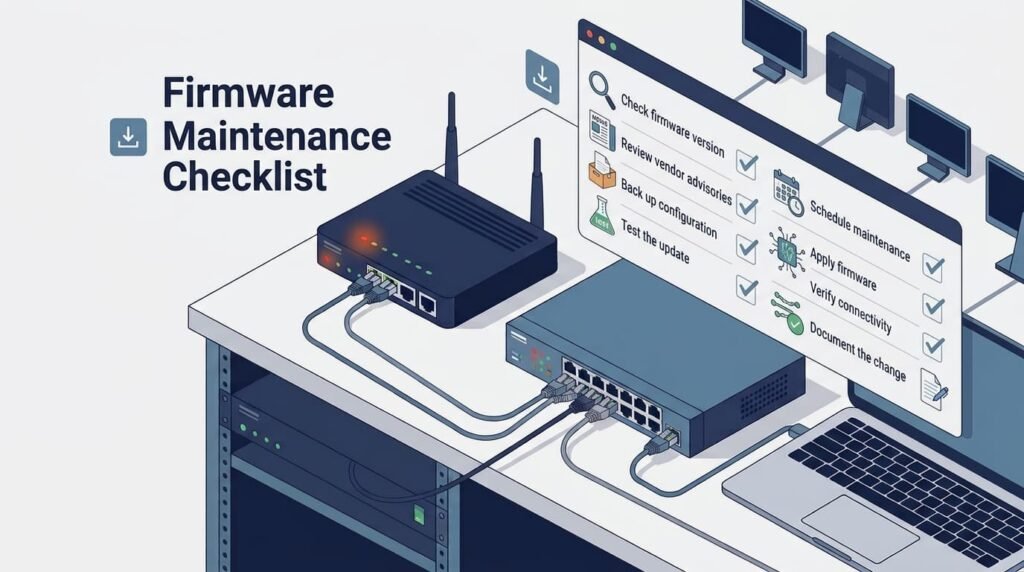
A strong maintenance program tracks firmware, ranks risks, tests updates, plans recovery, segments devices, and watches network activity. We’ve found that gaps often begin with poor asset records.
Which controls should organizations maintain?
- Inventory: Track devices, versions, and locations.
- Monitor: Check vendor alerts and NVD.
- Prioritize: Fix remote and exploited flaws first.
- Assess: Review router and switch exposure.
- Test: Test firmware before rollout.
- Stage: Update devices in groups.
- Verify: Check images and services.
- Recover: Keep backups and recovery access.
- Segment: Isolate management and legacy devices.
- Detect: Watch for suspicious activity.
- Audit: Review patch status regularly.
- Replace: Retire unsupported hardware.
A vulnerability assessment is only as good as your asset inventory. If your configuration database is outdated, no automated scanner or threat detection tool can accurately map your actual exposure to zero-day CVEs.
Why Should Firmware Management Become a Continuous Security Process?
Firmware management needs regular review because new flaws appear, vendor support ends, and device risk changes. We’ve seen old asset records hide real exposure.
Hardware naturally transitions from active vendor maintenance to end-of-life status over its operational lifecycle, requiring proactive replacement budgeting long before the final patch is released.
What does a mature process include?
| Activity | Purpose |
| Firmware inventory | Track versions |
| Advisory review | Find new flaws |
| Risk assessment | Rank exposure |
| Firmware testing | Reduce update issues |
| Backups | Speed recovery |
| Staged rollout | Limit impact |
| Validation | Check services |
| Network Threat Detection | Spot suspicious activity |
| Lifecycle review | Plan replacement |
Our threat models and risk tools help assess emerging threats. A clear update schedule also needs an emergency path for serious CVEs. Still, not every release needs immediate deployment. A tested N-1 release may fit when it fixes the risks that matter.
How Can Organizations Build a Safer Firmware Update Policy?
A safer firmware policy sets owners, review dates, risk limits, testing steps, and recovery plans before a flaw appears. We’ve found clear ownership cuts delays.
Which firmware update practices matter most?
- Keep firmware inventory current.
- Review vendor security alerts.
- Check affected CVEs.
- Rank exposure and business impact.
- Back up configurations.
- Verify firmware integrity.
- Test the release.
- Roll out in stages.
- Check network services.
- Watch for unusual activity.
- Track patch status.
- Replace unsupported hardware.
Our policy also records exceptions, such as an EOL switch that can’t be patched. It should list the owner, controls, and replacement date.
Automation can help with routine updates, but it shouldn’t skip testing or recovery checks. Our threat models and risk tools help rank emerging threats, while Network Threat Detection adds visibility after changes. The aim is fewer known gaps without avoidable outages.
FAQs
How often should businesses review their firmware update schedule?
Businesses should review their firmware update schedule when security advisories or critical security updates affect network devices. Regular reviews also help teams manage router firmware updates, switch firmware updates, and firmware compliance.
What should teams check before installing a firmware security update?
Teams should confirm the latest firmware version, review security release notes, back up configurations, and test the update. Firmware integrity verification and firmware update validation can also reduce deployment problems.
How should teams manage devices nearing end of life?
Teams should track end-of-life firmware, EOL network devices, and unsupported firmware through firmware lifecycle management. Devices without security support should enter replacement plans before outdated firmware risks increase.
How can teams assess firmware vulnerabilities across a network?
Teams should identify installed firmware versions and review CVE vulnerabilities, CVSS vulnerability severity, and vendor security advisories. Router vulnerability assessment and switch vulnerability assessment help prioritize security vulnerability patches.
What should teams do when they cannot install a firmware update immediately?
Teams should prioritize known exploited vulnerabilities and apply vulnerability mitigation measures. Router hardening, switch hardening, access restrictions, and network segmentation can reduce exposure until security patch deployment becomes possible.
Keep Your Network Firmware Secure
Silent stability is often an illusion in enterprise networking; running a router for years without a firmware refresh quietly accumulates unpatched vulnerabilities that standard operational checks miss. Regular firmware updates help reduce this exposure while keeping network security aligned with current threats.
Network Threat Detection can make the next step easier by helping security teams spot risks and prioritize what needs attention. Its threat modeling and vulnerability analysis features can support safer firmware decisions without adding unnecessary complexity.
References
- https://www.cisa.gov/news-events/news/securing-network-infrastructure-devices
- https://www.researchgate.net/publication/333472928_Secure_Firmware_Updates_for_Constrained_IoT_Devices_Using_Open_Standards_A_Reality_Check