
A Web Application Firewall (WAF) protects web servers by filtering HTTP/HTTPS requests and blocking malicious traffic before it reaches an application. But installing one doesn’t guarantee effective protection. Traffic routing, SSL/TLS settings, server compatibility, and security rules all need proper configuration.
Network Threat Detection covers these factors based on practical integration experience. The process also involves testing application traffic, adjusting false positives, and checking how the WAF handles real attacks. Small configuration errors can leave gaps in protection or disrupt normal requests. Keep reading to learn how to integrate a WAF, avoid common setup errors, and keep your web applications protected.
Quick Reads: What Makes WAF Integration Effective?
- A WAF inspects application traffic before it reaches protected web servers.
- Reverse proxies, cloud services, and TLS configuration affect WAF integration and inspection accuracy.
- Monitoring, continuous testing, and centralized logging help reduce false positives and maintain reliable protection.
How Does a WAF Integrate With Web Server Infrastructure?
A WAF sits in the path of web traffic and checks HTTP and HTTPS requests before they reach your application. Effective WAF protection examines the request itself, including the method, URL, headers, cookies, query parameters, and body, rather than focusing only on IP addresses and ports.
Cloud tools like AWS WAF work this way. They check each incoming request against a set of rules before it touches the app. How you set this up depends on your hosting and the services you use.
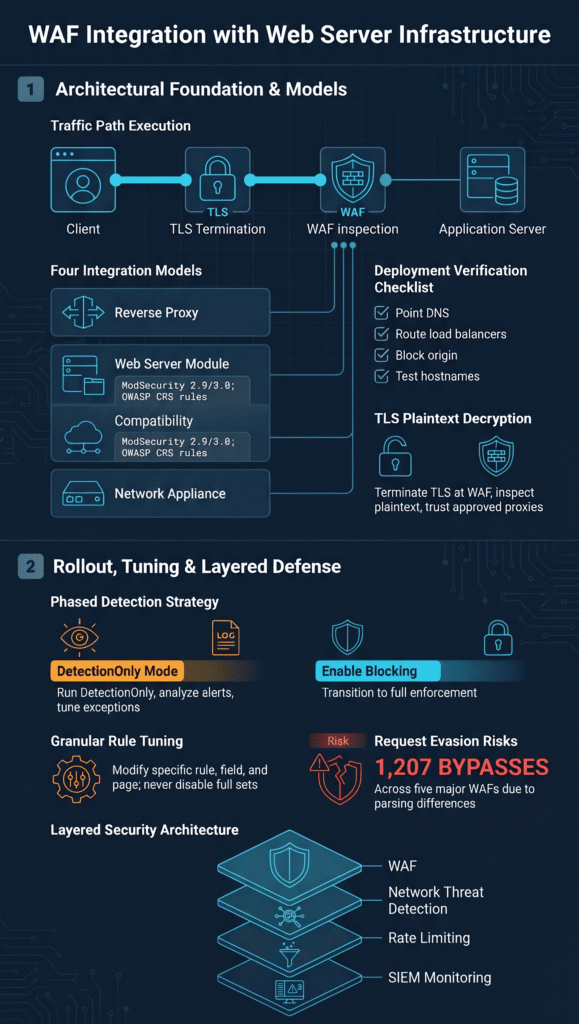
Most setups follow the same basic flow. First, a client sends an HTTP or HTTPS request. TLS is then terminated at the WAF, an edge service, or a load balancer. Next, the WAF checks the request against both managed and custom rules.
Suspicious requests are blocked, challenged, rate-limited, or logged, while legitimate requests are passed on to the web server. Finally, the application handles the request and sends a response back to the client.
In our threat modeling work, we see this setup stop a lot of common attacks, such as SQL injection, cross-site scripting (XSS), and file inclusion, before they get anywhere near the app.
How Does a WAF Process Incoming Web Requests?
Every request gets compared to the security rules you set up. Say someone sends a request with strange SQL code in a form field. A managed rule can catch it, log the event, and block it. The app never has to deal with it.
Many teams start with the OWASP Core Rule Set (CRS), a popular set of detection rules for bad HTTP traffic. It works well, but only after tuning. When we first turn on a rule set, it often flags normal traffic too. A search box that accepts odd characters is a common example. Tuning the rules to fit the app is what makes them useful.
Which Web Application Attacks Can a WAF Inspect?
A well-configured WAF can spot several common attack types:
- SQL injection (SQLi): Attackers try to change database queries through input fields.
- Cross-site scripting (XSS): Attackers try to sneak harmful scripts into a web page.
- File inclusion: Requests try to reach or run files they should not.
- Cross-site request forgery (CSRF): Attackers abuse a user’s logged-in session. A WAF can help, but the app needs its own CSRF protection too.
- Malicious HTTP requests: Odd headers, parameters, payloads, and request patterns.
One thing to keep in mind: a WAF does not fix the weak spots in your code. It covers them while you work. In our risk analysis work, the teams that do best pair a WAF with secure coding, regular patching, strong access controls, and routine vulnerability testing.
What Are the Main WAF Integration Models?
There are four main ways to add a WAF: a reverse proxy, a web-server module, a cloud service, or a dedicated network appliance. Each one changes where the inspection happens and how the rules fit with your current servers. The best pick depends on how big your app is, what resources you have, and how your network is built.
| WAF Integration Model | How It Works | Main Advantage | Best Suited For |
| Reverse Proxy WAF | Inspects incoming traffic before forwarding requests to backend servers. | Centralized traffic inspection and security management. | Organizations protecting multiple web servers. |
| Web Server Module | Runs directly within or alongside supported web server software. | Direct integration without a separate proxy layer. | Websites with compatible Apache or Nginx environments. |
| Cloud-Based WAF | Inspects traffic through cloud services, CDNs, or application gateways. | Scalable protection with centralized policy management. | Distributed applications and cloud-hosted infrastructure. |
| Network Appliance | Uses dedicated hardware positioned within the network traffic path. | Dedicated inspection resources and infrastructure control. | Enterprises with centralized network infrastructure. |
When Should You Choose a Reverse Proxy WAF?
A reverse proxy WAF sits between the outside world and your backend servers. All traffic passes through one checkpoint. Security work stays separate from the app itself, and one WAF can cover many servers. ModSecurity can be set up this way, so requests are checked before they are forwarded.
We tend to suggest this model when several web servers need the same protection, when security rules should stay separate from application settings, or when you want tighter control over traffic routing and backend access.
There is a trade-off. Every extra hop in the network adds a little delay. Before going live, test your response times with traffic that looks like the real thing. We have seen teams skip this step and then wonder why pages felt slow.
When Does a Web-Server Module Make More Sense?
A web-server module puts the WAF right inside the server software, so you may not need a separate proxy. The catch is that the WAF and the web server share the same machine resources. A busy server can feel the extra load.
Apache and Nginx are the usual examples. Before installing anything, check the module version, your operating system, the rule sets it supports, and how updates work. A mismatch here can cause headaches later, and it is much easier to catch on paper than on a live server.
When Should You Use a Cloud-Based WAF?
If your apps already run in the cloud, a cloud WAF is often the easiest fit. It can work with content delivery networks, application gateways, API gateways, and cloud load balancers. That way, you get checking at the application layer without putting a WAF module on every backend server.
It also helps a lot when you manage many app endpoints or have users spread across the world. In our experience, teams with several endpoints save a lot of setup time this way, since they manage one policy instead of many.
How Do You Choose the Right WAF Placement in Your Infrastructure?
Where you put a WAF decides which requests get checked and whether an attacker can walk around it.
Our advice is to put the WAF in front of every public web app and API. Outside traffic should always follow the path you planned, and it should never reach backend servers directly. A common setup uses Nginx as a reverse proxy, with the WAF checking each request before it reaches the application.
Should the WAF Sit Before or Inside the Web Server?
Both approaches can work; they simply give you different amounts of separation. Reverse-proxy WAFs check requests before passing them to backend servers, embedded modules do the checking inside a supported web server, and cloud WAFs inspect traffic at an edge service, a CDN, or a gateway.
A reverse proxy can guard several application servers through one controlled entry point, whereas for a small site with simple hosting, a server module is often easier to run. When we map out a network with our threat modeling tools, the single entry point of a reverse proxy usually makes risks easier to see and track.
How Can You Ensure All Traffic Passes Through the WAF?
Good DNS settings and tight control over the origin server keep people from reaching your app directly. Here is what we check: DNS records should be set so that public domains point to the WAF or proxy service, and load balancers should have routing rules that send traffic through the inspection layer.
Direct connections to backend server addresses should be blocked, and firewall policies should let only approved upstream services reach the protected origin ports. Finally, we test every public hostname and API route to confirm that no application endpoint can be reached around the WAF.
What Happens When Attackers Bypass the WAF?
If the origin server is exposed, requests can reach the app without ever being inspected.
That leaves a hole even when the WAF itself works perfectly. In our risk reviews, the same three problems keep showing up: wrong DNS proxy settings, open origin access, and sloppy routing. A team can spend weeks tuning rules and still be wide open because one old hostname points straight at the server.
Origin protection is part of setting up a WAF. It is not an optional extra, and we plan for it from day one.
How Do You Integrate a WAF With Nginx, Apache, and Other Web Servers?
How well a WAF fits depends on your web server, the modules it supports, your reverse-proxy design, and how much computing power you have.
Web servers connect to WAFs in different ways, so check compatibility first. Do this before you install any module or turn on an outside inspection service.
How Does ModSecurity Work With Apache and Nginx?
ModSecurity is a popular open-source WAF engine, and it connects to web servers in different ways.
The project documentation points out these differences:
- ModSecurity 2.9.x supports Apache and IIS.
- ModSecurity 3.0.x supports Nginx through a connector.
- A reverse-proxy setup can protect several backend application servers.
- OWASP CRS provides rules that catch common web attacks.
On Apache, you add the supported module to the web server configuration. Nginx is a bit more work, because it needs the right ModSecurity connector and a build that matches.
What Should You Check Before Installing a WAF?
Downloading a module is the easy part. Before any traffic gets inspected, we look at the whole environment, because most of the problems we have fixed came from skipped checks. To avoid trouble, we first confirm that the web server and operating system are compatible, and that the module, connector, and plugin are supported.
We also verify compatibility with the OWASP CRS, make sure the CPU and memory resources are sufficient, and review how HTTP and HTTPS traffic is routed. Finally, we make sure logging and monitoring tools are in place, and that backup and rollback plans are ready in case something goes wrong.
Are All WAF Integrations Equally Stable?
No. Some are far more mature than others, and it varies by project, platform, and version.
Take the Coraza project as an example. Its information lists the Caddy plugin as stable. Several other integrations, including Nginx, Envoy, Traefik, and HAProxy, are described as experimental or still in development.
This matters in production. Just because something can work does not mean it should run your critical systems. We always test the exact connector version in staging first. We watch how the rules load and how much memory and CPU the setup uses before anyone approves it for production.
How Do You Configure TLS and Reverse Proxy Communication?
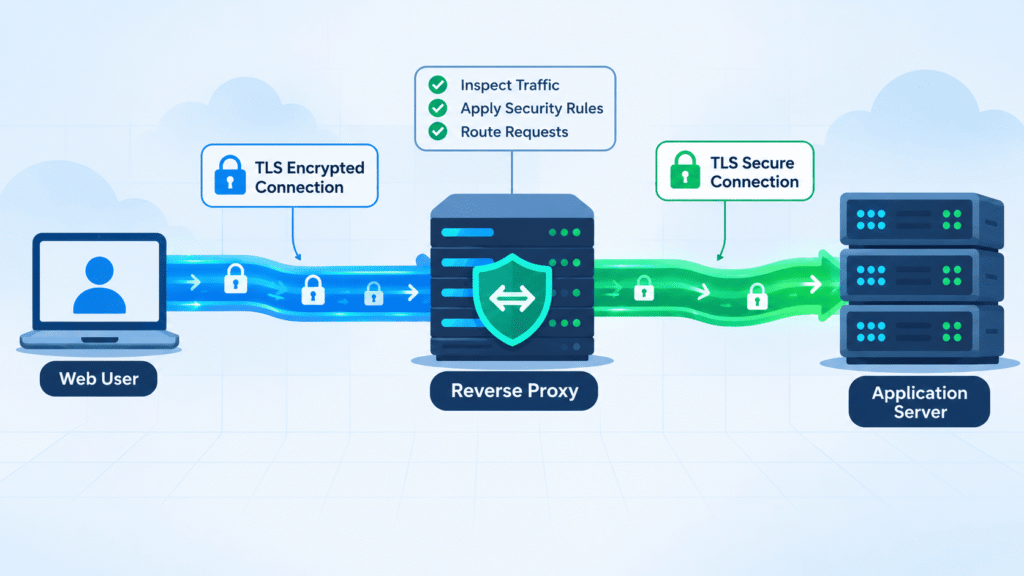
With the right TLS setup, a WAF can read encrypted traffic and still keep the link to your backend servers secure.
To inspect HTTPS traffic, something has to decrypt it first. That usually happens at the WAF, at an upstream edge service, or at a load balancer. Write down the full TLS path before you change any production routing. Without that map, it is easy to leave a gap in encryption or build a path that skips inspection by accident.
Where Should TLS Termination Occur?
TLS can end at several points in your setup: at the WAF, before the HTTP request is inspected; at an upstream edge service or application gateway; or at a load balancer ahead of the WAF or backend, depending on the layout. What matters most is that the inspection tool receives readable HTTP traffic.
Should You Re-Encrypt Traffic Between the WAF and Origin?
Yes. Encrypting the traffic again between the WAF and the origin server adds another layer of safety. We suggest using HTTPS between the WAF and the backend server, with valid TLS certificates on both sides, along with certificate checks and expiration alerts.
Access to the origin server should be limited, and routing between all parts of the infrastructure should be secure. Expired certificates are one of the most common problems we see here, so we set alerts for them early.
How Do You Preserve the Original Client IP Address?
A reverse proxy can hide the visitor’s real IP address from the backend app. Forwarding headers fix this by passing the original client details along.
Many admins use the X-Forwarded-For HTTP header to carry the client IP. There is one catch. Backend servers should trust these headers only when they come from approved proxies. If a server accepts any value a visitor sends, attackers can fake their address, which breaks IP-based access rules, logs, and rate limits.
How Do You Configure WAF Rules Without Blocking Legitimate Traffic?
Begin with detection-only mode. Read the alerts for a while, then switch blocking on slowly.
If you rush, people can’t log in or pay, and your APIs stop working.
The ModSecurity docs say to start with DetectionOnly. A new rule set often flags normal traffic it has never seen before.
Why Should You Start With Detection-Only Mode?
In this mode, the WAF looks at every request and notes which rules matched, but it doesn’t block a thing. We like it because we get to see how the app really behaves first, since guessing is how sites end up broken. Here are the steps we follow. First, we install the WAF and load the rule sets, then turn on detection-only mode.
Next, we watch traffic and read the security events, so we can spot the false positives and the patterns that are normal for the app. After that, we write small rule exceptions that only cover one spot and test the changes in staging. Finally, we turn on blocking once the app works the way it should.
How Should You Tune WAF Rules?
Group your events by hostname, URL, HTTP method, rule ID, matched variable, and response status.
Once they’re grouped, the noisy rules stand out fast. Tuning WAF rules based on these events helps identify specific detection problems without weakening the entire security policy.
Here’s one we saw. A normal POST request set off an SQL injection rule because a customer typed an apostrophe in their last name. Shutting off the whole rule would have been easy. We checked the exact field and page instead, and only fixed that one.
Research from NIST
“Most of the WAF rule sets evaluated could be bypassed by at least one crafted input” – NIST
When Should You Enable Blocking Mode?
Wait until you know what the detection results mean. Also make sure real requests still go through.
Skipping this step is the mistake we see most often.
The official ModSecurity guide explains how SecRuleEngine switches between detecting and blocking.
How Can You Prevent WAF False Positives During Integration?
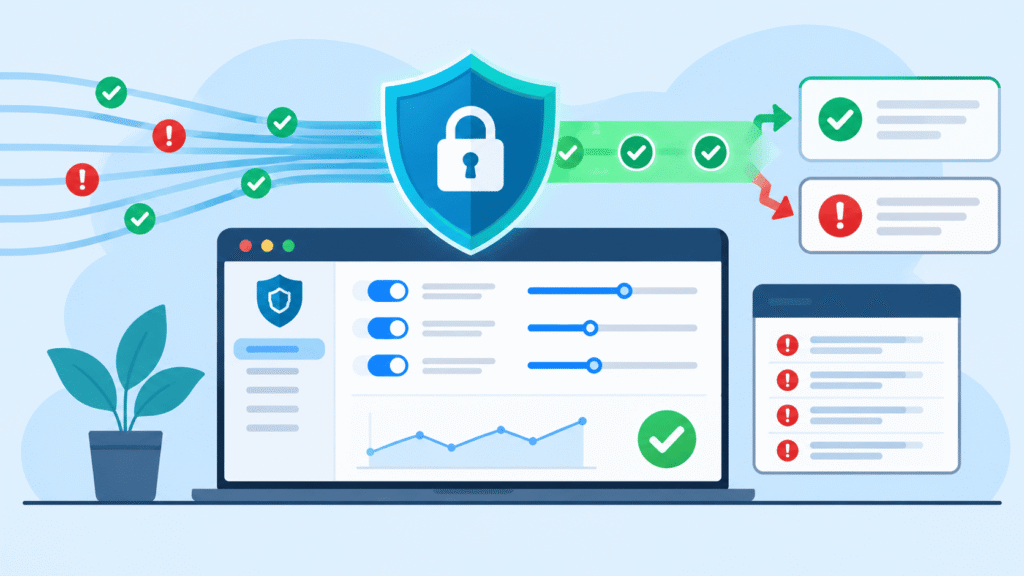
A false positive is when the WAF thinks a normal request is an attack.
They usually show up after launch. Real users send much messier data than any test does.
Why Do Forms, APIs, and Cookies Trigger False Positives?
A rule that matches patterns can’t tell harmless input from an attack, because some of it just looks alike. Common causes include POST requests with SQL-like words or special characters, API data that matches SQL injection or XSS patterns, login cookies with odd encoded values, and non-English text that sets off pattern rules. To sort these out, you have to look closely at HTTP headers and request bodies.
How Should You Handle False Positives?
Take each event one at a time, and don’t weaken the whole policy just to make alerts go away. When our analysts check a flagged request, they first find the rule ID that fired, then check the URL and HTTP method and look at the exact field that matched. Next, they decide whether the request was real and safe. If it was, they add a narrow exclusion, then retest the app and keep watching new events.
Why Should You Avoid Disabling Entire Rule Sets?
Big exclusions leave gaps, and attackers look for gaps.
Say you turn off a whole SQL injection group to fix one form. Now every other page is weaker, and nobody may notice for months.
The better fix is to exclude one rule for one field on one page. We do the same in our threat models. Each exception gets weighed against the risk it adds.
How Do You Monitor WAF Performance and Web Server Resources?
Good monitoring shows you extra load, strange traffic, and resource trouble before your app goes down.
Checking requests uses computing power. Large rule sets, big request bodies, and heavy traffic can raise CPU use and slow responses.
Which WAF Metrics Should You Monitor?
We keep an eye on several numbers, including incoming and blocked request counts, how often security rules match, and how often false positives happen. We also track average and peak response time, CPU and memory use, HTTP response status codes, and backend connection failures. Together, they tell you whether the problem is an attack or just a server that’s too busy.
How Can WAF Processing Affect Server Performance?
Every request the WAF checks adds work. If the setup is too small, it falls behind when traffic jumps or when attackers send floods of requests.
One case in our research described a host that ran out of resources during a DDoS attack and stopped responding.
That’s why we tell clients to run load tests, give the server enough resources, and plan for growth before launch. Our risk analysis tools help here, because they show where a setup will most likely break first.
How Should You Respond to Performance Problems?
Check resource use, find the rules that cost the most, and study the traffic spikes. Test every change before you keep it.
A high availability setup also needs spare inspection capacity, health checks, and a written failover plan.
How Can You Integrate WAF Protection With Network Threat Detection?
Credits: Microsoft Security
A WAF looks at web traffic, mainly HTTP requests. It can’t see what’s happening on the rest of the network. That’s why we suggest adding Network Threat Detection early when you plan your web application security.
Network Threat Detection shows you odd connections and strange traffic patterns. Some of these never trigger a WAF rule because they don’t look like a bad web request. In our own work with threat models and risk analysis tools, we’ve seen this gap again and again. The WAF stays quiet while something else is going on in the network.
Why Is Network Threat Detection Important Alongside WAF Protection?
Think of it this way: a WAF checks who comes through the front door, and network monitoring watches the whole building. Using both lets security teams follow a threat from one layer to the next.
Here is what we use Network Threat Detection for:
- Spotting suspicious network connections.
- Watching for unusual traffic patterns.
- Looking into activity that HTTP inspection can’t see.
- Connecting security events from across the infrastructure.
- Finding systems that may already be compromised.
Which Additional Security Controls Should Work With a WAF?
No single tool does everything. A layered setup can include:
- Network Threat Detection for wider traffic visibility.
- Rate limiting to stop too many requests.
- Fail2ban to block bad IP addresses automatically.
- Bot management to handle automated traffic.
- SIEM integration to keep security logs in one place.
Can a WAF Stop Every Bot or Network Attack?
No, it can’t. A WAF can’t deal with every bot, every network attack, or every infected device on its own. Teams that fight stubborn bot traffic usually pair WAF rules with rate limiting and automatic blocking. We’ve found that this mix works much better than relying on rules alone.
The goal is simple. The controls should work as a team, and no one tool should be expected to catch everything.
How Do You Maintain WAF Integration After Deployment?
A WAF needs regular care after it goes live. That means updating rules, watching alerts, testing changes, and reviewing settings from time to time.
Going live is not the end of the project. Apps change, new weaknesses show up, and attackers keep trying new tricks. Any of these can make an older policy less useful. We’ve seen rules that worked well in the spring cause problems by fall, just because the app had changed.
How Often Should You Review WAF Rules?
Check managed-rule updates whenever a new version comes out. Regular WAF policy updates help keep detection rules current. Always test new versions before you turn on enforcement. We also like to set a regular review time so it doesn’t get forgotten.
Regular upkeep should include reading new security alerts, updating managed rules, and taking another look at the custom policies for your application. It should also include checking that your exceptions still make sense after application updates and scanning security logs for anything unusual.
What Should You Test After Infrastructure Updates?
Changes to DNS, load balancers, certificates, or backend servers can break the path that requests take to your WAF, and small mistakes are easy to miss, so our team runs a quick check after every change like this.
After an update, make sure that DNS lookups and routing work as expected, TLS certificates are valid and not about to expire, and backend servers can still be reached. You should also confirm that the application works the way it should and that the WAF is still inspecting and blocking traffic.
How Can You Reduce Configuration Drift?
Drift happens when settings slowly change over time and nobody writes it down. To prevent it, keep your WAF configurations in version control, write down your approved policies, and test every change in staging first.
We also keep a rollback plan ready. If an update breaks the app, an admin can switch back to the last working setup fast, and that keeps downtime short.
What Are the Most Common WAF Integration Mistakes?
Most WAF problems come from four things: traffic going the wrong way, rules that are too strict, too little monitoring, or setups the WAF can’t handle. We see the same patterns again and again when we review customer environments.
Which Configuration Mistakes Create Security Gaps?
The biggest gaps are usually small settings that got missed, and the ones we run into most are leaving origin servers open to the public internet, trusting proxy headers without checking them, skipping inspection of encrypted traffic, turning off whole rule sets when only one rule was causing trouble, and letting some application traffic go around the WAF. In our experience, the origin server is the one teams forget most. They set up the WAF, test it, and feel safe, but then an attacker finds the real server address and walks around the WAF entirely.
Which Deployment Mistakes Affect Availability?
Some mistakes don’t open security holes. They break the app instead. Teams often switch on blocking mode on day one, skip staging tests, and never check how much CPU and memory the WAF uses. Others pick an integration their platform doesn’t support, or have no plan for rolling back when something goes wrong. When a WAF blocks real customers at 9 a.m. on a Monday, a rollback plan is worth a lot.
Why Should You Avoid a Set-and-Forget WAF Strategy?
A WAF is not something you install once and leave alone. Research shared in 2025 found 311 protocol-level evasion cases across 14 WAFs and 20 web frameworks. In plain terms, attackers found hundreds of ways to sneak requests past WAFs by taking advantage of how they read traffic.
As highlighted by ACSAC
“1,207 bypasses across 5 well-known WAFs” – ACSAC
The reason is simple. The WAF and the app behind it have to read each request the same way. If they don’t, an attacker can send something the WAF sees as harmless and the app sees as an attack. That is why we keep testing, and why we use our threat models and risk analysis tools to spot new attack methods before they cause trouble.
How Can You Verify That Your WAF Integration Works?
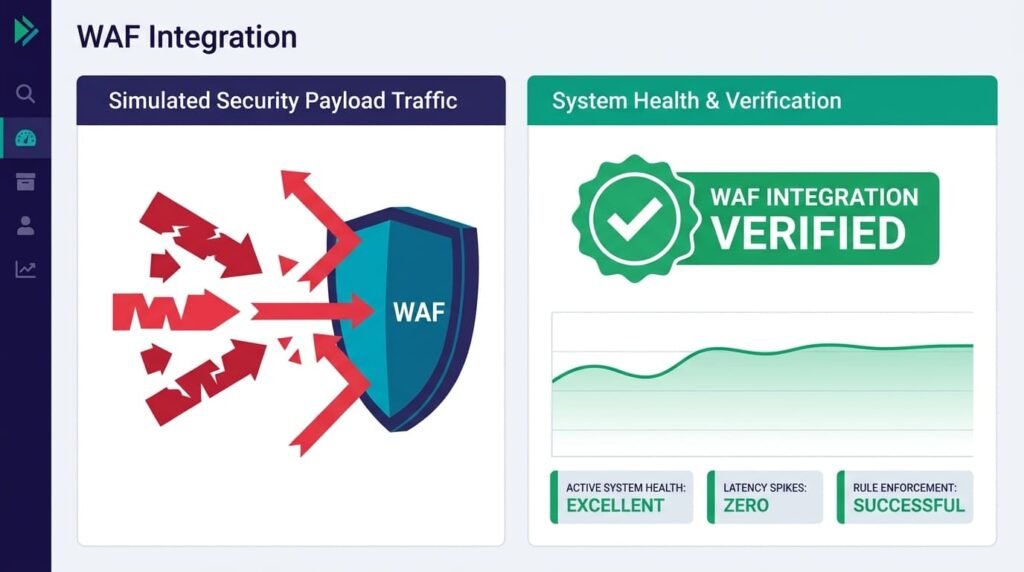
A good integration lets real users through and stops the test attacks you send at it. Our team always runs these checks before turning on full enforcement.
Which Tests Should You Perform After Integration?
In an authorized testing environment, start by sending normal HTTP and HTTPS requests, then try known SQL injection and XSS test cases. Check that the logs record these events and that blocks actually happen, and confirm that direct access to the origin is shut off. Finally, make sure the original client IP still shows up in the logs, and measure how much slower the application responds.
How Do You Confirm That the WAF Does Not Disrupt Applications?
Testing the homepage isn’t enough. We have seen WAFs pass every basic check and then break a checkout form or a file upload a week later. Test real workflows instead. That means logins, long forms, API calls, file uploads, and any other feature your users depend on.
Then look at your HTTP error responses and compare how the app behaves before and after the WAF starts enforcing rules. A jump in 403 or 500 errors is usually your first clue that a rule is too tight.
What Does Successful Integration Look Like?
When everything is set up correctly, you should see five outcomes: traffic follows the path you planned for inspection, security events appear in the WAF logs, real users can still use the application without disruption, test attacks trigger the actions you expected, and performance stays within limits you can live with. For a solid starting point on detecting common attacks, consider the OWASP Core Rule Set (CRS), whose documentation and project resources are free to use.
Final Thoughts: How Can You Make WAF Integration Effective?
WAF integration takes more than installing a security tool. If traffic routing or security rules aren’t configured correctly, legitimate users may face disruptions. Getting the setup right matters.
Network Threat Detection can help strengthen your web infrastructure security by adding broader visibility into suspicious network activity. Combine that with regular WAF testing and gradual policy updates to keep your applications protected. Explore Network Threat Detection solutions to see how they can support your security strategy.
FAQ
How Does WAF Integration Affect Web Server Performance?
WAF integration can increase response times because the firewall inspects incoming HTTP requests before they reach the application. The impact depends on traffic volume, inspection rules, and server capacity. Teams can reduce delays through web server performance optimization, efficient HTTP request filtering, and regular latency monitoring without weakening security policies.
Should I Choose Cloud WAF Deployment or an On-Premises WAF?
Cloud WAF deployment is suitable for applications that need scalable protection across distributed environments. An on-premises WAF provides more direct control over locally hosted infrastructure. Organizations that operate across both environments can use hybrid cloud security to apply consistent web application firewall policies to cloud-based and on-site applications.
How Can I Preserve Client IP Addresses After WAF Integration?
Configure trusted forwarding headers, such as X-Forwarded-For, to preserve the original client IP address. Your reverse proxy and web server must process these headers correctly. Only accept forwarded IP information from trusted proxies to prevent spoofing. Accurate client IP data also supports IP allowlisting, IP blocklisting, and security event investigation.
What Should I Do When WAF Rules Block Legitimate Website Requests?
Review security event logs to identify the rule that blocked the request and the reason for the decision. Check the affected request before creating a WAF rule exception. Apply false positive tuning to specific URLs, parameters, or request patterns instead of disabling entire security rules, which could leave your application exposed.
How Can I Maintain Consistent WAF Policies Across Multiple Web Servers?
Use infrastructure as code and WAF configuration management to maintain consistent security policies across multiple web servers. Store configuration changes in version control so your team can review, test, and reverse changes when necessary. Automated WAF deployment also reduces manual configuration errors and helps apply security updates consistently across your infrastructure.
References
- Garn, Bernhard, Daniel Lang, Manuel Leithner, Richard Kuhn, Raghu Kacker, and Dimitris Simos. “Combinatorially XSSing Web Application Firewalls.” NIST Computer Security Resource Center, May 28, 2021. Accessed November 3, 2026.
- “Article title and publication metadata could not be independently verified.” IEEE Xplore. Accessed November 3, 2026.