
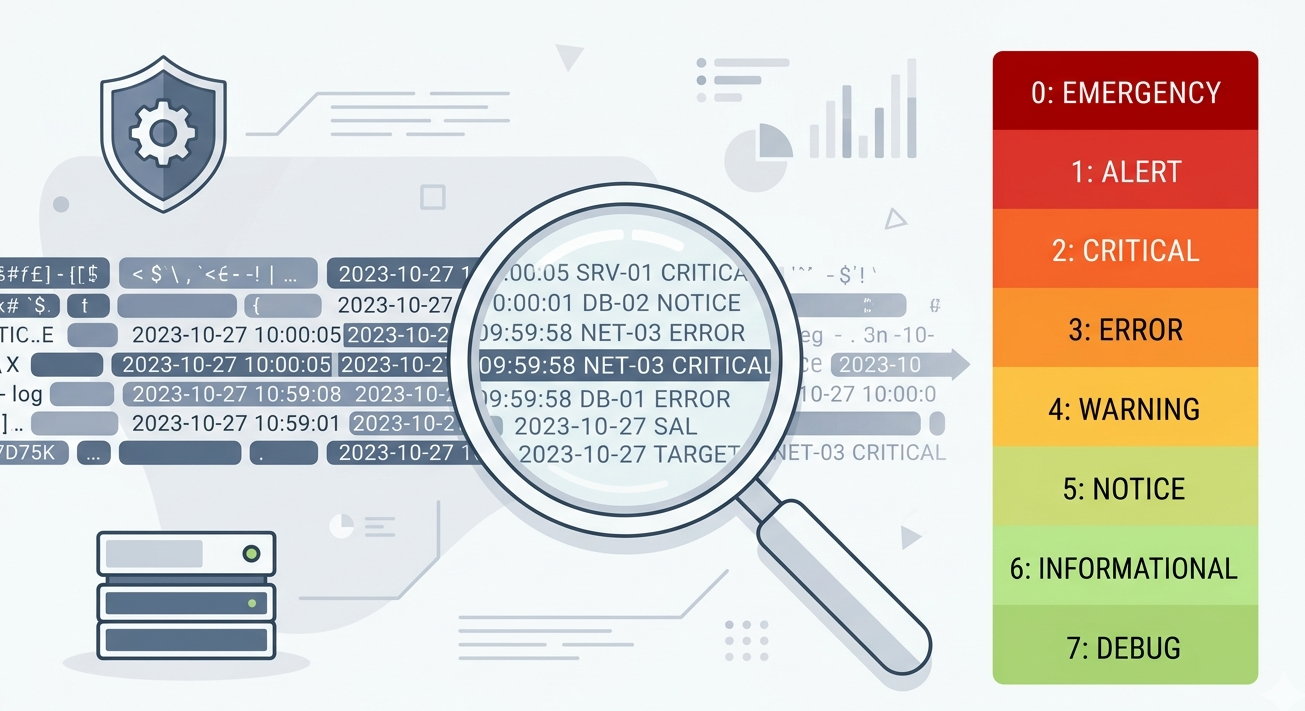
Logs are only useful if we understand them. Syslog message format severity levels help transform raw log data into meaningful insights. From our experience, many teams collect logs but struggle to interpret their importance. That’s where severity levels play a critical role, helping prioritize alerts and speed up response.
When combined with structured formatting, syslog becomes a powerful tool for visibility and security. In this article, we break down how syslog messages are structured and how severity levels improve monitoring. Keep reading to simplify your log analysis.
Key Insights On Syslog Message Format Severity Levels
Before diving deeper, here’s what matters most:
- Syslog messages follow a standardized structure
- Severity levels range from 0 (highest) to 7 (lowest)
- Prioritization improves incident response
Understanding Syslog Message Structure
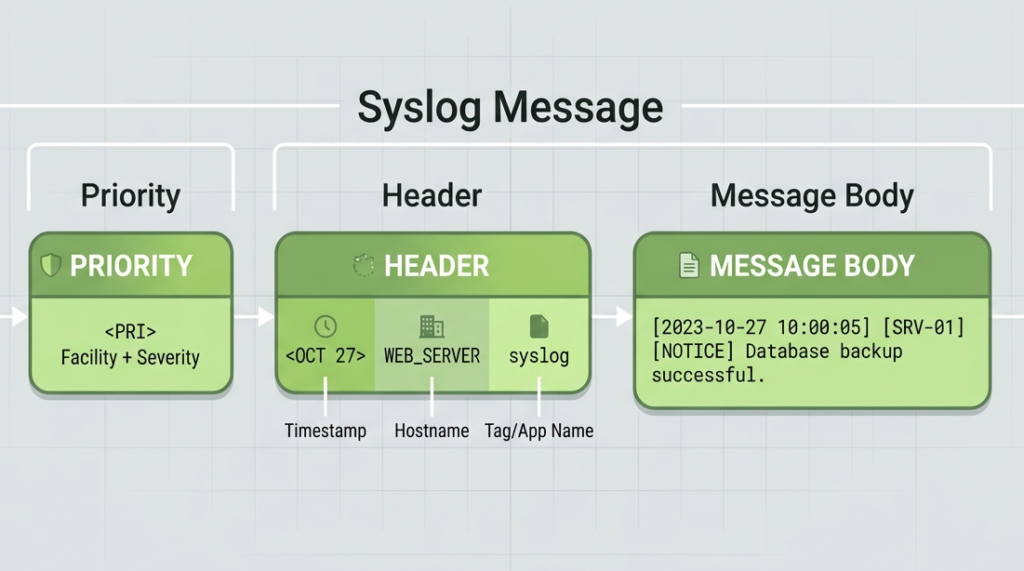
A syslog message typically includes several components:
- Priority (PRI)
- Timestamp
- Hostname
- Application/Process
- Message Content
These elements ensure consistency across devices. A robust syslog configuration
ensures that every event adheres to the syslog protocol, making “the priority value, header, and message” readable for any collector.
“The syslog message format includes a priority value, a header, and a message.” – Wikipedia
From our experience, consistent formatting makes parsing and automation significantly easier.
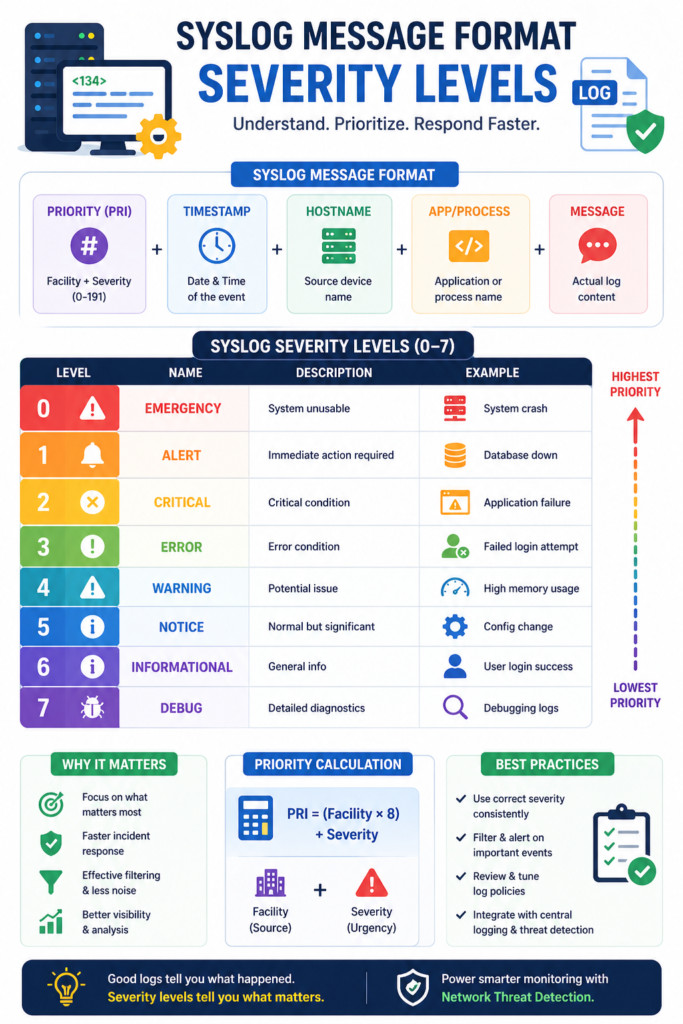
Syslog Severity Levels Table
| Level | Name | Description | Example Use Case |
| 0 | Emergency | System unusable | System crash, total failure |
| 1 | Alert | Immediate action required | Database down |
| 2 | Critical | Critical condition | Application failure |
| 3 | Error | Error condition | Failed login attempt |
| 4 | Warning | Potential issue | High memory usage |
| 5 | Notice | Normal but significant | Config change |
| 6 | Informational | General info | User login success |
| 7 | Debug | Detailed diagnostics | Debugging logs |
This table helps visualize how severity levels guide response priorities.
What Are Syslog Message Format Severity Levels
Credits: ChipTask
Severity levels indicate how urgent or important a log message is.
They are standardized as follows:
- 0 – Emergency: System unusable
- 1 – Alert: Immediate action required
- 2 – Critical: Critical condition
- 3 – Error: Error condition
- 4 – Warning: Potential issue
- 5 – Notice: Significant but normal
- 6 – Informational: General updates
- 7 – Debug: Detailed diagnostics
These levels help teams quickly decide what needs attention first.
How Priority Combines Facility And Severity
In syslog, priority (PRI) is calculated using both facility and severity.
- Facility identifies the source (e.g., kernel, mail, system)
- Severity defines urgency
- PRI = (Facility × 8) + Severity
“Priority values are calculated by combining facility and severity levels.” – Wikipedia
This mechanism allows systems to categorize logs efficiently for routing and filtering.
Why Severity Levels Matter In Monitoring
Severity levels are essential for effective monitoring.
Key benefits include:
- Faster incident response
- Reduced alert fatigue
- Better log filtering
- Improved automation
We’ve seen teams overwhelmed by logs simply because severity wasn’t used properly. Prioritization changes everything.
Using Severity Levels For Filtering
Filtering syslog messages effectively relies heavily on severity.
Best practices:
- Capture only critical logs in real-time alerts
- Store informational logs for analysis
- Ignore excessive debug logs in production
- Adjust thresholds based on environment
Proper filtering ensures that teams focus on what truly matters.
Integrating With Central Logging Systems
Severity levels become even more powerful in centralized systems, especially when conducting a rsyslog comparison to see how tools like syslog-ng handle multi-destination routing and correlation across devices.
- Enable correlation across devices
- Support alerting systems
- Feed into analytics tools
We often use Network Threat Detection as the first layer, where severity-tagged logs help identify suspicious behavior faster.
Common Mistakes In Severity Configuration
Misconfiguration can reduce effectiveness. Common issues often stem from configuring devices
incorrectly, causing them to send syslog messages with mismatched severity thresholds or inconsistent headers.
Common issues:
- Logging everything as “error”
- Ignoring debug logs completely
- Misaligned severity thresholds
- Inconsistent configurations across devices
From experience, consistency across systems is critical for reliable monitoring.
Best Practices For Managing Severity Levels
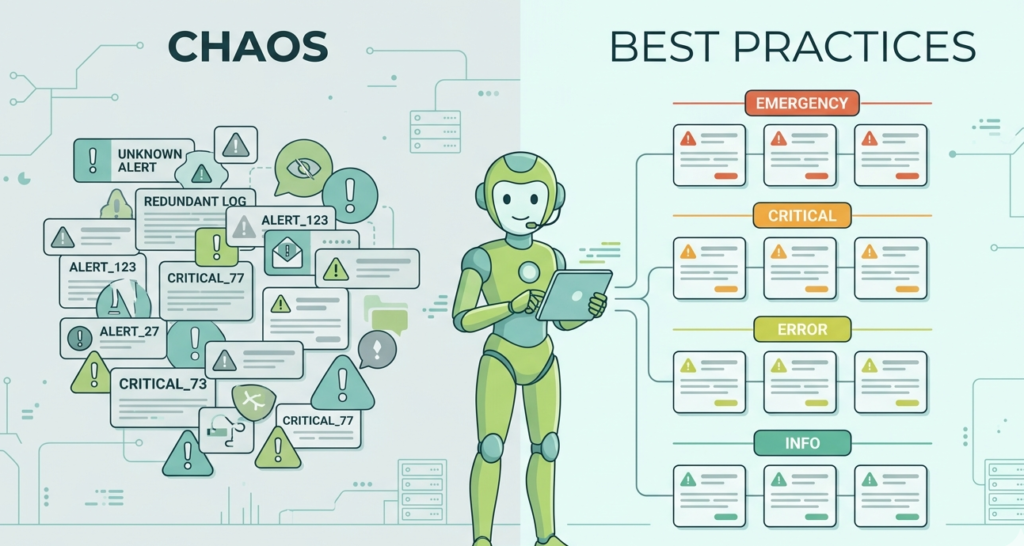
To maximize value:
- Standardize severity usage across devices
- Regularly review log policies
- Combine severity with filtering rules
- Align severity with incident response plans
These practices ensure logs remain actionable and relevant.
FAQ
What Is The Purpose Of Syslog Severity Levels?
Severity levels classify logs based on urgency, helping teams prioritize responses. Without them, all logs appear equal, making it harder to identify critical issues quickly.
How Many Severity Levels Exist In Syslog?
There are eight levels, ranging from 0 (Emergency) to 7 (Debug). Each level represents a different degree of urgency and importance.
Can Severity Levels Be Customized?
The levels themselves are standardized, but how organizations use them can vary. Teams can define their own thresholds for alerts and monitoring.
How Do Severity Levels Improve Security Monitoring?
They allow faster identification of critical events and reduce noise. When integrated with systems like Network Threat Detection, severity levels help detect threats more efficiently.
Final Insight On Syslog Message Format Severity Levels
Understanding syslog message format severity levels is essential for effective log management. By structuring messages and prioritizing events, teams can respond faster and reduce noise. Combining severity-based filtering with centralized logging and Network Threat Detection creates stronger visibility and smarter response strategies.
Proactively defend your network with real-time threat modeling, automated risk analysis, and visual attack path simulations to expose blind spots. Refine your severity levels today to strengthen your defenses.
References
- https://en.wikipedia.org/wiki/Syslog
- https://en.wikipedia.org/wiki/Syslog
