
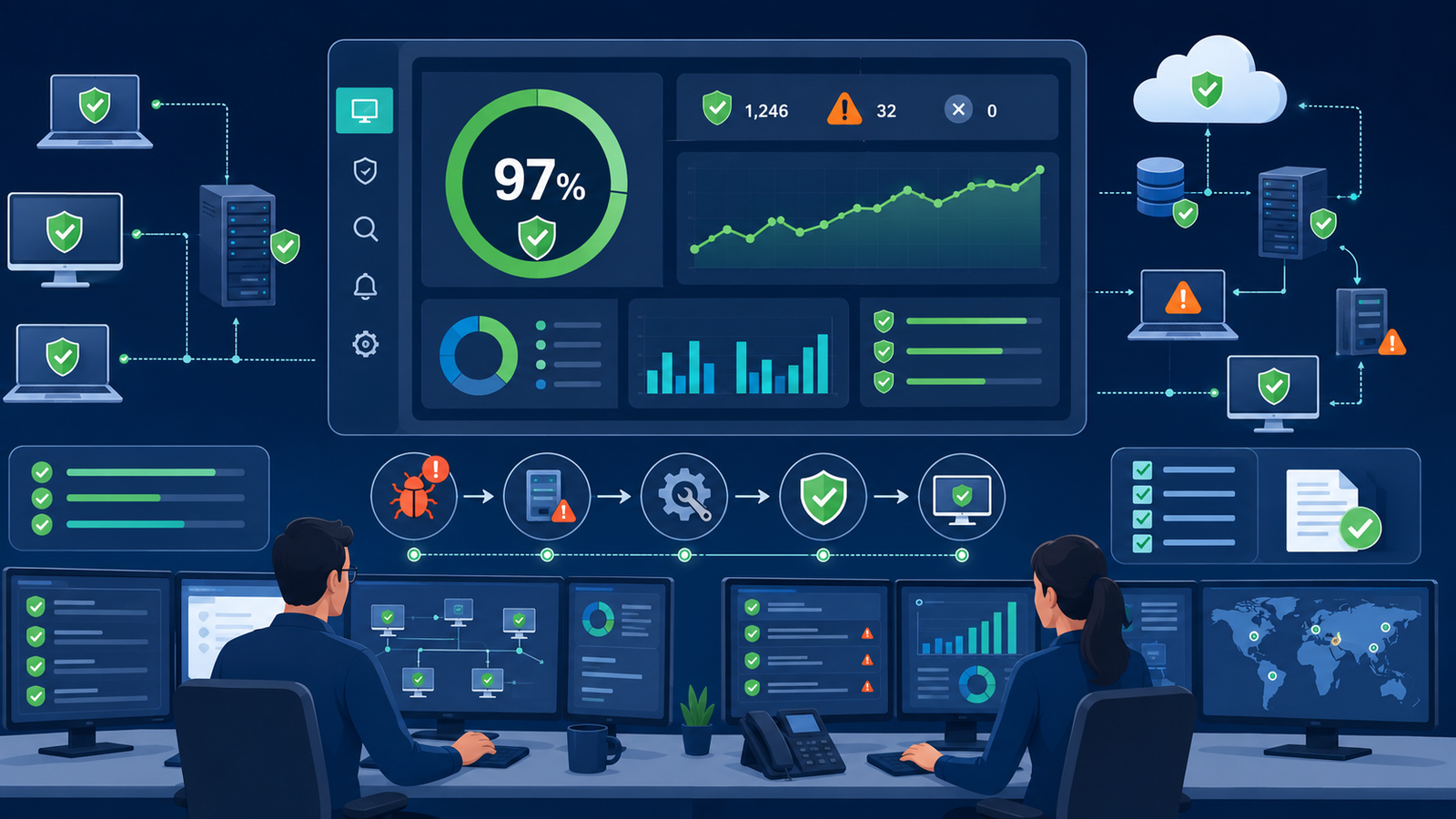
Effective tracking patch management status assets gives security teams continuous visibility into which systems are protected and which require immediate attention. Instead of relying on manual reports, organizations can quickly identify vulnerable assets and prioritize remediation before attackers exploit them.
At Network Threat Detection, we combine asset visibility with security intelligence to help organizations maintain stronger defenses and reduce operational risk through continuous monitoring. Keep reading.
Stay Ahead with Smarter Patch Tracking
Keeping track of patch status doesn’t have to be complicated. With continuous visibility and automation, your team can identify risks sooner, respond faster, and maintain stronger protection across every critical asset.
- Gain continuous visibility into patch status across every critical asset.
- Replace manual tracking with automated monitoring for faster response.
- Detect vulnerable systems before attackers can exploit them.
What is Asset Patch Status and Why Does It Matter?
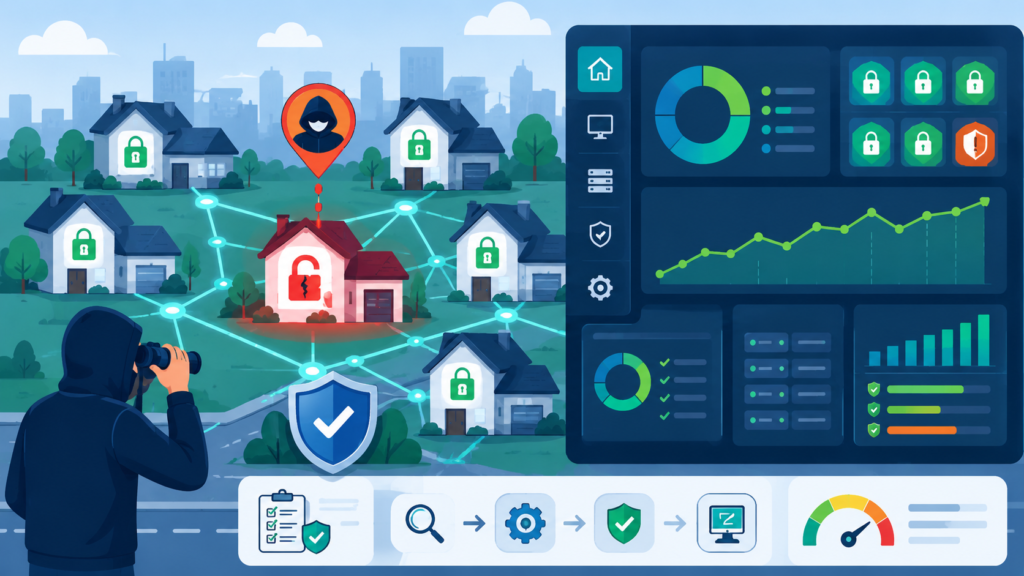
Think of your network as a neighborhood. Every device, every server, every piece of software is a house. A patch is a repaired lock or a strengthened doorframe, fixing a known flaw. Your patch status is simply a report card showing which houses have been fixed and which haven’t. It matters because attackers don’t guess.
“Timely and effective patching guarantees the software’s ongoing dependability and functionality. Patch management ensures these updates are implemented as soon as possible, minimizing the exposure window and drastically reducing the chance of an attack.” – ScienceDirect
They drive through the digital neighborhood looking for the one house with the broken lock, the one unpatched server. If you don’t know which one it is, you can’t protect it. This status is your map. It tells you where to send your resources, and it shows your progress in hardening your entire environment against the most common threats out there.
How Can You Effectively Track Patches Across Different Assets?
The old way, that spreadsheet I saw, doesn’t scale. It’s slow and prone to human error. Effective tracking needs automation. You start by knowing what you have, a complete and accurate asset inventory.
Then, you use tools that can talk to those assets, query them for their current software versions and update history. Strong asset management combined with helps These tools compile that data into a single dashboard.
Good tracking isn’t just about operating systems. It covers your third-party applications (like browsers, PDF readers, and Java), your network hardware firmware, and your specialized business software. The key is consistency. You need the same tracking method for your cloud servers as you do for the laptop in accounting, giving you an apples-to-apples view of your entire risk landscape.
- Automate discovery and inventory scans.
- Use a centralized dashboard for all asset types.
- Include OS, applications, and firmware in scans.
- Ensure coverage for both on-premise and cloud assets.
What Are the Biggest Risks of Poor Patch Status Visibility?
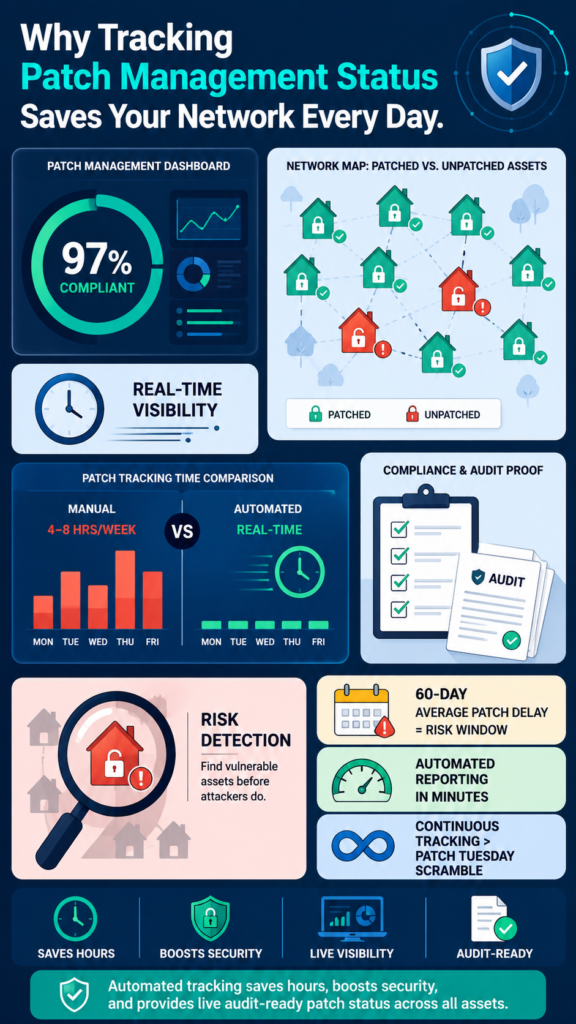
The risk is a breach, plain and simple. But let’s break down how it happens. When a software vendor announces a vulnerability and releases a patch, the clock starts. Hackers reverse-engineer that patch to understand the flaw, and they start scanning the internet for systems that haven’t applied it. If your tracking is poor, you have a dangerous blind spot.
You might think you’re covered because a patch was “deployed,” but without status tracking, you won’t see the servers that were offline during the update window, the laptops that are never on the corporate VPN, or the application that failed to update silently. The risk isn’t just external.
Poor visibility makes internal audits a nightmare, can lead to compliance failures with standards like PCI DSS or HIPAA, and ultimately destroys any chance of having a predictable, secure IT environment. You’re constantly reacting to emergencies you should have seen coming.
What Tools and Processes Simplify Patch Status Monitoring?
Credits:Heimdal®
You need a system that does the heavy lifting for you. The core process is a cycle: discover, assess, deploy, verify, and report. Modern tools bake this cycle into a platform. They automatically discover new assets as they connect to your network. They assess those assets against a continuously updated database of vulnerabilities.
They can deploy patches or at least flag the need for manual intervention. Most importantly, they verify the installation and generate the status reports for you. Look for tools that offer real-time dashboards, customizable reporting, and integrating CMDB with your , alongside other systems you use, like a help desk or SIEM.
The goal is to move from a project-based “patch Tuesday” scramble to a continuous, observable process. The tool should give you a single number, like “97% compliant,” that tells you the health of your network at a glance.
For many teams, the first line of sight into this problem comes from Network Threat Detection. We’ve seen it ourselves, anomalous traffic spikes or connection attempts that, when investigated, trace back to an unpatched device calling home. It’s often the canary in the coal mine, highlighting the assets your patch system missed.
It doesn’t replace patch management, but it provides a crucial, real-time validation layer. If your detection system is alerting on something your patch report says is secure, you’ve found a critical gap in your tracking.
How Does Tracking Improve Security Compliance and Audits?
An auditor doesn’t want promises. They want proof. A robust patch status tracking system is that proof. Frameworks like NIST, ISO 27001, and PCI DSS all require you to have a controlled, documented process for managing vulnerabilities. When an auditor asks, “How do you ensure critical patches are applied within 30 days?” you don’t just describe a process. You show them the report.
You pull up the dashboard that lists every asset, the critical vulnerabilities affecting it, the date the patch was released, and the date it was applied. This turns a stressful interrogation into a simple demonstration. It shows due diligence.
It also helps you internally, providing clear metrics to management about your security posture and where investment is needed. Compliance stops being a paper exercise and becomes a natural output of your daily operations.
Can Automated Tracking Free Up Your IT Team’s Time?
Absolutely, and this might be its biggest day-to-day benefit. Manual patch tracking is a massive time sink. It involves running individual scans, collating data from different systems, and updating records, work that is tedious, repetitive, and adds no strategic value. Automating this tracking reclaims those hours.
Your team spends less time hunting for information and more time acting on it. They can focus on analyzing the risk of a particular patch, designing deployment strategies for complex systems, or working on proactive security projects.
The automation also reduces human error, ensuring your status reports are accurate and reliable. It’s about working smarter, letting the machines handle the data gathering so your people can handle the decision-making.
| Task | Manual Approach Time | Automated Approach Time |
| Asset Inventory Update | 4-8 hours per week | Continuous, real-time |
| Patch Status Report Generation | 2-3 hours per report | On-demand, instant |
| Identifying Non-Compliant Assets | 1-2 hours of analysis | Flagged automatically in dashboard |
| Audit Evidence Collection | Days of preparation | Report export in minutes |
How Do You Respond When Tracking Reveals a Critical Gap?
First, don’t panic. The whole point of tracking is to find these gaps before an attacker does. Your process should have defined severity levels. A critical gap, like a widely exploited vulnerability on an internet-facing server, triggers your emergency change process. Isolate the affected asset from the network if possible, even if just at the firewall level.
“A characterization study of ICSs patching behavior observed a patch delay of approximately 60 days after vulnerability disclosure for 50% of ICS devices. This lack of in-time patching gives adversaries ample time to exploit the publicly disclosed vulnerabilities on these systems.” – Technion
Then, deploy the patch immediately, using pre-approved procedures for after-hours work. The tracking tool should help you identify all identical vulnerable assets, so you can patch them all in one coordinated action. After the fix, your tracking system verifies the patch is applied correctly. Finally, conduct a brief retrospective.
Why was the asset missed? Was it outside your inventory? Was the deployment process faulty? Use the gap to strengthen your tracking and deployment rules, closing the loop.
How Often Should You Review Your Patch Management Status?
The ideal answer is Automating asset. Your dashboard should be a living thing, something you can glance at during your daily stand-up. For formal reviews, a weekly cadence is practical for most organizations. This lets you track progress on the latest “Patch Tuesday” deployments and catch stragglers. You should also conduct a deeper monthly review.
This looks at trends: Are certain asset groups consistently non-compliant? Is your average time-to-patch improving? This monthly rhythm aligns well with reporting to management and preparing for those quarterly or annual audits. The frequency isn’t as important as the consistency. Make it a ritual, a non-negotiable part of your security hygiene, so you’re never caught off guard.
What Are Common Challenges in Maintaining Accurate Status?
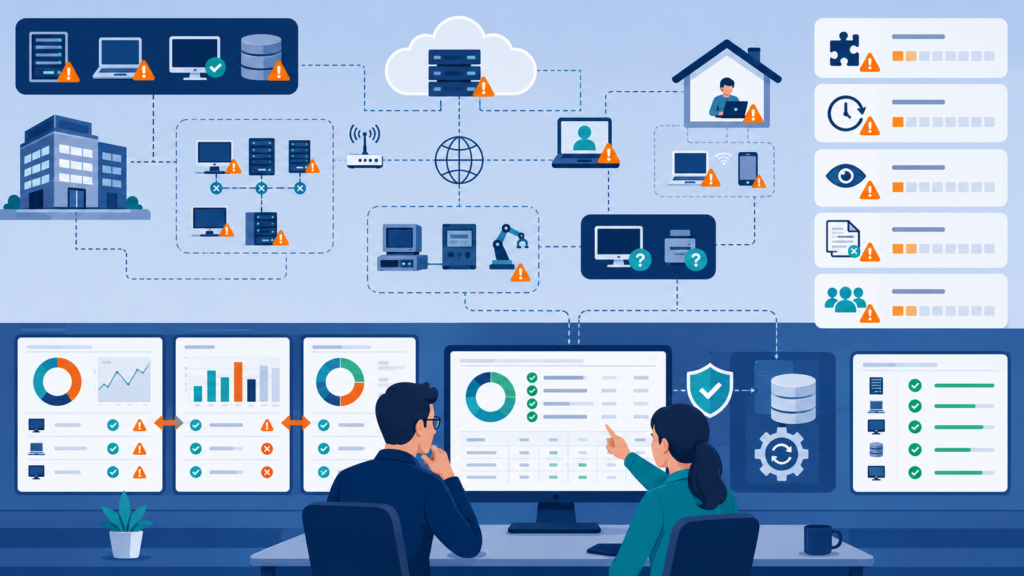
Even with good tools, challenges creep in. Off-network assets, like employee laptops that are never on VPN, are a classic blind spot. Ephemeral assets in cloud environments that spin up and down can vanish before they’re scanned. Legacy systems that can’t run modern agents or are too fragile to patch create painful exceptions.
Sometimes, the challenge is organizational: a business unit that maintains its own “special” server outside of IT’s control. Overcoming these requires a mix of technology and policy. For off-network devices, require a VPN connection for access, forcing a check-in. For cloud assets, use APIs that hook into the cloud platform itself.
For legacy systems, your tracking should at least highlight them as accepted risks, documented and isolated. The goal is to minimize the unknown.
FAQ
What’s the difference between patch management and vulnerability management?
Patch management is the action of deploying updates. Vulnerability management is the broader process of identifying, classifying, prioritizing, and remediating weaknesses. Tracking patch status is the critical link between the two, showing how your actions (patching) are addressing your known problems (vulnerabilities).
Can I track patches without expensive enterprise software?
You can start without it, but you’ll hit limits. Built-in tools like Windows Server Update Services (WSUS) provide basic reporting for Microsoft products. For a more unified view, open-source inventory and management tools can be pieced together.
However, as your network grows, the manual effort to consolidate data from these disparate systems becomes the new cost, often outweighing an integrated commercial tool.
How long should I keep historical patch status data?
Keep it for at least your audit cycle, usually 12 to 24 months. This history is invaluable. It helps you prove compliance over time, analyze seasonal trends (like slowdowns during holidays), and investigate past incidents. If a breach occurs, historical patch data can show whether a known vulnerability was the point of entry.
Does tracking patch status guarantee I won’t be hacked?
No single action guarantees safety. Zero-day attacks (using unknown flaws) can still occur. But tracking your patch management status eliminates the low-hanging fruit, the known vulnerabilities that cause the vast majority of breaches. It’s the most effective way to raise your defensive floor and force attackers to use more sophisticated, less common methods.
The Final Status Check
Tracking patch management status gives you the visibility to reduce risk before it becomes an incident. At Network Threat Detection, we help teams prioritize vulnerabilities with real-time threat modeling, automated risk analysis, CVE mapping, and attack path simulations.
See how continuous visibility can strengthen your security posture and simplify vulnerability management: Join Network Threat Detection
References
- https://www.sciencedirect.com/org/science/article/pii/S1546221825005338
- https://cris.technion.ac.il/en/publications/characterizing-and-modeling-patching-practices-of-industrial-cont-2/
