
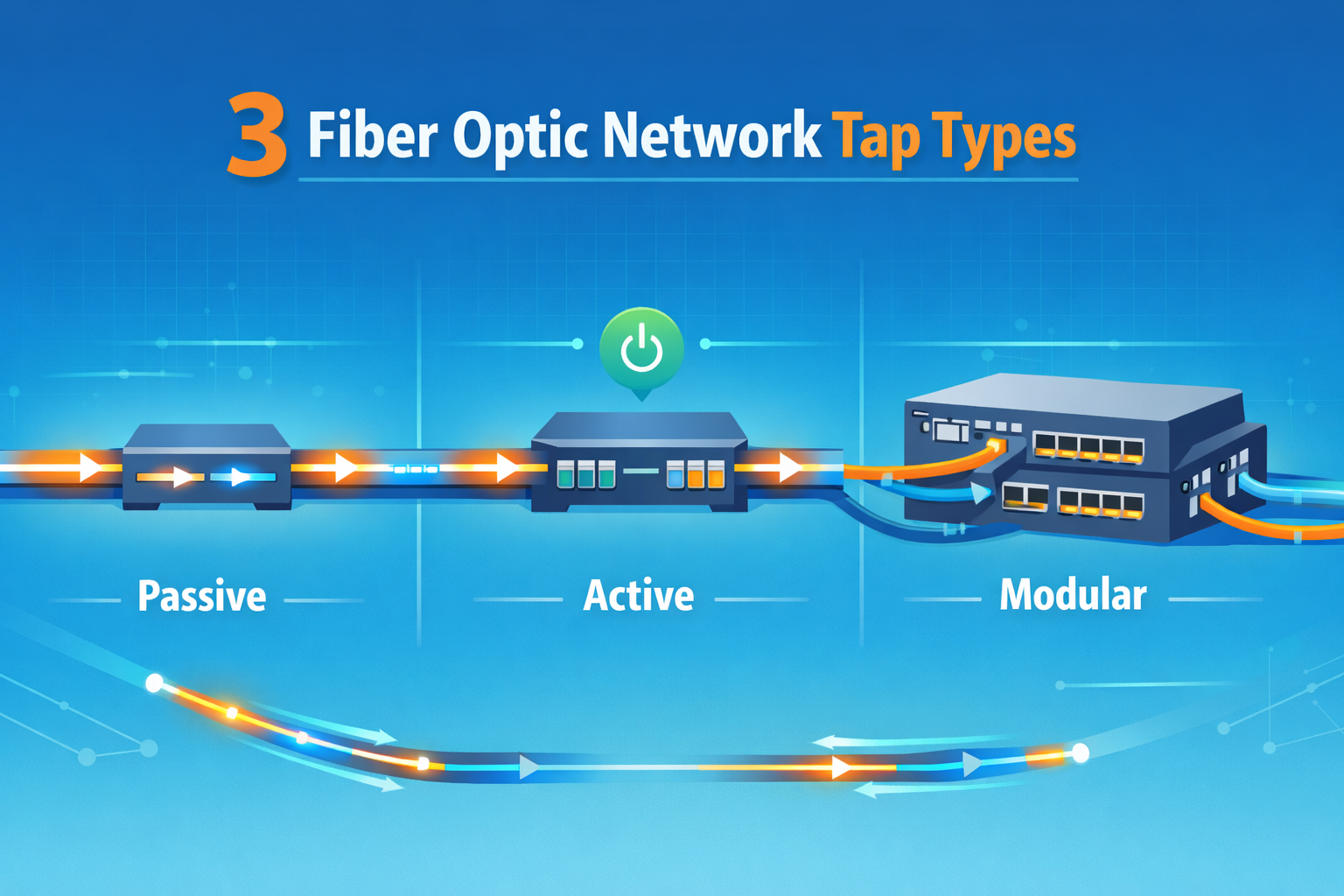
Fiber optic network taps types are designed to copy optical signals so teams can monitor live traffic without disrupting production. They provide direct visibility into what’s actually moving across the network, which matters more as environments grow more complex. Teams without them often rely on partial data, which slows response during incidents.
In our experience working with visibility platforms and cloud traffic, taps quickly become essential once scale increases. Many high-speed networks still depend on passive monitoring for this reason, it’s stable and consistent. The right tap type depends on your setup, and small differences matter. Keep reading to choose the right one.
Quick Reads: Fiber Optic Tap Types That Matter
Here’s a quick breakdown of the key points to help you understand fiber optic network taps types before going deeper.
- Passive taps are the most reliable, causing no packet loss and near-zero delay.
- Active taps regenerate signals, making them useful for long-distance or weak links.
- Split ratios like 70/30 directly affect how much traffic your tools can analyze.
What Are Fiber Optic Network Taps?
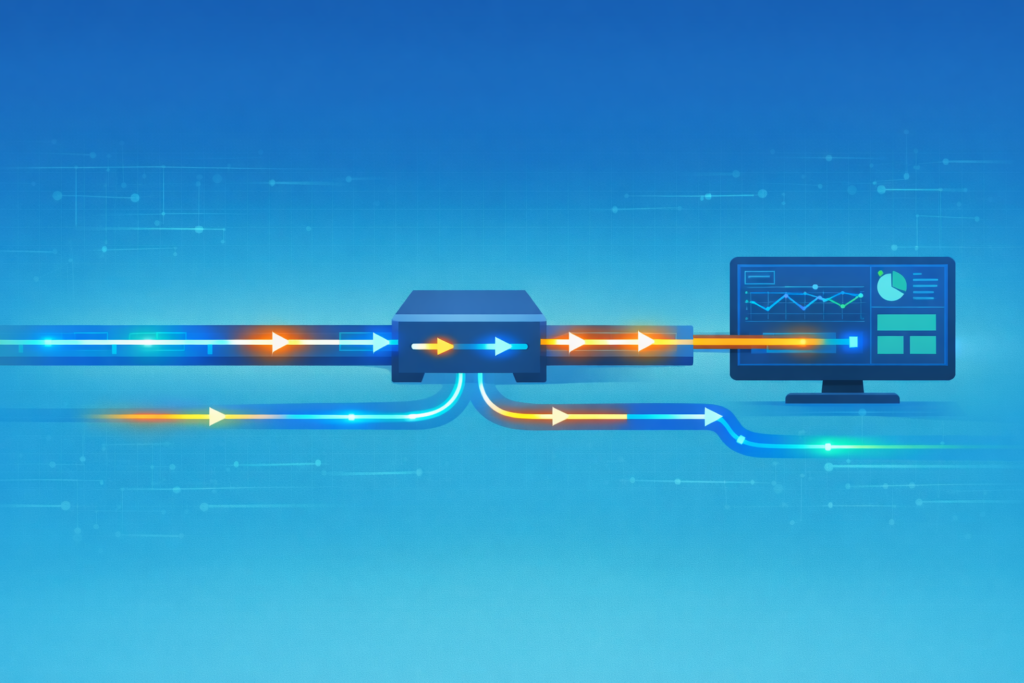
Fiber optic taps are placed directly into a fiber link to copy traffic without changing the original data flow. They create a second stream of packets that monitoring tools can inspect while production traffic continues as normal.
In most setups we build, taps act as the first layer of visibility. They feed tools like IDS systems, packet analyzers, and forensic platforms. Without that raw packet stream, security tools lose accuracy quickly. We have seen detection gaps shrink once full traffic visibility is restored.
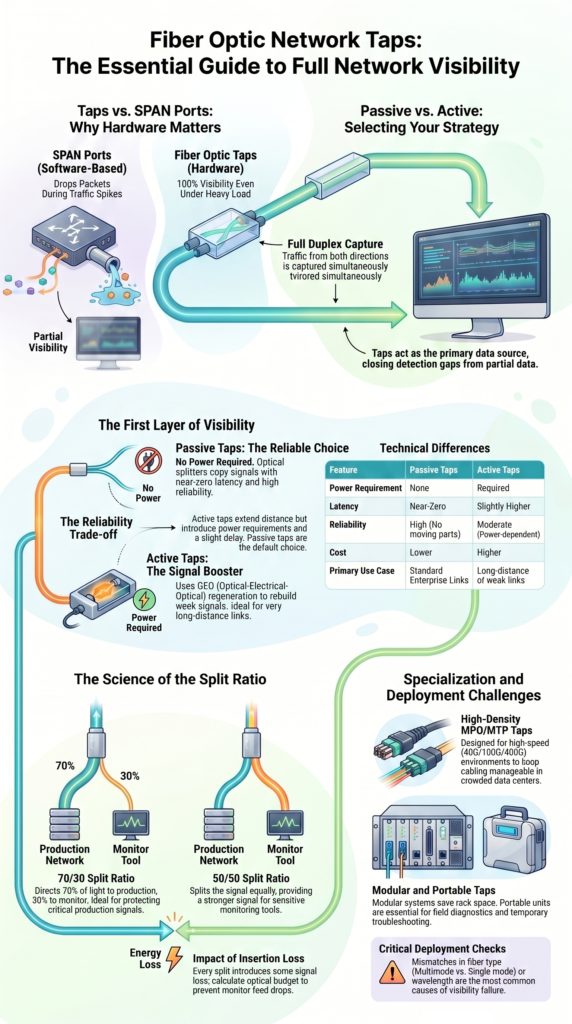
These devices rely on optical splitting rather than software duplication. That difference matters. Unlike SPAN ports, taps do not drop packets when traffic spikes. The copy stays consistent even under heavy load. It becomes clear when choosing between taps and SPAN ports in high-throughput environments.
In practice, taps support several important functions:
- Full duplex traffic capture from both directions
- Stable packet mirroring during peak usage
- Reliable input for threat detection pipelines
Teams working with threat modeling and risk analysis depend on this consistency. When every packet is visible, analysis becomes grounded in real data rather than assumptions. That shift changes how incidents are handled.
What Are the Main Types of Fiber Optic Network Taps?
Credits: LookingPoint, Inc.
Fiber taps generally fall into three groups: passive, active, and specialized designs. Each one solves a different problem.
In most environments we work with, passive taps come first. They are simple and dependable. Active taps appear later, usually when signal loss becomes an issue. Specialized taps show up when scaling becomes the main concern.
Choosing a tap is less about hardware and more about what you need to see in your network. We usually start with visibility goals, then match the design.
Insights from Gigamon indicate
“Passive network TAPs are so called because they don’t require power to operate. These devices contain an optical splitter that creates a copy of the signal as it passes through, and this applies to fiber TAPs and 10/100M copper network TAPs. With no moving parts, they’re highly reliable, and do not require configuration.” – Gigamon Blog
The main categories include:
- Passive taps that split signals without power
- Active taps that regenerate and extend signals
- Specialized taps built for density or flexibility
In real deployments, passive taps cover the majority of use cases. Active and modular designs fill the gaps where standard setups fall short.
How Do Passive Fiber Optic TAPs Work?
Passive fiber taps split light using optical components, without any power involved. The signal enters, a portion is copied, and both paths continue without delay that affects operations.
At the core, these taps rely on precise splitting methods. The main traffic keeps most of the signal, while a smaller portion is redirected to monitoring tools. This balance is controlled through split ratios.
We have installed passive taps in environments where uptime cannot be compromised. Even during outages or power issues, they continue working. That reliability becomes critical during investigations, when visibility must remain intact.
Insertion loss is minimal, but it still matters. Planning for it early avoids surprises later. In most cases, the impact stays within a safe range.
Key characteristics include:
- No power requirement at any point
- Near-zero latency during operation
- Consistent output for monitoring tools
Different split ratios serve different needs. A 70/30 split gives more strength to production traffic, while 50/50 provides stronger monitoring output. Choosing the right ratio often depends on how sensitive the monitoring tools are.
What Are the Subtypes of Passive Fiber TAPs?
Passive taps come in several forms, mainly shaped by fiber type, connector style, and speed requirements. Matching these correctly is where many deployments succeed or fail.
We have seen cases where the wrong fiber type caused monitoring feeds to drop entirely. It does not take much. A mismatch between multimode and single mode can break visibility without obvious signs.
Each subtype serves a specific environment:
- Multimode taps for shorter enterprise links
- Single mode taps for long-distance transmission
- MPO or MTP taps for high-density, high-speed setups
Connector choice also matters more than it seems. LC and SC connectors are common in standard environments, while high-speed systems may rely on breakout configurations.
In larger data centers, parallel optics and MPO designs are becoming more common. They support higher bandwidth while keeping cabling manageable.
Speed requirements continue to rise, especially in cloud-connected systems. We now see more demand for taps that support 100G and beyond. That shift affects both hardware selection and installation planning.
Getting these details right upfront saves time later. Fixing them after deployment usually means downtime, and that is harder to justify once systems are live.
How Do Active Fiber Optic TAPs Differ?
Active fiber taps take a different approach by regenerating the signal instead of simply splitting it. They convert optical signals into electrical form, then back again, restoring strength along the way.
This process allows monitoring over longer distances where passive taps struggle. We have used active taps in extended links where signal loss made passive options unreliable.
The trade-off is complexity. Active taps require power, and that introduces a new point of failure. It also adds a small amount of delay, though it stays within acceptable limits for most monitoring use cases.
In practical terms, active taps provide:
- Signal amplification for weak optical links
- Support for longer transmission distances
- Options for traffic aggregation in some models
They are not the default choice. Most teams avoid them unless the network conditions demand it. Still, in the right scenario, they solve problems that passive taps cannot.
From a security perspective, consistency matters more than raw distance. We only recommend active taps when visibility would otherwise degrade. If the signal holds strong, passive designs remain the better option.
Passive vs Active TAPs: Which Should You Choose?
Choosing between passive and active taps depends on reliability needs and network conditions. In most environments, passive taps are the first choice because they introduce fewer risks.
As noted by Siemon
“Active TAPs are a hardware device, inserted into the network, that direct 100% of the fiber to a third-party network analyzer; this network analyzer then replicates the traffic for further processing. While active taps are more expensive, a network manager has the ability to do more than just network monitoring, for instance, certain inspection applications allow for packet snooping and other similar services… potentially damaging the integrity of the data [due to active manipulation].” – Siemon Technical Brief
We tend to favor passive designs when building monitoring systems tied to threat detection. They provide a steady stream of packet data, which helps keep analysis accurate.
Active taps come into the picture when:
- Signal loss becomes noticeable
- Distances increase beyond normal limits
- Aggregation is required
A quick comparison:
| Feature | Passive | Active |
| Power | Not needed | Required |
| Latency | Very low | Slightly higher |
| Reliability | High | Moderate |
| Cost | Lower | Higher |
From our experience, reliability often outweighs flexibility. A monitoring system that never drops packets is easier to trust than one that compensates for signal loss but adds complexity.
What Are Specialized Fiber TAP Variants?
Specialized taps are built for environments where standard designs fall short. These include modular systems, portable units, and high-density configurations.
We often deploy modular tap chassis in data centers where rack space is limited. Instead of adding separate devices, teams can consolidate multiple taps into a single unit. That makes scaling easier without cluttering the rack.
Portable taps serve a different purpose. They are useful during troubleshooting or temporary monitoring tasks. We have used them in field diagnostics where permanent installation was not practical.
Some common specialized options include:
- Modular tap systems for dense environments
- Portable taps for short-term analysis
- Fail-safe taps that maintain traffic flow during faults
As networks grow more complex, flexibility becomes important. Cloud-connected systems and multi-tenant environments require monitoring setups that can adapt quickly.
These taps also integrate well with packet brokers and visibility fabrics. That integration helps route traffic efficiently across tools without overwhelming them.
In many cases, specialized taps are not the starting point. They come later, once the network scales beyond what basic setups can handle.
What Challenges Affect Fiber TAP Deployment?
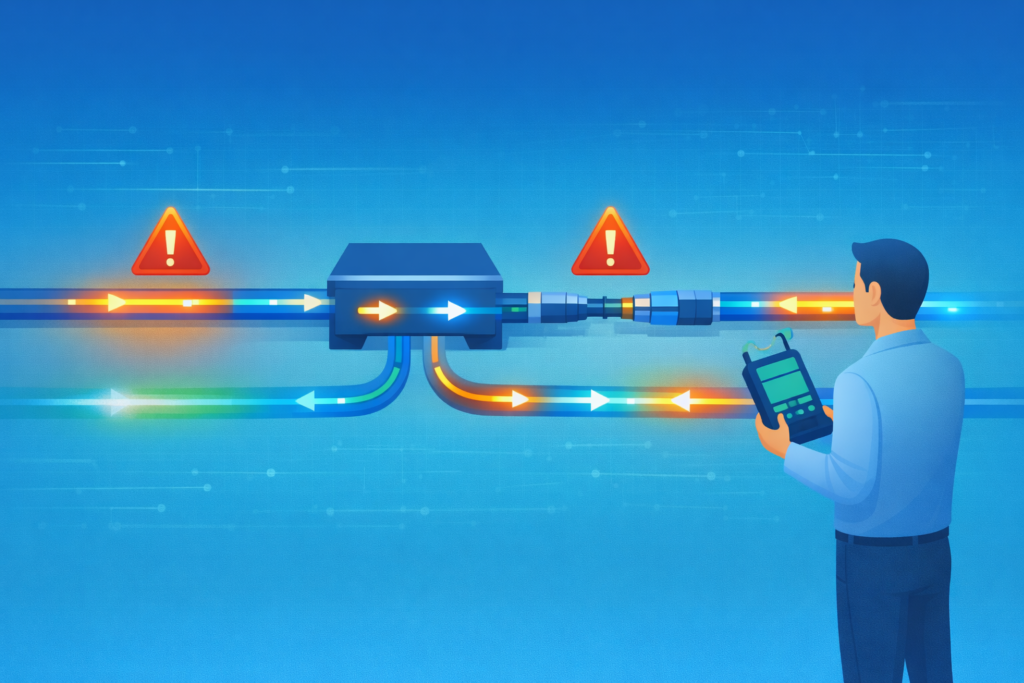
Deploying fiber taps is not complicated, but small mistakes can cause large issues. Signal loss, incorrect cabling, and wavelength mismatches are common problems.
We have seen deployments fail due to simple oversights. Mixing fiber types or ignoring wavelength compatibility can disrupt monitoring feeds without obvious warning signs. These issues often appear only after systems go live.
Planning the optical budget is one of the most important steps. Every split introduces some loss, and that must be accounted for before installation. This is where understanding the network tap deployment advantages for visibility helps frame why precision matters, visibility gains only hold if the signal remains intact.
Common challenges include:
- Incorrect fiber type selection
- Miscalculated signal loss
- Wavelength mismatches in BiDi systems
Testing tools help reduce these risks. Power meters measure signal strength, while OTDR tools locate faults along the fiber path. Fusion splicing also improves connection quality when done correctly.
Installation timing can also create challenges. Some networks require downtime to insert taps, which must be planned carefully.
From a security standpoint, poor deployment reduces visibility. That weakens threat detection and limits how well risks can be analyzed. Getting the setup right from the start makes everything downstream more reliable.
How Are Fiber TAPs Used in Cloud and Security Environments?
Fiber taps play a key role in connecting physical network traffic to cloud-based monitoring systems. They provide the raw data needed for deeper analysis.
In our work, taps feed packet streams into platforms that handle threat detection and risk modeling. Without that data, security tools rely too heavily on logs. This gap becomes more obvious when comparing network Taps vs. SPAN/mirror ports in distributed environments, where mirrored traffic often lacks consistency under load.
Modern environments extend beyond a single network. Traffic flows across cloud platforms, containers, and hybrid systems. Taps help maintain visibility across these layers.
Typical use cases include:
- Monitoring container traffic in Kubernetes setups
- Supporting multi-cloud visibility strategies
- Feeding packet data into forensic analysis tools
They also integrate with systems like ELK stacks and packet brokers. This allows teams to filter, store, and analyze traffic more efficiently.
Security teams benefit from having full packet data available. It supports deeper investigations and improves how threats are identified.
We have seen detection accuracy improve once packet-level visibility is added. It gives context that logs alone cannot provide. That added clarity strengthens both real-time monitoring and long-term risk analysis.
FAQ
What are passive fiber taps and when should you use them?
Passive fiber taps copy traffic using optical splitter taps without needing power. They use methods like fused biconic taper or planar lightwave circuit to split the signal. We recommend passive fiber taps when stability is important.
They provide zero latency taps and consistent output. These taps work well in network monitoring taps where reliability matters more than flexibility.
How do active fiber taps differ from passive fiber taps?
Active fiber taps regenerate signals using OEO regeneration. They convert optical signals into electrical form and then back again. This process helps extend distance and maintain signal strength. Unlike passive fiber taps, they need power and add a small delay. Teams use them when optical power loss becomes a problem in large or long-distance networks.
Which fiber optic network taps types work best for high-speed networks?
High-speed networks use 10G fiber taps, 40G fiber taps, 100G fiber taps, or 400G fiber taps based on bandwidth needs. MPO MTP taps and parallel optics taps support high-density traffic. In our experience, choosing the right network tap types for speed and interface helps prevent packet loss and keeps monitoring tools accurate during heavy traffic.
How do split ratio taps affect monitoring visibility?
Split ratio taps control how much signal goes to production and how much goes to monitoring. A 50/50 tap split gives stronger monitoring visibility. A 70/30 tap ratio or 80/20 optical split protects the production signal. The right choice depends on tool sensitivity and fiber budget calculation. Small changes can affect how much data your tools receive.
What should you check before deploying fiber optic taps in production?
Before deploying fiber optic taps, check wavelength compatibility, insertion loss taps, and total optical power loss. Use power meter testing or OTDR fiber analysis to measure signal strength. We also plan for fail safe taps and link down maintenance. These steps help ensure network monitoring taps provide consistent and accurate packet data from the start.
Visibility Starts with the Right Tap
You feel it when your network data isn’t complete, packets go missing, signals drop, and your analysis starts to fall apart. It creates doubt fast.
That’s where Network Threat Detection helps you move forward with clearer insight and faster response. If you want visibility you can rely on, start here and make your monitoring setup work the way it should.
References
- https://blog.gigamon.com/2019/03/19/understanding-network-taps-part-2-passive-taps-vs-active-taps/
- https://www.siemon.com/en/optical-network-tapping/
