
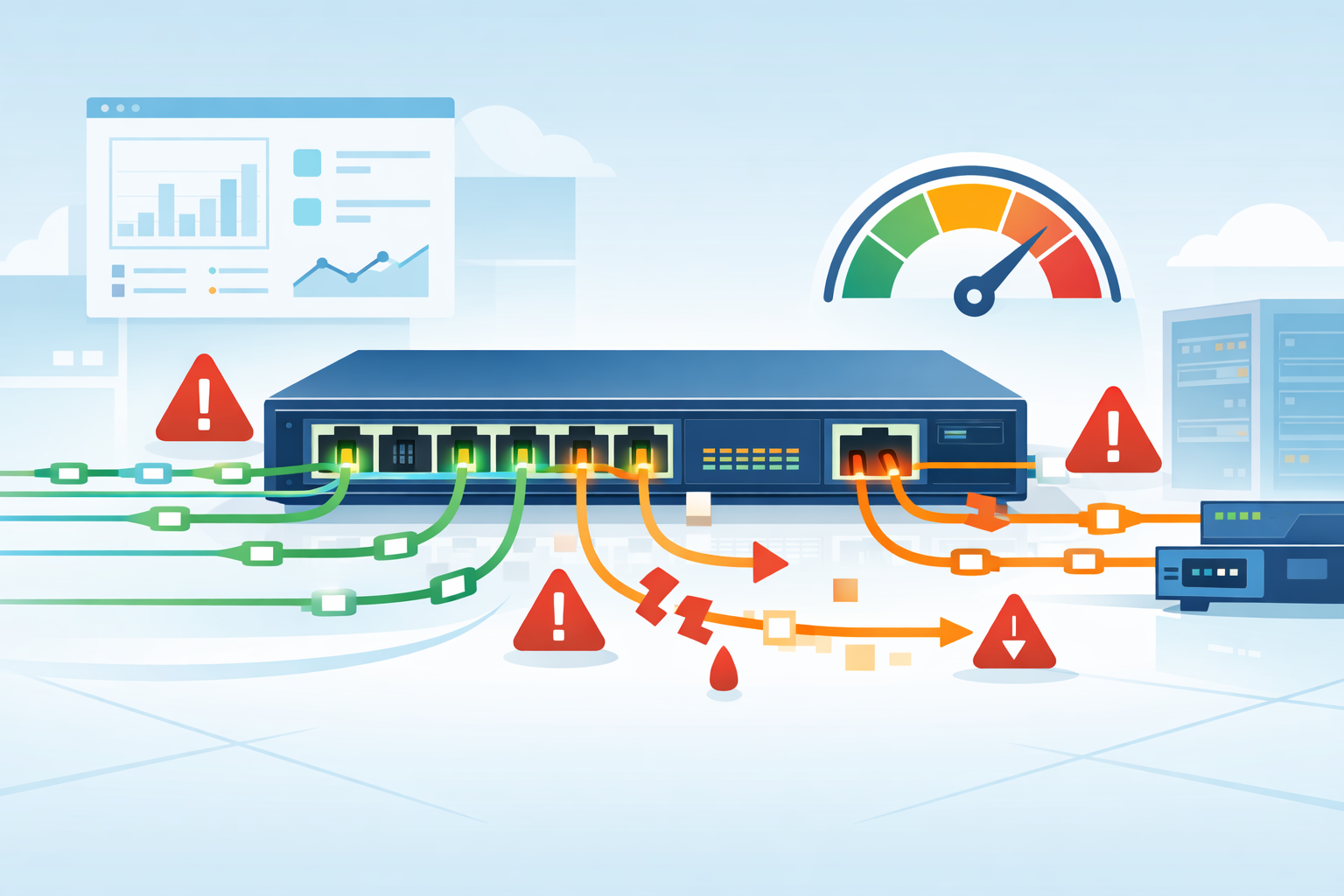
Impact on switch performance SPAN is real because mirrored traffic consumes switch resources and packet copies often drop first during congestion. Many teams still rely on SPAN on Cisco Catalyst and similar switches for packet capture, troubleshooting, IDS feeds, and incident review.
We have used it ourselves during outages because it is fast to enable and simple to remove later. That speed helps, but it does not always give clean data. Under heavy load, SPAN may miss the very traffic engineers need to inspect. We often suggest starting with Network Threat Detection first. Keep reading for the limits that matter most.
SPAN Performance Snapshot: What Matters Most
These quick points sum up where SPAN helps, where it breaks, and how teams reduce risk in production networks.
- SPAN is useful for short-term diagnostics, but mirrored packets can drop under pressure.
- Oversubscription is the most common reason monitoring fails silently.
- We often place Network Threat Detection first, then use TAPs or scoped SPAN sessions where needed.
Why Does SPAN Affect Switch Performance?
SPAN affects performance because the switch must do extra work. It forwards the live packet to users and systems, then creates another copy for the monitoring port. That second action may sound small, but on busy links it adds up fast.
In normal conditions, most modern hardware handles light mirroring well. Problems show up during bursts, peak business hours, backups, or east-west traffic spikes inside data centers. We have seen clean packet captures during calm periods, then missing traffic the moment utilization jumped.
Switches usually protect production traffic first. That means users stay online while the monitoring copy gets delayed or dropped. Many teams never notice until they compare logs, alerts, and packet traces later.
Common results include:
- Gaps in captures
- Missed attack indicators
- Partial sessions
- Slower investigations
- Wrong conclusions about root cause
Cisco and other vendors describe SPAN as a monitoring feature, not a guaranteed lossless recorder. That difference matters. Our risk reviews often place Network Threat Detection first because flow data and behavior signals remain useful even when mirrored packets are incomplete.
How Does SPAN Work Inside a Switch?
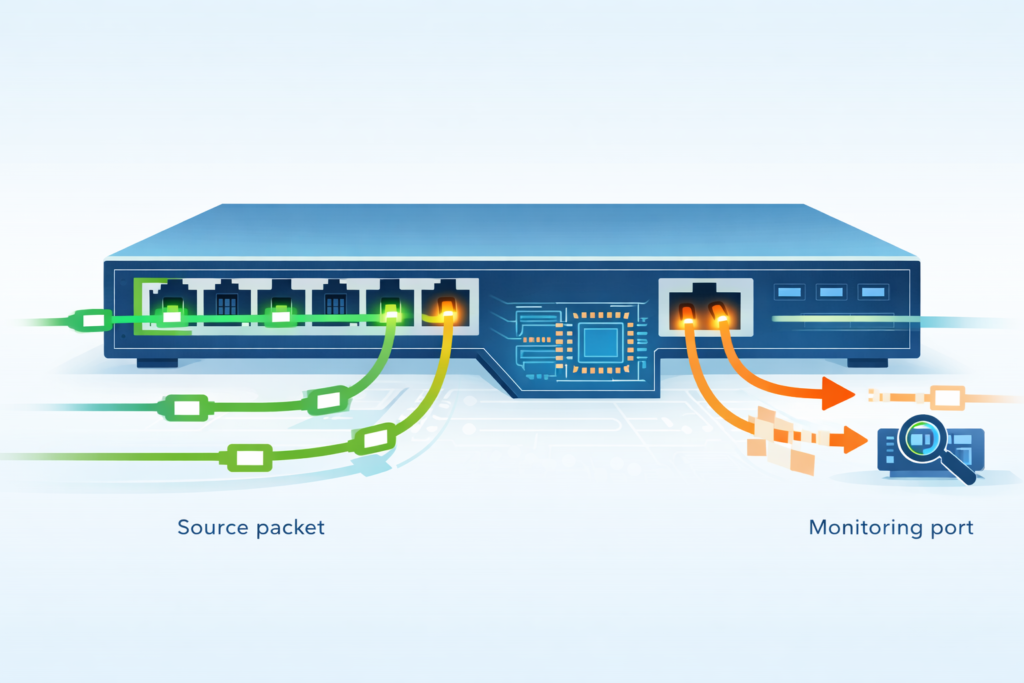
A packet enters the switch through a source port. The switching hardware decides where that packet should go for normal business traffic. After that decision, the device attempts to create a second copy and send it to the monitor port. That copied stream is what tools like Wireshark or an IDS sensor receive.
The important point is priority. Live traffic usually comes first. If resources become tight, the mirror copy is more likely to suffer. We have seen this during large file transfers and bursty cloud sync traffic where users noticed nothing, yet the packet capture missed key frames.
Different platforms handle SPAN in different ways. Some use efficient ASIC pipelines, while older devices may depend more on shared resources. Some switches also exclude malformed frames, CRC errors, or unsupported traffic from the mirrored output.
That means analysts may receive a cleaner but less complete picture.
Before deep packet work begins, our team often uses Network Threat Detection to flag unusual behavior. Then we apply narrow SPAN sessions only where packet-level proof adds real value.
What Is the Main Performance Impact of SPAN?
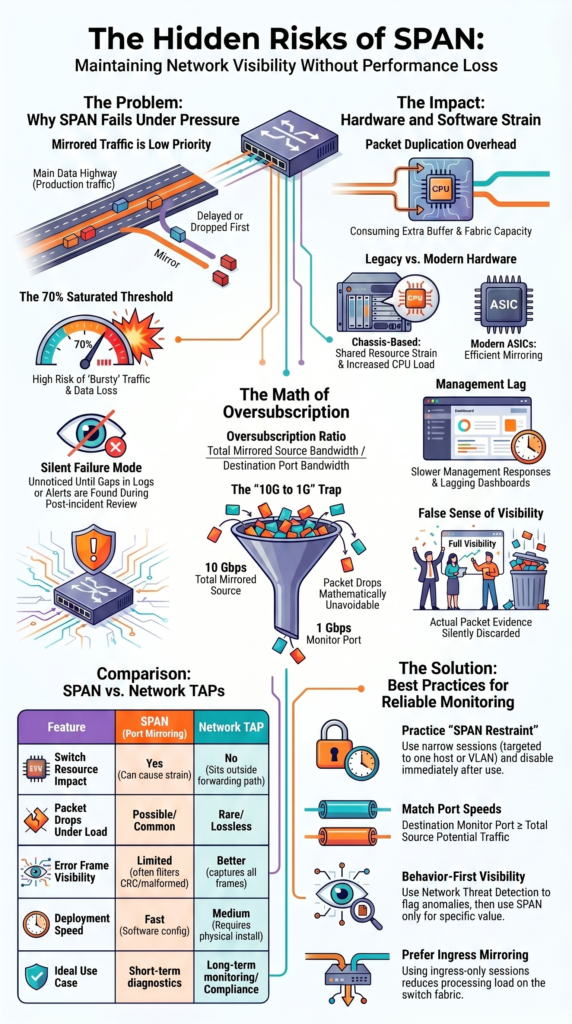
The biggest real-world issue is packet loss in the mirrored stream. This happens most often when the destination port cannot carry all copied traffic. A common example is mirroring 10 Gbps traffic into a 1 Gbps monitor port. The math does not work, so drops are unavoidable.
Production users may still see no outage. Email works. Applications stay online. That is why SPAN problems can sit unnoticed for weeks. We have reviewed cases where teams blamed the sensor, capture software, or storage server, when the missing packets never left the switch.
Typical warning signs include:
- Random gaps in captures
- Missing retransmissions
- Partial DNS lookups
- Broken TLS handshakes
- Inconsistent IDS alerts
These failures are dangerous because they look like clean data. Security staff may think nothing happened when evidence was lost upstream.
Our own assessments often recommend pairing packet capture with Network Threat Detection. Behavioral alerts, flow anomalies, and risk scoring help fill gaps when mirror feeds are less than perfect.
Does SPAN Increase CPU and Hardware Load?
Yes, it can. The exact impact depends on switch design, traffic mix, and how many mirror sessions are active. Modern platforms offload much of the work to hardware, but shared buffers, memory, fabric capacity, and control resources can still feel pressure.
We have seen older stacks slow down during incident response after several broad SPAN sessions were enabled at once. Commands lagged. Dashboards updated slowly. Troubleshooting became harder instead of easier.
Not every switch reacts the same way. Some handle light mirroring with little visible strain. Others become unstable when busy uplinks are copied for long periods.
Resource pressure often shows up as:
- Buffer stress during bursts
- Queue growth on monitor ports
- Slower management response
- Higher CPU after config changes
- Reduced headroom for new traffic spikes
Engineers sometimes quote rough impact numbers, but there is no single rule. Testing matters more than guesses.
Our team prefers to start with Network Threat Detection because it provides ongoing visibility without broad always-on mirror sessions. Then SPAN can be used in short windows when deeper packet detail is worth the cost.
Which Switches Handle SPAN Better?
Credits: IT Boost by Formip
Newer non-blocking switches usually handle SPAN better than older or heavily oversubscribed designs. The brand name matters less than the hardware path, available buffers, and how traffic moves through the box.
We have seen modern campus switches run short, targeted mirror sessions with little visible effect. In contrast, legacy chassis gear sometimes struggled under the same workload. Teams comparing hardware options often review network Taps vs. SPAN/mirror ports when deciding how much visibility should depend on the switch itself.
Large data center switches may also perform well, but they are not magic. If the monitor port is slower than the mirrored traffic, drops still happen.
| Switch Type | SPAN Tolerance | Common Risk |
| Modern ASIC enterprise switch | Moderate to High | Oversubscription |
| Older chassis platform | Medium | Shared resource strain |
| SMB unmanaged switch | Low to Unknown | Few controls |
| High-density data center switch | High for light use | Congested monitor ports |
In our planning work, we tell teams to test the real traffic path, not trust marketing labels. Good hardware helps, but sizing and scope matter more than logos.
Why Does Oversubscription Break Monitoring?
Oversubscription means the mirrored traffic is larger than the destination port can carry. Once that happens, copied packets queue up and then get dropped. The switch has no other option.
Examples are easy to spot:
- Mirror 2 x 10 Gbps links into 1 x 10 Gbps
- Mirror 4 x 1 Gbps links into 1 x 1 Gbps
- Mirror busy VLANs into one shared sensor port
Use this simple ratio:
Oversubscription Ratio = Total Mirrored Source Bandwidth / Destination Port Bandwidth
As the ratio climbs, capture quality usually falls. We have seen teams celebrate “full visibility” while running impossible numbers. Their dashboards looked fine, but the packet evidence was incomplete. Many organizations end up choosing between Taps SPAN ports after repeated oversubscription issues expose blind spots.
This creates quiet failure modes:
- Missed lateral movement traffic
- Lost VoIP bursts
- Partial malware callbacks
- Bad capacity estimates
Our threat modeling process treats oversubscription as a hidden control weakness. If monitoring cannot see enough traffic, defenders make decisions with blind spots. That is why we often pair selective SPAN with Network Threat Detection and better long-term capture design.
How Can You Reduce SPAN Performance Impact?
The best fix is restraint. Use SPAN only where it adds clear value, keep sessions narrow, and remove them when the task is done. Broad permanent mirroring creates load and noise at the same time.
We usually get better results by targeting one host, one VLAN, or one problem path instead of copying everything. During live incidents, short capture windows often reveal more than endless background data. Good planning around configuring SPAN mirror ports switch settings can also prevent avoidable load.
Practical steps include:
- Match source and destination port speeds
- Prefer ingress-only sessions when possible
- Avoid many busy sources into one monitor port
- Check switch health after enabling SPAN
- Test during peak hours, not quiet hours
- Disable sessions after the case closes
Another smart move is to monitor risk first. Our team uses Network Threat Detection to identify suspicious systems, unusual flows, and priority segments. Then packet capture can focus on the traffic that matters most.
That approach reduces wasted mirror traffic, lowers switch stress, and gives analysts cleaner evidence to review.
Is a Network TAP Better Than SPAN?
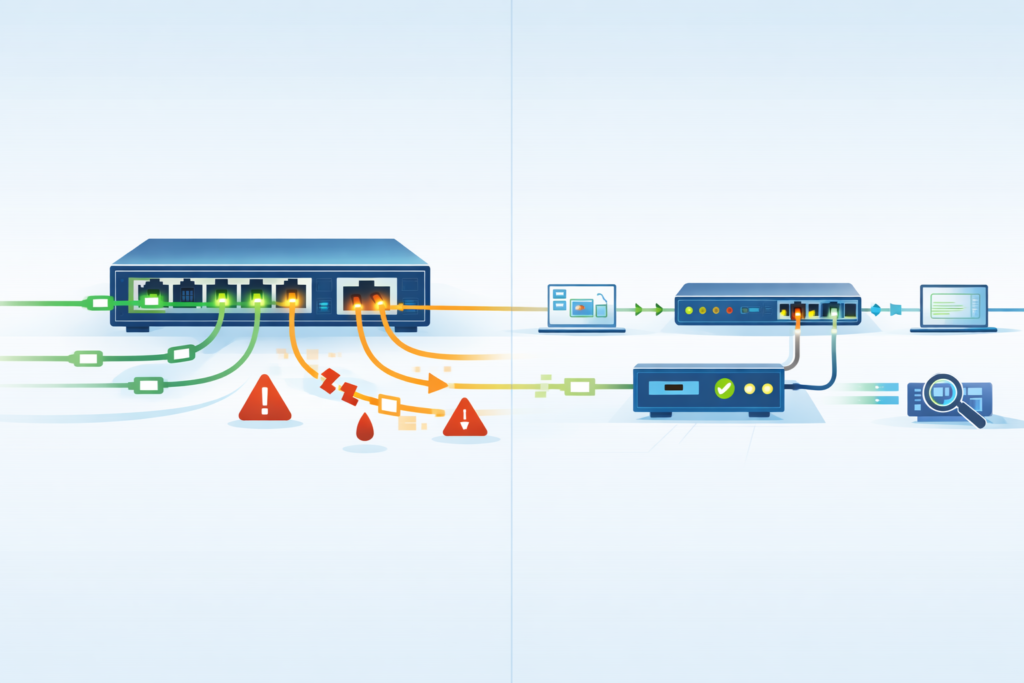
In many cases, yes. A Network TAP usually gives more reliable packet visibility because it sits outside the switch forwarding path. The switch does not spend resources duplicating traffic, and capture fidelity is often stronger.
As highlighted by Gigamon
“Incorrectly configured SPAN ports have been known to impact network performance or even cause network outages. SPAN ports are limited in number compared to the number of ports that may require monitoring, and they consume ports that could otherwise be carrying production traffic… The SPAN application can have a negative performance impact on the switch itself, sometimes affecting network traffic.” – Gigamon
We have used TAP-based collection during sensitive investigations where evidence quality mattered more than setup speed. That includes breach response, regulated environments, and repeated packet-loss cases.
| Feature | SPAN | Network TAP |
| Switch resource impact | Yes | No |
| Packet drops under load | Possible | Rare |
| Error frame visibility | Limited | Better |
| Deployment speed | Fast | Medium |
| Long-term monitoring | Mixed | Strong |
SPAN can be enabled quickly without new hardware, which is useful during short troubleshooting windows. Our advice is simple: use TAPs where complete visibility matters, and use SPAN where speed matters. Add Network Threat Detection on top so teams are not relying on packets alone.
When Should You Avoid SPAN Entirely?
There are times when SPAN is the wrong tool. If evidence must be complete, or if the network is already stressed, relying on mirrored traffic can create false confidence.
Insights from Garland Technology indicate
“Cisco warns that ‘the switch treats SPAN data with a lower priority than regular port-to-port data.’ In other words, if any resource under load must choose between passing normal traffic and SPAN data, the SPAN loses and the mirrored frames are arbitrarily discarded… Enabling multiple SPAN sessions simultaneously reduces the bandwidth available for normal traffic. This is a real concern in production environments.” – Garland Technology
We avoid SPAN for cases like these:
- Saturated uplinks
- Active outage investigations
- Compliance-grade packet logging
- High-frequency trading systems
- Industrial control networks
- Repeated unexplained packet loss
- Heavy east-west traffic clusters
Busy links above roughly 70% utilization can become risky because short bursts push the mirror feed over the edge. Users may remain online while the capture loses the details you need most.
In higher-stakes environments, our recommendation is usually Network Threat Detection plus TAP-grade visibility. Threat models, segmentation reviews, and risk scoring help decide where to place controls before an incident starts.
When the cost of missing packets is high, convenience should not drive the decision.
FAQ
Does port mirroring impact normal traffic during peak hours?
Yes, port mirroring impact can appear when switches copy busy traffic to a monitoring port. During peak hours, mirrored packets may compete for buffers and bandwidth. Users may notice delay, packet loss, or slower monitoring results. We often recommend testing mirror loads first and watching production traffic before leaving sessions active for long periods.
How can I reduce SPAN performance degradation on busy links?
To reduce SPAN performance degradation, mirror only the traffic you need instead of whole uplinks. Use filters, shorten capture windows, and avoid multiple sessions on overloaded switches. Check switch CPU utilization SPAN metrics and interface counters often. If packet drops SPAN session issues continue, move to dedicated monitoring methods for cleaner visibility.
Why do monitoring port drops happen on mirrored sessions?
Monitoring port drops usually happen when copied traffic exceeds the destination port speed or buffer capacity. A common case is 10G SPAN to 1G drops, where the output cannot keep up. Oversubscription switch ports also adds risk. Matching link speeds and limiting mirrored sources helps reduce missing packets significantly.
Is network tap vs SPAN better for accurate packet capture?
For high accuracy, many teams prefer network tap vs SPAN comparisons because taps usually provide cleaner copies. TAP zero impact monitoring avoids using switch resources and reduces switch fabric load mirroring concerns. It also improves monitoring accuracy SPAN often struggles with under load, especially during bursts or duplex-heavy traffic periods.
What are smart SPAN session best practices for security tools?
Good SPAN session best practices include mirroring only critical segments, checking destination port congestion, and reviewing packet loss daily. Security teams should watch IDS monitoring performance and security tool packet loss after changes. Keep sessions documented, temporary when possible, and retest during peak traffic to avoid blind spots later.
Fast Visibility Needs the Right Limits
You notice the problem when SPAN looks fine at first, then traffic spikes, packets get missed, and investigations start pointing the wrong way. That can cost time fast.
That’s why smart teams use NetworkThreatDetection.com for steady insight first, then add TAPs or scoped SPAN where deeper packet data is needed. If you want visibility built around real risk, start here and make better decisions sooner.
References
- https://www.gigamon.com/resources/resource-library/white-paper/to-tap-or-to-span.html
- https://www.garlandtechnology.com/hubfs/Current/Documents/Whitepaper/GTWP-TAP-vs-SPAN21.pdf
