
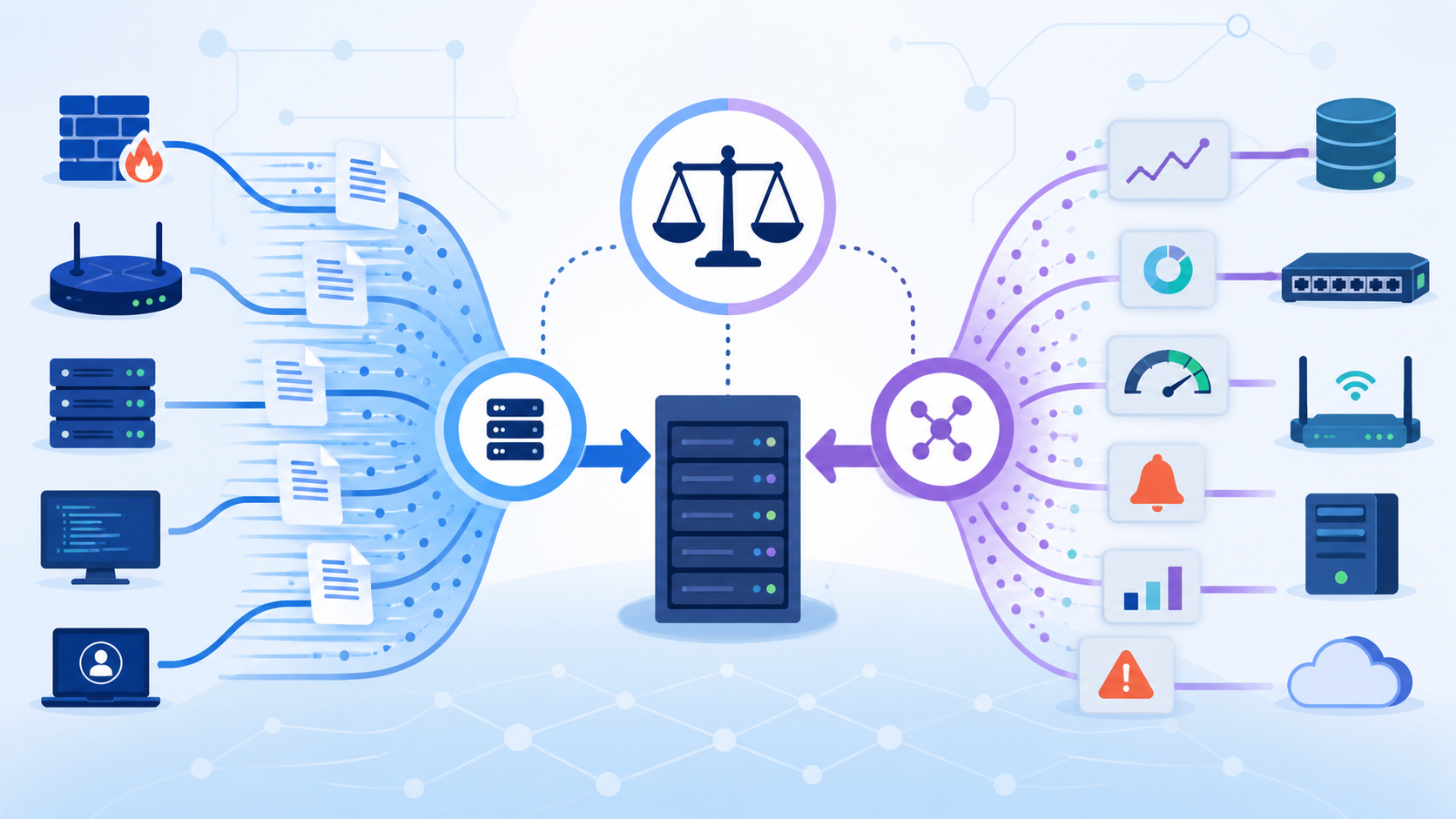
Log forwarding protocols Syslog SNMP are the core ways teams move network data into centralized systems. Syslog captures event logs, while SNMP tracks metrics and sends alerts. In most environments, both run side by side to support monitoring, detection, and faster response.
We have seen in our own builds that when Syslog data is missing, context disappears, and SNMP is absent, system health becomes unclear. Many teams face this gap without realizing it until something breaks. Understanding how these protocols differ and work together helps avoid that. Keep reading to see how to use both effectively..
Quick Reads: Syslog vs SNMP at a Glance
These points highlight how log forwarding protocols Syslog SNMP work together to improve visibility, reduce noise, and support faster decisions across your monitoring setup.
- Syslog handles high-volume event logging, while SNMP focuses on structured monitoring and alerts
- SNMPv3 adds authentication and encryption, improving security over earlier versions
- Hybrid setups combining both reduce alert fatigue and improve visibility
What Is Syslog and How Does It Work?

Most teams encounter Syslog early. It works as a push-based protocol, meaning devices send logs continuously to a central server. Routers, firewalls, servers, and even applications all rely on it.
At its core, Syslog follows standards like RFC 5424, with older formats still in use. Many setups still run over UDP 514 because it is simple, though we have learned that this comes with trade-offs. Packet loss is real, especially under load. That is why many teams, including ours, move to TCP or TLS-based transport when reliability matters.
Each Syslog message carries structured fields such as severity, facility, hostname, and the message itself. Once logs start pouring in from sources like firewall rules, web servers, and authentication systems, the volume grows fast. This is also where evaluating a proper log management system features comparison becomes important.
In practice, Syslog is best understood through how it behaves in real systems:
- It collects logs from many sources into one place
- It supports filtering using severity levels and facilities
- It keeps messages readable, which helps during investigations
In our own deployments, we often route firewall activity, VPN events, and system logs into one stream. From there, parsing rules clean and normalize the data.
What Is SNMP and How Does It Work?
SNMP works in two ways. First, it polls devices at regular intervals to collect metrics. Second, it sends alerts through traps or informs when something changes. This dual approach gives teams both a steady stream of data and immediate notifications.
The data itself is structured using a hierarchy called the Management Information Base, or MIB. Each metric has an identifier, known as an OID.
We rely on SNMP heavily when building monitoring layers into threat detection systems. Metrics like bandwidth usage, CPU load, and packet loss help confirm whether an issue is affecting performance or just generating noise in logs.
Security used to be a weak point in SNMP. Earlier versions relied on simple community strings, which were easy to misuse. SNMPv3 changed that with authentication and encryption, and we strongly recommend using it in any serious deployment.
From hands-on experience, SNMP works best in situations like these:
- Tracking device health and uptime
- Monitoring thresholds such as CPU or memory usage
- Detecting sudden changes like link failures
There is one catch. SNMP data is not always easy to interpret. We have seen teams collect SNMP data for months without gaining real insight because decoding was never set up correctly.
How Do Syslog and SNMP Compare?
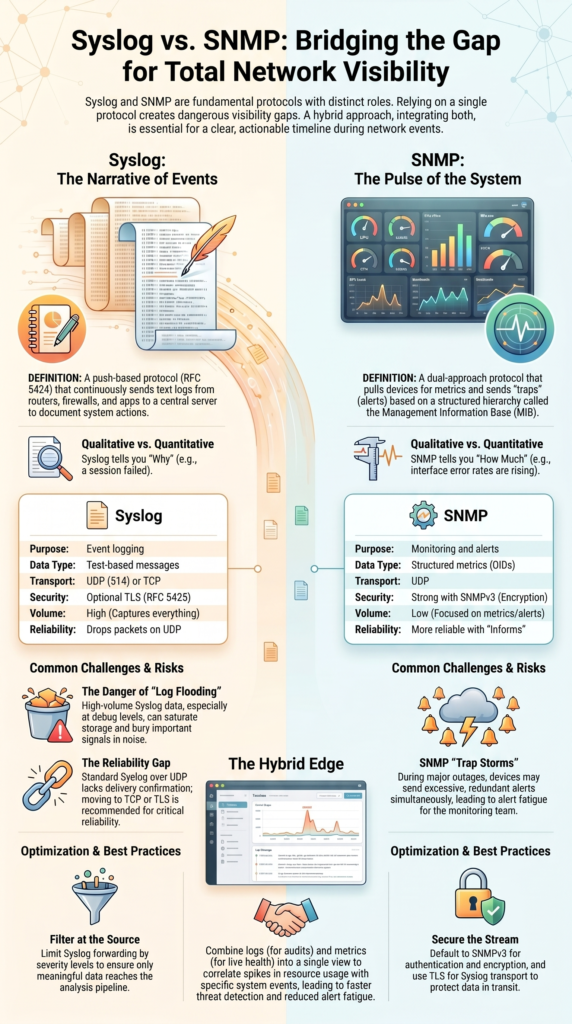
Credits: Astrit Krasniqi
The difference between Syslog and SNMP becomes clear during real incidents. One shows the story, the other shows the state.
Syslog captures detailed events. SNMP tracks measurable values. Both matter, but they answer different questions.
As highlighted by FS.com Community Blog
“SNMP generally collects quantitative data, such as metrics and counters, such as CPU load, memory usage. Syslog gathers qualitative information, primarily focusing on events and system messages , such as login attempts, error messages.” – FS.com Community Blog
| Aspect | Syslog | SNMP |
| Purpose | Event logging | Monitoring and alerts |
| Transport | UDP or TCP | UDP |
| Data Type | Text-based messages | Structured metrics |
| Reliability | Can drop packets on UDP | More reliable with informs |
| Security | Optional TLS | Strong with SNMPv3 |
In one outage we handled, Syslog showed repeated session failures between network peers. At the same time, SNMP confirmed interface counters were dropping and error rates were rising.
Another key difference is volume. Syslog generates far more data. That includes application logs, DNS queries, and system events. SNMP, by contrast, stays focused on metrics and sends far fewer alerts.
When both are used together, teams get a clearer picture. Logs explain why something happened. Metrics confirm how serious it is.
Why Do Many Teams Use Both Syslog and SNMP?
Relying on one protocol alone creates gaps. That is something we have seen repeatedly while working on threat detection systems.
Syslog gives detailed logs, but it does not always show system health. SNMP shows metrics, but it lacks context.
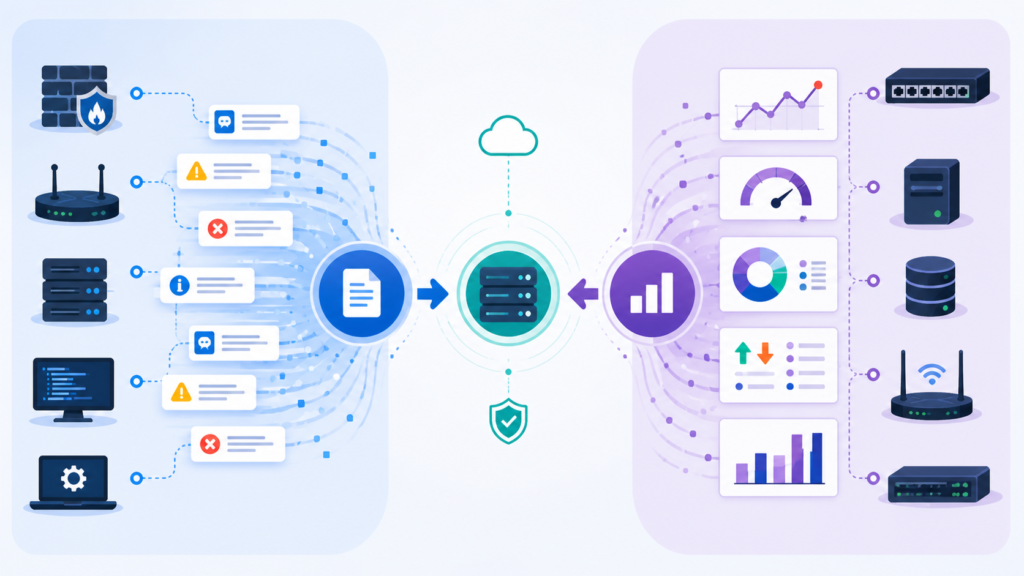
In our own setups, Syslog feeds into analysis pipelines where logs are stored, parsed, and correlated. SNMP feeds dashboards that show live system behavior. This layered approach aligns closely with proven centralized log management strategies. Together, they create a timeline that is easier to follow during incidents.
This matters most during complex events. For example, a spike in failed logins might appear in Syslog. At the same time, SNMP could show CPU usage rising on the same system. Seeing both signals together changes how the issue is handled.
Teams that adopt this hybrid approach usually see improvements in:
- Faster detection of real threats
- Better understanding of system impact
- Reduced false alerts
We have built systems where logs from intrusion detection tools, authentication services, and network devices are combined with SNMP metrics. Another benefit is reducing guesswork. Instead of asking whether a problem is real, teams can confirm it using both logs and metrics in the same view.
What Are Common Problems with Syslog and SNMP?
Both protocols work well, but only when configured carefully. Without that, they create new problems.
Syslog can overwhelm systems with sheer volume. We have seen cases where debug-level logs flooded storage and slowed down analysis pipelines. When everything is logged, nothing stands out.
SNMP has a different issue. Trap storms can occur when devices send too many alerts at once. This often happens during outages, when multiple systems report the same problem repeatedly.
From real deployments, these problems show up often:
- Syslog messages dropped due to UDP transport
- Excessive logs burying important signals
- SNMP traps arriving without enough context
- Difficulty reading SNMP data without proper mapping
Another issue is reliability. Syslog over UDP does not confirm delivery, so messages can disappear. SNMP traps can also fail silently if the receiver is not configured correctly.
We have seen both issues happen at the same time during large network events. Logs were incomplete, and SNMP alerts were inconsistent. That combination made troubleshooting slower than it should have been. Fixing these problems usually starts with better filtering and transport choices.
How Can You Optimize Log Forwarding Setup?
Improving log forwarding is less about adding tools and more about making smarter choices early in the pipeline.
One of the first steps we take is filtering. Not every log needs to be forwarded. By limiting logs based on severity or type, data volume drops significantly without losing important signals.
Transport also matters. Moving from UDP to TCP or TLS improves reliability. We have seen a noticeable difference in delivery consistency after making that switch.
For SNMP, security and tuning are key. SNMPv3 should be the default, and polling intervals need to be adjusted so systems are not overloaded.
In practice, optimization often looks like this:
- Filter Syslog by severity to reduce noise
- Use secure transport instead of UDP when possible
- Set reasonable SNMP polling intervals
- Aggregate logs before sending them to analysis systems
We apply these steps when building threat detection pipelines. It keeps the system focused on meaningful data instead of raw volume. Choosing between platforms also plays a role here. Especially when evaluating trade-offs in SIEM vs log management tools as part of the overall architecture.
Another improvement comes from structuring data early. Clean, normalized logs are easier to search and correlate.
When Should You Use Syslog vs SNMP?
Syslog is the right choice for capturing detailed activity. This includes login attempts, application errors, and system changes. It builds a history that teams can review during investigations.
SNMP is better for monitoring system health in real time. It tracks metrics like uptime, interface status, and resource usage. These signals help detect issues as they happen.
Insights from Michał Kwiatkowski indicate
“Syslog is invaluable when it comes to documenting system actions. Examples of applications: logs of logins, configuration changes, or network access attempts… SNMP is the perfect solution when you need real-time data on the status of network devices. You can monitor indicators such as: CPU load, memory usage, interface traffic or bandwidth, device temperature.” – Michał Kwiatkowski, LinkedIn Blog
From our experience, teams often divide responsibilities like this:
- Syslog for logging and audits
- SNMP for monitoring and alerts
- Both for correlation and deeper analysis
We have integrated both into environments where logs from network devices, servers, and applications are combined with SNMP metrics. That setup makes it easier to trace issues from cause to impact.
In real-world use, this combination supports faster response times. Instead of switching between tools, teams can see both logs and metrics in one place.
FAQ
What is the difference between syslog protocol and snmp traps in log forwarding?
The syslog protocol is used for event logging and sends text-based messages to a syslog server. SNMP traps are alert messages sent when specific conditions are met. In log forwarding, Syslog provides detailed activity logs, while snmp traps deliver quick alerts. Both support network monitoring, but they serve different roles in visibility and incident response.
How do RFC 5424 and RFC 3164 affect syslog message formats?
RFC 5424 and RFC 3164 define how syslog protocol messages are structured. RFC 3164 is older and uses a simpler format. RFC 5424 includes structured data fields that improve parsing and analysis. These standards shape the syslog header, severity levels, and facility codes, which help central logging systems and SIEM integration process logs more clearly.
Why is SNMPv3 preferred over community string-based versions?
SNMPv3 is preferred because it adds strong security features. Older versions rely on a simple community string, which is easy to misuse. SNMPv3 includes authentication privacy, encryption, and user-based controls such as auth protocol and priv protocol.
These features protect data during log forwarding and network monitoring, and they reduce the risk of unauthorized access.
How do tcp syslog and syslog over tls improve reliability?
TCP syslog improves reliability by ensuring messages are delivered without loss, unlike UDP 514. Syslog over TLS, defined in RFC 5425, adds encryption to protect data in transit. Together, these methods make log forwarding more secure and consistent. They are commonly used in reliable syslog setups where accurate event logging is critical.
What causes alert fatigue and trap storm in SNMP environments?
Alert fatigue happens when too many notifications make it hard to focus on real issues. A trap storm occurs when a large number of SNMP traps are sent at once, often during system failures.
Poorly set thresholds and polling intervals can cause this problem. Proper filtering, tuning, and a well-configured trap receiver can reduce noise and improve monitoring accuracy.
Stop Missing What Your Network Is Trying to Tell You
You see alerts coming in, but they don’t line up, and it slows everything down. One feed shows activity, another shows numbers, and you’re stuck piecing it together under pressure. It’s frustrating. Gaps like this make response slower and less certain when it matters most.
We’ve learned that combining Syslog and SNMP gives a clearer picture fast, and helps turn that into action without extra guesswork. It connects logs with risk context so teams can move quicker. If you’re ready to tighten your visibility, start here.
References
- https://www.fs.com/blog/snmp-vs-syslog-which-one-should-you-choose-2251.html
- https://pl.linkedin.com/pulse/biuletyn-7-snmp-vs-syslog-micha%25C5%2582-kwiatkowski–iju7f
